Laravel eCommerce UPS Shipping: The extension allows the customers to choose the UPS (United Parcel Service) shipping method for their orders. During the checkout, the customers can view various UPS shipping options with real-time freight rates.
- Description
- Reviews
- FAQ
- Specifications
- Cloud Hosting
- Changelog
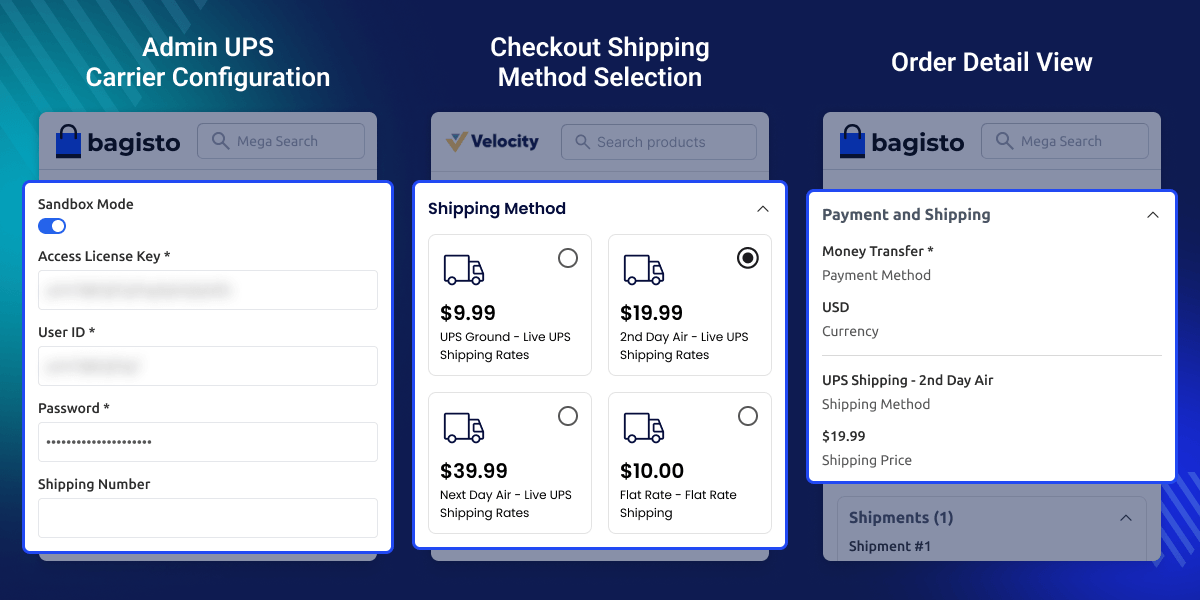
Laravel eCommerce UPS Shipping: This extension allows the customers to choose the UPS (United Parcel Service) shipping method for their orders. During the checkout, the customers can view various UPS shipping options with real-time freight rates. The admin needs to configure the details once the module is installed. The details provided by the admin, calculate shipping cost to be applicable for the admin products. UPS shipping is well known for its services all around the globe.
Highlighted Features
Global Shipping
UPS shipping is available across 220 countries.
Checkout
Enable customers to choose UPS carriers for shipping.
Services Provided
The module provides a wide range of UPS shipping services.
Generate Shipping and Invoice
The admin can generate shipping and invoice for the orders.
Why choose UPS Shipping?
UPS shipping is one of the best solutions for those who want to ship their products around the world. The UPS services have a fame for their good service so there are fewer chances of mistakes.
The admin can set various shipping methods offered by the UPS shipping service. let the customers select any available UPS shipping service on the checkout page.
- Serves delivery in more than 220 countries.
- One of the fastest shipping service provider.
- Track your UPS shipments using UPS.com and the UPS mobile app.
- UPS provides free insurance for anything valued under $100.

Add your Shipping Account
After the successful installation of the module, the admin needs to set the origin address from where the UPS service will pick up the order the admin need to enter the following details -
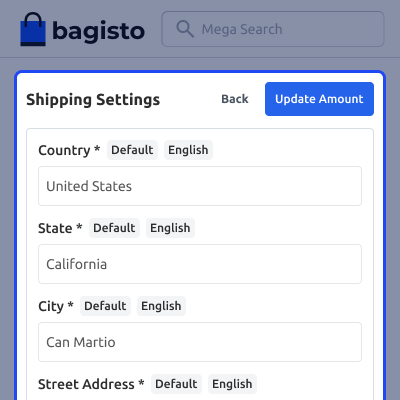
- The admin needs to enter the country
- The admin needs to enter the state.
- The admin needs to enter the street address.
- The admin needs to enter the zip along with the city.

Module Layout
After the successful installation of the module, the admin can configure the settings of the module from the admin panel so that the shipping method is available for the customers for the shipping of their package.
The admin can perform several actions under the admin panel and need to input the Account Id, Meter Number, Post Code, Key, and Password.
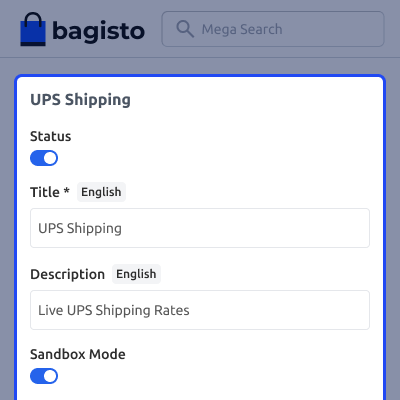
- The admin can select the package type and drop off type from the dropdown menu.
- The admin can select the services provided by the UPS.
- The admin can enable the module for the Sandbox mode.

Customer Checkout Process
Now once the product has been finalized or added to the cart by the customer, the UPS shipping is visible under the checkout page and the customers can make use of the UPS shipping method. Here the buyer can select the desired method for shipping the products.
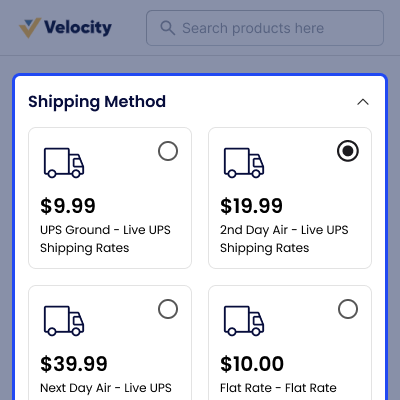
- The buyer can see this shipping option on the checkout page.
- The buyer will have various shipping services options along with the shipping costs.
- The buyer can choose any “Shipping services” for the product shipment.
- Show real-time and accurate UPS shipping rates automatically.

Create invoice and shipment
The shipping service selected by the customer will be also visible in the order details.
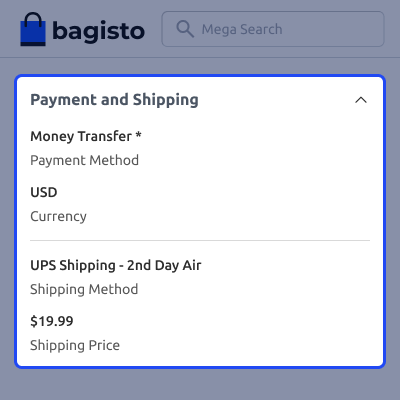
- The admin can also create the invoice for the order.
- The admin can also create a shipment for the order.
- The admin can even cancel the order if required.

Features List
- The admin can enable or disable the UPS Shipping method.
- The admin can set the ups shipping method name that will be shown from the front side.
- The admin can define the allowed methods and weight units.
- The admin can set packaging type and drop off type.
- The dynamic shipping method for freight calculation.
Support
For any issue related to this module, please create a support ticket here at - https://webkul.uvdesk.com/en/customer/create-ticket/ or send an email to [email protected]
You may also check our quality Bagisto Extensions.
Specifications
Frequently Asked Questions
Specification
Detailed technical features and requirements to help you understand the module’s capabilities and ensure smooth integration with your system.
Cloud Hosting for Websites & Applications
Power your website or application with flexible, scalable cloud infrastructure designed for performance and growth.
Move Your Website or Application to the Cloud
Get started with Cloudkul hosting tailored to your needs.
Configure Your Cloud Server
Choose server resources based on your workload, expected traffic, and performance requirements.
Start with the cloud resources your project needs today and adjust your server configuration as your business grows.
Explore flexible cloud hosting plans and choose your ideal configuration.
* Starting price is indicative. Final pricing and available server resources depend on the selected hosting configuration and requirements.
Change Logs
- + Features
- - Bugs
- * Added compatibility with Bagisto 2.5.0, running on Laravel 13 and PHP 8.4. Updated the module requirement to PHP
^8.4. - + Added UPS shipment booking. When an admin creates a shipment for an order shipped with UPS, the module books the shipment with UPS, saves the UPS tracking number, and stores the shipping label.
- + Added a new UPS Labels panel to the admin order page. It displays each UPS shipment with a link to its UPS tracking page and a Download Label button.
- + Added label retry functionality. If UPS rejects a label, the shipment is still saved, the panel displays the UPS response, and the admin can click Retry UPS Label after resolving the issue.
- + Added the Create shipment automatically when order is placed setting to create UPS shipments and book labels when customers place orders.
- + Added UPS Labels and Retry permissions under Sales → Shipments to control which admin roles can download and retry labels.
- + Added optional package dimensions, including length, width, height, and unit, which are sent to UPS with the Package container.
- * Migrated UPS rate requests to the UPS OAuth REST API. Added the Client ID, Client Secret, and Account Number credentials for UPS developer apps and removed the Access License Key, User ID, Password, and Shipper Number settings.
- * Updated Sandbox Mode to use the UPS test environment with test credentials instead of returning fixed sample rates. This allows the complete checkout, shipment, and label workflow to be tested before going live.
- ! Fixed UPS rates quoted in a currency other than the store's base currency being charged as though they were in the base currency.
- ! Fixed UPS request failures caused by mixing pounds with centimetres or kilograms with inches. Package dimensions are now sent in the unit matching the package weight unit.
- * Added the
ups_shipmentstable to store UPS labels. Runphp artisan ups-shipping:installafter updating to create the table. The module now registers its model internally, so no changes toconfig/concord.phpare required.
- + UPS Shipping compatible with Bagisto v2.4.8
- [feature] UPS Shipping compatible with Bagisto v2.4.1.
- [feature] The admin can enable or disable the usps Shipping method.
- [feature] The admin can set the ups shipping method name that will be shown from the front side.
- [feature] The admin can define the allowed methods and weight units.
- [feature] The admin can set packaging type and drop off type.
- [feature] Dynamic shipping method for freight calculation.
- [feature] Compatible for v1.3.3.
- [bug] Wrong calculated rate from the ups api.
- [feature] Compatible for v1.3.2
- [feature] compatible for v1.3.1.
- [Fixed][#8] Add calculate tax options in shipping method.
- [Fixed][#9] All required fields should be disable when module status is disabled.
- [Fixed][#11] UPS Shipping is not coming on checkout page.
- * [feature] compatible with v1.1.0 and v1.1.0.
- * [bug] shipping method name should also show in the order summary.
- * [bug] ups shipping method names are not showing in order & invoice details.
- * [bug] cart rule condition doesn't match for UPS shipping.
- * [feature] The admin can enable or disable the UPS Shipping method.
- * [feature] The admin can set the ups shipping method name that will be shown from the front side.
- * [feature] The admin can define the allowed methods and weight units.
- * [feature] The admin can set packaging type and drop off type.
- * [feature] Dynamic shipping method for freight calculation.