Top Selling Extension Winner
2 times in a row
Magento 2 AI Base Image Generator
Magento 2 AI Base Image Generator lets admins create real product images with AI. You can also set the model’s age, gender, body type, and skin tone for a custom look.
- Generate product images automatically using AI.
- Choose the model’s age for the image.
- Select the model’s gender.
- Pick the model’s body type.
- Customize the model’s skin color.
Top Selling Extension Winner
2 times in a row
- Description
- Reviews
- FAQ
- Customers ()
- Specifications
- Cloud Hosting
- Changelog
Magento 2 AI Base Image Generator helps store owners make product images quickly. It saves time and avoids the need for costly photo shoots. Admins can change model details like age, gender, body type, and skin tone. The new images save directly to the gallery and connect to the catalog for easy use.
Apart from this, you can also explore Magento 2 AI Image Search Extension, which allows searching for products using images.
Note: Please ensure you have an active paid Google Gemini API plan to use all features of the AI Base Image Generator.
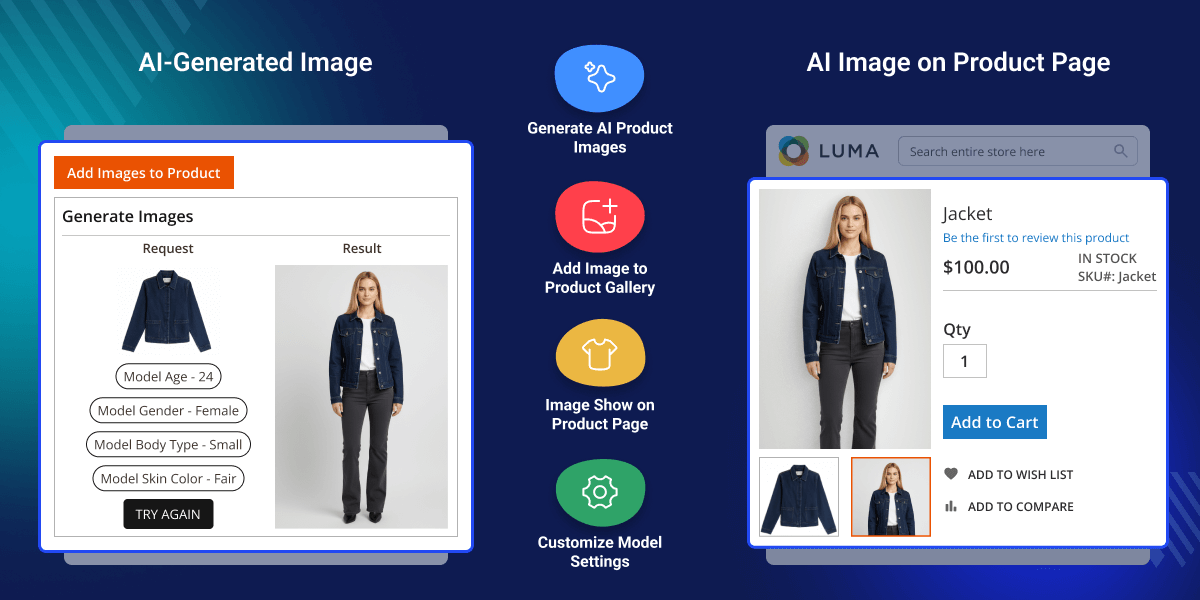
Highlighted Features of Magento 2 AI Base Image Generator
AI Image Creation
Make product images automatically with AI.
Model Age Option
Choose the model’s age for every image.
Model Gender Choice
Select the model’s gender.
Body Build Options
Pick the model’s body type for realistic visuals.
Why do we need Magento 2 AI Base Image Generator?
This extension helps store owners make clear product photos using AI. It saves time and cuts costs. You can change model details like age, gender, body type, and skin tone for realistic and uniform visuals.
Additionally, you can also use our Magento 2 ChatGPT Extension to create product names and descriptions from images.
Module Configuration of Magento 2 AI Base Image Generator
After installing the module, go to the configuration section.
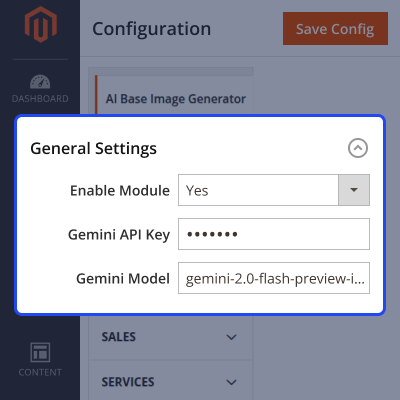
- Enable the module.
- Save your Gemini API Key and Gemini Model.

AI-Based Product Image Generation
After setup, you can create AI images from your existing product photos.
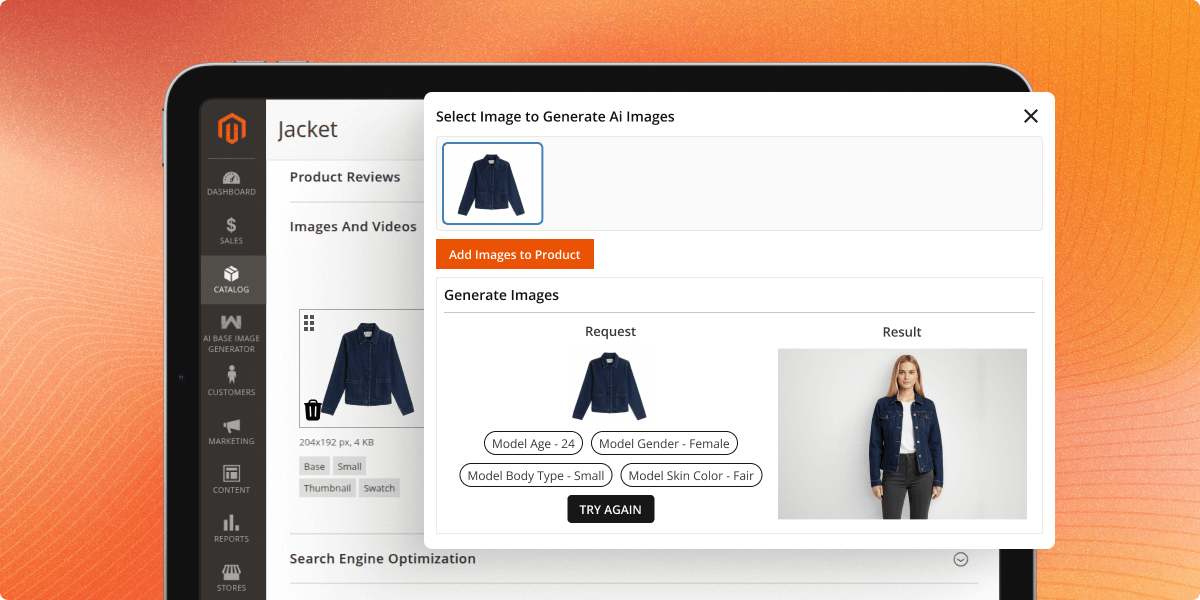
- Select the product for which the image needs to be generated.
- Choose the model’s age, gender, body type, and skin tone, then click Generate Image.

Generated Image on Product Page
After you add the AI image, it shows on the product page.
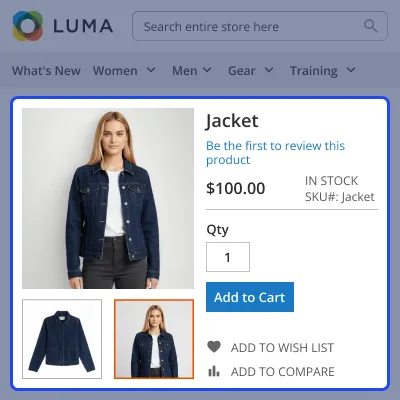
- The generated image appears as the main product photo.
- It can also display as a thumbnail or swatch, based on your settings.
- Customers see clear and matching visuals, giving your store a clean and professional look.

Support
For any query or issue, please create a support ticket here http://webkul.uvdesk.com/.
You may also check our top-quality Magento 2 Extensions.
Specifications
Frequently Asked Questions
Move to Cloud Today
AWS Free tier hosting for one year by amazon web services, for more details please visit AWS Free Tier.
GCP Free tier hosting for one year with 300 credit points by google cloud platform, for more details please visit GCP Free Tier.
Azure free tier hosting for one year with 25+ always free services, for more details please visit Azure Free Tier.
In our default configuration we will provide tremendous configuration for your eCommerce Website which is fast to load and response.
Default Configuration Details of Server
- 1 GB RAM
- 1 Core Processor
- 30 GB Hard Disk
- DB with 1 GB RAM and 1 Core Processor
* Server Configuration may vary as per application requirements.
Want to know more how exactly we are going to power up your eCommerce Website with Cloud to fasten up your store. Please visit the Cloudkul Services.
Get Started with Cloud- + Features
- - Bugs
- + Compatible with Magento 2.4.8^ and php 8.4
- + Admin can generate product images using AI model.
- + Admins can enable/disable the module.
- + Admins can customize the model’s age, gender, body build type, and skin color.
- + Admins can add the generated images to product media gallery.


