Send Again
Close
Magento 2 Cache Warmer eliminates this problem by automatically pre-generating cache for your store pages in the background. Instead of waiting for customers to load pages and trigger caching, this extension proactively warms the cache using a powerful message queue–based asynchronous processing system.
This module uses message queue–based asynchronous processing, ensuring non-blocking execution and optimized server performance while warming store pages efficiently.
Apart from this, if you want optimized speed of your store, then you can also check Magento 2 Page Speed Optimization.
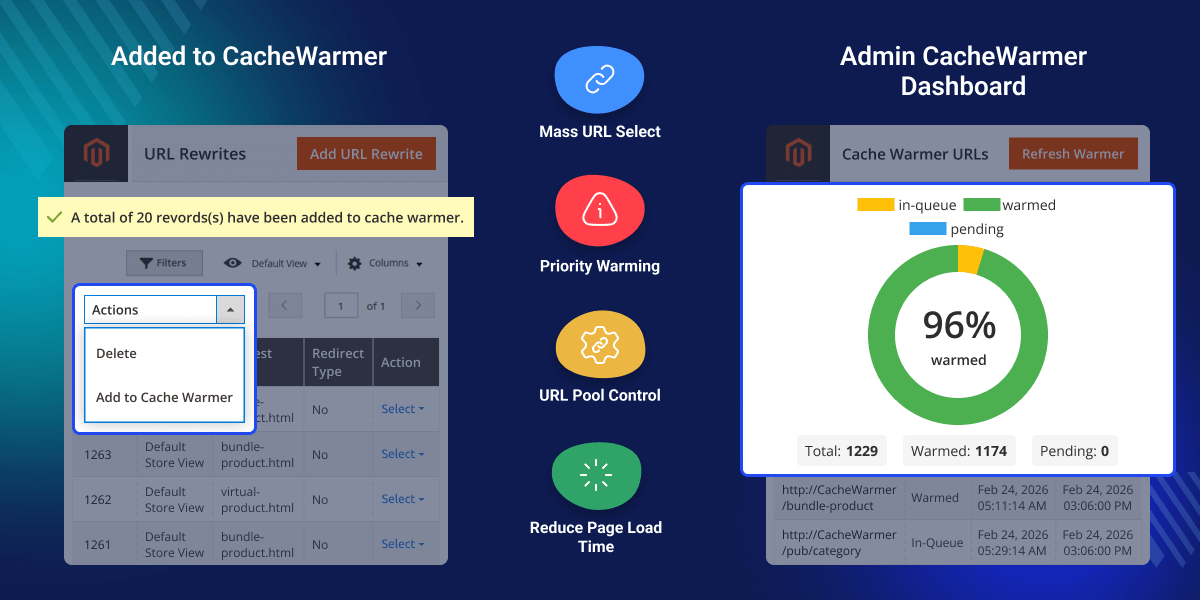
Ensures cache warming runs in the background without blocking frontend user experience.
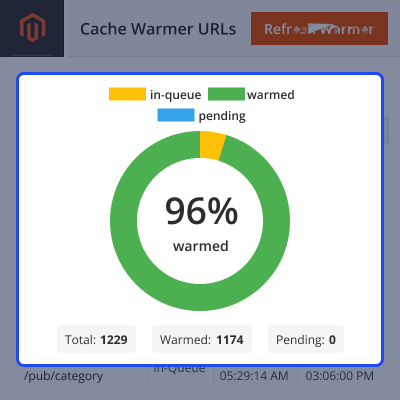
View Warmed, Pending, and In-Queue URLs. Track progress from the admin panel.
Admins can start or restart the cache warmer whenever needed.
Includes powerful CLI commands to truncate and regenerate the URL pool.
When Magento clears the full page cache after updates, pages load slowly until they are visited again. The first visitor experiences the delay, which can negatively impact sales and user experience.
Magento 2 Cache Warmer solves this by automatically loading pages in advance, so customers never face slow loading times. Your store stays fast, responsive, and ready for traffic at all times.
Additionally, you can also check Magento 2 AI Image Search Extension, which allows searching for products using images.
After installation of the module -
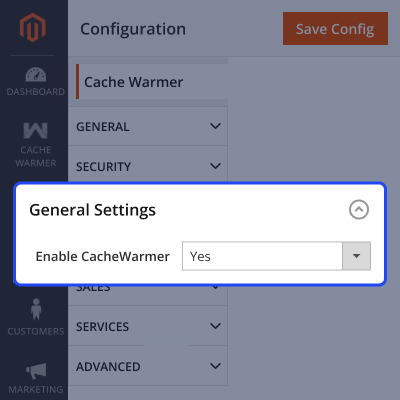
Admins can control the full warming workflow from the backend.

Admins can add URLs directly from the URL Rewrite grid.
For any query or issue, please create a support ticket here http://webkul.uvdesk.com/.
You may also check our top-quality Magento 2 Extensions.
Detailed technical features and requirements to help you understand the module’s capabilities and ensure smooth integration with your system.
Detailed technical features and requirements to help you understand the module’s capabilities and ensure smooth integration with your system.
We’re partnered with top-tier, trusted providers!
Want to know more how exactly we are going to power up your eCommerce Website with Cloud to fasten up your store
* Server Configuration may vary as per application requirements.



