Send Again
Close
Magento 2 Marketplace TAT Driven Orders module lets admins set a Turnaround Time (TAT) for sellers. Sellers need to accept orders within this time, or the system will cancel the order, or must be manually accepted by the admin.
This feature prevents delayed order processing, enhances customer satisfaction, and ensures marketplace reliability. The module uses cron jobs to cancel orders when time runs out, so sellers can’t accept after TAT expires.
Also, if a seller makes an invoice or shipment, the order is marked as accepted automatically, making things easier.
Note -This is an add-on to Magento 2 Multi-Vendor Marketplace, so you need to install Marketplace module.
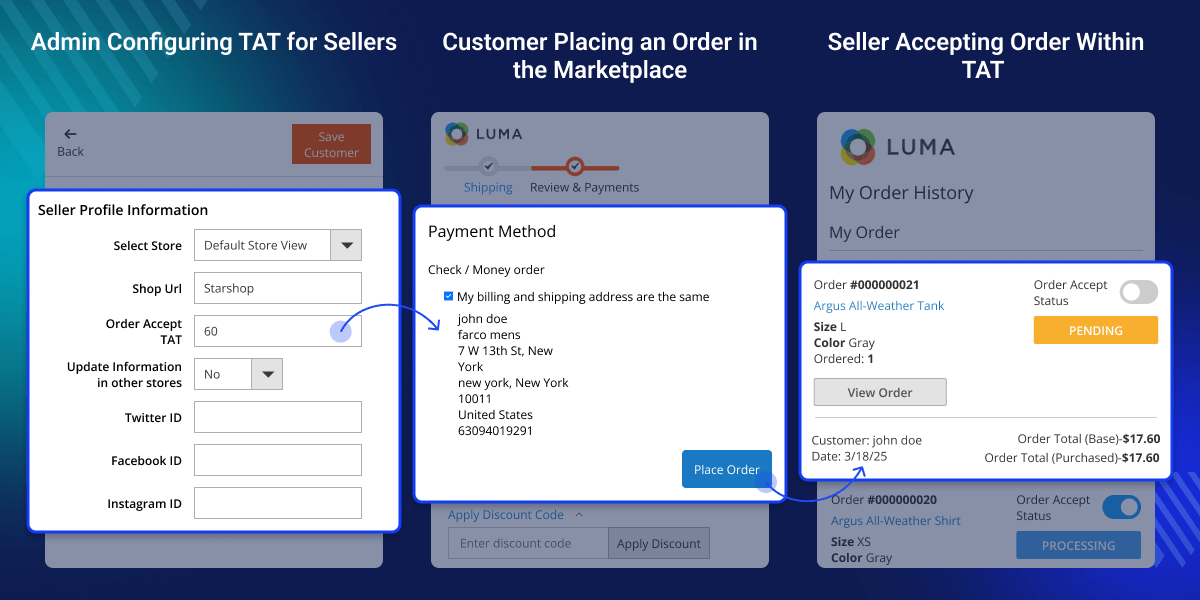
Admins can set a specific time (TAT) for sellers to accept orders, which helps avoid delays and makes the process faster.
If a seller doesn’t accept an order in time, it gets canceled automatically. This cuts down pending orders and boosts performance.
Admins can accept orders themselves if sellers don’t respond, so customers don’t have to wait.
When a seller creates an invoice or shipment, the order is accepted automatically, which helps finish the process quicker.
Sellers can’t accept orders unless the admin sets a TAT for them, making the process more organized.
After the cron job runs and the TAT is over, sellers lose access to the order, and only the admin can act on it.
Running a marketplace smoothly means managing orders well. Without a clear order acceptance rule, sellers may delay, which can upset customers and cause canceled orders. This module helps avoid that.
With the TAT system, sellers must accept orders on time, keeping the process smooth. If they don’t, the system cancels it or the admin steps in. This keeps the marketplace organized.
Also, the cron job makes sure that after the TAT ends, sellers can’t accept the order anymore, and only the admin can handle it.
If a seller creates an invoice or shipment, the order is accepted automatically, saving time and effort. This module is great for store owners who want fast, reliable, and automatic order handling.
Ensure that sellers handle orders on time by enforcing a structured TAT system.
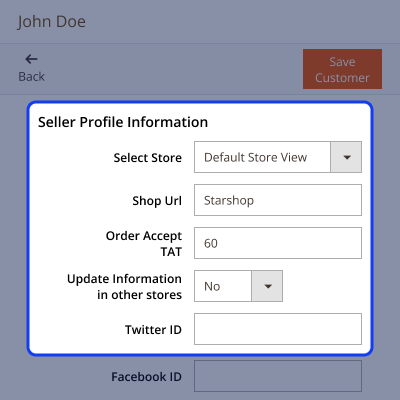
Orders are canceled automatically if not accepted within the TAT. This prevents delays and keeps operations smooth.
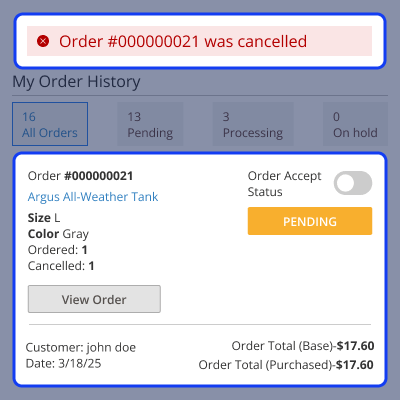
Admins can control the order process fully. They can change TAT, accept orders, or act if sellers don’t.
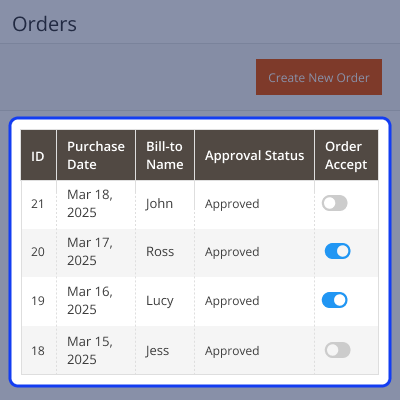
If a seller generates an invoice or shipment, the system automatically marks the order as accepted.
For any query or issue please create a support ticket here http://webkul.uvdesk.com/.
You may also check our top-quality Magento 2 Extensions.
Detailed technical features and requirements to help you understand the module’s capabilities and ensure smooth integration with your system.
Detailed technical features and requirements to help you understand the module’s capabilities and ensure smooth integration with your system.
We’re partnered with top-tier, trusted providers!
Want to know more how exactly we are going to power up your eCommerce Website with Cloud to fasten up your store
* Server Configuration may vary as per application requirements.



