Top Selling Extension Winner
2 times in a row
Marketplace Advertisement Manager for Magento 2
Magento 2 Marketplace Advertisement Manager lets sellers buy advertisement spaces and display them on the store frontend.
- Multiple positions on the front end to show the ads.
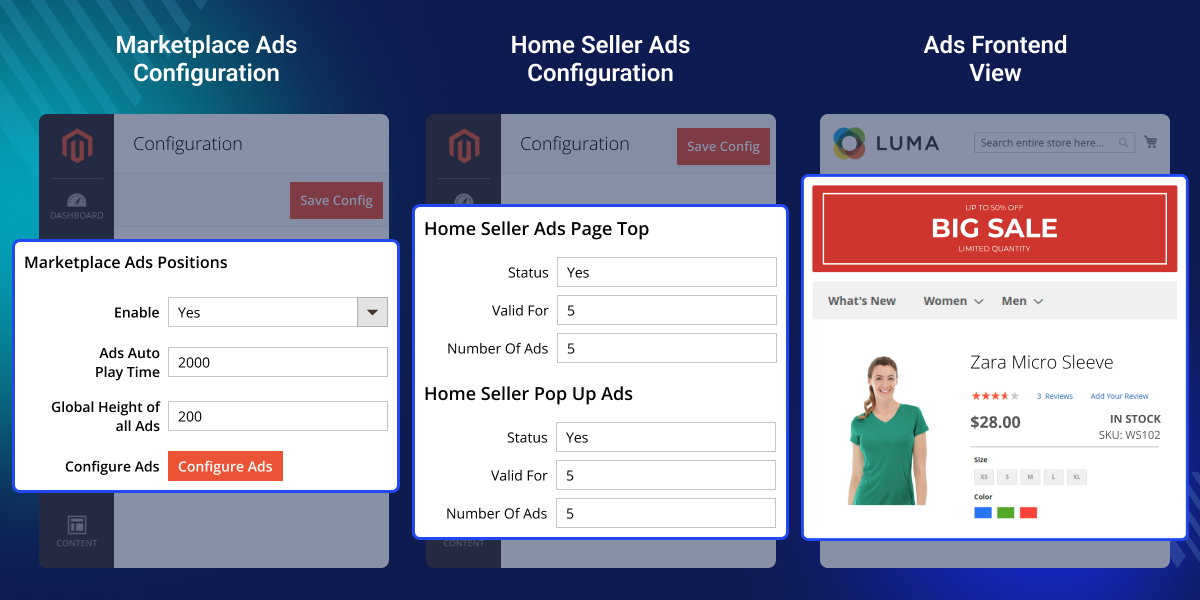
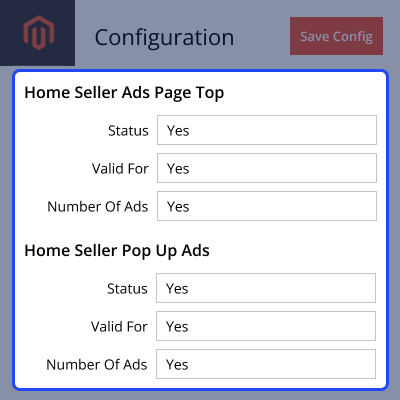
- The admin can set – valid days for the ads, global height for all the ads, and the number of ads that can be added in one position.
- Admin can set the price of all the ads.
- The admin can see the placed orders for the ad blocks.
- Thus, the seller can see all the ad positions available to be sold.
- The seller can book ads if available to book.
- Sellers can create and edit ad-block to show the ad's positions.
- The seller can enable the ad’s demo on the front end to view all the available ad position and their current availability.
- Ads will get displayed at their respective positions after the order invoice is generated.
- Ads will be automatically disabled from the front end once the validity of the ad expires.
- If more than one ads are there at a particular place then they will get displayed as a slider (By default for the home screen pop-up only one ad can be set).
- The admin can see the seller’s ad’s purchase details.
- GraphQL has been implemented in the extension.
Top Selling Extension Winner
2 times in a row
- Description
- Reviews
- FAQ
- Customers ()
- Specifications
- Cloud Hosting
- Changelog
Marketplace Advertisement Manager for Adobe Commerce allows sellers to purchase advertisement spaces set by the admin for the website frontend.
Sellers can create and select ad blocks, which will be displayed in designated positions after the ad space is booked and the invoice is generated.
Additionally, if you want to send Marketing Emails to a wide range of customers, then you can check Email Marketing Extension for Magento 2.
Note - This module is an add-on of the Magento2 marketplace module. To use this module you must have first installed the Magento 2 Marketplace Module.
Highlighted features of Marketplace Advertisement Manager for Magento 2
Flexible Positions For Advertisement
Easy for the marketplace seller to add their advertisement block to any defined position on your store.
Easy To Manage Advertisement Detail
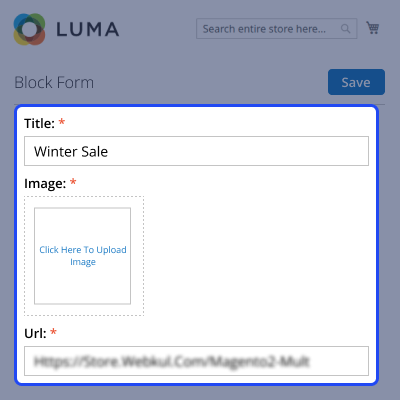
The marketplace sellers can easily manage the advertisement block from their ends such as Title, Image, and URL.
Advertisement demo on the front-end
Marketplace sellers can enable the ad’s demo on the front-end to view all the available ad positions.
Availability of Advertisement Slider
If more than one ads are there at a particular place then they will get displayed as a slider.
Supports GraphQL
The Magento 2 Multi Vendor Advertisement Manager extension supports GraphQL.
Set Validity of Advertising
The admin can set the valid days for the ads, and the number of ads that can be added.
Why do we need Marketplace Advertisement Manager for Magento 2
Marketplace Advertisement Manager for Magento 2 enables store owners to create and price ad blocks for sellers. Sellers can design ads and choose predefined advertisement blocks for promotion.
This boosts visibility, attracts customer attention, and enhances retention. The extension helps sellers stand out in a competitive marketplace.
Apart from that, you can check Magento 2 Push Notification to send real time push notification messages to the customers.
Numerous Ad Positions on Store Page
- When we talk about the advertisements on a website, the first thing that clicks in any seller's mind that where we should put our ad on the front end.
- Sometimes the advertisement positions also play a vital role in grabbing customer attention.
- So this module facilitates different positions for their advertisement for the seller.
- Wherein, the sellers can choose the ad position according to their convenience and business requirement.
- Once the advertisement for the seller is enabled by the store owner, they can set the auto playtime for the ads along with their heights.
- After that, they can configure ads for different positions on the Home page, Category page, Catalog page, Search page, etc.

Facilitates the Demonstration for Ad Positions
- There is a great feature of this extension by which the seller can actually see the demo positions for the advertisement.
- This feature turns out a great one if any seller has any confusion on how their ads going to look at the particular position.
- This will help the marketplace seller to make a convenient decision for themselves.
- For checking the demonstration of the ad position, the seller simply needs to enable the advertisement demo from their account.
- Once, the ad position demo gets enable, the seller can check where exactly their ad blocks will get placed on the website.

Vendor's Customized Advertisement Block
- This module facilitates the marketplace sellers to set their ad on the defined position on the website to gather more customer traffic.
- The seller can set the title, image, and provide the URL for the ad as per their business requirement.
- If needed the already created advertisement can be deleted of altered (edited) for the seller itself.
- Advertisements always play a vital role in grabbing the attention of the customers quickly.
- This module helps the marketplace seller by providing them an extra edge to advertise their product or catalog.

Attracts Website Customer Attention
- This is the normal tendency of humans that whenever we see something different, it grabs our attention at the same time.
- Let's take an example of a regular customer on the website.
- If they will get to see some sort of advertisement it suddenly grabs their attention and they'll try to explore more.
- In that process, if they find something suitable for them, they can end up buying the same.
- So through this, you are offering your client another way of approach for shopping. And at the same time, you are giving an opportunity to your marketplace sellers to represent their products differently to their customers.

Support
For any query or issue please create a support ticket here http://webkul.uvdesk.com/.
You may also check our quality Magento 2 Extensions.
Specifications
Recent Reviews
Write a reviewBetter option for Managing Adverts!
This is a nice innovation to manage advertisements which will be embedded in the website.
Frequently Asked Questions
Move to Cloud Today
AWS Free tier hosting for one year by amazon web services, for more details please visit AWS Free Tier.
GCP Free tier hosting for one year with 300 credit points by google cloud platform, for more details please visit GCP Free Tier.
Azure free tier hosting for one year with 25+ always free services, for more details please visit Azure Free Tier.
In our default configuration we will provide tremendous configuration for your eCommerce Website which is fast to load and response.
Default Configuration Details of Server
- 1 GB RAM
- 1 Core Processor
- 30 GB Hard Disk
- DB with 1 GB RAM and 1 Core Processor
* Server Configuration may vary as per application requirements.
Want to know more how exactly we are going to power up your eCommerce Website with Cloud to fasten up your store. Please visit the Cloudkul Services.
Get Started with Cloud- + Features
- - Bugs
- + Compatible with Magento ^2.4.8 and PHP 8.4
- + Compatible with Magento ^2.4.6 and PHP 8.2
- + Updated GRAPHQL APIs
- + Compatible with Magento ^2.4.5
- + Updated access control for seller ad blocks
- - Fixed Ad Blocks title display when buying Ad positions
- - Fixed Ad Blocks reorder
- + Compatible with Magento ^2.4.4
- + Updated cart subtotal amount
- + Updated currency for Ad Block(s) in cart
- - Fixed Seller(s) Ads Purchase status in admin grid
- + Added GRAPHQL API
- + Compatible with Magento ^2.4.3
- + Compatible with Magento 2.4.6^
- - Minor Bugs fixed
- + Compatible with Magento 2.4.x and php8.2
- - Bugs fixed
- + Added GRAPHQL API.
- - Bug fixed
- + updated comoposer.json
- + Compatible with Magento Enterprise Edition ver 2.4.x.
- + Compatible with Marketplace ^3.0.1
- - Fixed issue of block not showing on checkout page, translation
- + Compatible with Magento ^2.3.2 and Marketplace ^2.2.3
- + Separate the purchased advertisement view block information in separate table
- - Fixed the issue of not updating the remaining ads count after cancel the order
- + Implement the by default image upload of advertisement product at the time of installation of module
- + Compatible with Magento ^2.2.3 and Marketplace ^2.1.0
- + Implemented the new grid in admin panel for ads purchase details where admin can handle the ads
- - Fixed the issue of showing the remaining ads to purchase for a particular block to seller
- - Fixed the issue of adding more than one ad for pop up block and randomly show only one ad after reload page
- - Fixed the issue of adding product quantity for advertisement product on cart edit page
- - Fixed the issue of the disable of the save button during addition of block's price in admin panel
- + Multiple positions on the frontend to show ads
- + Admin can set valid days for ads, width, height, and number of ads that can be added at one position
- + Admin can set price of all the ads
- + Seller can see all the ads positions available to sold
- + Seller can book ads if it is available
- + Seller can create and edit ad block to show on the ads position
- + Seller can enable ads demo on frontend to view all the available ads position and availability
- + Ads will get start showing on their positions after the order invoice is generated
- + Ads will automatically disappear from the frontend once the ads validity expires