Send Again
Close
Magento 2 OpenStreet Map Pin Address makes checkout faster for buyers. They can place a pin on the map and fill address data with less typing. Also, Magento 2 Address Auto Fill feature helps store owners reduce failed delivery attempts. As a result, buyers share clear address details before placing an order.
Therefore, admin can enable the map address option from the store settings. They can manage how the map works on the checkout page. In addition, buyers can drag and drop the pin to mark their exact place. So, they can select a nearby street, building, or area with ease.
Moreover, Magento 2 Drag and Drop Address improves address entry for mobile buyers. It saves time and keeps checkout simple. So, Magento 2 Pin Location Checkout fills shipping and billing fields from the map location. Buyers can still edit the address before order placement.
Also, admin can view better address details in order records. As a result, delivery teams get clearer location data. Therefore, this extension works without any paid map API key. Store owners can use OpenStreet Map for checkout address selection.
Also, if you want to validate buyer addresses before order placement, check out our Magento 2 Google Maps Pin Address.
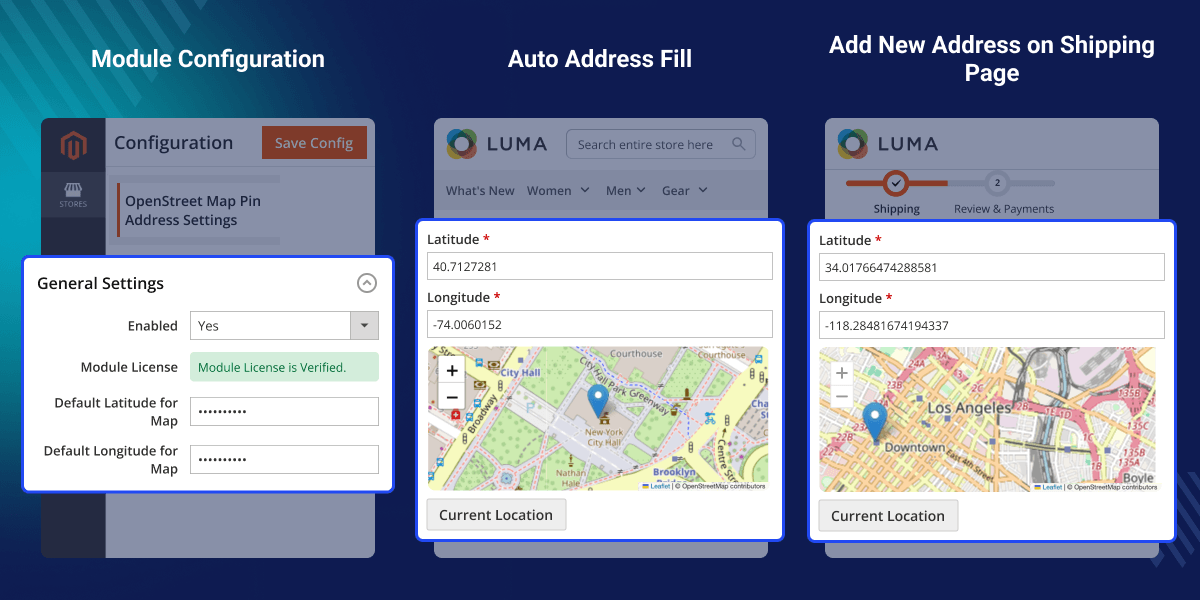
Buyers can accurately set their shipping or billing address by selecting their location.
This extension automatically populates address fields from the selected map point.
Buyers can drag and drop the map pin to update their location easily.
Store owners can use OpenStreetMap without any API key setup.
Magento 2 Address Auto Fill helps store owners collect better address data at checkout. It also helps buyers complete orders with less effort. So, buyers do not need to type every address detail by hand. This reduces checkout friction and saves time.
Also, Magento 2 Drag and Drop Address helps buyers mark their exact delivery spot. As a result, stores can reduce address errors. Therefore, admin can improve order address quality without complex setup. They can enable map-based address selection from the backend.
Moreover, Magento 2 Pin Location Checkout supports a cleaner buyer journey. Buyers can choose, check, and edit their address before order placement.
Also, if you want buyers to find and fill their address with Google address suggestions, check out our Magento 2 Google Address Autocomplete Extension.
Buyers pin the location and fill address fields quickly.
Buyers mark the exact place for delivery on the map.
Store owners enable map address selection without paid API setup.
Admin enable OpenStreet Map address option from the backend.
Admin can easily manage all the main configuration settings of Magento 2 OpenStreet Map Pin Address extension.
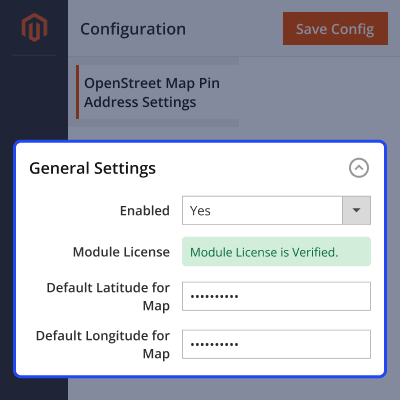
Admin can control the checkout address selection process, helping buyers choose and update their addresses with ease.
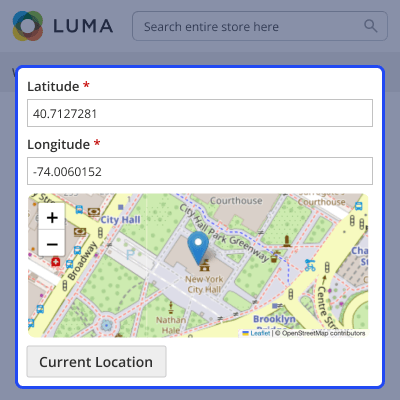
Admin can easily review address details after order placement, helping reduce errors and improve the order processing workflow.
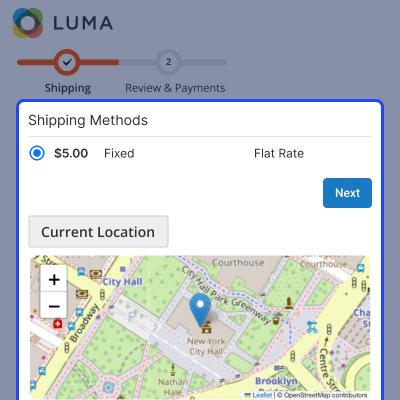
For any query or issue, please create a support ticket here http://webkul.uvdesk.com/.
You may also check our top-quality Magento 2 Extensions.
Detailed technical features and requirements to help you understand the module’s capabilities and ensure smooth integration with your system.
Detailed technical features and requirements to help you understand the module’s capabilities and ensure smooth integration with your system.
We’re partnered with top-tier, trusted providers!
Want to know more how exactly we are going to power up your eCommerce Website with Cloud to fasten up your store
* Server Configuration may vary as per application requirements.



