Send Again
Close
Magento 2 Razorpay Magic Checkout is a payment extension for Magento 2 that supports Standard Checkout and Magic Checkout. Customers can pay with Cards, UPI, Wallets, and Net Banking and also supports EMI, Pay Later, and Cash on Delivery.
QuickBuy helps customers place orders faster. Besides that, this plug-in fills customer details and addresses. Therefore, checkout becomes easier for guest users and registered customers.
This module works on desktop and mobile devices and supports many stores and currencies. As a result, merchants can sell in different regions. Order and payment details stay synced with Razorpay, which allows admins to track payments with ease.
Also, if you need vendor settlements and more payment options, check out our Magento 2 Multi Vendor Razorpay Split Payment extension.
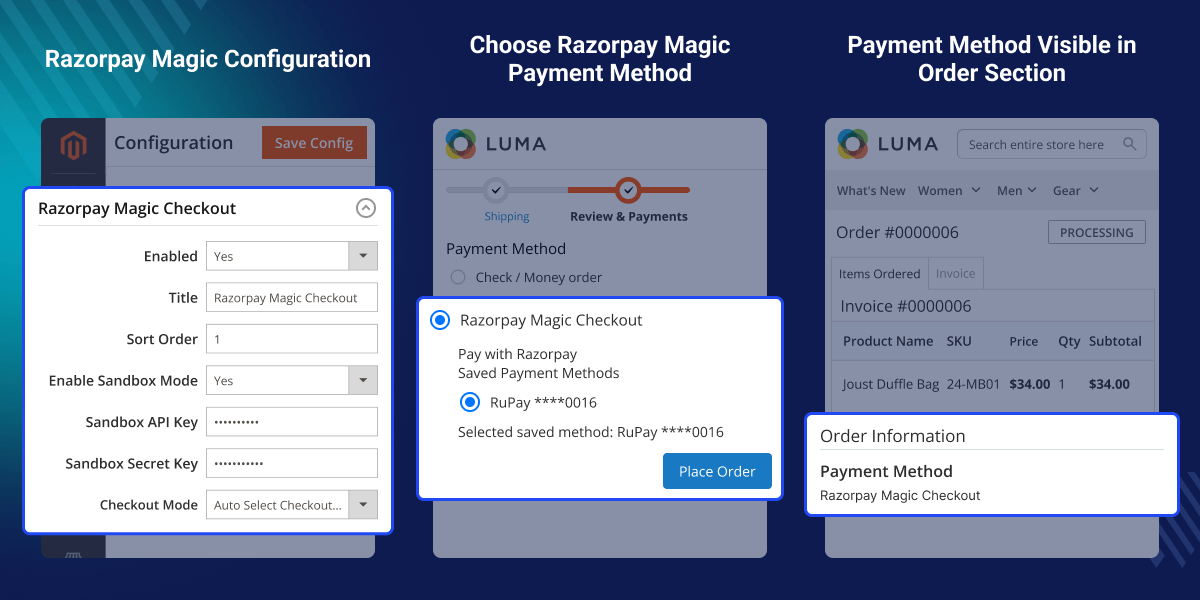
Admins can choose Standard Checkout or Magic Checkout to match their store needs.
This module fills customer details and saved addresses. As a result, customers can finish checkout faster.
Smart COD settings help reduce risk and simplify the management of Cash on Delivery orders with configurable controls and conditions.
Admins can create full or partial refunds from Magento. Therefore, refund handling becomes simple.
Magento 2 Razorpay Magic Checkout helps stores accept Razorpay payments. Moreover, Magento 2 Razorpay extension gives customers a quick checkout process. QuickBuy and smart COD settings reduce checkout steps, which can help stores improve conversions. In addition, customers get a better shopping experience.
Customers can pay with UPI, Cards, Wallets, Net Banking, EMI, and Pay Later, allowing them to have more payment choices. Magento Razorpay Integration saves time with customer autofill. It also keeps Magento and Razorpay data in sync.
If you would also like to provide customers with a wallet functionality or allow them to add extra funds, then you can check the Magento 2 Wallet System module.
Razorpay QuickBuy Checkout reduces checkout steps. This helps customers place orders faster and improve store sales.
This module fills customer details and saved addresses. Therefore, customers can complete payments quickly and reduce cart abandonment.
Smart COD settings and risk filters help manage COD orders. As a result, stores can reduce return losses.
Customers can pay with UPI, Cards, Wallets, Net Banking, EMI, and Pay Later. Therefore, they can choose the option they prefer.
After installation, admins can set up this module from the backend and manage both checkout modes.

Razorpay Payment Gateway for Magento 2 gives customers many payment options, making checkout easy and flexible.

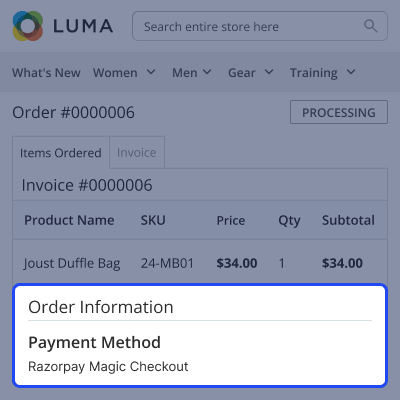
This module keeps payment details in one place, which makes order management easier.
For any query or issue, please create a support ticket here http://webkul.uvdesk.com/.
You may also check our top-quality Magento 2 Extensions.
Detailed technical features and requirements to help you understand the module’s capabilities and ensure smooth integration with your system.
Detailed technical features and requirements to help you understand the module’s capabilities and ensure smooth integration with your system.
We’re partnered with top-tier, trusted providers!
Want to know more how exactly we are going to power up your eCommerce Website with Cloud to fasten up your store
* Server Configuration may vary as per application requirements.



