USD
  • EUR
  • INR
  • USD
Cart
Cart 0
  • You have no items in your shopping cart.
    Cart
    Cart 0
    • You have no items in your shopping cart.
    Hire a Developer
    ×
    Contact Us!
    Send Again
    Close
    Please Login to Write Your Review
    Product Image
    Technology Partner Awards.
    Top Selling Extension Winner
    2 times in a row

    Magento 2 Unit of Measurement (UOM)

    Magento 2 Unit of Measurement Extension by Webkul allows stores to sell products using units such as grams, kilograms, liters, or meters.


    Customers can choose the unit they need. Prices update automatically when the unit changes. Inventory stays accurate because the system tracks stock using base units.


    • Sell products using units such as grams, kilograms, liters, and meters.

    • Prices update automatically when customers change the unit.

    • Track inventory using base measurement units.

    • Works with REST and GraphQL APIs.

    • Easy unit selector on the product page.

    • Built-in stock log for inventory tracking.

    • Compatible with Magento MSI inventory.

    • Show selected units in cart and checkout.

    Technology Partner Awards.
    Top Selling Extension Winner
    2 times in a row
    Screenshots
    Magento 2 Unit of Measurement (UOM) Magento 2 Unit of Measurement (UOM) Magento 2 Unit of Measurement (UOM) Magento 2 Unit of Measurement (UOM) Magento 2 Unit of Measurement (UOM) Magento 2 Unit of Measurement (UOM) Magento 2 Unit of Measurement (UOM) Magento 2 Unit of Measurement (UOM) Magento 2 Unit of Measurement (UOM) Magento 2 Unit of Measurement (UOM)
    Show More Hide All
    $199.00

    * Required Fields

    Add To Cart
    $199.00
    Configure and Buy
    • Description
    • Reviews
    • FAQ
    • Customers ()
    • Specifications
    • Cloud Hosting
    • Changelog

    Magento 2 Unit of Measurement Extension helps stores sell products using different measurements. Many products are sold by weight, volume, or length. This extension allows customers to choose how much they want to buy.

    Customers select a unit directly from the product page. The system then converts that value into a base unit. This method keeps inventory accurate and flexible. It also gives customers better control over their purchase.

    Additionally, if you are running a physical store with POS, you can also allow measurement-based selling directly at the checkout counter using Magento 2 POS Unit Measure Extension.
    Magento 2 Cache Warmer

    Highlighted Features

     Flexible UOM Groups

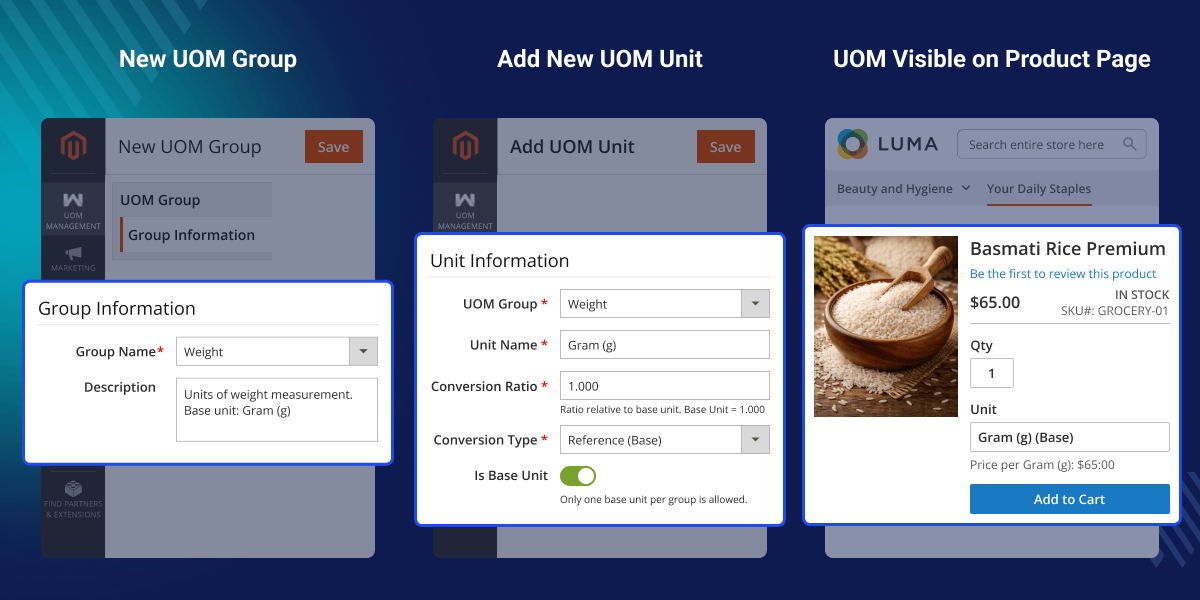
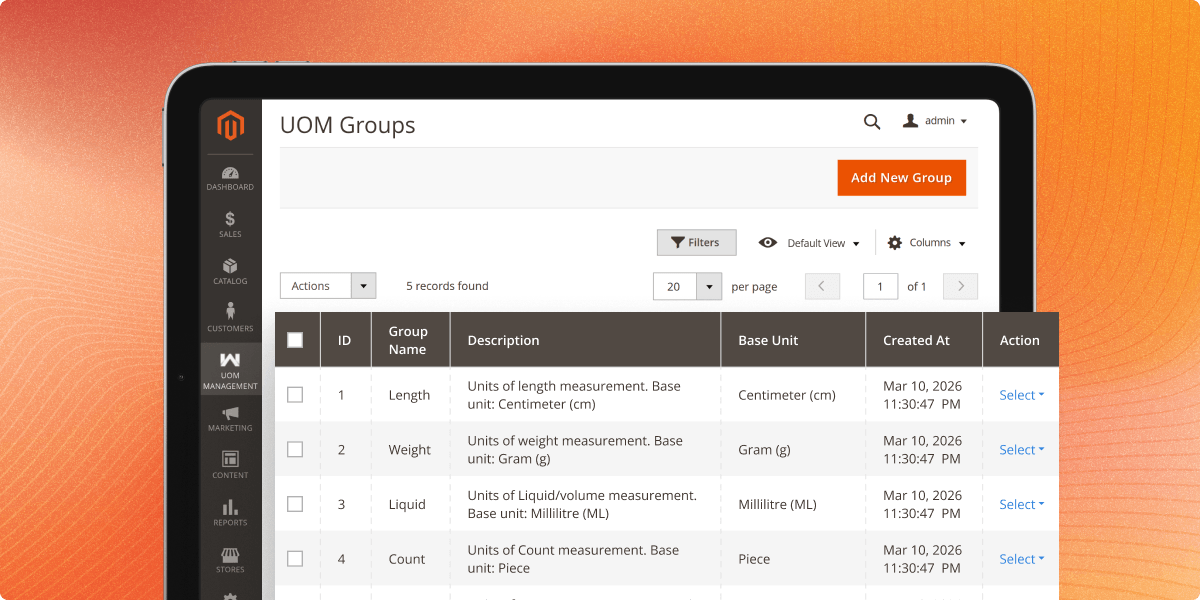
    Admins can create unlimited unit groups with one base unit and multiple secondary units, with automatic unit conversion.

     Smart Inventory Tracking

    Stock is tracked in base units, and selected units are automatically converted during orders to maintain accuracy.

     Stock Log and Reports

    The extension includes a stock log to track stock changes, unit conversions, and order-based updates for accurate inventory records.

     Easy Admin Management

    Admins can manage units from the Magento admin panel by creating groups, setting conversion ratios, and assigning them to products.

    Why Use Magento 2 Unit of Measure Module?

    Magento 2 Unit of Measurement Extension allows stores to sell products by weight, volume, or length. Customers are not limited to fixed quantities. They can buy the exact amount they need.

    UOM extension also supports dynamic pricing. Prices update automatically when the unit changes. Inventory is always tracked using base units. This ensures accurate stock management.

    This extension is ideal for:

    • Grocery stores
    • Wholesale businesses
    • Hardware stores
    • Beauty and cosmetic stores

    These businesses often sell products based on measurement. If you want to generate product images automatically with AI, check the Magento 2 AI Base Image Generator Extension.

    Product Page with UOM Selector

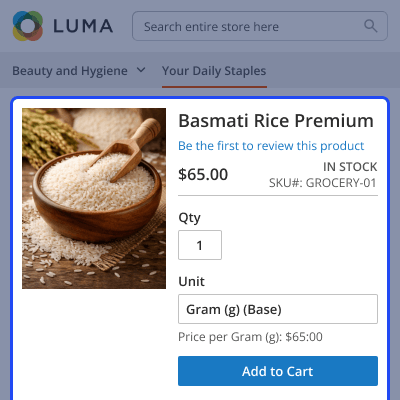
    Magento 2 product page showing unit selector with multiple measurement options for customers.
    • Create groups with a base unit and multiple secondary units.
    • Define conversion ratios between units.
    • Assign measurement groups to products.
    Product Page with UOM Selector

     Admin UOM Groups Configuration

    Magento 2 admin panel showing measurement group configuration for managing product units.
    • Add new measurement units.
    • Define conversion ratios for each unit.
    • Maintain accurate measurement calculations.
    Admin UOM Groups Configuration

    Units Configuration Panel

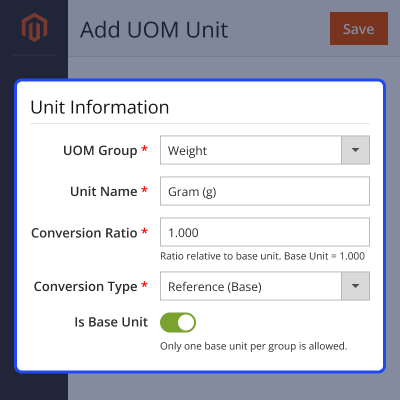
    Magento 2 unit configuration panel displaying conversion ratios and unit management settings.
    • Display selected units in the cart.
    • Show converted quantity based on the chosen unit.
    • Maintain clear order details before checkout.
    Units Configuration Panel

    Shopping Cart Display

    Magento 2 shopping cart showing selected measurement units for products.
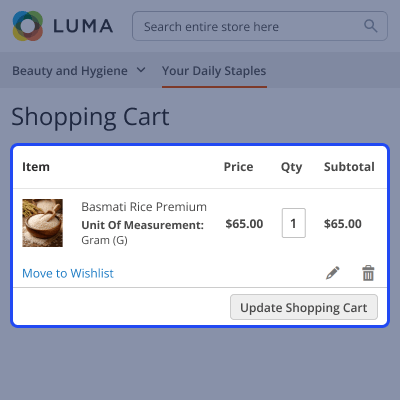
    • Display selected units in the cart.
    • Show converted quantity based on the chosen unit.
    • Maintain clear order details before checkout.
    Shopping Cart Display

    Support

    For any query or issue, please create a support ticket here http://webkul.uvdesk.com/

    You may also check our top-quality Magento 2 Extensions.

    Specifications

    Product Version4.0.0
    ReleasedToday
    CategoryMagento 2
    Last UpdatedMarch 13, 2026 (Today)
    Supported VersionsMagento  2.0.x  2.1.x  2.2.x  2.3.x  2.4.x  
    Write a review

    Frequently Asked Questions

     Can I create custom measurement groups?
    Yes. Admins can create unlimited groups such as weight, volume, length, or custom units.
     
     How is price calculated for different units?
    The price depends on the conversion ratio. For example, if the base price is $10 for 100 g and the customer selects 200 g, the final price will be $20.
     
     Does the price update automatically?
    Yes. The price updates instantly when customers select another unit.
     
     How is inventory tracked?
    Inventory is tracked using base units. The system converts the selected unit into the base unit during order processing.
     
     Is it compatible with Magento MSI?
    Yes. The extension fully supports Magento Multi-Source Inventory.
     
     Can I view stock history?
    Yes. The extension includes a stock log that records all inventory changes and conversions.

    Move to Cloud Today

    AWS Free tier hosting for one year by amazon web services, for more details please visit AWS Free Tier.

    GCP Free tier hosting for one year with 300 credit points by google cloud platform, for more details please visit GCP Free Tier.

    Azure free tier hosting for one year with 25+ always free services, for more details please visit Azure Free Tier.

    In our default configuration we will provide tremendous configuration for your eCommerce Website which is fast to load and response.

    Default Configuration Details of Server

    • 1 GB RAM
    • 1 Core Processor
    • 30 GB Hard Disk
    • DB with 1 GB RAM and 1 Core Processor

    * Server Configuration may vary as per application requirements.

    Want to know more how exactly we are going to power up your eCommerce Website with Cloud to fasten up your store. Please visit the Cloudkul Services.

    Get Started with Cloud
    • + Features
    • - Bugs
    Version 4.0.0
    • + Full admin capabilities to create and manage UOM Groups (e.g., Weight) and their corresponding Units (e.g., Gram, KG).
    • + Assign UOM groups to products, allowing customers to select their preferred unit on the product page.
    • + The product price automatically updates on the storefront based on the selected unit's conversion ratio.
    • + Integrates with Magento's inventory to deduct stock in the base unit upon shipment, ensuring accurate inventory levels.
    • + UOM data is saved with the order and exposed via REST and GraphQL for headless storefronts.


