Send Again
Close
Mautic Odoo Connector makes it easy to connect Mautic and Odoo for smooth contact syncing and marketing tasks. With this integration, sales and marketing teams can quickly share and update data. Users can easily import and export contacts, campaigns, email templates, and audience groups.
The module uses automatic cron jobs to keep data updated in both systems. This means you don’t have to sync things by hand—your data stays up to date on its own. Users can run targeted marketing campaigns using the latest contact and group information.
Since everything is handled from the Odoo backend, teams can work faster and more easily. Whether you're sending emails or updating contact lists, the connector helps make marketing work simpler and more efficient.
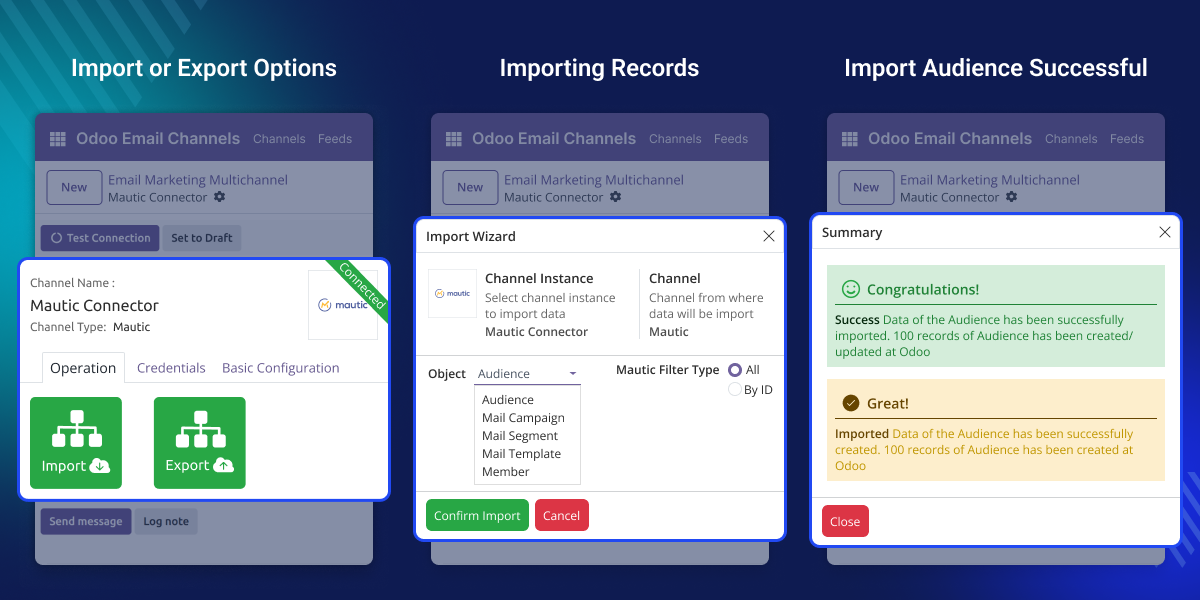
Imagine a marketing team running special campaigns using Mautic. When a customer is added in Odoo, their contact details and tags are sent to Mautic automatically. This helps the customer join the right campaign quickly.
If the customer opens an email or clicks a link in the campaign, that information is sent back to Odoo. It helps the sales team learn more about the customer and reach out at the right time.
This module works in conjunction with the following modules:
Odoo MultiChannel Email Marketing
You need to install the module mentioned above to use Mautic Odoo Connector.
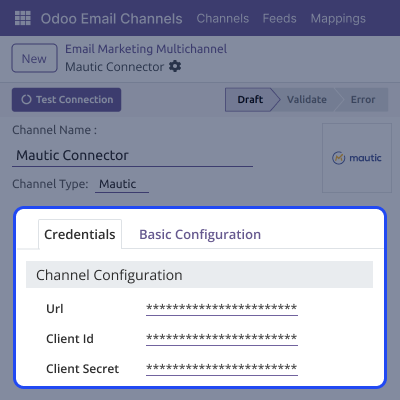
Users can set up different Mautic channels directly. It helps you manage how data is shared and makes marketing tasks easier.
The connector uses API keys to verify and allow access between Mautic and Odoo securely.This keeps the data shared between Odoo and Mautic safe and secure
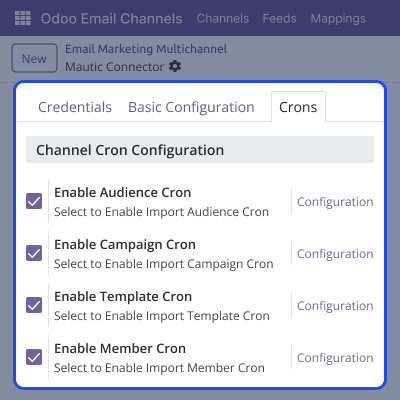
Users don’t need to sync data manually. The module uses cron jobs to automatically check for updates and sync data between Odoo and Mautic.
Users can choose what data to bring from Mautic and what to send from Odoo. Users can use filters and triggers to manage contacts, campaigns, and templates without confusion.
Users can configure each Mautic channel based on what the business needs. This gives more control and helps manage data flow better.
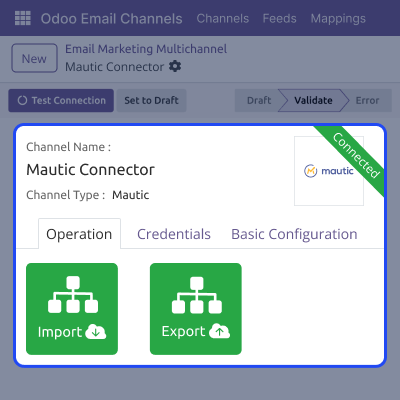
Users can easily manage Mautic data using simple import and export buttons in Odoo backend. It helps move data quickly and makes marketing tasks easier.
Users can automate data synchronization using dedicated cron jobs for each data type. Mautic Odoo Connectorallows real-time updates and helps avoid outdated or missing records.
For any query or issue please create a support ticket here CREATE A TICKET HERE
You may also check our other top-quality Odoo Modules.
Detailed technical features and requirements to help you understand the module’s capabilities and ensure smooth integration with your system.
Detailed technical features and requirements to help you understand the module’s capabilities and ensure smooth integration with your system.
We’re partnered with top-tier, trusted providers!
Want to know more how exactly we are going to power up your eCommerce Website with Cloud to fasten up your store
* Server Configuration may vary as per application requirements.



