Send Again
Close
Odoo AI Dashboard helps users find useful business data with simple questions. They do not need to write SQL by hand.
The module uses Natural Language SQL to understand the request. Its NLP2SQL dashboard builds the query and returns matching Odoo data.
Users can show results in charts, tables, funnels, and other supported views. This AI data visualization makes reports easier to read.
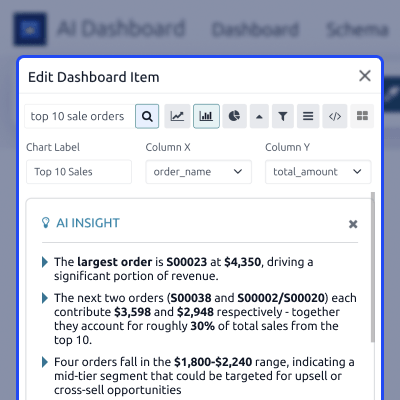
AI can also explain a result. It points out key findings, shows why they matter, and suggests useful next actions.
Admins can manage the AI provider, schema, model, API key, retry limit, token limit, and request rules from Odoo.
Training records give AI useful context about the database. Verified questions and SQL pairs can also be saved for later use.
The AI dashboard for Odoo supports sales, stock, vendor, and other reporting needs. Reports can also be shared with selected contacts by email.
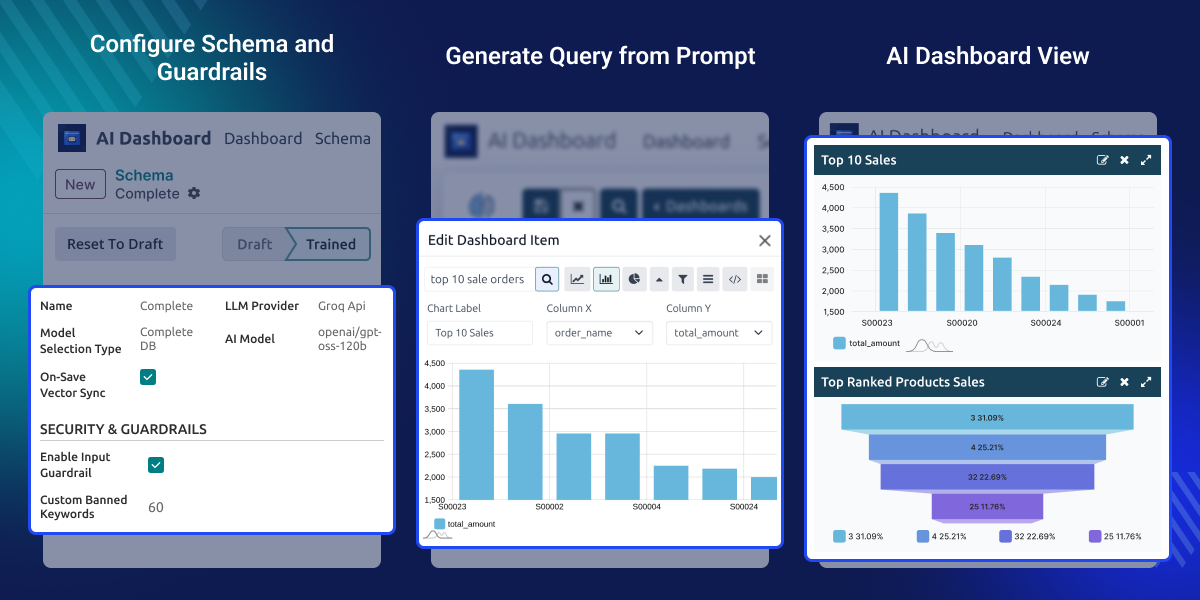
Create separate dashboards for sales, stock, vendors, or other business areas with Odoo AI Dashboard and manage them from one place.
Retry failed AI queries based on the limit set by the admin, so users do not need to enter the same business question again.
Set the maximum token value for each AI request and keep better control over the amount of AI processing used.
Use theme colors to make separate Odoo dashboards easier to identify while moving between different business reports.
Set the maximum number of records shown for dashboard items and keep large sets of business data easier to manage.
Odoo AI Dashboard instantly syncs changes made to Golden Queries or Business Context with the Vector DB, eliminating the need to run a full training process again.
Business users may need quick answers from Odoo but may not know SQL or the database structure.
Creating a new report can take time when the required data is not already available. Users may need help to find the right fields, tables, and rules.
Odoo AI Dashboard reduces this work. Users ask a question in simple words, while AI creates the query and returns the related data.
Admins still control the provider, schema, guardrails, banned terms, retry limit, and token use. This keeps AI reporting managed inside Odoo.
For broader AI-based business workflows, you can also explore Odoo AI Engine (ChatGPT).
To manage and review stock data through dedicated inventory views, you can use Odoo Advance Inventory Dashboard.
Use Odoo AI Dashboard to ask for top sales, monthly totals, or ranked products and show the returned data on a sales dashboard.
Ask for stock levels or product rankings in simple language and review the returned data without writing a manual SQL query.
Create dashboard items for vendor data, supplied products, or related records and keep key supplier details in one place.
Combine useful results in an AI analytics dashboard and share the final report with managers or selected Odoo contacts.
Odoo AI Dashboard lets users enter a business question in plain language. AI converts it into a database query and returns matching Odoo data.
Odoo AI Dashboard can explain a selected result after the required Odoo data is generated and shown on the dashboard.
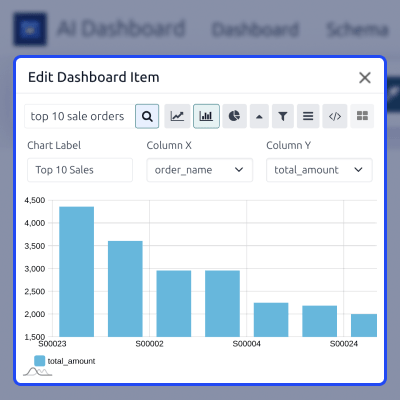
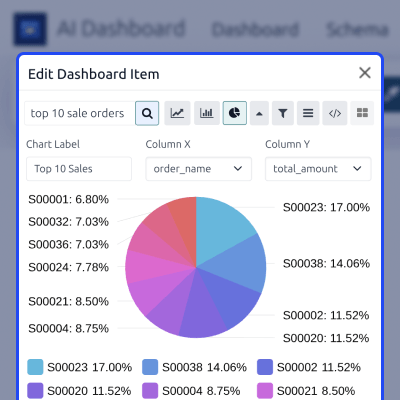
Odoo AI Dashboard supports several views for generated Odoo data, so users can choose a format that suits the result.
Odoo AI Dashboard lets admins define the schema, AI model, and request rules used while business questions are processed.
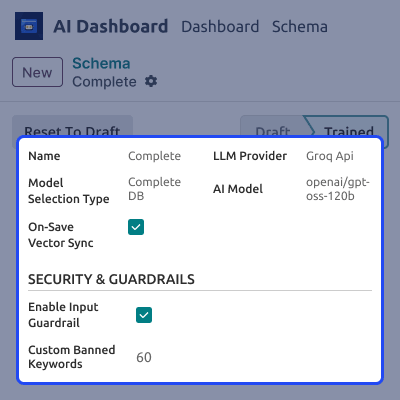
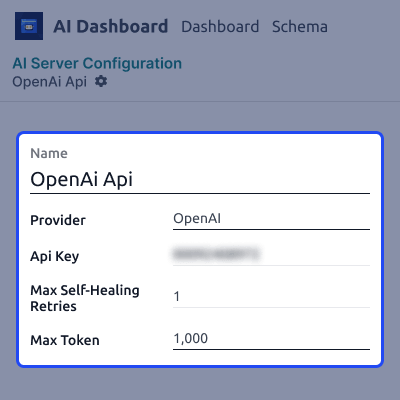
Odoo AI Dashboard lets admins connect OpenAI or Groq from one server configuration inside Odoo.
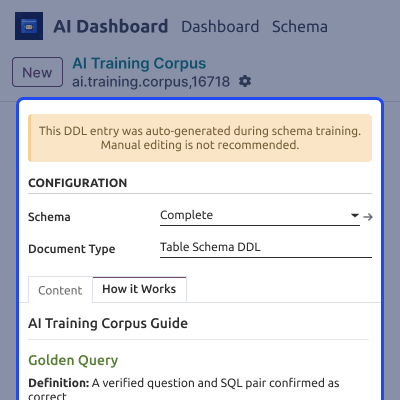
Odoo AI Dashboard stores trained database context in the AI Training Corpus after the selected schema is processed.
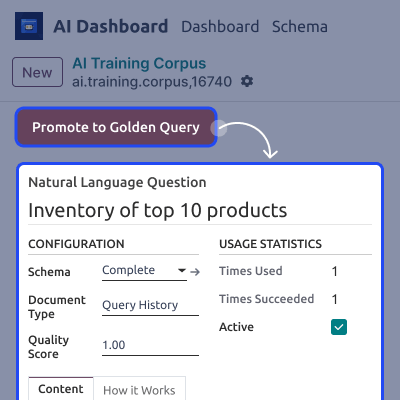
Odoo AI Dashboard keeps query history so useful questions can be reviewed before they become trusted AI references.
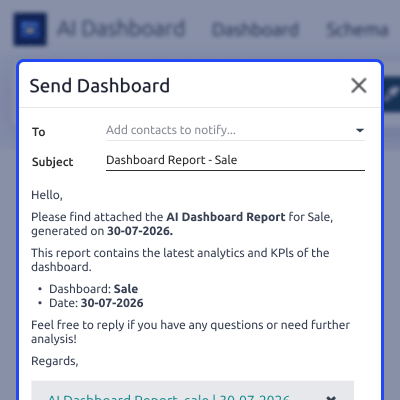
Odoo AI Dashboard lets users send generated reports through the Odoo email composer without moving the report to another tool.
For any query or issue, please create a support ticket here CREATE A TICKET HERE
You may also check our other top-quality Odoo Modules.
Detailed technical features and requirements to help you understand the module’s capabilities and ensure smooth integration with your system.
Detailed technical features and requirements to help you understand the module’s capabilities and ensure smooth integration with your system.
We’re partnered with top-tier, trusted providers!
Want to know more how exactly we are going to power up your eCommerce Website with Cloud to fasten up your store
* Server Configuration may vary as per application requirements.



