Send Again
Close
The Odoo BigCommerce Connector links your BigCommerce store with Odoo for smooth data sync. You manage everything from Odoo, with no app switching.
The connector supports two-way data sync between BigCommerce and Odoo. Import BigCommerce data into Odoo or export and update Odoo data on BigCommerce.
Import categories, products, orders, and customers using single IDs, bulk requests, or date filters for full control.
Export and update Odoo categories and products on BigCommerce, and sync product quantities to keep stock levels accurate.
Order status updates flow to BigCommerce based on Odoo changes, including cancel and ship updates, right away.
Automate repeat imports with cron jobs, and track sync history to review successful or failed import operations.
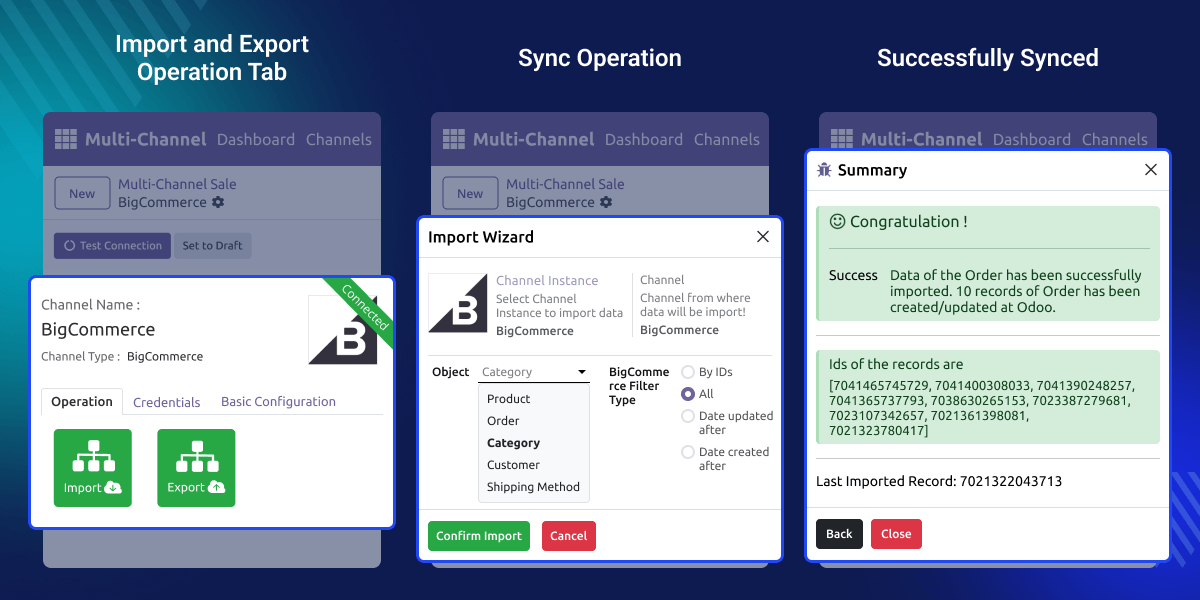
This module works in conjunction with the Odoo Multichannel Sale. You must install this module first for the Odoo BigCommerce Connector to work.
For Odoo online(SAAS) users, You first need to install the Odoo.sh, tool before installing this connector because Odoo restricts third-party software installations on Odoo online(SAAS).
Odoo BigCommerce makes to sync products, categories, customers, and orders.
Import categories, products, orders, and customers using ID, date, or bulk filters.
Create or update BigCommerce products and categories directly from Odoo.
Send product quantity changes from Odoo to BigCommerce to keep stock updated.
Set up repeat import and sync jobs for each types of BigCommerce data.
Check the BigCommerce connection using API health checks before sync.
Review export and update results with success or error status for each operation.
Update BigCommerce order statuses when cancellation or shipment changes occur in Odoo.
BigCommerce and Odoo don't talk to each other on their own. Your team ends up entering every order and product by hand.
That causes duplicate work and outdated data. A missed stock update can mean selling an item you don't have.
This connector closes that gap with flexible imports, date filters, and cron jobs that automate the sync for you.
Run BigCommerce and other channels with Odoo as the source of truth.
Import and export products in bulk instead of adding them one by one.
Stores can sync stock counts from Odoo to BigCommerce. This cuts the gap between the ERP and the store.
Businesses can schedule order imports so new BigCommerce orders are regularly brought into Odoo without repeated manual work.
Customer information from BigCommerce can be imported into Odoo and mapped with the related records.
Stores can create new BigCommerce products or update old ones, with data kept in Odoo.
Businesses can send cancel and shipment-related order status changes from Odoo to BigCommerce.
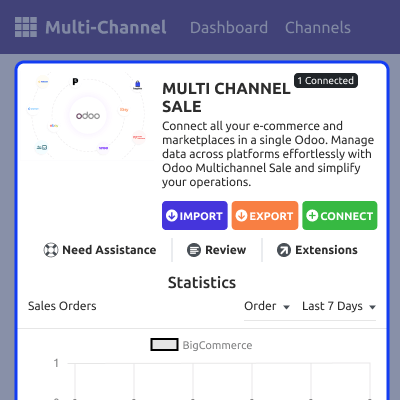
The dashboard gives you one screen to check your BigCommerce connection and sales data.
Check your channel connection and sales data from one screen for easier monitoring.
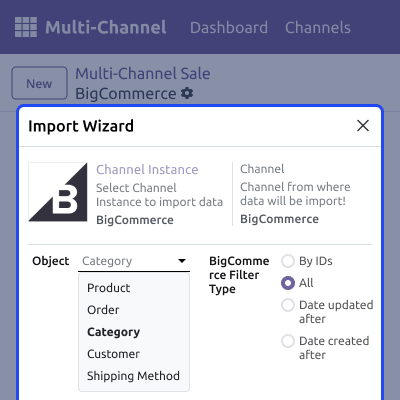
The Import Wizard pulls products, orders, categories, customers, and shipping methods into Odoo.
You choose exactly what to import, so you stay in control of every sync.
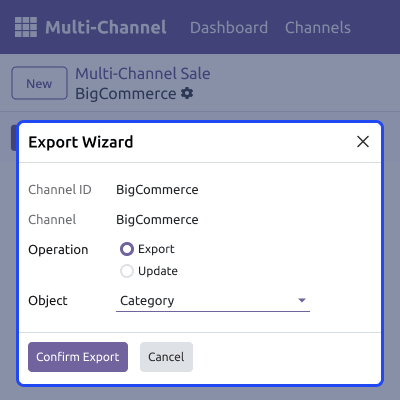
The Export Wizard sends category and product data from Odoo to BigCommerce.
It works for new records and for updates to ones that already exist.
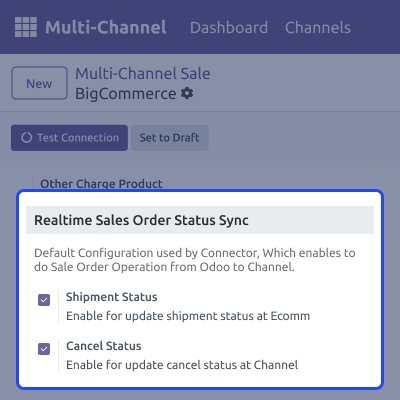
This setting lets Odoo push shipment and cancel updates to BigCommerce right away.
It keeps order status the same on both sides, with no manual work needed.
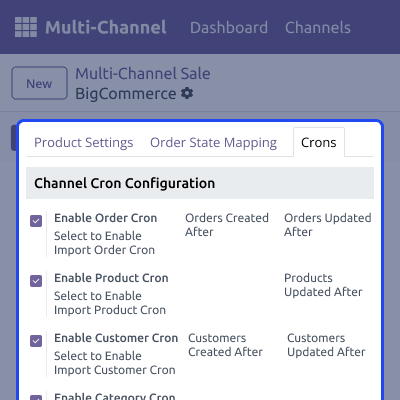
The Cron Scheduler runs imports for orders, products, customers, and categories on a set schedule.
Set it once, and the connector keeps pulling fresh BigCommerce data on its own.
For any query or issue, please create a support ticket here CREATE A TICKET HERE
You may also check our other top-quality Odoo Modules.
Detailed technical features and requirements to help you understand the module’s capabilities and ensure smooth integration with your system.
Detailed technical features and requirements to help you understand the module’s capabilities and ensure smooth integration with your system.
We’re partnered with top-tier, trusted providers!
Want to know more how exactly we are going to power up your eCommerce Website with Cloud to fasten up your store
* Server Configuration may vary as per application requirements.



