Send Again
Close
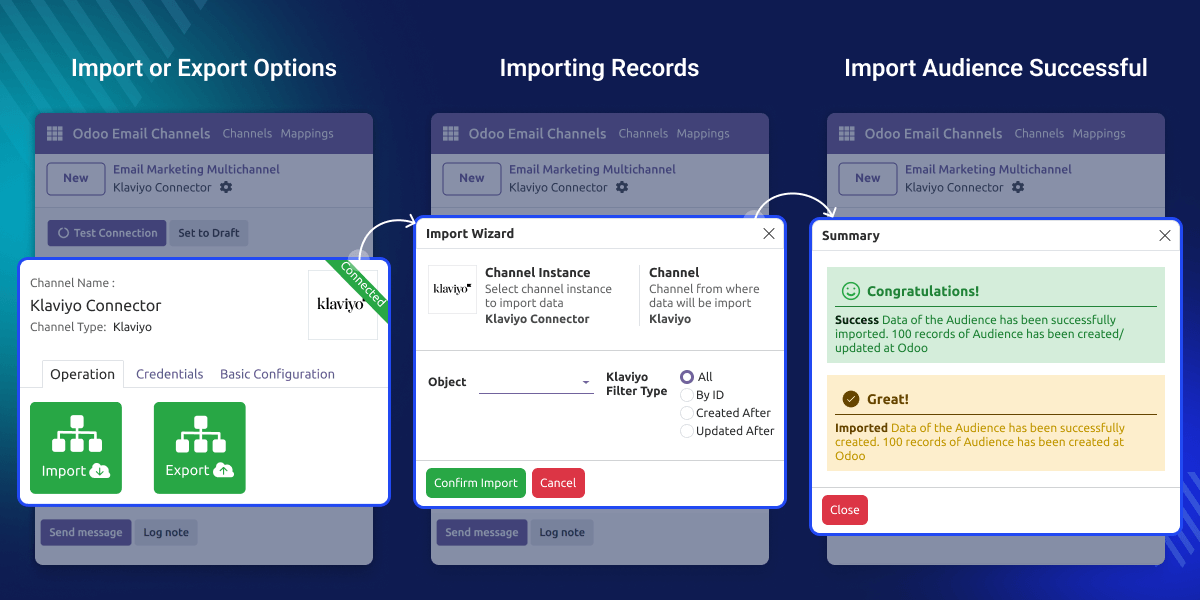
Odoo Klaviyo Connector makes it simple to connect Odoo with Klaviyo. With this integration, you can import campaign data, subscriber lists, and templates into Odoo, or export mailing lists and members back to Klaviyo.
The module saves time by running scheduled cron jobs, keeping customer and campaign data updated automatically. Klaviyo Odoo Integration Sync history and logs make it easy to monitor jobs and fix issues quickly. Since everything is handled in the Odoo backend, teams work more efficiently.
Running marketing with old data can cause problems. Without proper sync, emails might reach the wrong audience. Doing manual file exports also takes time and can lead to mistakes.
Think of a company using Odoo to store customer records and Klaviyo to run marketing campaigns. The team requires daily updates of subscriber lists and new campaigns in Odoo.
With scheduled cron jobs, the sync runs at night. By morning, Odoo shows the latest campaigns and Klaviyo has updated member lists, ready for email.
Odoo Klaviyo Connector works in conjunction with the following module:
Odoo MultiChannel Email Marketing
You need to install the module mentioned above to use Klaviyo Odoo Integration.
Manage your entire Klaviyo setup directly from the Odoo backend, keeping all channel settings in one place for easy configuration.
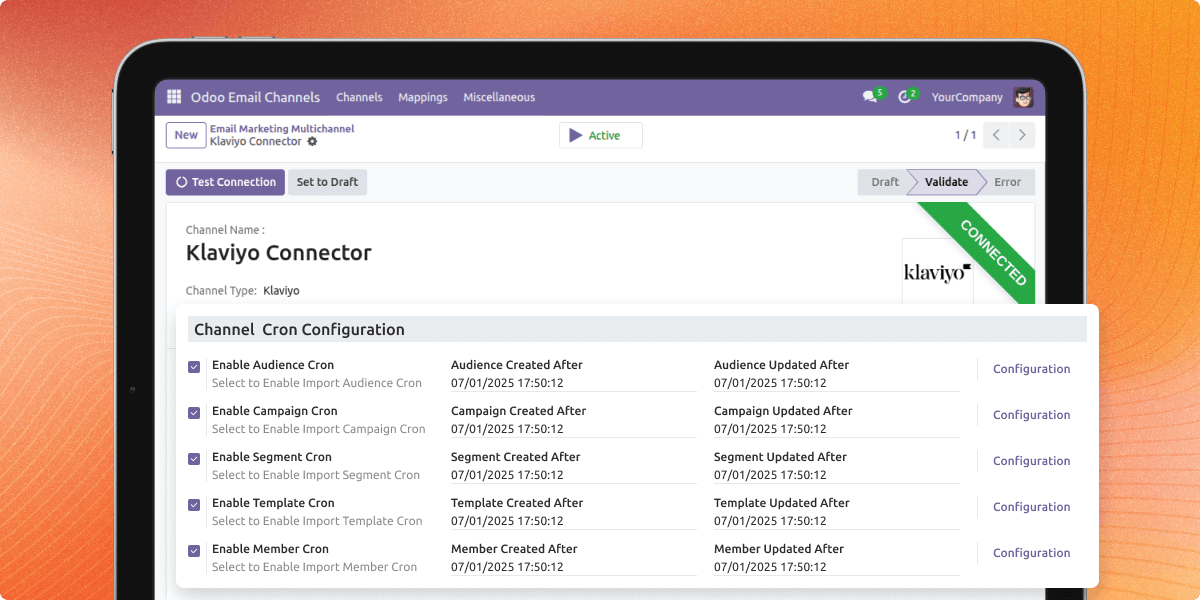
Klaviyo Odoo Integration automatically syncs lists, campaigns, and templates with scheduled cron jobs, ensuring real-time updates without manual work.
Import audiences, members, campaigns, and templates from Klaviyo, and export Odoo mailing lists and members back with filters for accurate data organization.
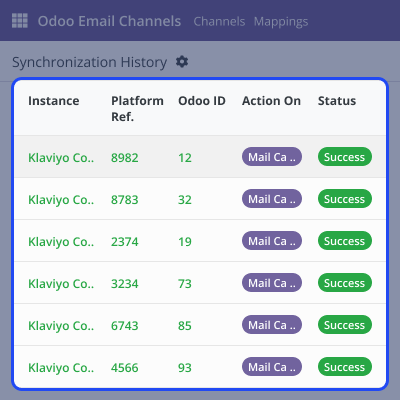
Every sync operation is recorded in Odoo. Track every sync operation with logs in Odoo. Check logs, track errors, and make data transfers smooth and dependable.
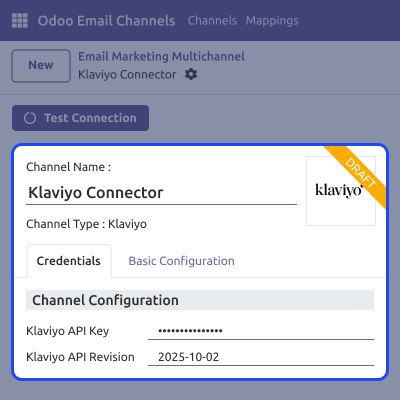
With Klaviyo Odoo Integration easily set up your Klaviyo account in Odoo and manage all channel settings from one place.
Odoo Klaviyo Connector lets you set cron jobs to run syncs at fixed times, ensuring both platforms always have the latest data.
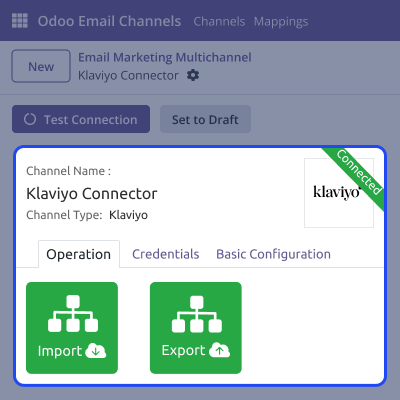
Decide what data flows between systems, from lists to templates. It gives user control and flexibility.
You can utilize logs and history in Odoo to track sync jobs and resolve issues quickly whenever they occur. It helps you to keep operations smooth and reliable.
For any query or issue, please create a support ticket here CREATE A TICKET HERE
You may also check our other top-quality Odoo Modules.
Detailed technical features and requirements to help you understand the module’s capabilities and ensure smooth integration with your system.
Detailed technical features and requirements to help you understand the module’s capabilities and ensure smooth integration with your system.
We’re partnered with top-tier, trusted providers!
Want to know more how exactly we are going to power up your eCommerce Website with Cloud to fasten up your store
* Server Configuration may vary as per application requirements.



