Send Again
Close
Odoo MerchantPro Connector helps manage product sync, order sync, inventory sync, and customer sync in one place. It uses real-time sync and cron jobs to keep data updated across your MerchantPro store.
It reduces manual work by moving orders, products, customers, and stock between MerchantPro and Odoo. Clear mapping and easy logs help you track each update and keep your daily workflow simple and reliable.
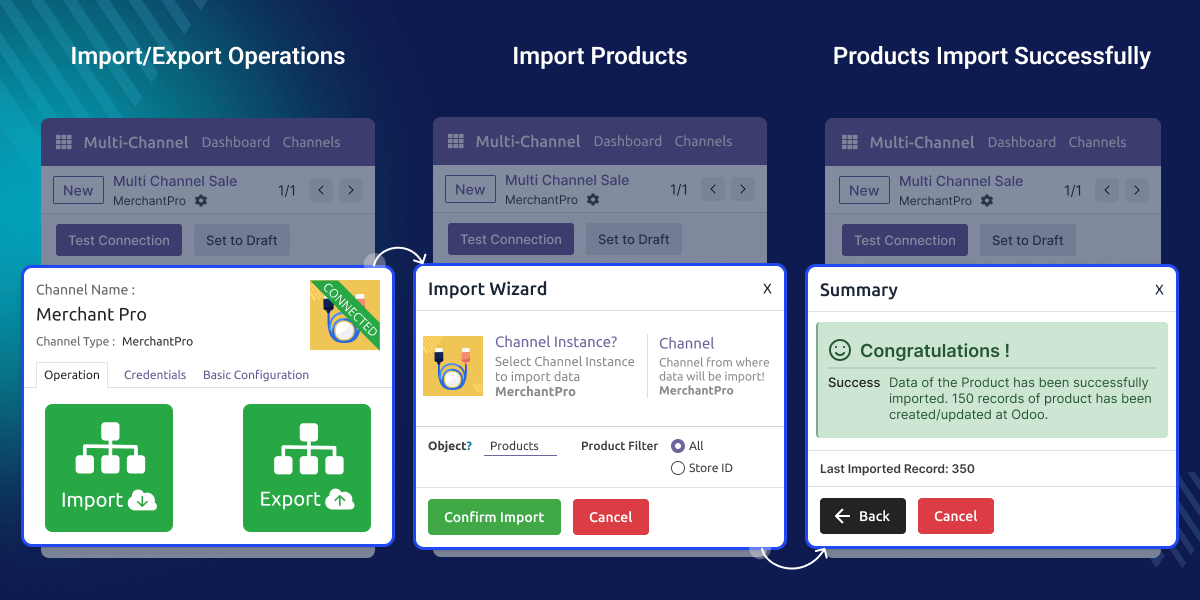
Odoo MerchantPro Connector helps manage daily tasks with ease. It reduces manual work by syncing products, orders, customers, and stock. Real-time sync keeps MerchantPro store data accurate and helps avoid delays in updates.
A business using MerchantPro store can save time by auto-syncing every new order into Odoo. Stock changes also move instantly, helping avoid errors. With order sync and cron jobs, teams can work faster and keep information clean across both platforms.
Odoo MerchantPro Connector needs Odoo Multichannel Sale to run. Install it first to enable basic setup and allow smooth sync between MerchantPro store and Odoo.
Odoo MerchantPro Connector works in conjunction with the following module:
You need to install the module mentioned above to use Odoo MerchantPro Connector.
Odoo MerchantPro Connector lets you import products, categories, orders, and customers with simple steps. It keeps data updated during product sync and order sync.
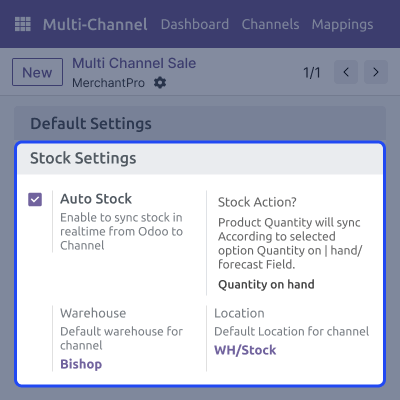
Stock updates appear in real-time sync to prevent overselling. Inventory sync keeps MerchantPro store and Odoo aligned with each stock change.
Order states match across both platforms with clear updates. It keeps order sync accurate and helps track each order stage smoothly.
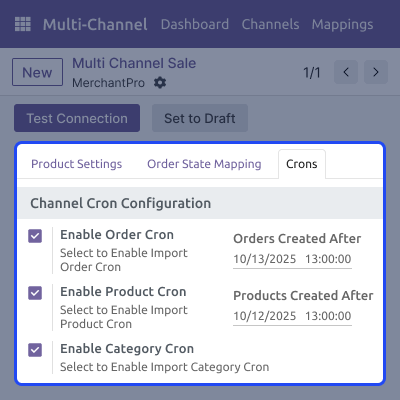
Cron jobs run imports and updates on time. They reduce manual work and keep product sync, customer sync, and inventory sync consistent.
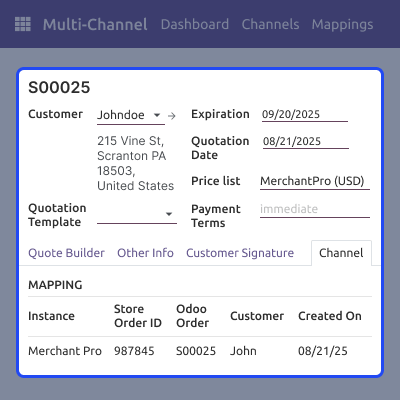
Odoo MerchantPro Connector helps move orders from MerchantPro to Odoo and links them with customer details. It keeps each order clear, updates its status, and stops the same order from syncing twice.
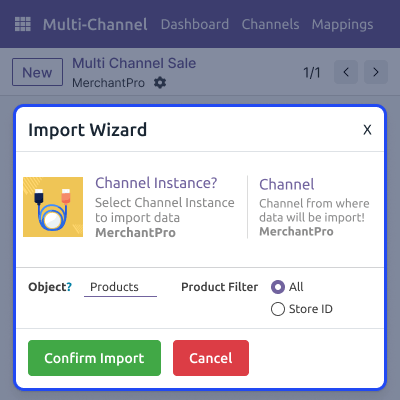
It helps bring products from MerchantPro into Odoo with simple options and filters. It avoids duplicates, supports SKU mapping, and lets you update price and stock with ease using automated sync tools.
It keeps stock levels updated on both systems with real-time changes. It syncs sales, returns, and manual updates quickly to avoid overselling and maintain accurate inventory records for your MerchantPro store.
Cron jobs help manage regular sync tasks by running imports and updates at scheduled times. They reduce manual effort, keep data current, and make it easy to control all automated actions from one place.
For any query or issue, please create a support ticket here CREATE A TICKET HERE
You may also check our other top-quality Odoo Modules.
Detailed technical features and requirements to help you understand the module’s capabilities and ensure smooth integration with your system.
Detailed technical features and requirements to help you understand the module’s capabilities and ensure smooth integration with your system.
We’re partnered with top-tier, trusted providers!
Want to know more how exactly we are going to power up your eCommerce Website with Cloud to fasten up your store
* Server Configuration may vary as per application requirements.



