Send Again
Close
Odoo Website AlinmaPay Payment Acquirer is an Odoo module that connects AlinmaPay, a Saudi payment gateway, to the website checkout. Shoppers pay on the AlinmaPay hosted payment page.
A shopper picks AlinmaPay on the payment step and lands on the gateway page. Card details stay with AlinmaPay, and the Odoo database never holds them.
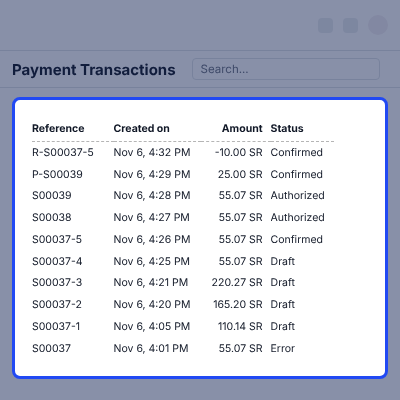
Each attempt updates the Odoo payment transaction. The AlinmaPay transaction ID lands in Provider Reference, and the sales order follows the same status.
Admins add the Terminal ID, Terminal Password and Merchant Key under Invoicing > Configuration > Payment Providers. Test Mode points the same credentials at the AlinmaPay sandbox.
The module runs on Odoo Community and Enterprise, on-premise or on Odoo.sh. It builds on the Payment app, works with Odoo eCommerce, and needs an AlinmaPay merchant account.
Additionally, merchants who sell outside Saudi Arabia can look at the Odoo Website PayU Payment Acquirer for the same checkout step.
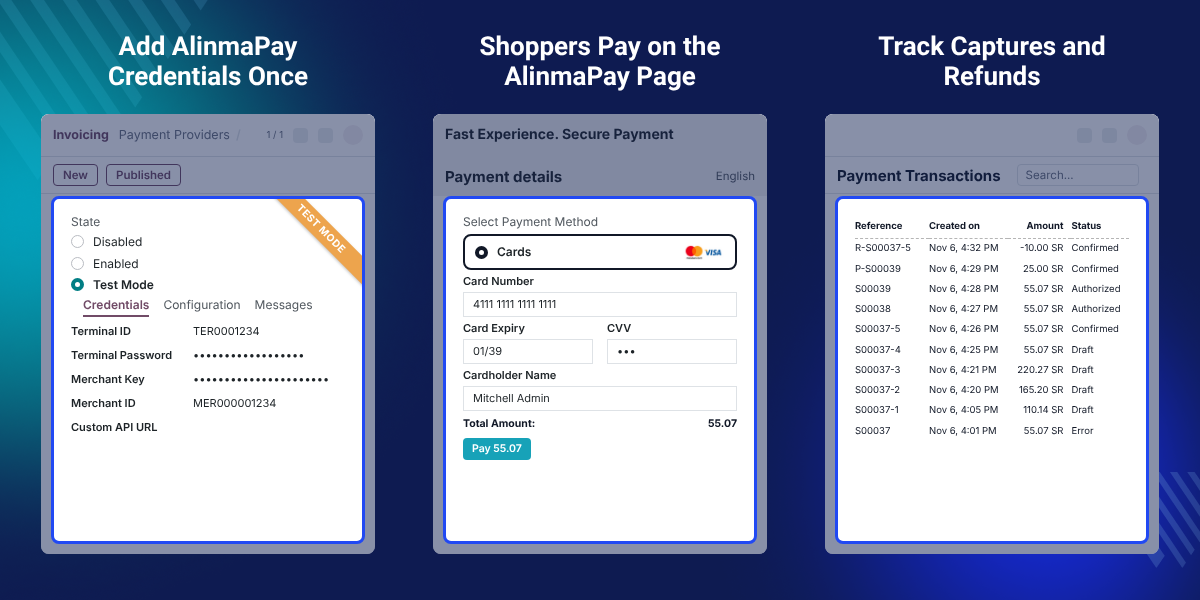
Shoppers pick AlinmaPay on the Odoo payment step and go to the gateway page with the order total already set.
Customers pay with the methods live on your AlinmaPay terminal, such as mada, Visa, MasterCard and Apple Pay.
Take the money at checkout, or authorize the card first and capture it on the day the goods ship.
Capture part of an authorized amount, then release what is left, from the payment transaction form.
Send a full or partial refund to AlinmaPay from a confirmed transaction, without opening the gateway portal.
Test Mode sends the same credentials to the AlinmaPay sandbox, so a trial order never touches a live card.
Saudi merchants collect card money through a local gateway such as AlinmaPay. Odoo ships with a list of payment providers, and AlinmaPay is not on it.
Shops then take the card payment outside Odoo and mark the website order as paid by hand. A missed charge or a wrong amount costs the team an hour it did not plan for.
This module puts the gateway in the checkout. AlinmaPay answers Odoo after every attempt, and the payment transaction moves to its new state on its own.
Manual capture shows how close the two sides sit. An authorized record carries Capture Transaction and Void Transaction, and the Capture dialog takes any amount up to the Authorized Amount.
Also, shops that let trusted buyers pay after delivery can read about Odoo Website PayLater.
A Riyadh retailer sells in SAR and takes mada and card money on the Odoo website, with no step outside the checkout.
A seller authorizes the card at checkout and captures the money on the day the delivery order leaves the warehouse.
A wholesaler captures the value of the goods that ship today and voids the rest of the authorized amount.
Support staff refund a confirmed payment in full or in part, and each refund keeps a link to its source transaction.
The AlinmaPay provider record holds the terminal details. Admins fill them once, and every website order uses the same record.
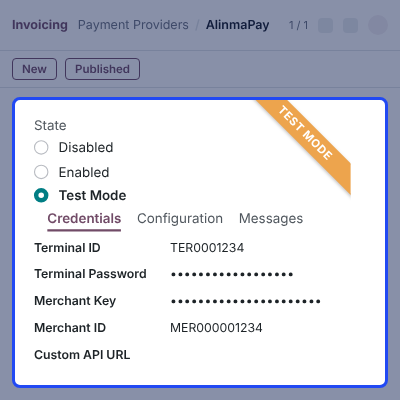
AlinmaPay sits with the other options on the Odoo website checkout. Shops tuning the cart step itself can look at Odoo Website Cart Settings.
Pay now hands the shopper to the gateway with the order total already filled in. Shops that also let buyers collect goods in person can add Odoo Website Store Pickup.
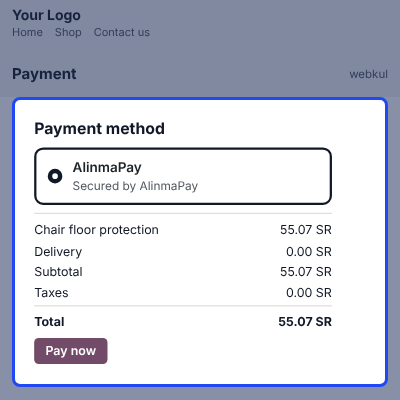
Card entry happens on the AlinmaPay hosted payment page, so no card number reaches Odoo.
Buyers choose Cards, type the card number, expiry, CVV and cardholder name, then confirm. Teams weighing a second gateway can compare the Odoo Website Wepay Payment Acquirer.
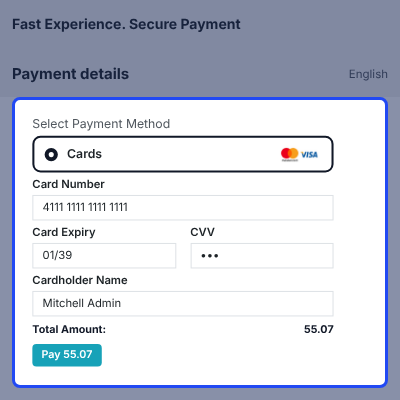
With manual capture the checkout only authorizes the card. A transaction waits at Authorized until somebody acts on it.
Capture Transaction and Void Transaction sit at the top of the transaction form.
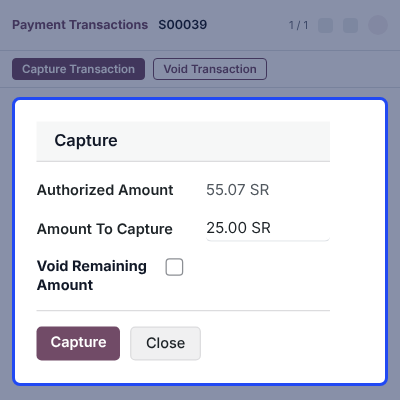
Money can go back to the buyer in full or in part. Odoo sends the refund to AlinmaPay against the original transaction ID.
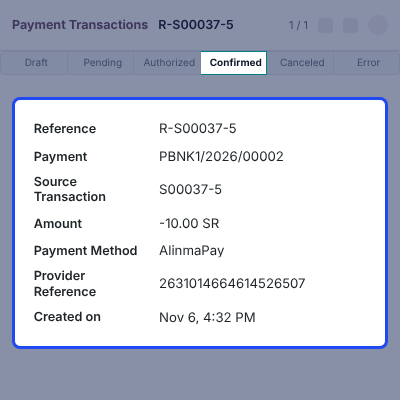
Each attempt is a payment transaction in Draft, Pending, Authorized, Confirmed, Canceled or Error. Managers read the state without opening the AlinmaPay portal.
Groups that sell from several storefronts in one database can add Odoo Multi Website on top.
For any query or issue, please create a support ticket here CREATE A TICKET HERE
You may also check our top-quality Odoo Apps.
Detailed technical features and requirements to help you understand the module’s capabilities and ensure smooth integration with your system.
Detailed technical features and requirements to help you understand the module’s capabilities and ensure smooth integration with your system.
We’re partnered with top-tier, trusted providers!
Want to know more how exactly we are going to power up your eCommerce Website with Cloud to fasten up your store
* Server Configuration may vary as per application requirements.