Send Again
Close
WooCommerce Subscription Delivery helps you run subscription-based delivery in your store. Sell milk, grocery, or any product with recurring delivery schedules. It fits real business use cases.
Offer daily, weekly, or custom weekday-based deliveries. Customers choose what works best for them. This flexibility improves retention and increases repeat orders.
The plugin uses a calendar-based delivery system. Customers can view and manage upcoming deliveries from their account. This reduces support requests and improves experience.
Orders are created automatically for each scheduled delivery. You do not need to manage recurring orders manually. This saves time and avoids operational errors.
The built-in prepaid wallet ensures secure subscription payments. Customers add funds in advance. Payments are deducted automatically for each delivery cycle.
You can control delivery rules for every product. Set delivery days, cut-off times, and blackout dates. This helps you manage logistics with accuracy. Customers can skip, pause, or resume deliveries anytime. Vacation mode allows them to stop deliveries for selected dates. Orders resume automatically after that.
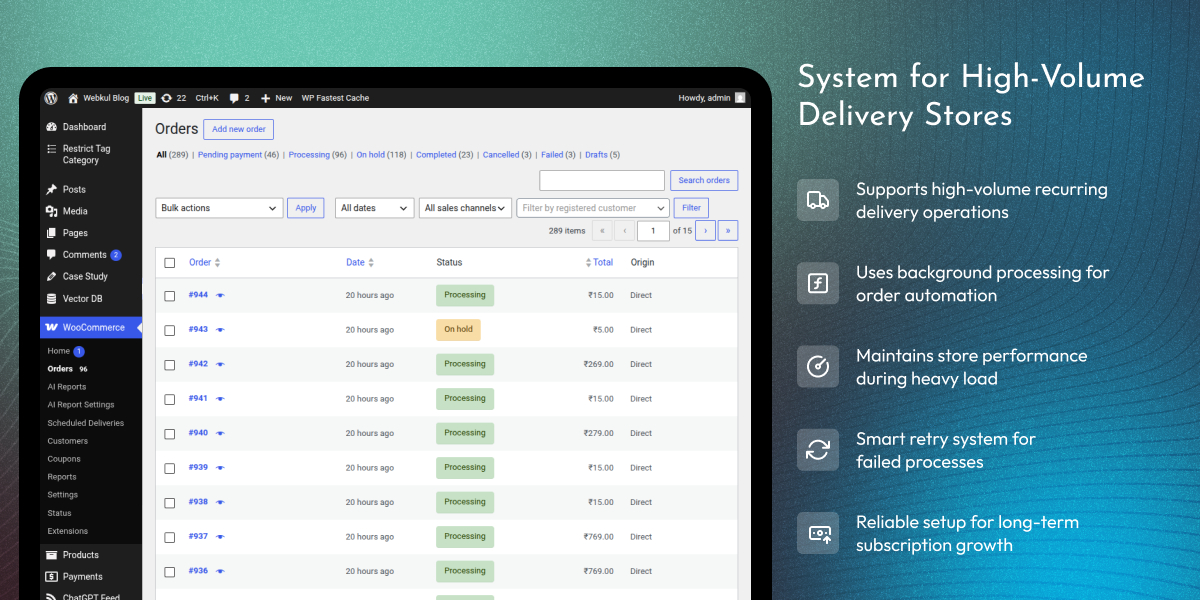
The system uses reliable background processing for order creation. It supports high-volume stores without slowing down performance. This solution is ideal for milk delivery, grocery subscriptions, and daily essentials. It helps you build steady revenue with predictable recurring orders.
Built for real-world delivery businesses handling daily recurring orders. Designed to support high-volume WooCommerce stores with reliable performance.
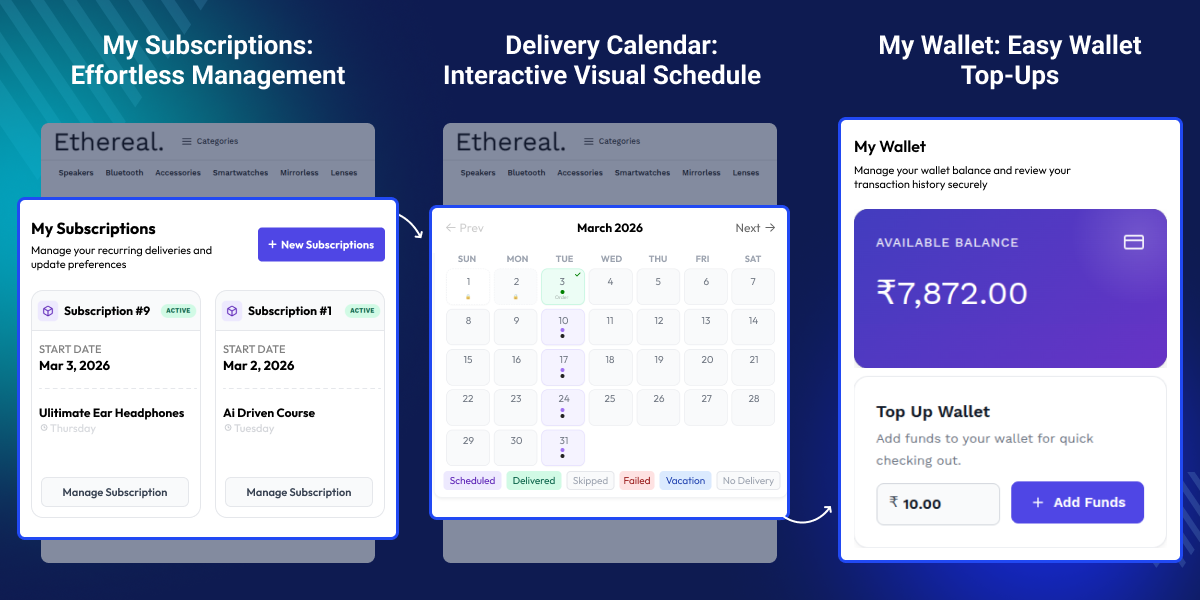
Customers can manage subscription deliveries using a simple calendar view.
Support daily, weekly, and custom weekday-based subscription deliveries.
Create WooCommerce recurring orders automatically for each schedule.
Accept subscription payments using a prepaid wallet balance.
Customers can control deliveries without contacting admins.
Allow users to pause deliveries for a selected date range.
Set delivery days and define products as subscription-only.
Define cut-off times for same-day or next-day processing.
Block deliveries on holidays or unavailable days.
Use Action Scheduler for smooth recurring order automation.
Offer discounts for customers choosing subscription orders.
Handle daily subscription deliveries without performance issues.
Running a subscription delivery business in WooCommerce requires more than just billing. You need a system to manage recurring orders, delivery schedules, and customer control.
Most default subscription setups focus only on payments and do not support delivery scheduling or recurring order workflows. This creates gaps in managing real delivery operations.
WooCommerce Subscription Delivery solves this by automating recurring deliveries with clear schedules and customer control. Customers can skip, pause, or change deliveries anytime, which helps retain long-term users.
A calendar-based system lets customers view all upcoming deliveries in one place. This reduces confusion and support requests. Manual order creation is not scalable. As your store grows, automation becomes necessary to handle recurring deliveries efficiently.
The prepaid wallet system helps maintain payment consistency and reduces failed transactions. Delivery rules like cut-off times and blackout dates help manage logistics and avoid last-minute issues.
This module provides a complete subscription delivery setup, helping you run services like milk delivery, grocery subscriptions, and other recurring product models with better control and steady revenue.
WooCommerce Subscription Delivery supports many recurring delivery businesses. It fits use cases where products are delivered on a fixed schedule.
Run daily milk delivery with flexible schedules managed by customers.
Deliver fruits, vegetables, and essentials on recurring schedules.
Deliver fresh items on fixed days with easy schedule management.
Provide daily or weekly meals with pause and schedule control.
Sell farm-fresh products with scheduled recurring deliveries.
Offer plant or flower deliveries on weekly or custom schedules.
Manage recurring delivery for dairy and beverage products.
Deliver daily-use items with recurring orders and steady sales.
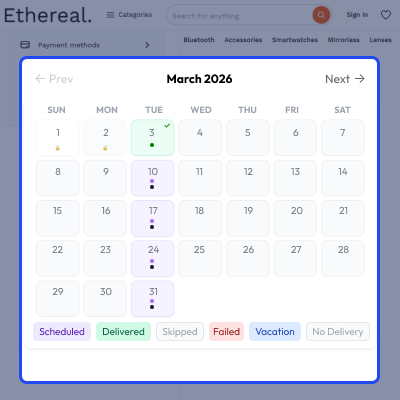
This system gives customers a clear delivery calendar. They can view and manage all upcoming subscription deliveries from their account.
The calendar reduces confusion and support requests. Customers can update deliveries in seconds without contacting your store.
It improves user experience and keeps customers engaged with your subscription service.
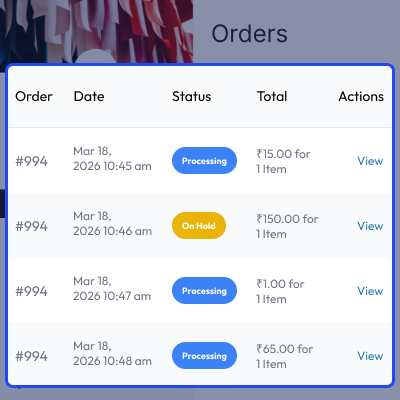
This system automates recurring order creation. Orders are generated based on the selected delivery schedule without manual work.
This removes daily order management tasks. It helps you handle large volumes of subscription deliveries with accuracy. The system uses reliable background processing. It ensures smooth order creation without slowing down your store.
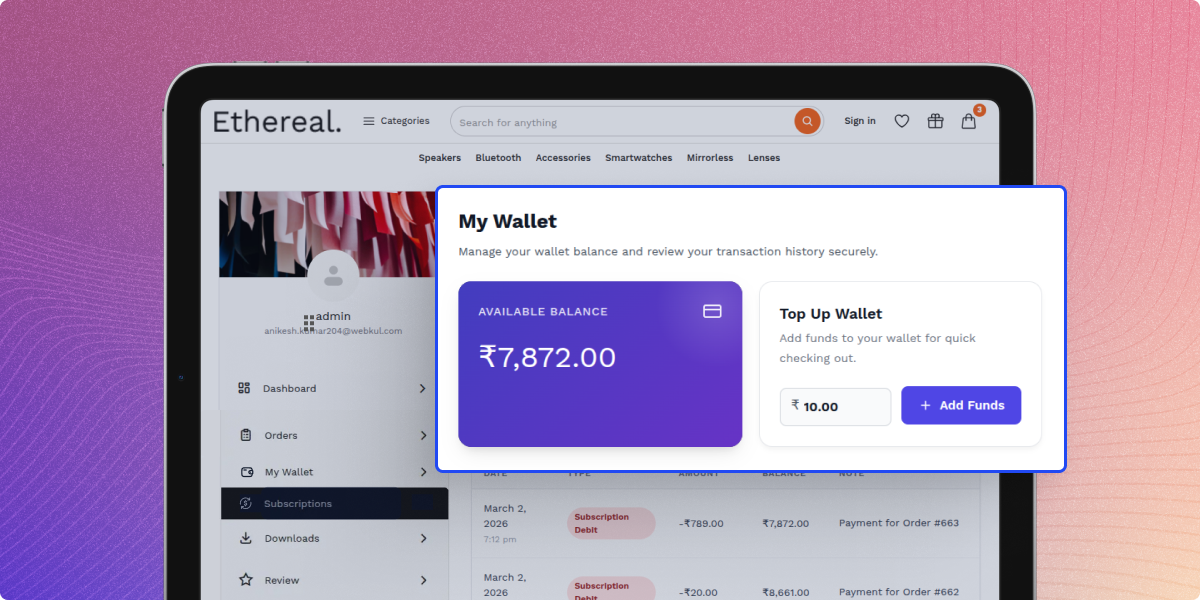
This plugin includes a built-in prepaid wallet. Customers add funds once, and payments are deducted automatically for each delivery. This reduces failed transactions from payment gateways. It also speeds up checkout for repeat subscription orders.
The wallet system ensures stable and predictable revenue for your store.
Set delivery schedules that match your business needs. You can define how and when products are delivered based on customer demand.
Control delivery days, frequency, and product-level rules. This helps you manage logistics and avoid last-minute issues.
Flexible scheduling improves delivery planning. It also ensures a better experience for customers.
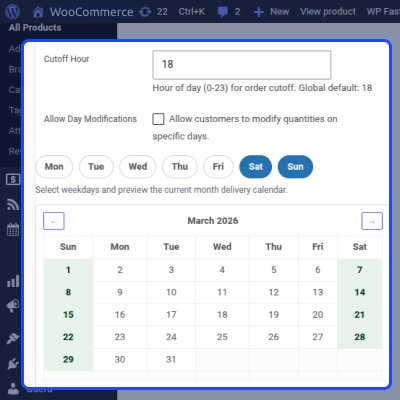
Give customers full control over their subscription deliveries. They can manage schedules without contacting your support team.
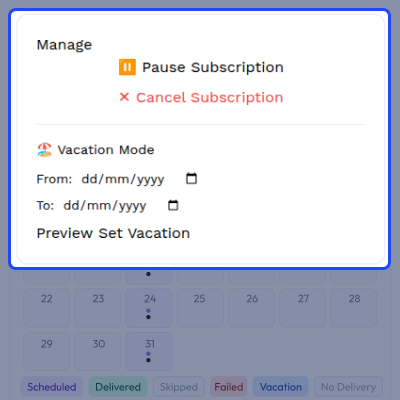
Encourage customers to choose subscriptions by offering a discount. You can set a percentage discount at the product level.
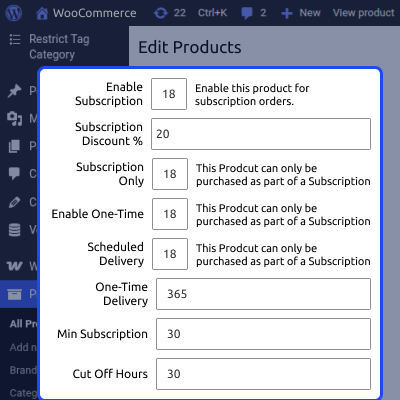
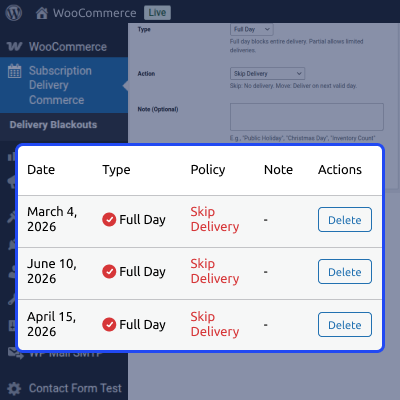
Control when deliveries should not happen. You can block specific dates and manage order changes with clear cut-off rules.
This helps avoid deliveries on holidays or closed days. It also prevents last-minute changes that disrupt operations.
You get better control over logistics and daily planning.
Manage daily deliveries with a clear view of scheduled orders and track what needs to be packed and delivered.
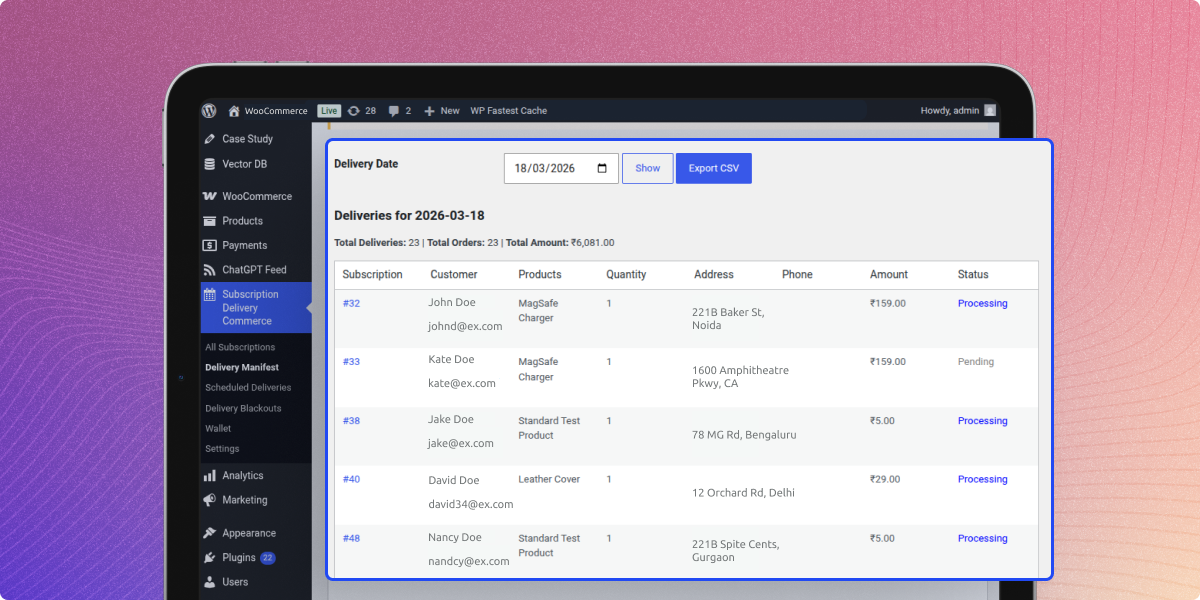
Handle large volumes of recurring deliveries with a system built for daily operations and growing businesses.
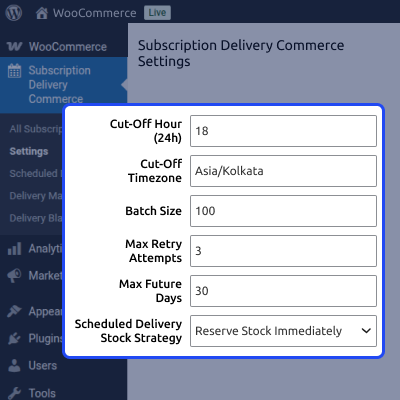
The core settings dashboard lets store owners control the delivery system. You can easily set up global rules. These cover daily schedules, stock handling, and customer access.
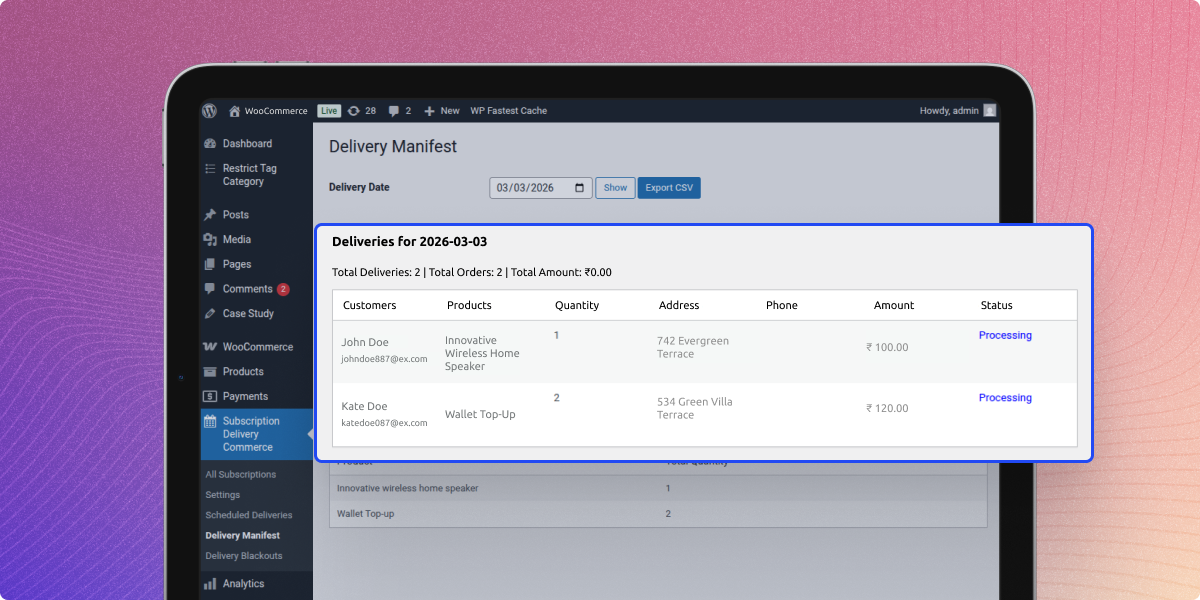
The Delivery Manifest helps store owners track all upcoming shipments for any given day. It gives a clear summary of daily orders. This makes packing products and planning routes fast and easy.
For any query or issue, please create a support ticket here http://webkul.uvdesk.com/
You may also check our quality WooCommerce Plugins.
Detailed technical features and requirements to help you understand the module’s capabilities and ensure smooth integration with your system.
Detailed technical features and requirements to help you understand the module’s capabilities and ensure smooth integration with your system.
We’re partnered with top-tier, trusted providers!
Want to know more how exactly we are going to power up your eCommerce Website with Cloud to fasten up your store
* Server Configuration may vary as per application requirements.



