- Description
- Reviews
- FAQ
- Customers ()
- Specifications
- Cloud Hosting
- Changelog
UnoPim Cloudflare R2 Storage Integration helps you manage product media using Cloudflare R2. It replaces local storage with cloud asset storage. It is made for businesses with large product catalogs. You can store images, files, and other assets safely. It also gives fast CDN performance.
The system supports public and private buckets. Public files load quickly through CDN. Private files are protected with secure signed URLs. It tracks every file using a mapping system. This helps you manage uploads, updates, and deletions easily. You do not lose control of your data.
This module works inside UnoPim admin settings. This makes setup simple and easy to control.
You may also like the UnoPim Maker Checker Workflowwhich streamlines product and asset approvals through role-based controls, with clear tracking and improved workflow management.
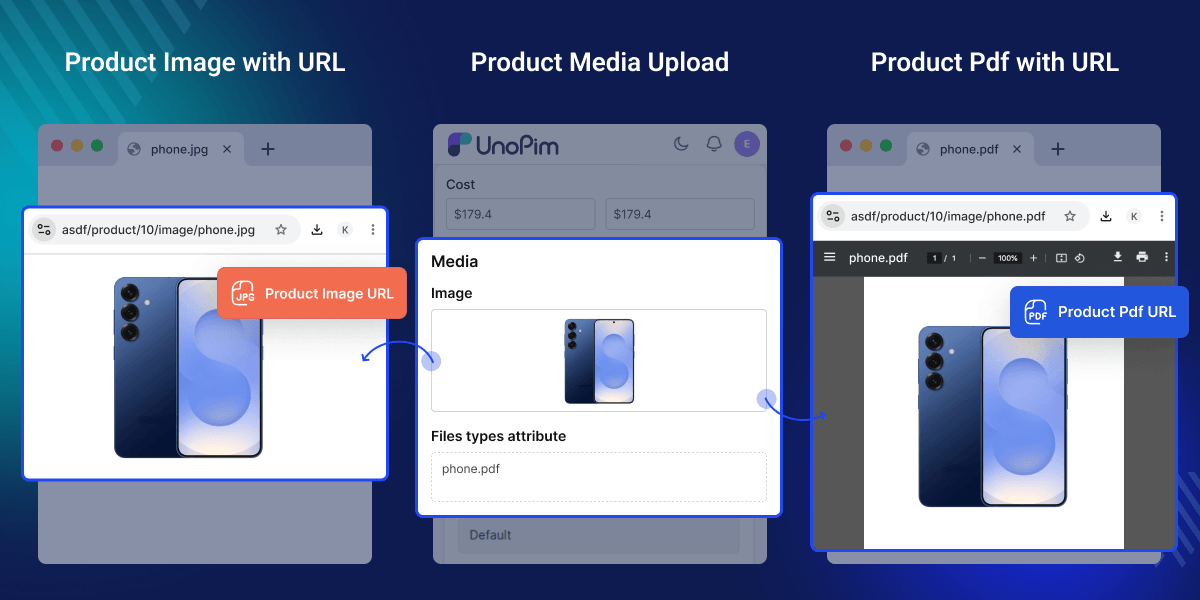
Highlighted Features of UnoPim Cloudflare R2 Storage
Secure Cloud Media Storage
Store product images, PDFs, and media files safely in Cloudflare R2 instead of relying on local server storage.
CDN Powered Media Delivery
Serve media files through Cloudflare CDN using UnoPim CDN delivery for faster loading speeds and seamless global access.
Dynamic Image Optimization
Resize and optimize images on the fly using Cloudflare Image Transformations and R2 image optimization for improved performance.
Smart Cache Control Rules
Apply cache settings based on file extensions with a default 7 day cache duration for efficient media delivery.
Why Do We Need UnoPim Cloudflare R2 Storage?
Local storage is limited. It does not scale well for large product catalogs. It can also slow down file delivery. and increases the load on the server.
UnoPim R2 storage offers cloud storage. It also uses CDN for fast delivery. This reduces pressure on your main server.
This module connects UnoPim directly to R2. It handles uploads automatically. It also manages Cloudflare sync and cleanup tasks. This reduces manual work and improves reliability.
It is designed for fast eCommerce and large catalog systems. These systems need strong and efficient media handling.
Additionally, you can use our UnoPim DAM (Digital Asset Management) module to easily manage digital assets such as images, videos, and documents in a structured way.
Use Cases for UnoPim Cloudflare R2 Storage
-
Manage Large Product Catalogs
Store large numbers of product images, PDF files, and downloadable documents without using extra server space.
-
Improve Storefront Speed Worldwide
Deliver product media faster to customers in different countries with Cloudflare’s global CDN network.
-
Move Files from Local Storage to Cloud Storage
Migrate existing product media from local servers to Cloudflare R2 using media migration Unopim, ensuring files remain organized and easily accessible.
-
Organize Digital Product Assets
Manage product media in a better way with structured storage, central file management, and easy cleanup tools.
Cloudflare R2 Integration in UnoPim
UnoPim Cloudflare R2 Integration replaces local storage with cloud storage. It is scalable and easy to manage. It improves speed, reliability, and media control.
- Works with standard data storage structures
- Uses a Laravel filesystem driver
- Connects with Cloudflare R2 endpoints
- Supports CDN image transformations
- Includes secure credential management
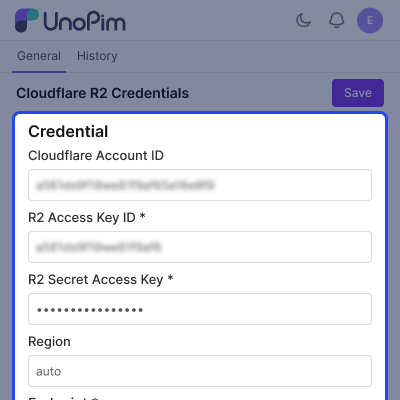
Product Media Management
Upload and preview images effortlessly for quick access and review.
- Upload and preview images easily.
- Add PDFs, manuals, and documents.
- Keep all files in one place.
- Maintain organized file structure.
- Replace or update files anytime.
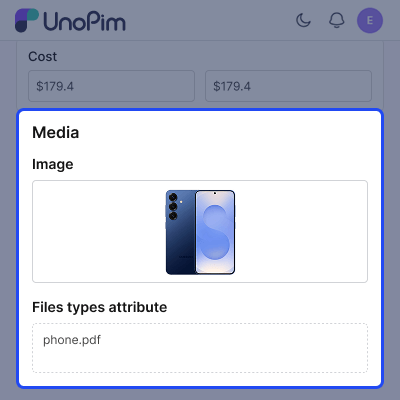
Admin Panel & Access Control
This module is fully built into admin panel. It makes management simple.
- Settings are available under Cloudflare R2 menu
- Role based access control (ACL)
- Easy credential management
- Logs for configuration changes
- Supports 30 languages
Support
For any query or issue, please create a support ticket here http://webkul.uvdesk.com/. You may also check our all UnoPim Extensions.
Specifications
Frequently Asked Questions
Specification
Detailed technical features and requirements to help you understand the module’s capabilities and ensure smooth integration with your system.
Cloud Hosting
Detailed technical features and requirements to help you understand the module’s capabilities and ensure smooth integration with your system.
Move to Cloud Today
We’re partnered with top-tier, trusted providers!



Default Configuration Details of Server
RAM 1 Core
Processor 30 GB
Hard Disk
Database
Want to know more how exactly we are going to power up your eCommerce Website with Cloud to fasten up your store
* Server Configuration may vary as per application requirements.
Change Logs
- - Feature Add (+)
- - Feature remove (-)
- - Bug Fixed (!)
- - Modification (*)
- Compatible with UnoPim 3.0, Laravel 13, and PHP 8.4.1+
- Updated the connector to support the latest UnoPim 3.0 architecture and dependencies.
- Added support for returning full Cloudflare R2 URLs for product images, files, and gallery values in
product.createdandproduct.updatedwebhooks and REST API product responses when R2 is enabled. - When R2 is disabled, the original file paths are returned unchanged.
- Fixed a 500 error on the first authenticated REST API request.
- Fixed product images breaking on UnoPim 2.1.x due to an outdated image override.
- Fixed the invalid Cache-Control header on uploaded files. Files now use a clean 7-day cache.
- Restored credential-history field formatting.
- Fixed compatibility issues related to the UnoPim 3.0 upgrade.
- Updated dependencies for UnoPim 3.0, Laravel 13, and PHP 8.4.1+.
- Updated the
symfony/filesystemdependency for compatibility with the supported PHP version. - Added missing Cloudflare R2 permission labels for Validate and View History in all supported languages.
- Updated translations to ensure the admin roles screen is fully localized.
- + Compatible with UnoPim 2.0.0.
- + Cloudflare R2 storage driver registered as r2 (S3-compatible) with a custom R2Adapter that handles signed-URL generation for private buckets and Cloudflare Image Transformations URLs for public buckets.
- + Credential UI under Settings → Cloudflare R2:
- Account ID, Access Key, Secret Key, Region (defaulted to auto),
- Bucket Name, Bucket URL, and Endpoint (auto-derived from Account ID when omitted).
- Live credential validation on save — invalid R2 credentials are rejected before being stored.
- Masked secret/access keys on edit.
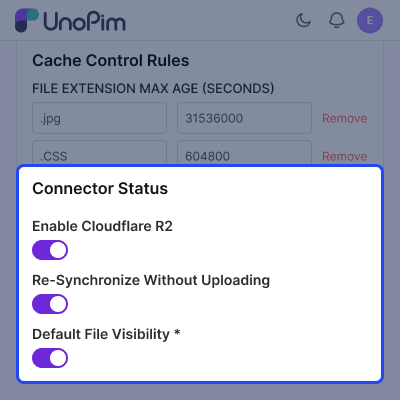
- Public / private visibility toggle. Private buckets automatically use short-lived presigned URLs.
- Per-extension Cache-Control rules with a default 7-day cache.
- Optional static-files configuration (separate bucket, region, URL).
- + Media mapping table (cloudflare_r2_media_mappings) records every uploaded file's original path, R2 path, CDN URL, MIME type, size, and md5 hash. Reads are served from a primed cache for hot-path lookups.
- + Credential history with a detail modal showing every change. Secret and access keys are excluded from history logs.
- + Entity deletion cleanup: deleting a Product or Category in the admin removes its R2 objects, mapping rows, and primed cache entries.
- + Media-only on R2 — only product and category media (image / file / gallery / asset attribute values) is uploaded to R2. The data-transfer module's working files (export CSVs/XLSX under exports/, the unzipped import images under import-images/, error reports under imports/, sample templates under data-transfer/) stay on the local public disk.
- + Override of core importers/exporters via DI binding so CSV/XLSX imports and exports route product/category media through R2 while the CSV/XLSX file itself stays local.
- Console
- + cloudflare-r2-package:install — one-shot installer (deps + migration + assets).
- + cloudflare_r2:move_existing_files — migrate existing local media to R2. Supports --metadata-only to map files without physical upload.
- + cloudflare_r2:remove_media_files — delete local copies after migration.
- + cloudflare_r2:export-media — sync media to R2 (queue-aware via --isqueue=1).
- + cloudflare_r2:export-static-content — sync static assets to R2 (queue-aware via --isqueue=1).
- Notes
- + R2 credentials must have permissions for s3:GetObject, s3:PutObject,and s3:DeleteObject on the bucket.
- + The endpoint is auto-derived as https://<account_id>.r2.cloudflarestorage.com when not explicitly set.
- + Bucket URL is required only for public buckets. Private buckets fall back to presigned reads.
