- Description
- Reviews
- FAQ
- Customers ()
- Specifications
- Cloud Hosting
- Changelog
UnoPim Commercetools Connector links UnoPim with commercetools in both directions. It keeps your product catalog in sync. You do not need manual data entry.
It exports products, categories, and attribute families from UnoPim. It also imports data from commercetools when needed. This keeps both systems up to date.
UnoPim Commercetools Connector is made for teams that manage product data in UnoPim. It makes sure commercetools always has fresh and correct catalog data for daily use.
It supports complex product structures, including configurable products and variants. It also keeps category trees and product attributes aligned across both systems.
You can also check UnoPim Maker Checker Workflow, which streamlines product and asset approvals. It uses role based controls. It also adds clear tracking and better workflow management.
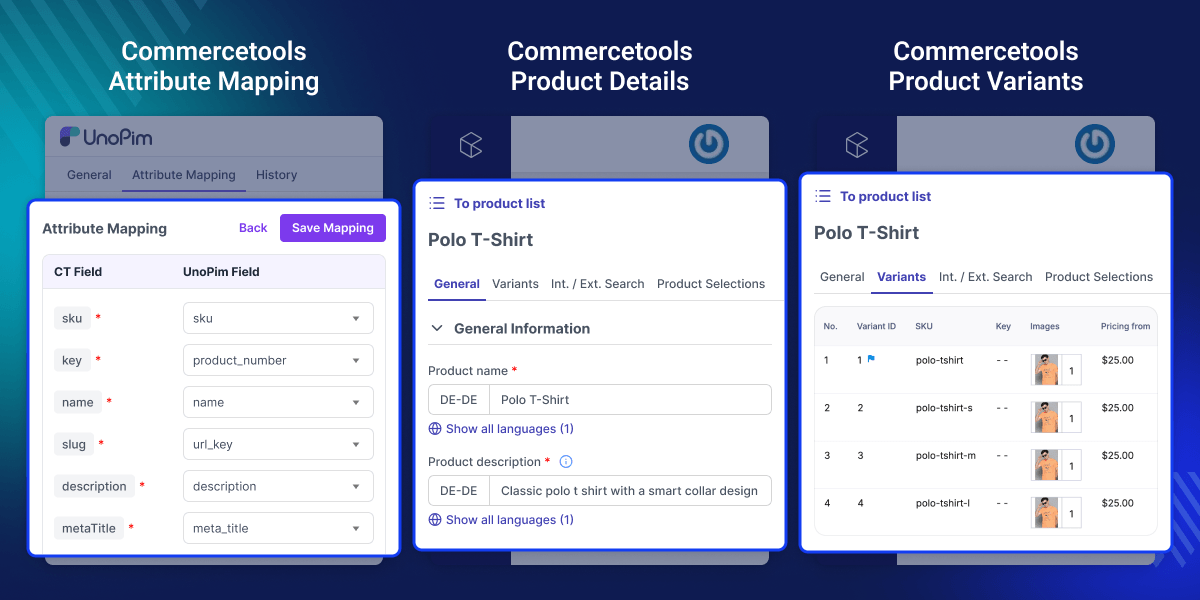
Highlighted Features of UnoPim Commercetools Connector
Two Way Product Sync
Sync products both ways between UnoPim and commercetools. This keeps product data the same in both systems.
Configurable Product Handling
Exports main products and their variants. It also rebuilds the same product structure during import.
Attribute Family Mapping
Maps UnoPim attribute families to commercetools product types using commercetools product sync. This helps product attributes match in both systems.
Multi Locale Support
Supports many languages. This includes product names, descriptions, and other attributes for different regions.
Why Do We Need UnoPim Commercetools Connector?
UnoPim Commercetools Connector reduces manual product entry across many platforms. This helps prevent mistakes. It also reduces delays in product updates.
This removes duplicate work in daily tasks. It also gives one clear source of truth for product data. Commercetools alone does not handle full product enrichment. UnoPim works as a central hub for all product data.
It helps teams reduce sync errors and save time in workflows. It also supports clean and well structured product catalogs. In real commerce workflows, automated sync improves speed across channels. It also improves data accuracy at each step.
Additionally, you can use our UnoPim DAM (Digital Asset Management) module to easily manage digital assets such as images, videos, and documents in a clear and structured way.
Use Cases
Central Product Management
Manage all product data in UnoPim and send it to commercetools.
Multi Region Storefronts
Sync product data for each market and language.
Large Catalog Operations
Handle thousands of products with batch sync and incremental updates.
Marketplace Integrations
Keep multiple commercetools projects in sync with one UnoPim source.
Data Sync and Mapping
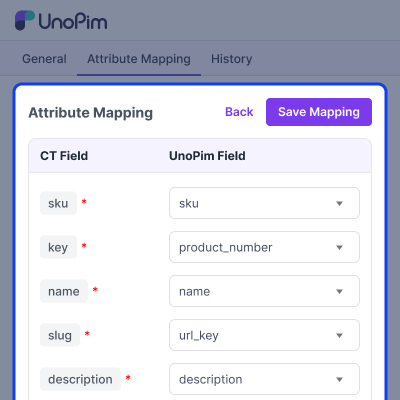
A simple and clear mapping system connects UnoPim with commercetools. It makes sure each product field matches when data is moved between systems export or import.
- Matches system fields like SKU, name, price and description.
- Supports custom fields using attribute codes.
- Checks all required fields before sync starts.
- Makes sure each data type is mapped correctly.
- Prevents wrong or broken data transfer between systems.
- Keeps product structure same across all platforms.
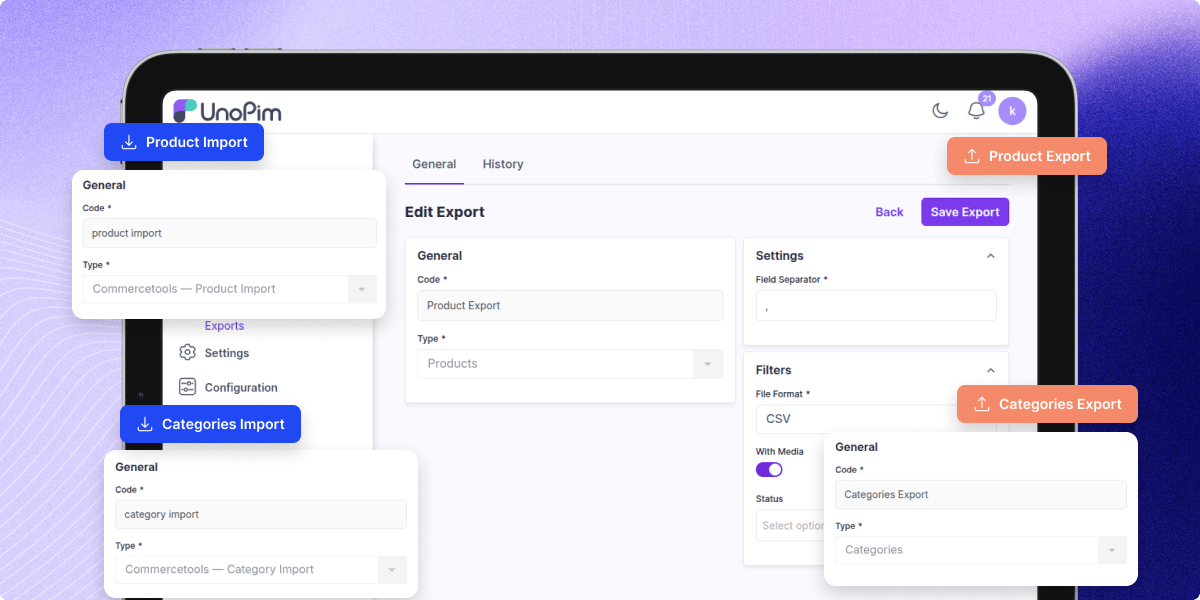
Category Synchronization & Product Structure Sync
Product categories and structure stay the same during sync. This keeps the online store layout clean and consistent across all connected platforms.
- Exports full category tree with parent and child links.
- Imports commercetools categories into UnoPim.
- Keeps product variant links the same.
- Supports simple and configurable product types.
- Keeps correct category order and structure.
- Removes orphan categories to keep data clean.
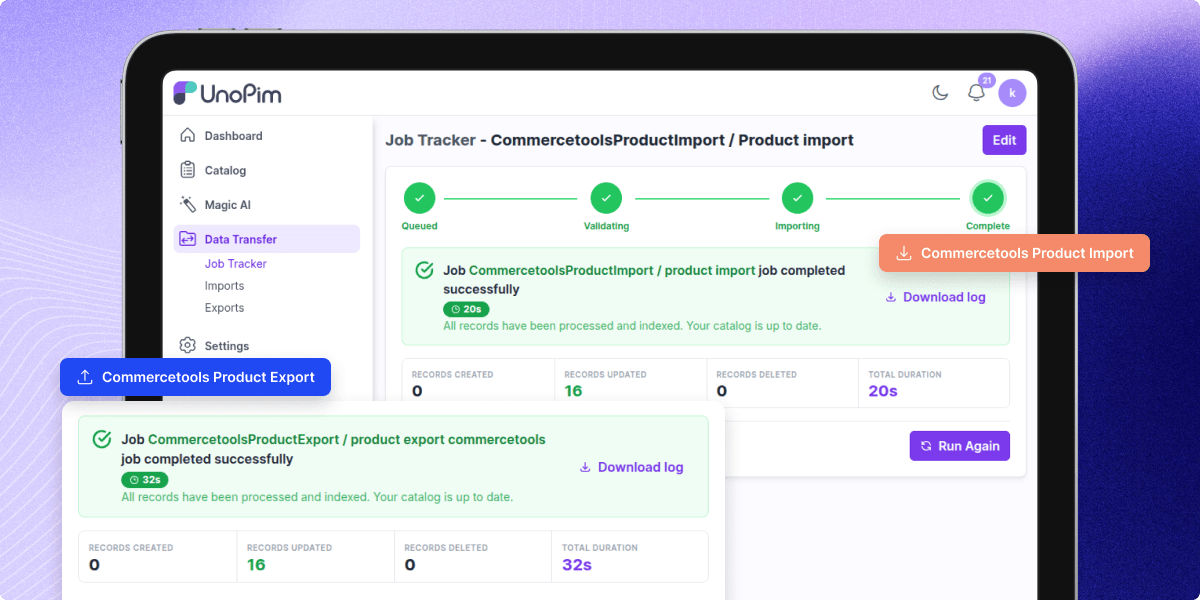
Sync Engine and Performance
System uses background processing for synchronization tasks. It supports large product catalogs and ensures smooth and stable sync performance during frequent updates.
- Products are processed in batches for export and import.
- Only changed records are synchronized using incremental sync.
- Stable performance is ensured with queue based processing.
- Failed API requests are retried automatically.
- Tokens are refreshed so synchronization does not stop.
- Pagination is supported for large commercetools data sets.
Admin Controls and Connection Management
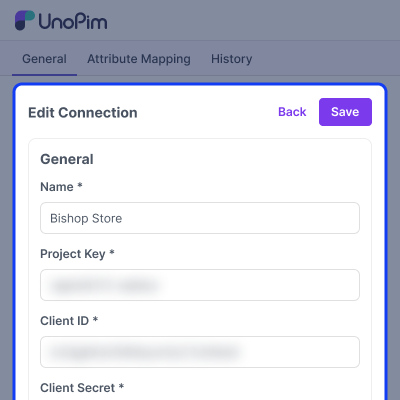
A simple admin panel gives you full control of all connections and sync tasks. It makes setup and daily use easy.
- Create multiple commercetools connections.
- Turn connections on or off at any time.
- Map fields with a visual interface.
- View all sync logs in one place.
- Use bulk actions to manage connections faster.
Support
For any query or issue, please create a support ticket here http://webkul.uvdesk.com/. You may also check our all UnoPim Extensions.
Specifications
Frequently Asked Questions
Specification
Detailed technical features and requirements to help you understand the module’s capabilities and ensure smooth integration with your system.
Cloud Hosting
Detailed technical features and requirements to help you understand the module’s capabilities and ensure smooth integration with your system.
Move to Cloud Today
We’re partnered with top-tier, trusted providers!



Default Configuration Details of Server
RAM 1 Core
Processor 30 GB
Hard Disk
Database
Want to know more how exactly we are going to power up your eCommerce Website with Cloud to fasten up your store
* Server Configuration may vary as per application requirements.
Change Logs
- - Feature Add (+)
- - Feature remove (-)
- - Bug Fixed (!)
- - Modification (*)
- + Gallery support for product images: the images system field now accepts a UnoPim gallery attribute, not only a single-file image. commercetools carries a list of images per variant, so every image in the gallery is exported, and an import writes the whole list back.
- + DAM support for product images: with the UnoPim DAM package installed, images can also be mapped to a DAM asset attribute. Exports resolve the asset ids to links commercetools can fetch; imports create real DAM assets from the downloaded files and store their ids on the product.
- * UnoPim 3.0 compatibility: the connector targets UnoPim 3.0.x on Laravel 13 and PHP 8.4. Models use Laravel 13 attribute syntax, and the product pipeline understands UnoPim 3.0 variant structures.
- * Imported products get a proper variant structure: a product pulled from commercetools is built against the variant structure its family already defines, so it comes out identical to one created through the admin — including at a single variation level.
- + Supports UnoPim 3.0.x, Laravel 13 and PHP ^8.4.
- + The UnoPim DAM package is required only for the DAM asset mapping. Every other feature works without it, and the DAM option is hidden from the mapping screen and rejected by the validator when the package is absent.
- * Service provider is registered through bootstrap/providers.php.
- + Initial release of the UnoPim Commercetools Connector with two-way integration between UnoPim and commercetools.
- + Added connection management to create, edit, test, activate, and delete multiple commercetools connections.
- + Added support for separate project keys, regions, and API client credentials for each connection.
- + Added encrypted storage for commercetools client secrets.
- + Added OAuth authentication with cached access tokens and automatic token refresh.
- + Added Product Type Sync to import commercetools product types and map them with UnoPim attribute families.
- + Added Category Sync for exporting UnoPim categories and importing commercetools category trees.
- + Added Product Export support for simple and configurable products with variants.
- + Added Product Import support including unpublished staged product changes.
- + Added system field mapping for SKU, key, name, slug, description, meta fields, prices, and images.
- + Added incremental synchronization for products and categories based on last successful sync.
- + Added sync logging with operation direction, action, status, and HTTP details.
- + Added searchable and filterable Connections DataGrid with mass activate and deactivate actions.
- + Added commercetools:sync-log:prune Artisan command for cleaning old synchronization logs.
- + Added localized admin UI translations across 29 locales.
- * Compatible with UnoPim 2.x.x, Laravel 12+, and PHP ^8.3.
- * Service provider registration added through bootstrap/providers.php as per UnoPim 2.x conventions.
