- Description
- Reviews
- FAQ
- Customers ()
- Specifications
- Cloud Hosting
- Changelog
UnoPim CS-Cart Connector connects your UnoPIM product information system with CS-Cart store for smooth catalog management. It helps businesses manage product data in one place and sync it automatically with the online store.
UnoPim CS-Cart Connector supports both export and import operations. It allows transfer of products, categories, attributes, variants, and media between UnoPIM and CS-Cart in both directions.
It supports simple and configurable products with variants. Parent and child products stay linked during sync, so product options are managed correctly. This provides flexible field mapping tools that allow mapping UnoPIM attributes to CS-Cart product fields, features, stock, price, dates, and more.
For large catalogs, the connector uses queue based batch processing. This keeps the admin panel fast while background sync jobs run smoothly. It is ideal for businesses using UnoPim as their central product data system and CS-Cart as their eCommerce platform.
Additionally, to streamline supplier onboarding and simplify centralized product data management, you can also explore UnoPIM Supplier Data Portal.
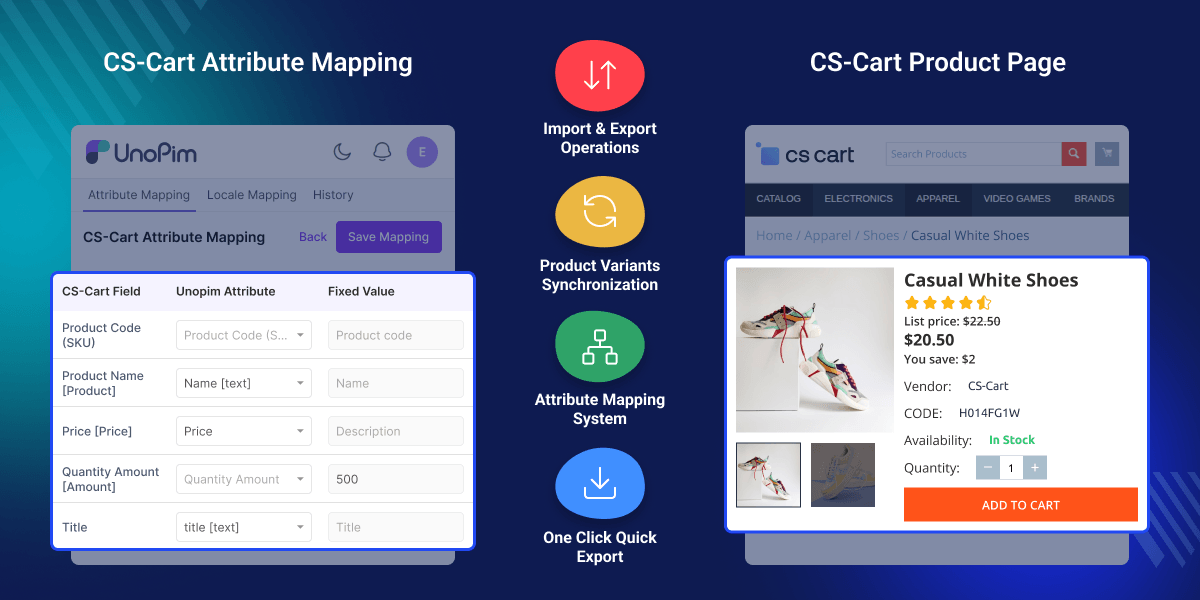
Highlighted Features of UnoPim CS-Cart Connector
Export Simple & Variant Products
Export both simple and variant products from UnoPIM to CS-Cart.
Multilingual Content Export
Export product data in multiple languages for localized stores.
Multiple Store Credentials
Save and manage multiple CS-Cart store credentials for easy exports.
Multi Store Export Support
Export products to multiple CS-Cart stores using separate export profiles.
Why Do We Need UnoPim Connector for CS-Cart?
Managing product data separately in UnoPim and CS-Cart takes a lot of time and can lead to mistakes.
When teams update products, stock, prices, categories, and translations manually in both systems, it often creates duplicate work and confusion.
UnoPim CS-Cart Connector solves this problem by linking both systems together. It automatically shares and updates data between them, so less manual work is needed, and product information stays accurate.
It also helps businesses grow faster by using UnoPIM as the main product data system, while CS-Cart is used for online store sales.
This solution is helpful for brands, wholesalers, and growing businesses that manage large product catalogs.
You can also streamline product data exchange with the UnoPIM XML Connector, which enables smooth XML based import and export for better integration and efficient catalog management.
Use Cases
Explore how businesses use UnoPIM CS-Cart Connector for efficient catalog management.
Multi Store Businesses
Manage one central catalog in UnoPim and sync data to CS-Cart stores.
Fashion & Variant Products
Sync size, color, and style variants with parent products.
Global Brands
Manage translated catalogs across multiple languages.
Wholesale Businesses
Update stock, pricing, and categories quickly across stores.
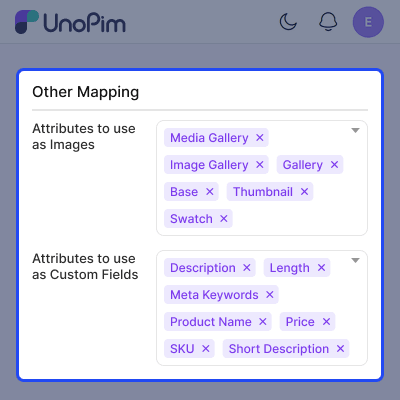
Attribute Mapping & Management
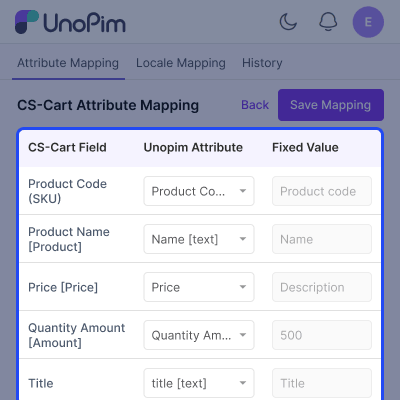
Map UnoPIM attributes to CS-Cart fields to keep product data correct and well organized. You can also create new attributes when needed and control how product data shows in store.
- Map UnoPIM attributes to CS-Cart fields
- Create new attributes as needed
- Sync product data like size, color, price, and quantity
- Keep same data structure in both systems
- Avoid duplicate and wrong data
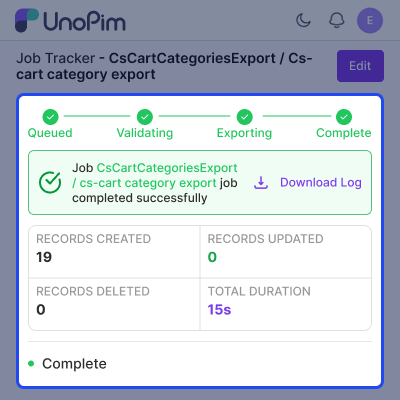
Export Categories to CS-Cart
Move product categories from UnoPIM to CS-Cart in a simple and clear way. It supports single or multiple category export with full structure.
- Export single or multiple categories
- Sync root and sub categories
- Keep category structure same
- Update selected categories during sync
- Keep catalog clean and organized
Data Filtering for Product Export
Control what product data is sent from UnoPIM to CS-Cart. Export only data you need.
- Filter by channel, locale, currency, and attributes
- Export only required product data
- Reduce extra data transfer
- Improve data accuracy
- Easy and flexible export setup
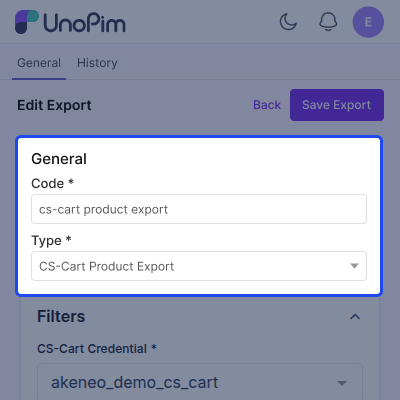
Image Export Support
Send multiple product images with product data to improve product display in CS-Cart.
- Export multiple images per product
- Support JPG, JPEG, and PNG formats
- High quality image export
- Control image size
- Separate images for simple and variant products
Product Variant & Option Sync
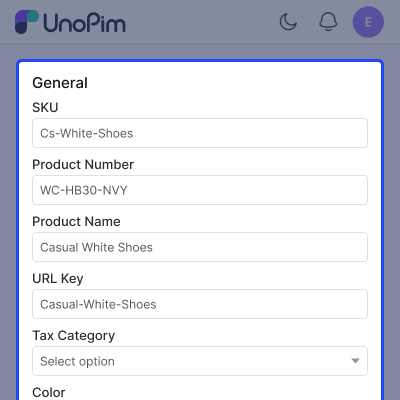
Manage products with different options like size and color. Keep all links and structure correct during sync.
- Export product models with variants
- Keep parent child product links
- Sync size, color, and option products
- Auto sync option names and values
- Export variant inventory correctly
Support
For any query or issue, please create a support ticket here http://webkul.uvdesk.com/. You may also check our all UnoPim Extensions.
Specifications
Frequently Asked Questions
Specification
Detailed technical features and requirements to help you understand the module’s capabilities and ensure smooth integration with your system.
Cloud Hosting
Detailed technical features and requirements to help you understand the module’s capabilities and ensure smooth integration with your system.
Move to Cloud Today
We’re partnered with top-tier, trusted providers!



Default Configuration Details of Server
RAM 1 Core
Processor 30 GB
Hard Disk
Database
Want to know more how exactly we are going to power up your eCommerce Website with Cloud to fasten up your store
* Server Configuration may vary as per application requirements.
Change Logs
- - Feature Add (+)
- - Feature remove (-)
- - Bug Fixed (!)
- - Modification (*)
- * Works with UnoPim 3.1.3.
- * Works with or without the AWS S3 and Public URL connectors.
- + Categories move between UnoPim and CS-Cart with all their details, including images.
- + Product export offers all the usual filters and fields.
- + Quick export shows only the languages and currencies of the chosen channel.
- + Product variations are brought in under their main product.
- + Imported images fill every image field you have mapped.
- ! Store images are kept when a new image can't be loaded.
- ! Existing CS-Cart features are reused instead of being created again.
- ! Parent categories are created before their child categories.
- ! Importing one language no longer clears the others.
- ! Prices are imported in the channel's currency.
- * Your CS-Cart API key is stored safely and kept hidden.
- * Connections to your store are more secure.
- * Imports and exports run faster.
- * The CS-Cart add-on now carries the UnoPim name and logo. Remove the old add-on before installing the new one.
- - Unused export options have been removed.
- * Mapping screens support dark mode.
- * Certified the connector against UnoPim 3.0.0, PHP 8.4.1, and Laravel 13. Updated the README requirement matrix to state support for UnoPim 3.0.x.
- + Added support for two-level variant structures in UnoPim 3.0. Variant exports now resolve values across the complete ancestor chain, allowing attributes from the configurable root to reach Google.
- * Updated
itemGroupIdto use the configurable root, keeping all variants of a product within the same Google product group. - - Excluded
variant_groupcontainers from exports because they are grouping records rather than sellable products. - ! Fixed REST API endpoints returning 403 for every request by mapping all 25 endpoints to the connector's API ACL entries.
- ! Fixed the missing
google-shopping.products.quick-exportroute inacl.php, restoring administrator role-based permission enforcement for the Quick Export action. - + Added a
composer.jsonmanifest defining PHP^8.4.1, Laravel Framework^13.0, Guzzle^7.0.1, and the package service provider.
- + Compatibility with UnoPIM 2.0.0.
- + Import Attributes: Import CS-Cart features as UnoPim attributes.
- + Import Categories: Import CS-Cart categories into UnoPim.
- + Import Products: Seamlessly import products from CS-Cart to UnoPim.
- + Export Attributes: Map UnoPim attributes to CS-Cart features and custom fields.
- + Export Categories: Maintain category hierarchies from UnoPim to CS-Cart.
- + Export Products: Full sync of attributes, statuses, pricing, and media.
- + Multi-Locale Support: Sync data to multiple CS-Cart languages (en, fr, de, etc.).
- + Media Synchronization: Automatically sync product images from UnoPim to CS-Cart.
- + Data Transfer Tracker: Real-time progress tracking in UnoPim Job Tracker.
