- Description
- Reviews
- FAQ
- Customers ()
- Specifications
- Cloud Hosting
- Changelog
UnoPim Google Shopping Connector helps you to connect your UnoPim catalog to Google Merchant Center and makes it easy to share products. GMC connector sends product data from UnoPim to Google Shopping and removes the need for manual feed files and repeat uploads.
Store owners can map product attributes and categories to Google's required fields and help improve data quality and feed accuracy. Quick Export helps teams send products in one click, while full export options help with large product catalogs.
UnoPim Google Shopping integration supports many channels, locales, and currencies and helps handle product data in different regions.
Also, for users who want to integrate OpenAI Search to generate AI-powered product discovery, then they can check UnoPIM AI product feed for OpenAI Search module.
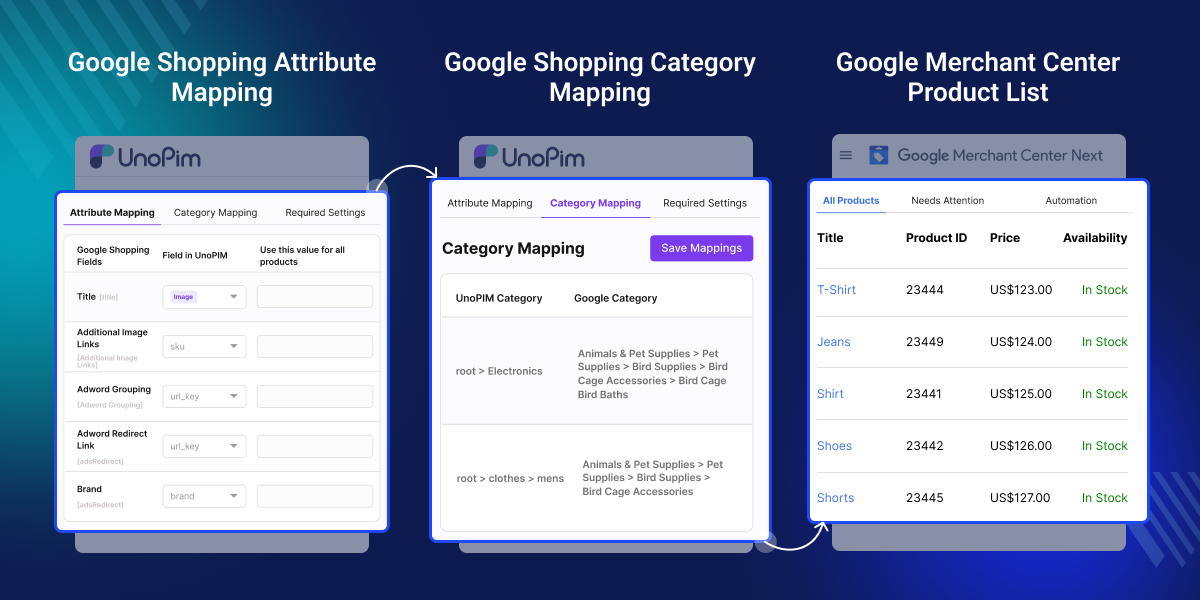
Highlighted Features of UnoPim Google Shopping Connector
Easy Google Merchant Center Setup
Link Google Merchant Center to UnoPim in minutes and manage exports, settings, and catalog updates from one place.
Flexible Attribute Mapping
Match UnoPim data to Google Shopping fields with custom rules to keep product data clear and complete.
One Click Product Export
Send products to Google Merchant Center with one click and share catalog updates fast with less work.
Variant Product Support
Send product variants with shared data and key details to keep size, color, and other options easy to track.
Why Do We Need UnoPim Google Shopping Connector?
UnoPim Google Shopping Connector automates product exports and updates. It helps keep product data correct across Google Shopping and Merchant Center. Managing Google Shopping feeds by hand takes time and effort. Product information can go out of date quickly when catalogs change often.
Many businesses manage products across many channels and regions. Updating Google Shopping listings by hand can lead to errors and missing data.
UnoPim Google Shopping integration also supports category mapping, attribute mapping, and automated exports. This helps teams save time and keep product data clean and organized. Admin that manage large product catalogs often use automated feed tools. This reduces manual work and improves data accuracy.
You can also streamline product data exchange with UnoPIM XML Connector which enables smooth XML based import and export for better integration and efficient catalog management.
Use Cases
-
Keep Google Shopping Listings Up to Date
Send product data from UnoPim to Google Merchant Center to keep your listings accurate and up to date.
-
Manage Multi Region Product Catalogs
Export product data for multiple countries, languages, and currencies to manage regional catalogs with ease.
-
Quick Export Product Updates
Use Quick Export to send product updates to Google Shopping so catalog changes are reflected without manual work.
-
Improve Product Data Quality
Use category mapping and attribute mapping to create clean, structured, and consistent product feeds.
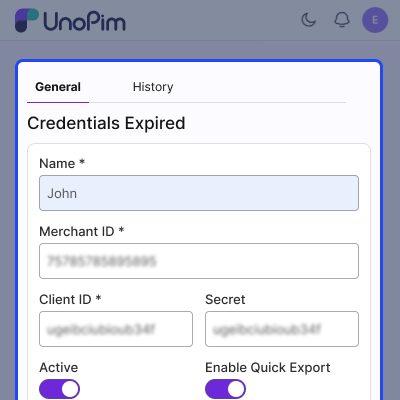
Google Shopping Credentials Management
Configure UnoPim with your Google Merchant Center credentials to create a secure connection and export product data with ease.
- Set up UnoPim Google Shopping credentials securely.
- Add Merchant ID, Client ID, and Client Secret values.
- Connect to Google with a simple OAuth flow.
- Turn Google Shopping integration on or off anytime.
- Keep credentials safe with access control settings.
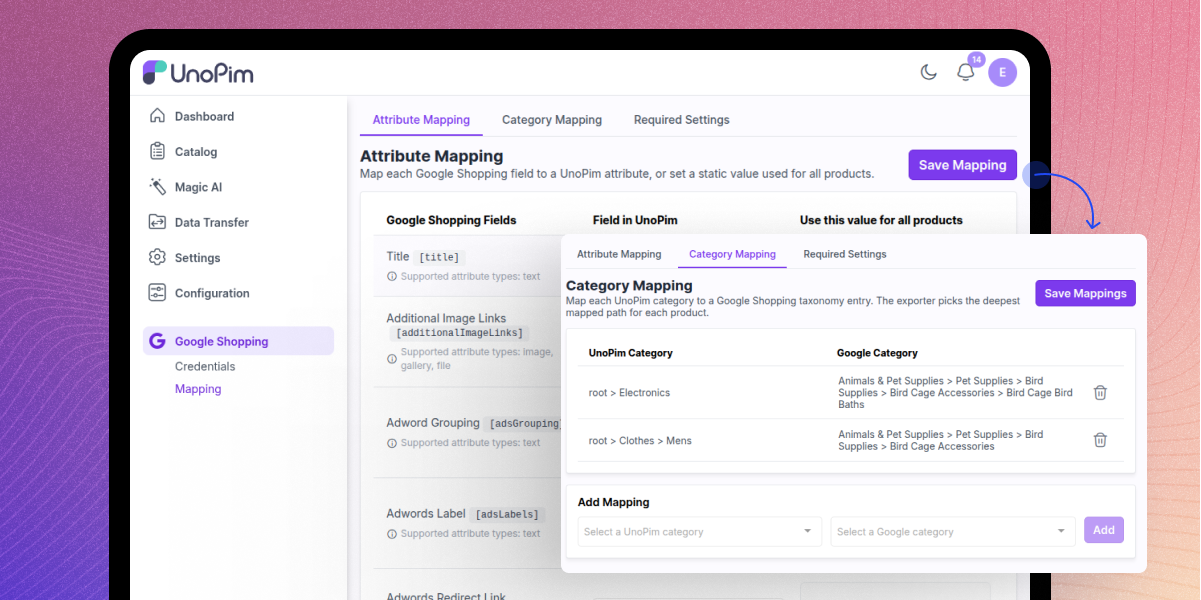
Category & Attribute Mapping
Map UnoPim categories and attributes to Google Shopping export rules to improve product classification, feed quality, and Merchant Center support.
- Map UnoPim categories to Google Shopping taxonomy.
- Use fallback values when product fields are missing.
- Manage all mappings from one central dashboard.
- Improve classification by matching catalog structure.
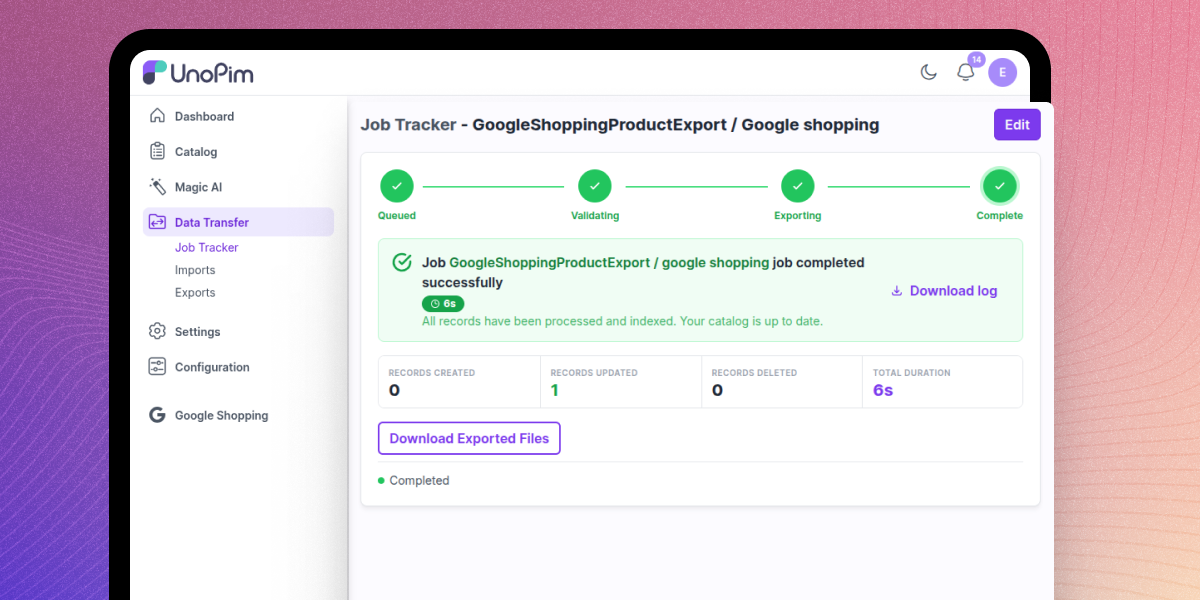
Connection & Export Tracking
Manage Google Merchant Center connections in UnoPim and track product exports with secure login, logs, and clear status updates.
- Manage multiple GMC connections from one dashboard.
- Use OAuth login with automatic token refresh.
- View export history to track product publishing.
- Review logs to debug export issues quickly.
Support
For any query or issue, please create a support ticket here http://webkul.uvdesk.com/. You may also check our all UnoPim Extensions.
Specifications
Frequently Asked Questions
Specification
Detailed technical features and requirements to help you understand the module’s capabilities and ensure smooth integration with your system.
Cloud Hosting
Detailed technical features and requirements to help you understand the module’s capabilities and ensure smooth integration with your system.
Move to Cloud Today
We’re partnered with top-tier, trusted providers!



Default Configuration Details of Server
RAM 1 Core
Processor 30 GB
Hard Disk
Database
Want to know more how exactly we are going to power up your eCommerce Website with Cloud to fasten up your store
* Server Configuration may vary as per application requirements.
Change Logs
- - Feature Add (+)
- - Feature remove (-)
- - Bug Fixed (!)
- - Modification (*)
- * Mappings are now per connection, not global. Attribute mapping, category mapping and required settings each belong to a connection, so two Merchant Center accounts can publish the same catalog with different fields, categories, country, language or currency.
- * Moved the Mapping page to the connection edit page as Attribute Mapping, Category Mapping and Required Settings tabs. The sidebar Mapping menu and /admin/google-shopping/mapping are removed.
- * Scoped routes to a connection. REST mapping endpoints moved under /api/v1/rest/google-shopping/connections/{id}/... (404 for unknown connections, new {{connection_id}} Postman variable); admin saves moved to PUT /admin/google-shopping/connections/{id}/{attribute-mapping|category-mapping|required-settings}. Route names and ACL keys are unchanged.
- * Added an upgrade migration: php artisan migrate adds a connection_id foreign key to the three mapping tables and copies existing global mappings/settings to every connection, so exports behave as before. Deleting a connection deletes its mappings; new connections start from configured defaults.
- + Added a Delete export operation. Deleting with a filter removes matching products; without a filter, it removes every product, gated behind a "Confirm deleting ALL products" toggle.
- + Added WebP-to-JPEG image conversion because Google rejects WebP. Conversion happens once per image and is reused, with converted images stored on S3 when AWS is active, otherwise on the local public disk.
- + Image Links mapping is now multi-select (e.g. image + gallery); only image-type attributes are offered for image fields.
- + Added AI category mapping. A Map with AI button maps unmapped categories via UnoPim's Magic AI, queued with progress and settings under Configuration > Google Shopping. Category mapping also gains a datagrid showing source (Manual/AI) and status, a per-row edit modal, and Delete / Update Status mass actions.
- + Added an Update Taxonomy button to download the current Google taxonomy, replacing the bundled file.
- + Added more export filters: attribute families, product status, completeness, time condition, categories, SKU and attribute selection.
- + Added a single worker command, php artisan google-shopping:queue:work, to process export, AI mapping and real-time queues together.
- * The job tracker now rolls up updated, deleted and failed counts at the job level, not just created, skipped and processed.
- * Merchant API v1 replaces Content API for Shopping v2.1 and is now the default. Set google-shopping.api.version or GOOGLE_SHOPPING_API_VERSION=content to stay on Content API until Google retires it on 18 August 2026. Merchant API additionally requires a verified, claimed homepage and the Cloud project registered with the account; see README.
- * Create/Update exports now upsert in a single call, as Merchant API insert is an upsert.
- * Transient 429 and 5xx responses are now retried with backoff; previously only connection errors were retried.
- * Category mapping now saves each action immediately, removing the Save Changes bar.
- * Updated environment settings: the storefront base URL moved from GOOGLE_SHOPPING_STOREFRONT_BASE_URL to the connection's Required Settings tab. GOOGLE_SHOPPING_MEDIA_BASE_URL and its media-host rebasing were removed; image URLs now come from app.url or public S3, which are already Google-reachable. Remove both variables from .env.
- * Updated the UI: the attribute mapping tab shows each attribute's [code], an entire connections-grid row opens the edit page, and the mapping tabs are responsive.
- ! Fixed image conversion failures so the image is dropped instead of sending WebP; remote image fetches now retry transient failures.
- ! Fixed Quick Export jobs using a per-job queue and stalling. They now use the default queue and fall back to the channel's currency when the connection has none.
- ! Improved error reporting so real Google errors reach the tracker. A 403 (API disabled) and 401 (project not registered) are no longer flattened into one message, and an account-wide 401/403 ends the run as failed instead of finishing successfully with zero records.
- ! Fixed deletes for products already absent on Google (404): they are now counted as deleted rather than failed, making delete runs idempotent.
- ! Fixed the export create page so each connector renders only its own scope card.
- ! Fixed category names to use the requested locale.
- ! Fixed saving Required Settings wiping the Quick Export currency.
- * Certified the connector against UnoPim 3.0.0, PHP 8.4.1, and Laravel 13. Updated the README requirement matrix to state support for UnoPim 3.0.x.
- + Added support for two-level variant structures in UnoPim 3.0. Variant exports now resolve values across the complete ancestor chain, allowing attributes from the configurable root to reach Google.
- * Updated
itemGroupIdto use the configurable root, keeping all variants of a product within the same Google product group. - - Excluded
variant_groupcontainers from exports because they are grouping records rather than sellable products. - ! Fixed REST API endpoints returning 403 for every request by mapping all 25 endpoints to the connector's API ACL entries.
- ! Fixed the missing
google-shopping.products.quick-exportroute inacl.php, restoring administrator role-based permission enforcement for the Quick Export action. - + Added a
composer.jsonmanifest defining PHP^8.4.1, Laravel Framework^13.0, Guzzle^7.0.1, and the package service provider.
- + Initial public release for UnoPim Google Shopping Connector.
- + Added Google Merchant Center integration through the Content API for Shopping v2.1.
- + Added support for creating, editing, activating, and deleting multiple Google Merchant Center connections.
- + Added Google OAuth 2.0 authentication with offline access, cached access tokens, and automatic token refresh.
- + Added attribute mapping between UnoPim attributes and Google Shopping product fields, with static value support.
- + Added category mapping with Google Product Taxonomy, async category search, and default category fallback.
- + Added configuration for target country, content language, default channel, and Quick Export currency.
- + Added product export support for simple and configurable products, including variants, with advanced export filters.
- + Added Quick Export for selected products with one-click export and automatic product sync on product create and update.
- + Added a searchable, filterable, and sortable connections grid with authentication status management.
- + Added Passport-authenticated REST API endpoints for connections, mappings, synchronization, options, and search.
- + Added history audit logs for connection and mapping changes while keeping credentials encrypted and excluded from audit records.
- + Added multilingual translations for the connector admin interface.
