Send Again
Close
WooCommerce Barcode Labels for Products and Orders combines barcode generation, label design, and printing tools in one solution. It lets you create labels for products, orders, and coupons from a single workspace.
Create product barcode labels for simple and variable products with reusable templates. Add names, prices, categories, SKUs, and barcode values. Then print labels for inventory, retail shelves, and warehouse work.
Print WooCommerce Order Barcode Labels in a few clicks for packing, shipping, and order processing. Bulk printing and automatic label generation save time. As a result, teams finish fulfillment with less manual work.
Turn discount codes into coupon barcode labels, so customers can scan them during checkout. Printed vouchers also support seasonal offers, store promotions, and in store discounts with less effort.
Save reusable Barcode Templates for products, orders, and coupons instead of creating every layout again. Change fonts, colors, sizes, and branding. This keeps every printed label clear and consistent.
Print labels with a thermal printer or a standard desktop printer through the desktop application. Then send print jobs faster. This barcode printing solution works well for warehouses, retail stores, packing stations, and shipping teams.
Also, if you want to highlight new arrivals, best sellers, discounted items, or featured products with eye-catching product badges, WooCommerce Custom Product Labels plugin can help you display custom labels across your store.
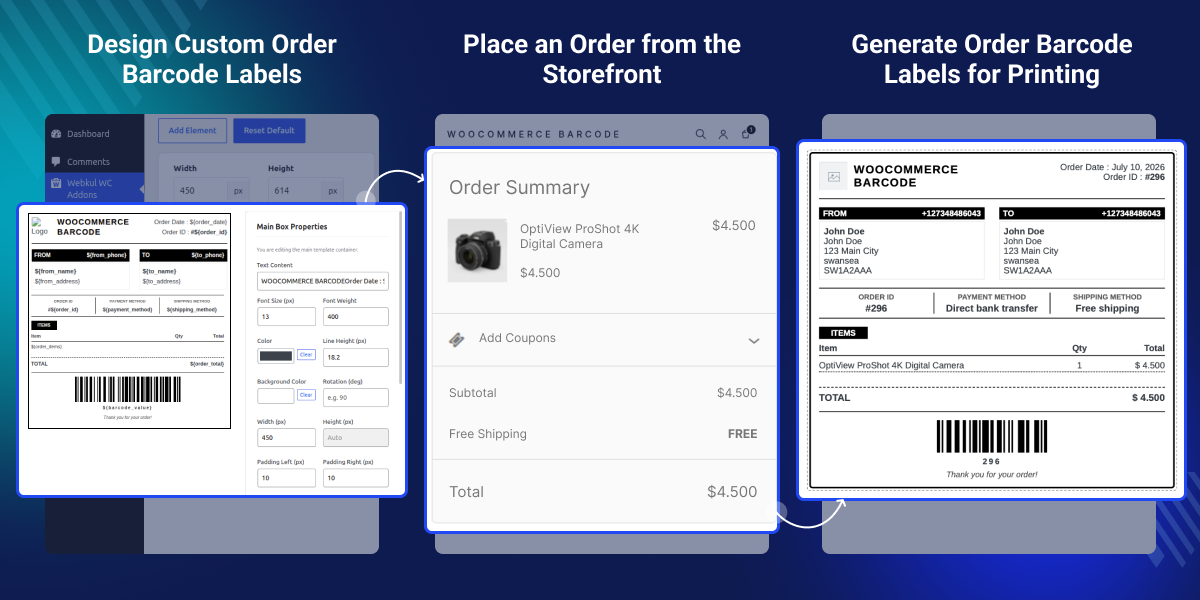
Design custom barcode labels with an easy drag and drop editor. Then adjust every layout to match your store.
Create separate barcode labels for products, orders, and coupons. Each template is ready for its own purpose.
Print multiple labels at once, so inventory, packing, and shipping take less time every day.
Generate order labels after every purchase. This helps your team begin fulfillment without extra steps.
Save reusable barcode templates, then use them again to keep every printed label consistent.
Print labels with thermal or desktop printers. This gives fast and reliable barcode printing for daily work.
WooCommerce Barcode Labels for Products and Orders helps growing stores manage barcode labels with less effort. As products and orders increase, creating labels by hand takes more time and slows daily work.
WooCommerce does not include built in tools for barcode label design, reusable templates, or bulk printing. So, many store owners still use manual steps or different tools to print labels every day.
As sales grow, printing one label at a time becomes slow. It also makes packing, shipping, and inventory work harder. Keeping labels the same across products, orders, and coupons also takes more effort.
WooCommerce Barcode Labels for Products and Orders solves these problems with reusable templates, bulk printing, automatic order labels, and support for different barcode formats. As a result, teams can create, manage, and print labels from one place.
Built from real WooCommerce store workflows, this plugin supports retail stores, warehouses, and shipping teams. It reduces manual work and helps staff complete daily labeling tasks more efficiently.
Additionally, businesses that print barcode labels for products may also need faster barcode scanning at the checkout counter, and WooCommerce POS Multiple Quantity Barcode plugin helps cashiers update quantities with a single scan.
Use barcode labels on store shelves, so staff find products faster, and customers spend less time at checkout.
Scan and print labels to track stock, reduce mistakes, and keep warehouse work organized every day.
Print order labels before packing, then ship products faster with fewer manual steps.
Turn discount codes into barcode coupons, so customers can scan them during promotional offers.
Use the same WooCommerce Barcode Templates across stores to keep every printed label consistent.
Print labels for bulk shipments, helping staff move products faster and improve warehouse work.
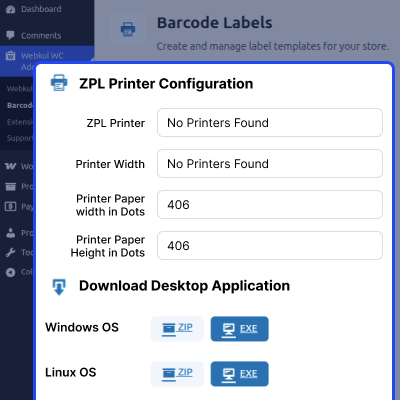
Set up your thermal printer with the right paper size and print resolution for WooCommerce Barcode Label Printing. Then download the desktop application and connect supported printers to print labels without browser print dialogs.
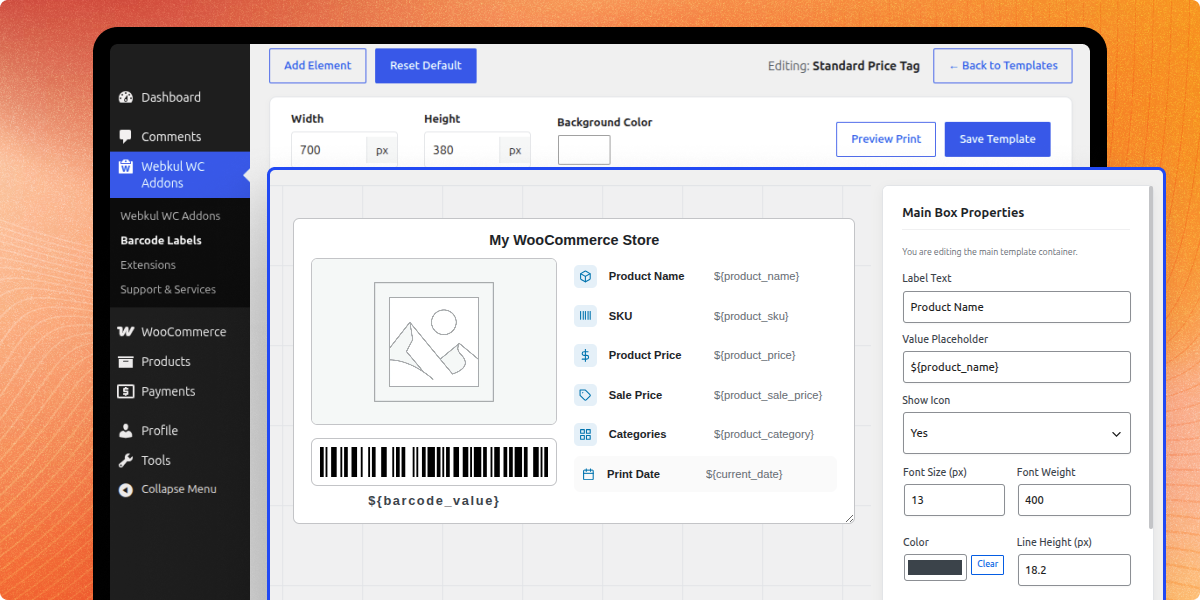
Create custom product barcode labels with a visual editor by adding images, prices, product details, and barcode fields. Save reusable label templates and preview every design before printing with the WooCommerce Label Designer to produce consistent product labels.
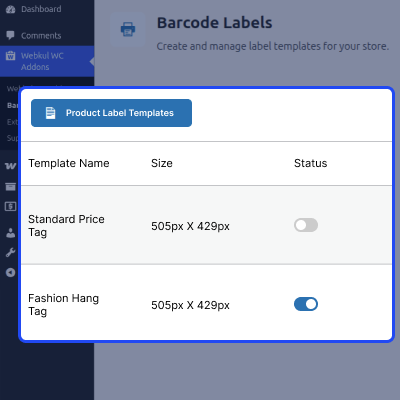
Create and organize separate order label templates with different layouts to match your packing, shipping, and fulfillment requirements. Switch between saved templates at any time to print the right order barcode labels for different business and delivery workflows.
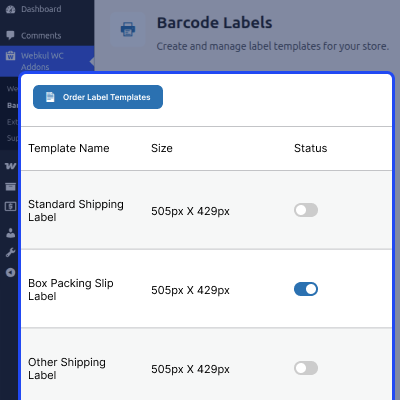
Create and organize product label templates with different sizes and layouts to simplify product barcode labels for different products. Switch between saved templates whenever needed to print the right product labels for different products and labeling requirements.
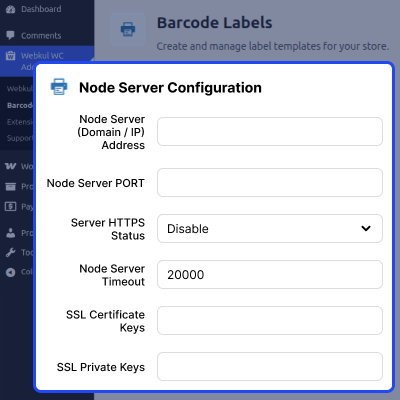
Configure the desktop print server by adding the server address, port, timeout, and security settings for WooCommerce Thermal Printer connections. Connect your WooCommerce store with supported printers through a secure connection to send print jobs quickly and without manual steps.
For any query or issue please create a support ticket here http://webkul.uvdesk.com. You may also check our other top-quality WooCommerce Plugins.
Detailed technical features and requirements to help you understand the module’s capabilities and ensure smooth integration with your system.
Detailed technical features and requirements to help you understand the module’s capabilities and ensure smooth integration with your system.
We’re partnered with top-tier, trusted providers!
Want to know more how exactly we are going to power up your eCommerce Website with Cloud to fasten up your store
* Server Configuration may vary as per application requirements.



