Send Again
Close
WooCommerce EAN UPC Barcode Manager makes it easy to create, import, and assign barcodes in your WooCommerce store. It works well for both existing products and new items.
Generate EAN-13 or UPC-A barcodes for internal use, or import GS1 barcodes from CSV, TXT, or XLSX files using the method that fits your business.
Assign barcodes to many products at once or turn on automatic code assignment for new products. This plugin supports simple products, external products, and product variations.
Save barcode values in the WooCommerce GTIN field, SKU, supported third-party fields, or custom meta keys. It works with inventory tools and many POS systems.
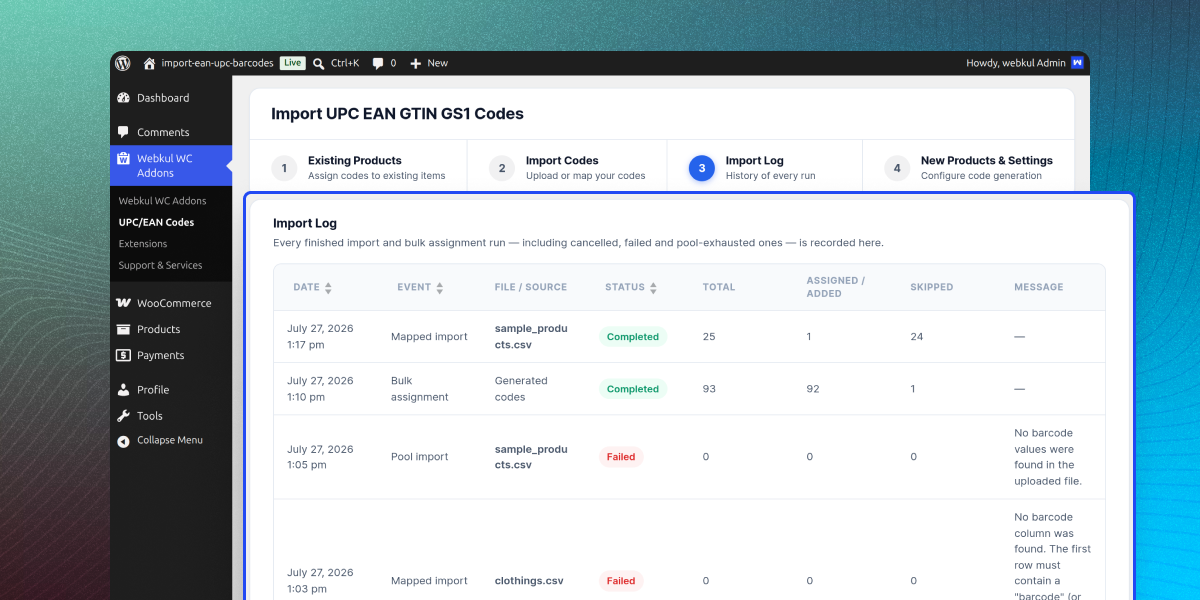
Large imports and bulk updates run in the background, while duplicate checks, overwrite protection, and progress tracking help keep barcode data accurate.
Also, to manage POS inventory with barcode scanning, assign stock to outlets and products, and support simple and variable products checkout, use POS Barcode Inventory Management for WooCommerce.
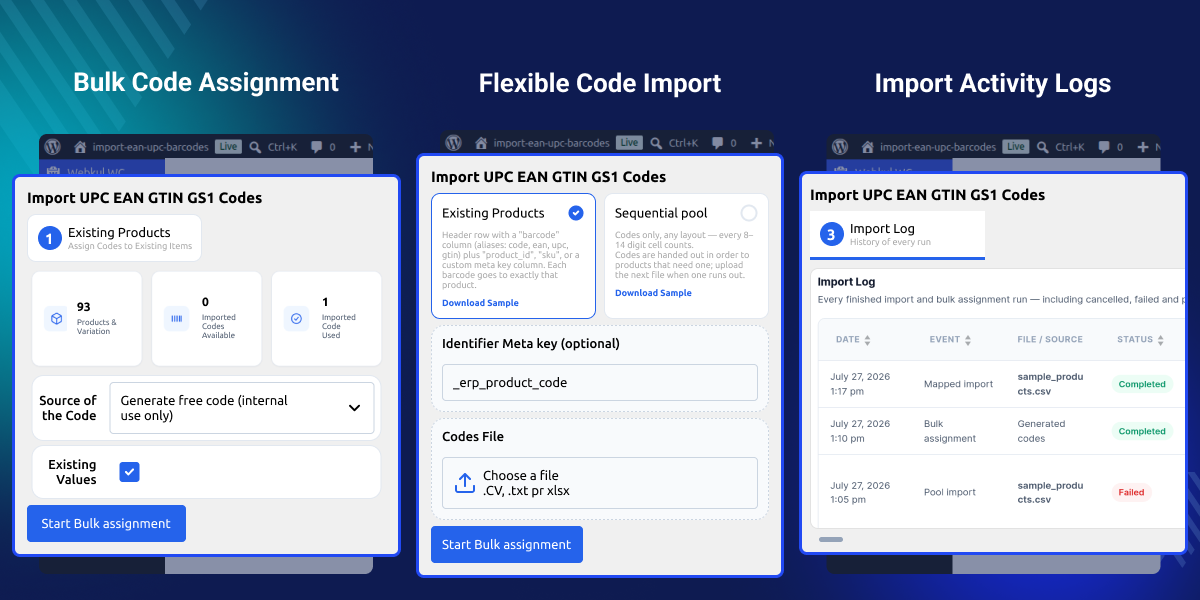
Create valid EAN-13 and UPC-A barcodes in seconds.
Import GS1 barcode lists from CSV, TXT, or XLSX files.
Assign barcodes to existing products and variations in bulk.
Add barcodes to new products automatically.
Save barcodes in GTIN, SKU, plugin fields, or custom meta fields.
Stop duplicate barcode assignments and keep product data correct.
WooCommerce EAN UPC Barcode Manager helps you create, import, and manage EAN and UPC barcodes in WooCommerce. It saves time and keeps product codes accurate.
WooCommerce does not include built-in barcode generation or bulk assignment. As your product catalogue grows, adding and managing codes by hand takes more time.
This plugin generates or imports barcodes, assigns them in bulk, and adds codes to new products. Duplicate checks and flexible storage keep your data accurate.
Apart from this, to assign multiple quantity-based barcodes, print them, scan faster at POS, and create combo barcodes checkout WooCommerce POS Configurable Barcode Plugin.
Assign barcodes to thousands of products in bulk for faster stock and order management.
Add EAN and UPC barcodes for faster checkout and easier stock management.
Keep product barcodes ready for marketplaces that need GTIN, UPC, or EAN codes.
Add barcodes to new products and update existing products in bulk without slowing your store.
WooCommerce Barcode Generator lets you generate EAN and UPC barcodes and assign them to existing products in bulk using background processing.
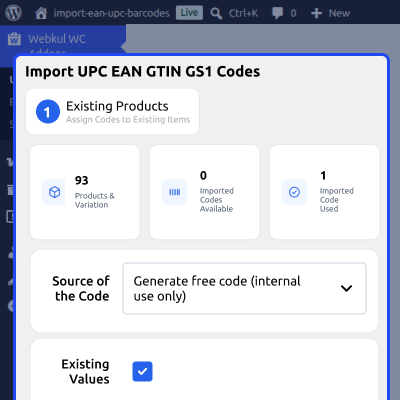
Product Barcodes for WooCommerce assigns generated or imported EAN and UPC barcodes to existing products from a single screen.
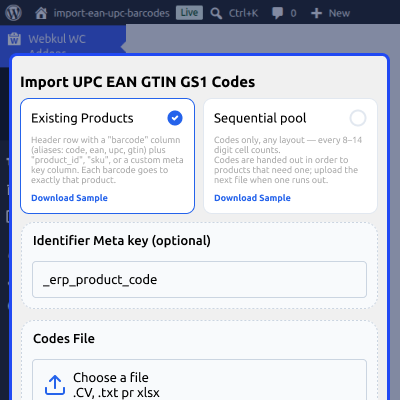
GTIN Barcode for WooCommerce imports EAN, UPC, and GS1 barcodes from CSV, TXT, or XLSX using flexible import modes.
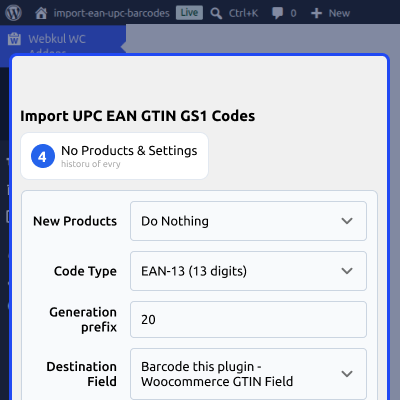
GS1 Barcode Import adds EAN and UPC barcodes to new WooCommerce products using generated or imported GS1 barcode values.
For any query or issue please create a support ticket here http://webkul.uvdesk.com. You may also check our other top-quality WooCommerce Plugins.
This plugin supports EAN-13 and UPC-A barcode formats for generating, importing, and assigning barcodes to WooCommerce products easily.
This plugin works with simple products, external products, and variations. It skips variable parent products during barcode assignment automatically.
Yes, you can stop a running bulk assignment anytime. Completed barcode assignments stay safe and are not changed or removed.
Yes, this plugin checks imported files, existing products, and assigned values to stop duplicate barcodes across your WooCommerce store.
No, existing barcodes stay unchanged. You can enable or disable overwrite protection based on your barcode assignment preferences and needs.
Yes, this plugin keeps using available barcodes from the next imported file without requiring any manual steps or extra work.
Yes, background processing manages large barcode imports and assignments, making it suitable for WooCommerce stores with thousands of products.
The background process keeps running after a page refresh, and you can check its progress later.
Detailed technical features and requirements to help you understand the module’s capabilities and ensure smooth integration with your system.
Detailed technical features and requirements to help you understand the module’s capabilities and ensure smooth integration with your system.
We’re partnered with top-tier, trusted providers!
Want to know more how exactly we are going to power up your eCommerce Website with Cloud to fasten up your store
* Server Configuration may vary as per application requirements.



