Send Again
Close
CS-Cart Ordered Product History shows past purchases in a clean table, making it easy for buyers to reorder products without browsing the full store again.
Customers can quickly select older products, update quantities, and add items to the cart through a simple and user friendly reorder process.
The add-on works well for stores with large product catalogs by providing smart search filters based on product name, product code, or order date. This helps buyers find previously ordered products much faster.
It is highly useful for businesses handling recurring or bulk purchases, as customers can reorder products accurately using their past order records.
Admins can also decide which order statuses should appear in the ordered product history section, giving better control over how purchase records are displayed to customers.
Many stores also want to improve the complete order tracking experience for customers. To provide an interactive and user friendly order journey, you can also check out the CS-Cart Order Status Tracker add-on.
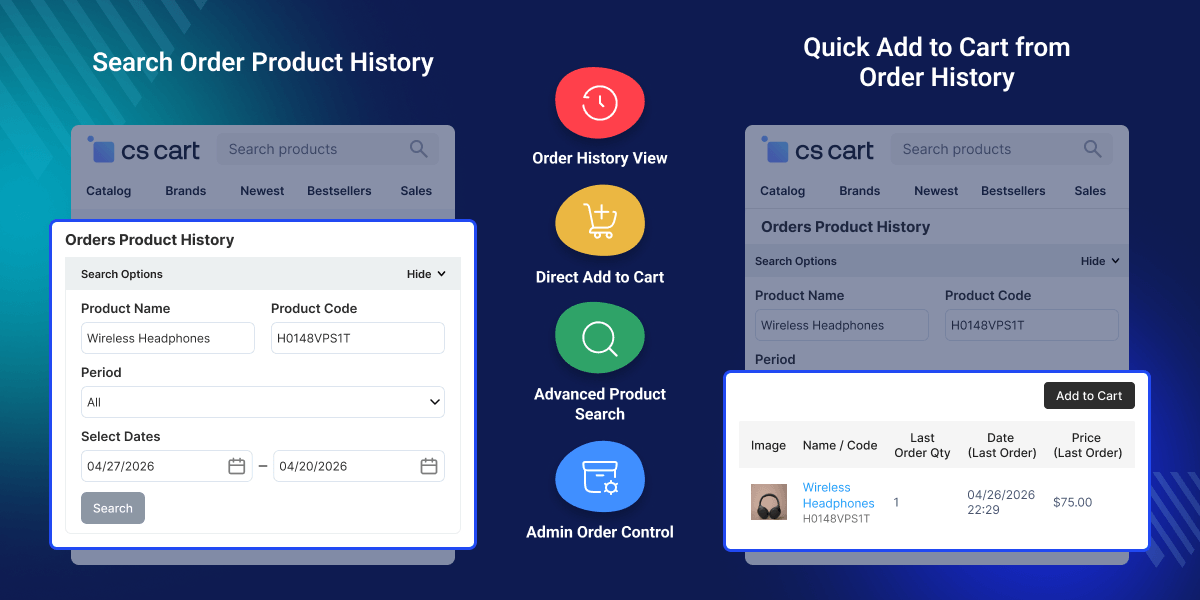
Shows all previously purchased products in a clear table for quick review.
Lets customers reorder items directly from their history page.
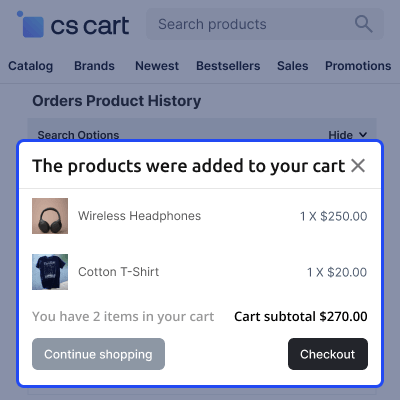
Allows adding several past products to the cart in one action.
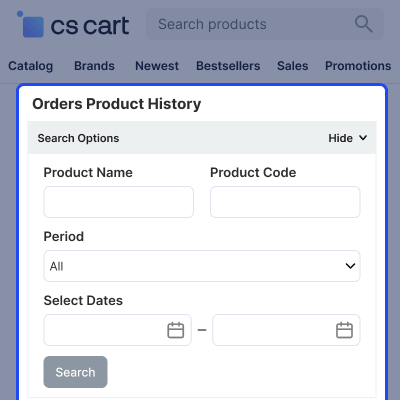
Find old products using name, code, or date range.
Lets users change quantity before checkout during reorder.
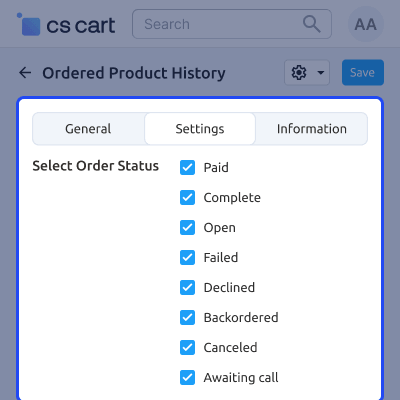
Admin can choose which order statuses appear in customer history.
Speeds up repeat buying by reducing product search steps.
Works smoothly with marketplace setups using CS-Cart Multi Vendor.
CS-Cart Ordered Product History helps customers who frequently reorder products but face difficulty finding previously purchased items in large catalogs. In the default CS-Cart setup, customers need to open old orders one by one to reorder products, which increases the number of steps and slows down the buying process.
The absence of a dedicated reorder page also affects customer convenience, especially for wholesale buyers and repeat customers who place regular orders.
This add-on solves the problem by displaying all previously ordered products on a single page with quick filters, quantity updates, and direct add to cart options.
Stores can improve repeat purchases, reduce customer effort, and create a faster reorder experience with a cleaner and more organized order history section.
Additionally, if you also want to simplify bulk purchasing by allowing customers to add multiple product variants to the cart in one click, you can check out the CS-Cart Multi Variant Bulk Order add-on.
Customers who buy the same items often can reorder directly from history without searching for products again.
Users can select multiple products from old orders and add them together in one cart action.
B2B buyers can quickly reorder bulk items using past order records with quantity adjustments.
Customers can check previous purchases with dates, prices, and product codes for reference.
Returning buyers can skip browsing and directly check out from the order history page.
In CS-Cart Multi Vendor setups, customers can reorder items from different sellers in one place.
Admin can set the configuration of the module and has the option to set the order status of the product which they want to display on the customer history.
This add-on allows a customer to purchase the product directly from the ordered history page where the customer just has to select the product and directly go for checkout.
Customers can select the product according to the search option available at the customer end.
For any query or issue please create a support ticket here http://webkul.uvdesk.com
You may also check our other top-quality CS-Cart Modules.
Great and must-have addon ! Thanks Webkull, as always. Great support on top of the super addon.
Detailed technical features and requirements to help you understand the module’s capabilities and ensure smooth integration with your system.
Detailed technical features and requirements to help you understand the module’s capabilities and ensure smooth integration with your system.
We’re partnered with top-tier, trusted providers!
Want to know more how exactly we are going to power up your eCommerce Website with Cloud to fasten up your store
* Server Configuration may vary as per application requirements.



