Send Again
Close
Bagisto SaaS FedEx Shipping is a Bagisto module that adds FedEx as a shipping method to a multi company SaaS store, with each tenant using their own FedEx account.
A tenant enters the FedEx Account ID and API keys on their own configuration page. The module then calls the FedEx REST API and returns live shipping charges.
Shoppers see the FedEx services their tenant allows during the checkout shipping step. They pick a service, read the charge, and place the order.
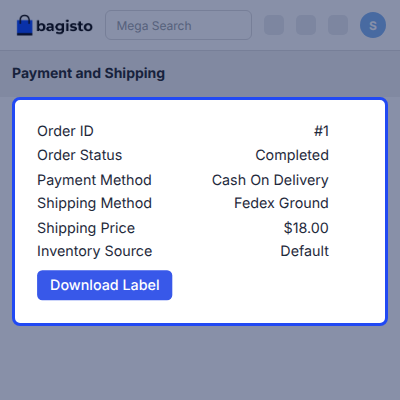
After the order arrives, the tenant creates the invoice, generates the shipment, and downloads the FedEx shipping label. Refunds are handled from the same order view.
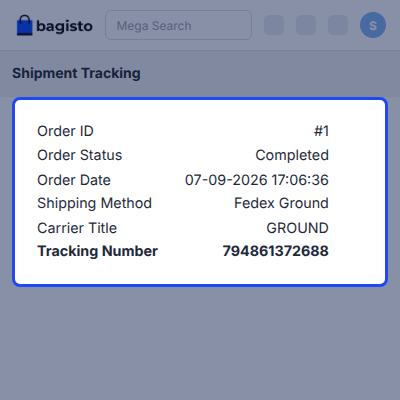
Pickup requests and shipment tracking are also available in the admin panel. Customers can follow the same shipment from the My Account section of the storefront.
Additionally, if you want to run a multi company SaaS store where each tenant gets their own domain, then check Laravel e-Commerce Multi Company SaaS Module.
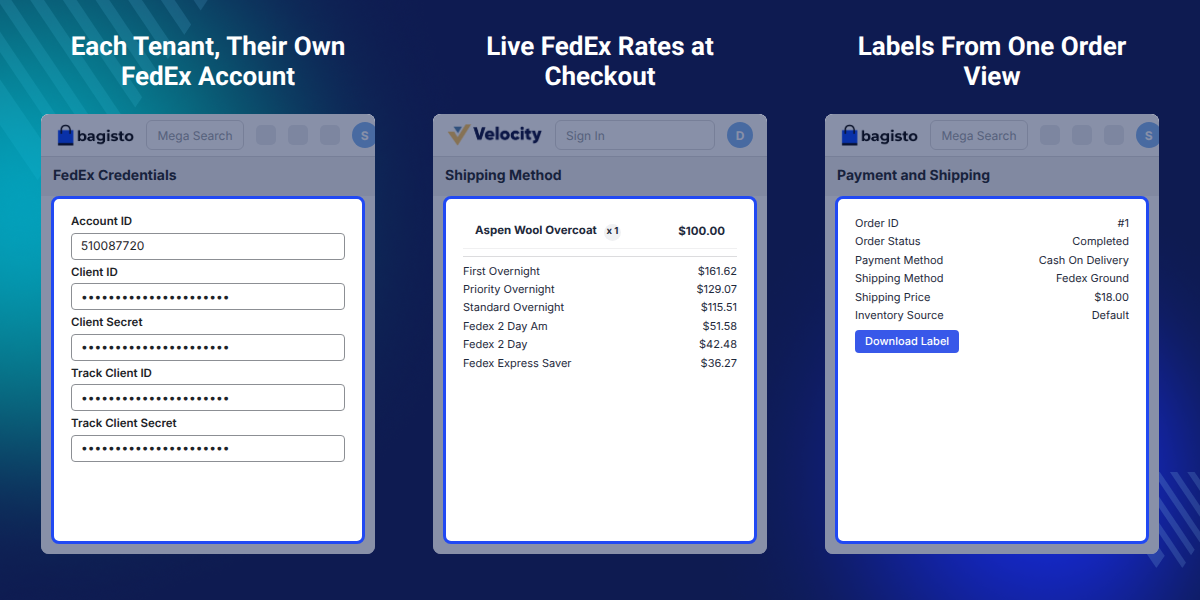
Each tenant saves their own FedEx Account ID and API keys against their own store, not against a shared one.
FedEx REST API returns live shipping charges while the shopper is still on the checkout page.
Tenants pick which FedEx services appear at checkout and can add extra service codes by hand.
Generate a shipment and download the FedEx shipping label without leaving the order view.
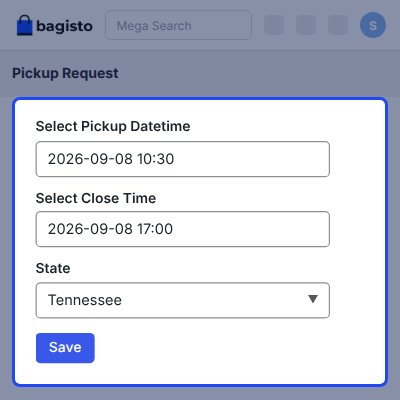
Book a FedEx pickup, set the package location and building type, and cancel it when plans change.
Set country wise FedEx shipping prices so each destination carries the charge the tenant decides.
Bagisto SaaS FedEx Shipping calculates shipping based on parcel weight and delivery distance, unlike the default Bagisto SaaS store, which offers only flat rate and free shipping.
Tenants then guess, overcharging short local deliveries, undercharging heavy overseas parcels, and absorbing the difference on every order.
Bagisto SaaS FedEx Shipping removes the guesswork by requesting real time FedEx rates based on the cart weight and destination, so shoppers pay accurate shipping costs.
Save the shipping origin address before configuring FedEx, as FedEx calculates rates from an origin address, not a store name.
Also, if you want tenants to offer a second carrier next to FedEx, you can check our Laravel SaaS USPS Shipping.
A platform owner offers FedEx to every company on the SaaS site. Each tenant bills shipping on their own FedEx account.
A tenant selling abroad quotes international FedEx services at checkout instead of a single flat rate.
A tenant with a busy dispatch day raises a FedEx pickup request rather than driving parcels to a drop-off point.
Shoppers open shipment tracking from My Account, so the tenant answers fewer where is my order emails.
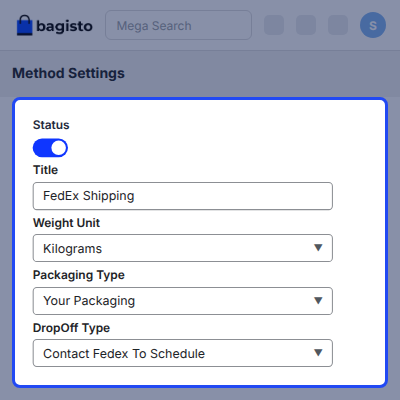
FedEx Shipping Services and Method Settings control how FedEx appears on the storefront. Tenant sets the method status, the checkout name, and the packaging rules used for every quote.
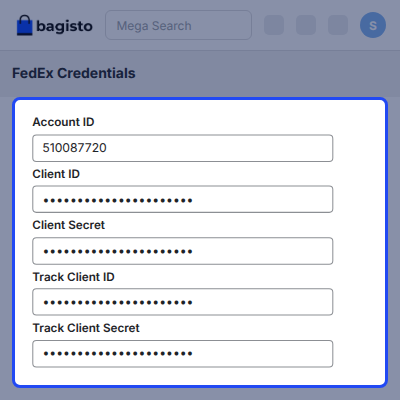
Tenant FedEx Account Credentials hold the keys that authorize every API call. A tenant saves them once against their own store, and no other company on the platform can read them.
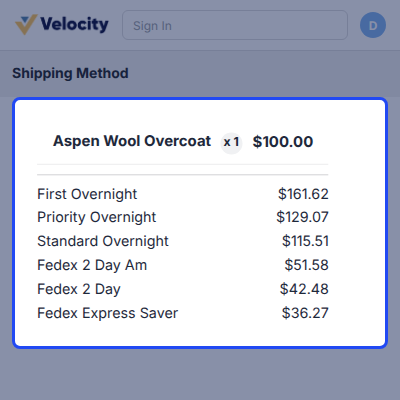
Real-Time Shipping Rates at Checkout come from the FedEx REST API. This module sends the cart and the destination, then lists the charge FedEx returns for each allowed service.
A FedEx order moves from invoice to shipment to label inside the Bagisto admin panel. Tenant never opens the FedEx portal to get a parcel out of the door.
A FedEx pickup request books a courier to collect parcels from the tenant address. Tenant raises it from the shipments section and cancels it in the same place.
Shipment tracking runs on the Tracking API keys the tenant saved. Both sides of the store read the same FedEx status, so nobody has to copy a tracking number into another site.
For any query or issue, please create a support ticket here http://webkul.uvdesk.com/. You may also check our all Bagisto Extensions.
Detailed technical features and requirements to help you understand the module’s capabilities and ensure smooth integration with your system.
Detailed technical features and requirements to help you understand the module’s capabilities and ensure smooth integration with your system.
We’re partnered with top-tier, trusted providers!
Want to know more how exactly we are going to power up your eCommerce Website with Cloud to fasten up your store
* Server Configuration may vary as per application requirements.
getShippingModeUrl() on the FedEx repository, a method that no longer exists, so no FedEx API access token could be fetched.default channel reused each other's token. The key now includes the tenant.fedexshipping-saas:install reporting success when a migration failed. It now stops with an error.fedex_pickups company_id migration. The migration now only changes the schema, and fedexshipping-saas:install assigns every pickup without a tenant to the tenant of its shipment.fedexshipping-saas:install command now publishes only the FedEx views of the base module, and no longer publishes the SaaS provider, which has nothing to publish.FedEx carrier override. The base carrier already catches errors in isAvailable() and returns false, so the override did nothing.Router import and parameter in the service provider and the duplicated authorization token methods in the tenant helper.composer.json: package name, description, license and the required PHP, FedEx, SaaS and Concord versions.


