- Description
- Reviews
- FAQ
- Customers ()
- Specifications
- Cloud Hosting
- Changelog
ERPNext Multi Vendor Marketplace turns a standard ERPNext Webshop into a marketplace where multiple sellers can list and sell their own products. The admin maintains one catalogue and checkout while controlling which sellers and products can go live.
Vendors register through the Become a Seller page and accept the admin's terms. Once approved, each vendor gets a seller dashboard and a seller warehouse, where they can manage products, stock requests, orders, shop details, and payouts.
Every seller product waits for admin review before it appears on the Webshop. Admins can approve or reject products from the Item form, Item list, or product request, and sellers can see the status from their dashboard.
Shoppers can identify sellers through product-page seller cards, public shop pages, the Sellers directory, and seller ratings. Sellers only see their own products, requests, payouts, and lines on Sales Orders.
After checkout, the admin can split a Sales Order into draft Delivery Notes and Sales Invoices for each seller. Commission is calculated per order, and sellers can request payouts for unpaid orders.
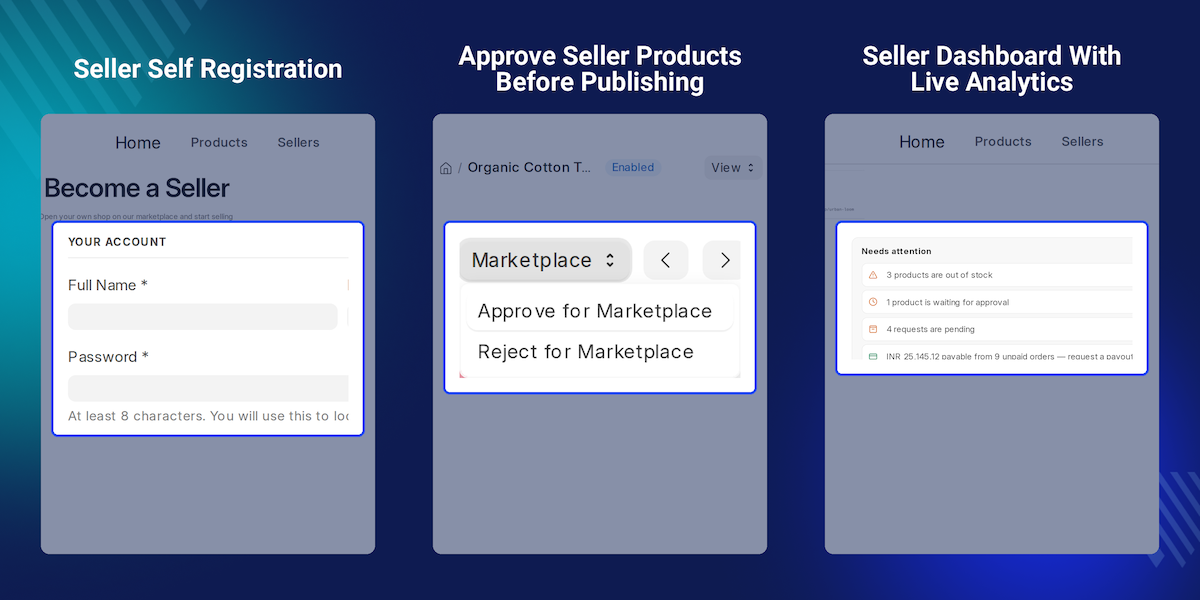
Highlighted Features of ERPNext Multi Vendor Marketplace
Seller Self Registration
Let vendors register online, accept the terms, and wait for the admin to approve.
Approval Before Publishing
Keep seller products off the Webshop until the admin approves them.
Complete Seller Dashboard
Let each seller manage products, stock, orders, payouts, and shop details from one portal.
Variant Builder and Bulk ZIP Upload
Create multiple variants from one expression and upload or update large product catalogues with a ZIP file and CSV.
Seller Warehouses and Stock Requests
Keep stock separate for each seller and process quantity changes through approval requests.
Seller Shops and Ratings
Show seller shop pages, product-page seller cards, a Sellers directory, and moderated star ratings.
Commission and Payouts
Set a global or seller-specific commission rate and track payout requests and payments.
Per-Seller Fulfilment
Split one customer Sales Order into draft Delivery Notes and Sales Invoices for each seller.
Admin Analytics and Reports
Review revenue, orders, top sellers, commissions, and pending approvals from analytics and reports.
Why Do We Need ERPNext Multi Vendor Marketplace?
A standard ERPNext Webshop has one seller, so the store team manages product details, prices, and stock changes. As the business grows, onboarding outside brands and maintaining their catalogue becomes harder.
Without marketplace tools, teams may need to re-enter product information, track seller sales manually, and calculate each vendor's share of a Sales Order in spreadsheets.
Giving every vendor desk access is not suitable when sellers must not see other sellers' products or Sales Order lines. Vendors need their own workspace, while the admin needs to review products before they go live.
ERPNext Multi Vendor Marketplace provides seller dashboards, product approval, seller-specific stock and order views, and commission and payout workflows. This helps keep marketplace operations organized as the number of vendors grows.
Use Cases
Local Makers Marketplace
A craft store invites local makers to sell on its Webshop. Each maker lists products and updates stock, while the owner approves every item before it goes live.
Brand Outlet With Shared Checkout
An electronics retailer lets several brands sell alongside its own products. Customers place one Sales Order, and the team creates a draft Delivery Note for each brand.
Fashion Seller With Many Sizes
A clothing seller enters Colour: Black, White; Size: S, M, L to create six variants and then sets stock for each variant from the seller dashboard.
Monthly Vendor Payouts
At month end, each vendor requests a payout for unpaid orders. Finance checks the commission, marks the payment as paid, and adds the bank reference.
Seller Registration and Approval
The Become a Seller page at /seller-registration lets guests submit their name, email, password, and shop name. Each request is saved as a Marketplace Seller record, which the admin can approve, reject, or suspend.
- Seller registration form with shop name, phone, and tagline.
- Terms and Conditions that vendors must accept.
- Pending, Approved, Rejected, and Suspended statuses.
- Seller role assignment and optional warehouse creation on approval.
- Optional automatic approval and email notifications when status changes.
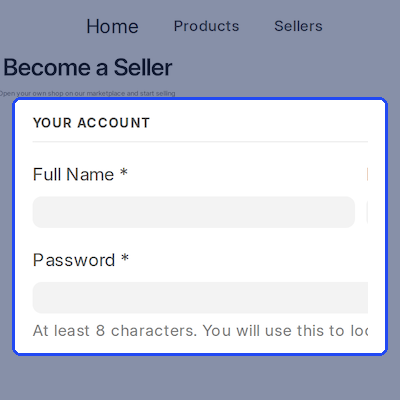
Product Approval Before Publishing
Each Item has a Marketplace Seller and Marketplace Approval Status. Seller products stay unpublished on the Webshop until approved, and edits to approved products return to Pending for review.
- Approve or reject products from the Item form or Item list.
- Bulk approval and rejection from the Item list.
- Product approval through a product request.
- Automatic approval option for trusted stores.
- Email notifications when products are approved.
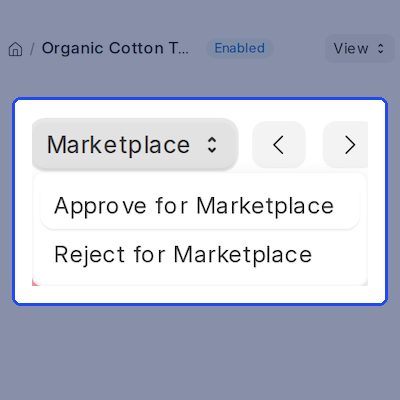
Seller Dashboard for Every Vendor
The seller dashboard at /seller-dashboard summarizes revenue, units sold, earnings, and commission over selectable periods. Sellers can manage their shop profile and view only their own products, orders, and requests.
- Revenue, earnings, and units sold with period comparisons.
- Needs attention list for stock, approvals, requests, and payouts.
- Product search, status filters, and sorting.
- One-click visibility control for approved products.
- Shop profile, policies, logo, banner, and payout bank details.
Variant Builder and Bulk ZIP Upload
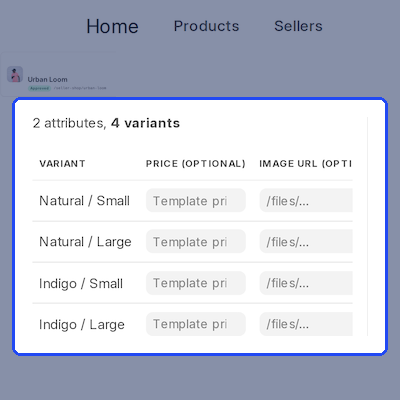
The Variant Expression Builder creates combinations from expressions such as Colour: Red, Blue; Size: S, M. Sellers can also download a CSV template, add products.csv and images to a ZIP, and upload the catalogue in new or update mode.
- Preview every variant combination before creating it.
- Set an optional price and image for each variant.
- Use CSV templates for new products and updates.
- Match images by file name inside the ZIP.
- Review row-by-row upload logs and errors.
Seller Warehouses and Stock Requests
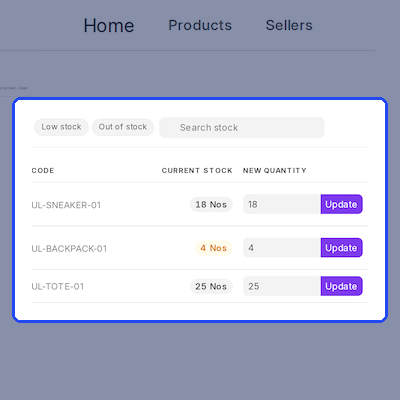
Each seller keeps stock in a dedicated warehouse, which can be created when the seller is approved. Sellers submit quantity updates from the dashboard, and approved requests create a Stock Entry to adjust the warehouse quantity.
- One warehouse per seller, created or assigned by the admin.
- Warehouse Location / Bin field on each seller record.
- Quantity Update requests with admin approval.
- Optional automatic approval of quantity updates.
- Low-stock and out-of-stock filters for sellers.
Seller Shops on the Webshop Storefront
Product pages can display a seller badge and seller card, while every seller gets a public shop page with a logo, banner, tagline, policies, and product search. A Sellers link opens the directory of approved sellers.
- Seller badge and seller card on product pages.
- Admin controls for which seller details appear on cards.
- Public shop page with policies and in-shop search.
- Sellers directory linked from the storefront navbar.
- Email to Seller form for guests and signed-in shoppers.

Seller Reviews and Ratings
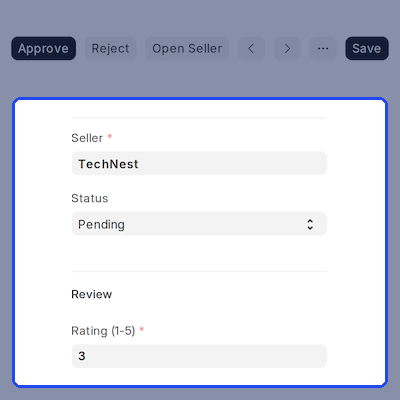
Signed-in shoppers can rate a seller from 1 to 5 stars, add a title and comment, and recommend the seller. Reviews can be moderated by the admin and displayed on the shop page, seller card, and Sellers directory.
- One-to-five-star ratings with title, comment, and recommendation.
- Pending, Approved, and Rejected review statuses.
- Optional automatic approval of seller reviews.
- Option to limit reviews to customers who purchased from the seller.
- Average rating and review count on seller pages and cards.
Commission and Seller Payouts
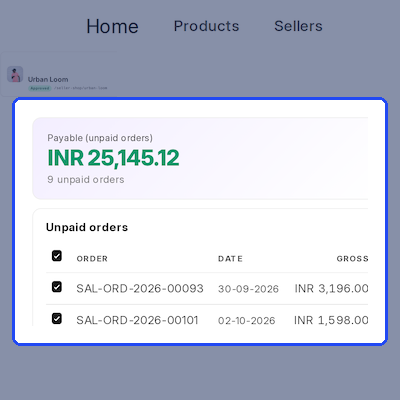
Marketplace Settings provides a default commission rate, and each seller can have an individual rate. Sellers request payouts for all or selected unpaid orders, while finance reviews the amounts and records the payment reference.
- Default commission with a per-seller override.
- Payout requests for all or selected unpaid orders.
- Gross sales, commission, and net payable shown per order.
- Minimum days between payment requests per seller.
- Mark as Paid with a payment reference and email notifications.
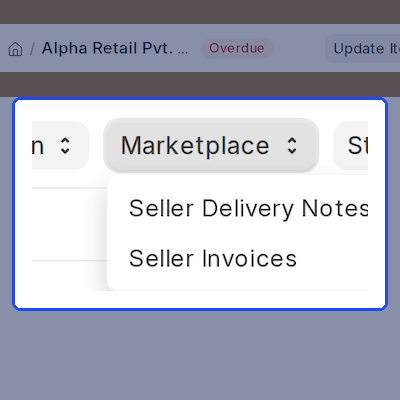
Per-Seller Delivery Notes and Invoices
ERPNext Multi Vendor Marketplace stamps the seller on each sales document line. After a Sales Order is submitted, the admin can create a draft Delivery Note and Sales Invoice for each seller, with an option to create Delivery Notes automatically.
- Seller recorded on Quotation, Sales Order, Sales Invoice, and Delivery Note lines.
- One draft Delivery Note per seller.
- One draft Sales Invoice per seller.
- Optional automatic split when a Sales Order is submitted.
- Taxes recalculated for each seller's split and order emails sent to sellers.
Admin Analytics, Reports and Settings
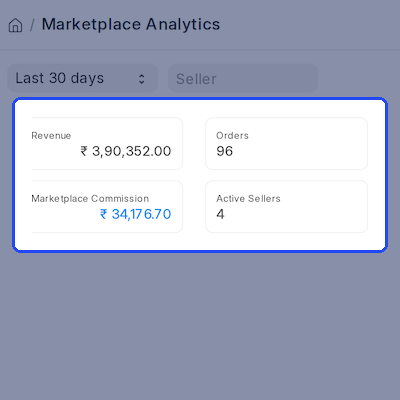
The Marketplace Analytics page summarizes revenue, orders, units sold, customers, commission, and seller earnings. The Marketplace workspace and settings help admins manage approvals, commissions, seller warehouses, storefront display, and email alerts.
- Marketplace Analytics with period filters and seller selection.
- Top-selling products and top-performing sellers.
- Marketplace Sales Order Analysis report.
- Marketplace Seller Summary report with paid amounts.
- Workspace shortcuts for pending sellers, products, requests, and reviews.
Support
For any query or issue, please create a support ticket here: CREATE A TICKET HERE
You may also check our other top-quality ERPNext Modules.
You can also explore ERPNext Website Store Locator and ERPNext Website Product FAQ.
Specifications
FAQs
Specification
Detailed technical features and requirements to help you understand the module’s capabilities and ensure smooth integration with your system.
Cloud Hosting
Detailed technical features and requirements to help you understand the module’s capabilities and ensure smooth integration with your system.
Move to Cloud Today
We’re partnered with top-tier, trusted providers!



Default Configuration Details of Server
RAM 1 Core
Processor 30 GB
Hard Disk
Database
Want to know more how exactly we are going to power up your eCommerce Website with Cloud to fasten up your store
* Server Configuration may vary as per application requirements.
