- Description
- Reviews
- FAQ
- Customers ()
- Specifications
- Cloud Hosting
- Changelog
ERPNext Website Product FAQ helps businesses create and manage product questions and answers directly inside ERPNext. Every FAQ is linked to a Website Item, so the right information always appears on the correct product page. FAQs can be created from the dedicated Product FAQ document or directly from the Website Item. This makes it easy to manage product information without jumping between different pages.
Each FAQ has a question, an answer, a display order, and a visibility setting. Businesses can choose which questions show up on the website and control the order they appear in. Published FAQs show up automatically on the related product page. Customers can find answers while looking at the product, which helps them decide before placing an order.
Managing FAQs for each product helps cut down on repeated customer questions and keeps all product information in one tidy place. Questions can also be turned off for products that do not need them.
This module stores FAQ data in a cache to keep the website running fast. Every time a FAQ or Website Item is updated, the cache refreshes on its own so customers always see the latest information.
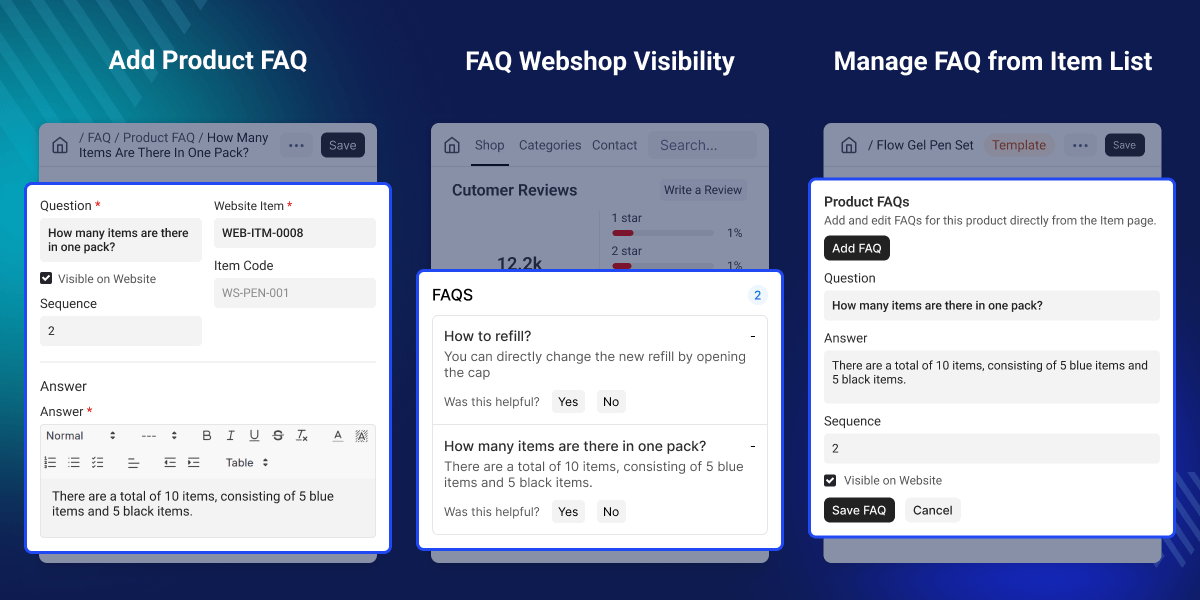
Highlighted Features of ERPNext Website Product Faq
Product-wise FAQ Management
Create separate FAQs for every Website Item from ERPNext.
Direct FAQ Management
Add, edit, and manage questions directly from the product page.
Automatic Website Display
Display published FAQs automatically on the related product page.
Sequence-based FAQ Ordering
Control the display order of FAQs using sequence numbers.
Website Visibility Control
Choose which FAQs should be visible on the website.
Product-level FAQ Control
Disable questions for selected Website Items whenever needed.
Faster FAQ Loading
Cached FAQ data improves website performance and page loading.
Automatic Cache Refresh
The cache updates automatically whenever FAQs or products are changed.
Why Do We Need This Module?
Customers often have questions before buying a product. Without product-specific FAQs, businesses have to answer the same questions repeatedly through calls, emails, or support tickets.
ERPNext does not provide a dedicated system for managing FAQs for individual Website Items. Businesses also need an easy way to control which questions appear on the website and in what order they are shown.
ERPNext Website Product FAQ solves this by letting businesses create, manage, and display product-specific questions directly from ERPNext. It automatically shows published FAQs on the correct product page while keeping the information easy to manage.
This helps businesses provide clear product information while reducing repeated customer questions.
Use Cases
Electronics Product Information
An electronics store can add FAQs about product usage, warranty, compatibility, and installation. Customers can find answers directly on the product page before purchasing.
Product Care Instructions
A clothing or furniture store can publish FAQs about washing, cleaning, maintenance, and product care to help customers use products correctly after purchase.
Product-specific FAQ Management
Create and manage FAQs for every Website Item from ERPNext. Each FAQ stays linked to the correct product and can be updated whenever needed.
- Create questions for individual Website Items.
- Store separate questions and answers.
- Link every FAQ to the correct product.
- Manage questions from ERPNext.
- Keep product information organized.
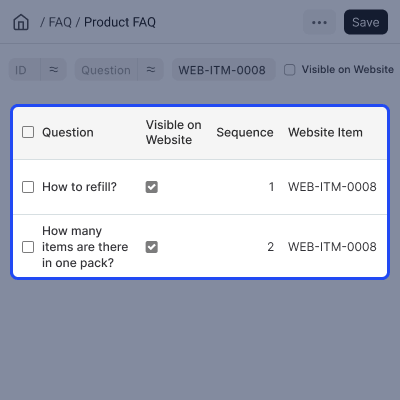
Direct FAQ Management from Website Item
Manage FAQs without leaving the Website Item page. Businesses can quickly create, edit, or remove questions while working on a product.
- Add FAQs directly from the Website Item.
- Edit existing questions easily.
- Delete questions when no longer needed.
- Quick Add FAQ option.
- Manage everything from one page.
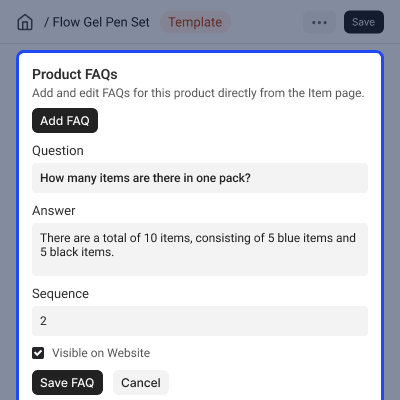
FAQ Display and Visibility Control
Control which FAQs appear on the website and decide the order in which customers see them.
- Show or hide individual questions.
- Set FAQ display sequence.
- Display only published FAQs.
- Disable FAQs for selected products.
- Automatic website display.
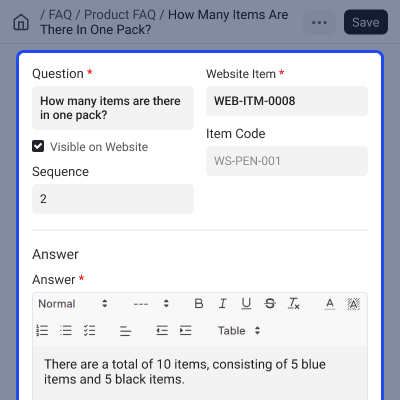
Cached FAQ Performance
This module uses cached FAQ data to load product pages faster while keeping information updated automatically.
- Cache FAQ responses.
- Improve website loading speed.
- Refresh cache automatically.
- Update website after FAQ changes.
- Keep displayed information up to date.

Support
For any query or issue, please create a support ticket here CREATE A TICKET HERE
You may also check our other top-quality ErpNext Modules.
Specifications
FAQ’s
Specification
Detailed technical features and requirements to help you understand the module’s capabilities and ensure smooth integration with your system.
Cloud Hosting
Detailed technical features and requirements to help you understand the module’s capabilities and ensure smooth integration with your system.
Move to Cloud Today
We’re partnered with top-tier, trusted providers!



Default Configuration Details of Server
RAM 1 Core
Processor 30 GB
Hard Disk
Database
Want to know more how exactly we are going to power up your eCommerce Website with Cloud to fasten up your store
* Server Configuration may vary as per application requirements.
