- Description
- Reviews
- FAQ
- Customers ()
- Specifications
- Cloud Hosting
- Changelog
ERPNext ZKTeco Attendance Integration is a Frappe app for ERPNext HRMS that brings every punch from a ZKTeco device into ERPNext. Biometric attendance no longer needs spreadsheets, exports, or re-typing by an HR clerk.
Each ZKTeco device gets its own record with an IP address, port, comm key, and sync interval. Test Connection reads the model, serial number, and firmware, so HR can check the setup at once.
ERPNext pulls punches from reachable devices on a schedule. Devices behind NAT or in remote branches use ADMS Push, where the device sends punches to ERPNext by itself.
A content hash on every punch means no source creates a duplicate. When HRMS is installed, each IN and OUT punch becomes an Employee Checkin for the shift and attendance flow.
HR staff work from the HR Setup and Shift & Attendance menus, where the app adds a ZKTeco Biometric section. Sync status, errors, and device health are visible there, and HRMS is a required app.
Additionally, if you want customers to save several delivery addresses on your website, you can check our module ERPNext Website Customer Address Book.
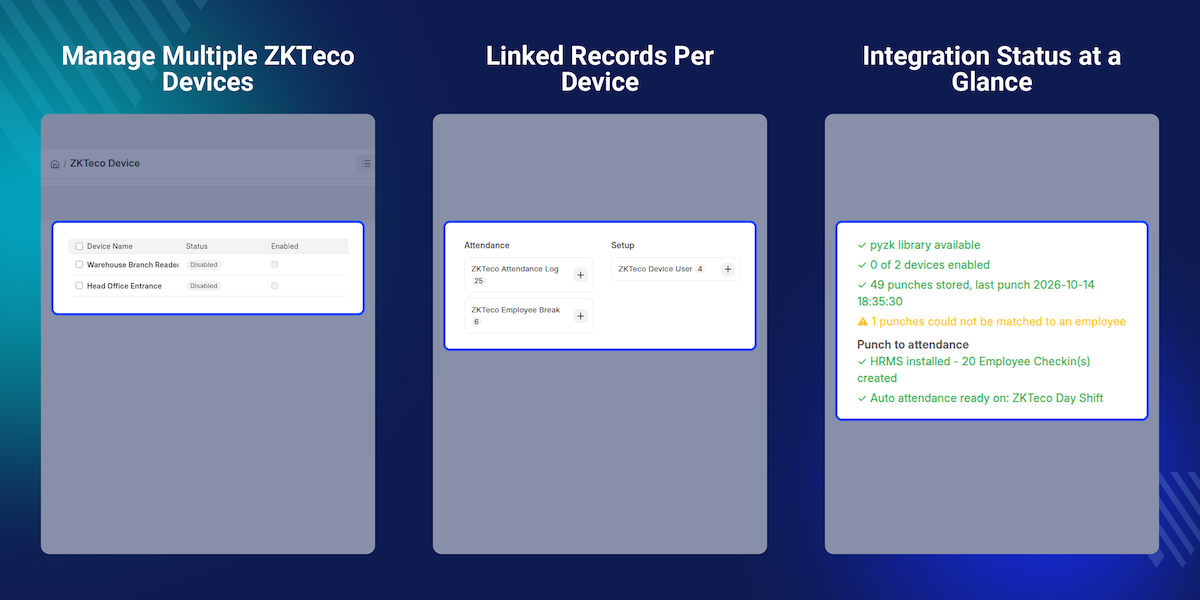
Highlighted Features of ERPNext ZKTeco Attendance Integration
Multiple ZKTeco Devices
Add as many devices as you need, each with its own port, timeout, sync interval, and match field.
Direct and ADMS Push
Let ERPNext pull from reachable devices, or let remote devices push punches to the /iclock endpoints.
Live Capture
Keep a listener attached to a device so punches show up within seconds, not at the next scheduled sync.
Employee Checkin Creation
Each IN and OUT punch becomes an Employee Checkin, ready for HRMS shift and attendance processing.
Break and Overtime Tracking
Paired break punches become timed break records, and overtime punches get their own types.
User Enrollment
Enroll employees onto a device, remove them, or copy users to other devices from the ERPNext form.
Template Transfer
Store fingerprint, face, and palm templates, then write them to other devices so people enroll only once.
Attendance Reports
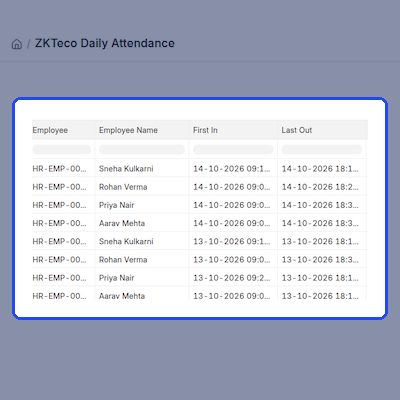
ZKTeco Attendance Feed lists every punch. ZKTeco Daily Attendance shows first in, last out, and hours.
Why Do We Need ERPNext ZKTeco Attendance Integration?
A ZKTeco device stores punches in its own memory. Someone has to export them and copy the rows into ERPNext, so attendance is always late and open to typing mistakes.
ERPNext and HRMS do not talk to a ZKTeco device out of the box. Without this app, there is no device list, no user mapping, and no scheduled import of punches.
The gap grows with every branch. Each device has its own clock, PIN list, and function keys, and a missed export leaves holes in the Employee Checkin records that payroll relies on.
ERPNext ZKTeco Attendance Integration imports punches on a schedule or in real time, maps device PINs to employees, and creates the Employee Checkin for you. HR reviews results instead of retyping them.
In practice, most problems come from double swipes, wrong clocks, and unmapped PINs. The app handles them with Minimum Punch Interval, a device timezone, and Relink Unmatched Punches.
Also, if you want shoppers to find answers on product pages, you can check our module ERPNext Website Product Faq.
Use Cases
-
Head Office Entrance Reader
An HR executive stops exporting the device log each month. Punches reach ERPNext every few minutes and the Daily Attendance report is ready.
-
Remote Branch Behind a Router
A branch cannot open a port to ERPNext. Its device is set to ADMS Push and sends punches over the internet, with its clock kept right by the device timezone.
-
Factory With Break Rules
A plant supervisor needs to see lunch and tea breaks. Break punches become timed ZKTeco Employee Break records, and working hours exclude them.
-
New Warehouse Door
A company opens a second door and copies the enrolled users from the main entrance to it, with fingerprint templates, so nobody scans a finger again.
ZKTeco Device Management
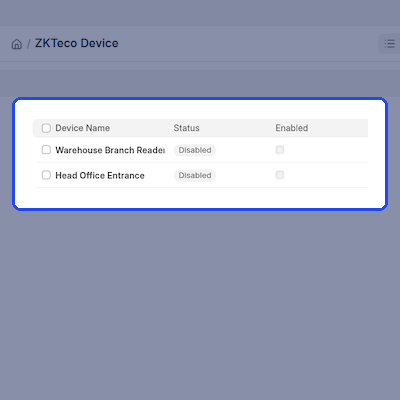
ERPNext ZKTeco Attendance Integration keeps one ZKTeco Device record per reader. Test Connection stores the model, serial number, firmware, and clock.
Each device shows an Online, Offline, or Error status with its last error. HR can see which reader stopped reporting without checking the hardware.
- Device name, company, location, and an Enabled switch on every record.
- Port, timeout, Force UDP, and Skip Reachability Check options.
- Model, serial, firmware, platform, MAC address, and capacity counters.
- Refresh Device Info, Set Device Time, Restart Device, and Test Voice actions.
- Clear Attendance On Device and Clear All Machine Data actions.
Direct and ADMS Push Connection
In Direct mode, the app connects to the ZKTeco device itself. In ADMS Push mode, the device calls ERPNext on the /iclock endpoints, which suits devices behind NAT or at remote branches.
ERPNext cannot open a connection to an ADMS Push device. Actions such as Set Device Time go into a queue as ZKTeco Device Command records for the device to collect on its next poll.
- Connection Mode of Direct or ADMS Push on each device.
- Enable ADMS Push Mode and the ADMS server URL in ZKTeco Settings.
- Auto Register Unknown Devices creates a disabled record for review.
- Transmission interval and realtime transmission settings.
- Command queue with Requeue and Cancel for stuck commands.
- Device timezone sent to the device during the handshake.
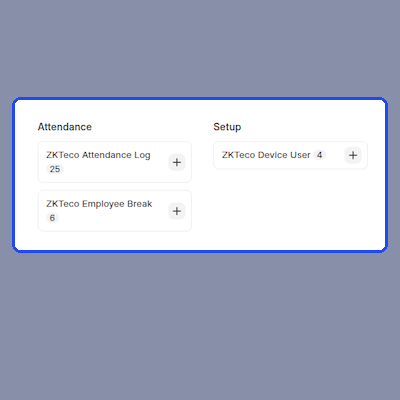
Punch Import and Live Capture
Punches are pulled from each device on its own interval, or on demand with Sync Now and Sync All Devices. It reads only punches newer than the last import.
Live Capture keeps a listener on the device so punches appear within seconds. A webhook with a per-device secret also accepts punches from middleware, EasyTime Pro, and BioTime.
- Scheduled pull for every device whose sync interval has elapsed.
- Incremental import based on Last Punch Time.
- Content hash deduplication across pull, push, webhook, and live capture.
- Webhook secret and URL generated from the device record.
- Minimum Punch Interval to ignore a double swipe at the reader.
- ZKTeco Sync Run record with counters, duration, and the exact error.
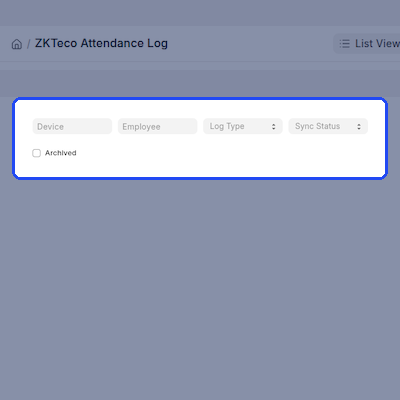
Employee Mapping and Enrollment
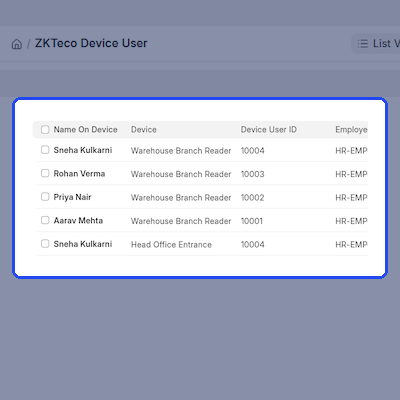
A ZKTeco device knows people by a PIN. The app matches that PIN to an employee by Attendance Device ID, Employee ID, or employee number, chosen per device.
HR can enroll employees onto a device, remove them, or run Sync All Users. Unknown PINs do not lose data: those punches wait in ERPNext and get relinked later.
- Fetch Machine Users mirrors the device list into ZKTeco Device User.
- Enroll Employees and Remove Employees from the device form.
- Sync All Users can create Employee records for unknown device users.
- Copy Users To Other Devices with Replace or Skip conflict handling.
- Auto Assign Device User ID with prefix, padding, and start number.
- Relink Unmatched Punches once the mapping exists.
Employee Checkin and Attendance Flow
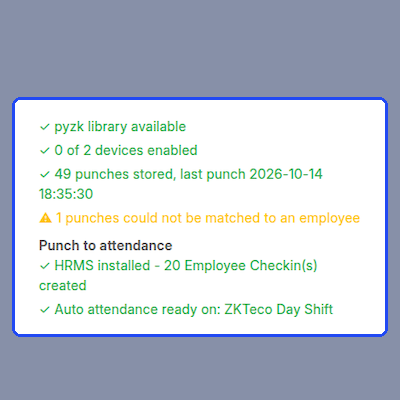
When HRMS is installed, the app creates an Employee Checkin for each IN and OUT punch. HRMS then handles shifts and marks Attendance.
HRMS marks Attendance only once a Shift Type has auto attendance on. ZKTeco Settings shows that chain for each Employee Checkin and offers Set Up Auto Attendance to create the missing Shift Type.
- Create Employee Checkin switch in ZKTeco Settings.
- Punch Direction Strategy of Alternate In/Out or First In, Rest Out.
- Punch Code Mapping grid, including an Ignore option.
- Backfill Employee Checkins for punches imported before HRMS.
- Set Up Auto Attendance and Mark Attendance Now actions.
- Status panel showing the whole attendance chain.
Break and Overtime Tracking
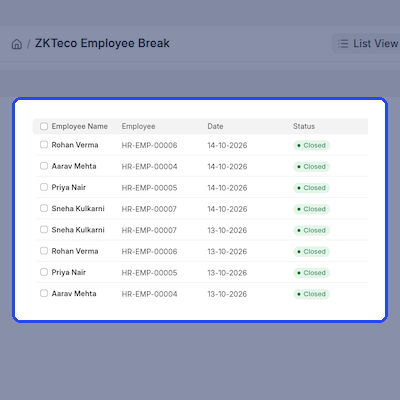
Break-out and break-in punches pair up into ZKTeco Employee Break records with a start, end, and duration.
A break left open too long gets the Abandoned flag and does not count. Overtime punches as their own types, so working hours stay correct.
- Track Employee Breaks switch in ZKTeco Settings.
- Open, Closed, and Abandoned break status values.
- Ignore Break Longer Than setting, 240 minutes by default.
- Overtime In and Overtime Out recorded separately.
- Rebuild breaks for a date range from the command line.
- Break hours shown in the Daily Attendance report.
Biometric Template Transfer
Fingerprint, face, and palm templates from a ZKTeco device stay in ZKTeco Biometric Template records, so a person enrolls once and works at any door.
Templates are personal data, so Store Biometric Templates stays off by default. Attendance import works as before while it is off.
- Store Biometric Templates switch, off after install.
- Capture Templates on demand, or on every sync per device.
- Push Templates On Enrollment for newly enrolled employees.
- Push Templates To Device from the device form.
- Templates travel with users in Copy Users To Other Devices.
- Template count shown on each ZKTeco Device User record.
Attendance Reports and Housekeeping
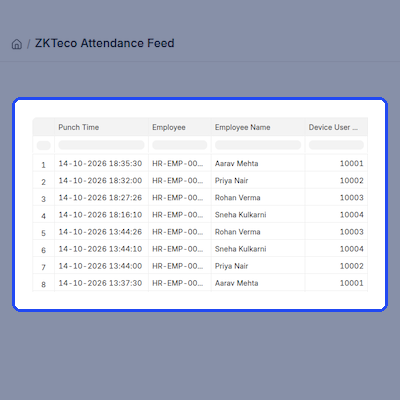
ZKTeco Attendance Feed lists each punch with employee, device, and source. ZKTeco Daily Attendance shows first in, last out, and hours.
Retention is managed too. Old punches can be deleted or archived, and sync failures can be emailed at most once per device per hour.
- ZKTeco Attendance Feed with date, device, employee, and status filters.
- ZKTeco Daily Attendance with gross, break, working, and overtime hours.
- Attendance Log Cleanup Action of Delete or Archive.
- Include Archived filter on the Attendance Feed.
- Auto Clear Attendance After Sync above a record threshold.
- Notify On Sync Failure with recipients you choose.
Support
For any query or issue, please create a support ticket here http://webkul.uvdesk.com/.
You may also check our top-quality ERPNext Modules.
Specifications
Frequently Asked Questions
Specification
Detailed technical features and requirements to help you understand the module’s capabilities and ensure smooth integration with your system.
Cloud Hosting
Detailed technical features and requirements to help you understand the module’s capabilities and ensure smooth integration with your system.
Move to Cloud Today
We’re partnered with top-tier, trusted providers!



Default Configuration Details of Server
RAM 1 Core
Processor 30 GB
Hard Disk
Database
Want to know more how exactly we are going to power up your eCommerce Website with Cloud to fasten up your store
* Server Configuration may vary as per application requirements.
