Send Again
Close
Laravel Marketplace USPS Shipping module allows the admin to enable the USPS shipping method. It automatically calculates the cost of shipment from the seller's origin address to the delivery location.
Options for the packaging type and drop off type is available at the admin panel. The seller can use his USPS account credentials to manage the shipment.
Note - This is a marketplace add-on, so you need to install Webkul's Laravel Multi Vendor Marketplace.
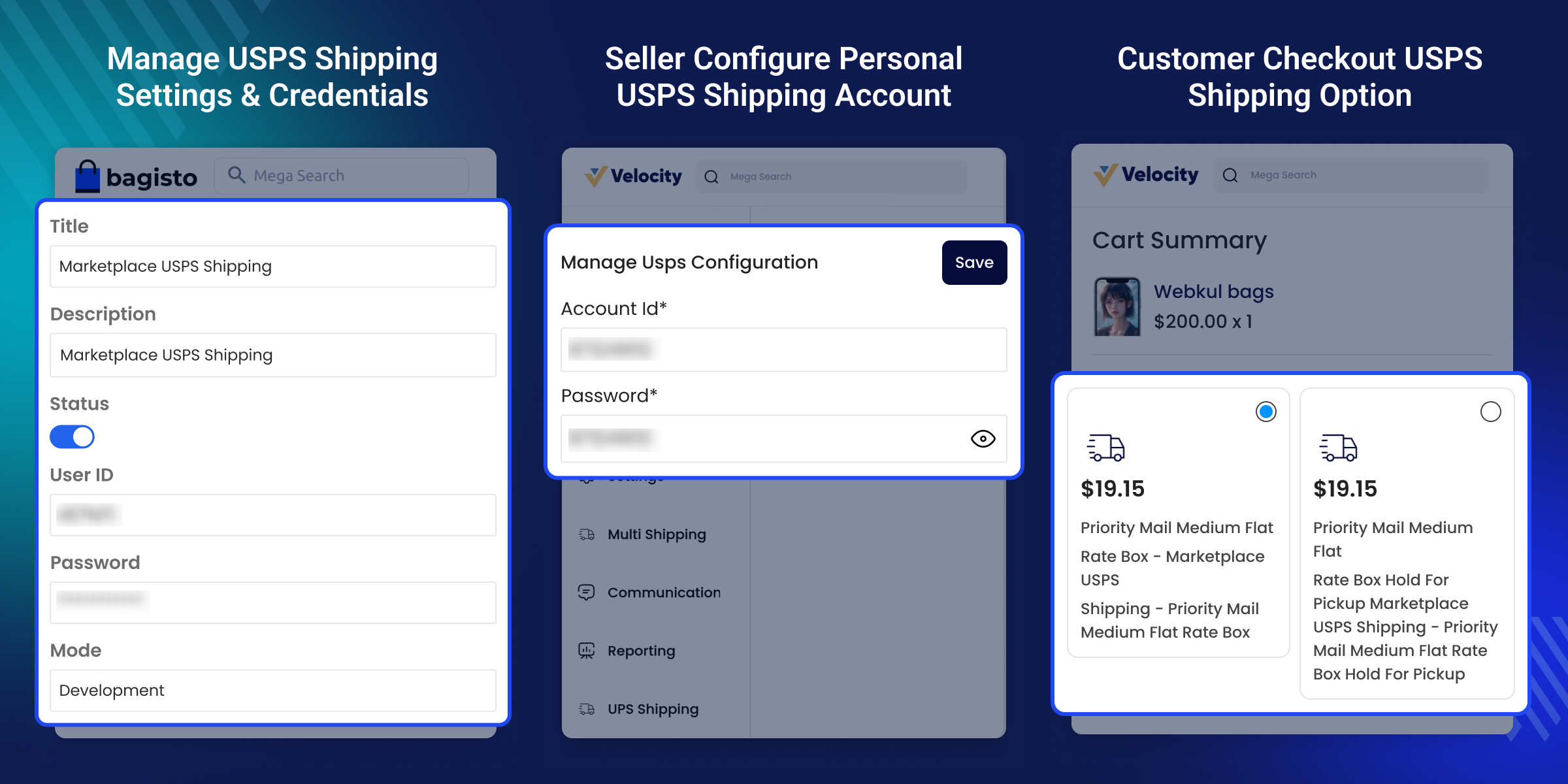
Ship the products in the US and Internationally
A wide range of USPS shipping services.
Real-time shipping quote calculation.
Enable customers to choose USPS carriers for shipping.
The United States Postal Service (USPS) is a shipping agency of the United States federal government which provides convenient and affordable shipping and mailing services in the US (United States) and internationally.

After the installation of the module, the admin can configure the settings of the module according to the requirements. Every customer wants to receive the correct products on time.
Therefore, improving the shipping experience is extremely essential which can be achieved by choosing USPS logistics providers that provide good services.
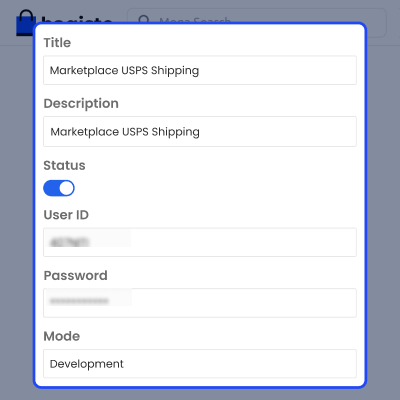
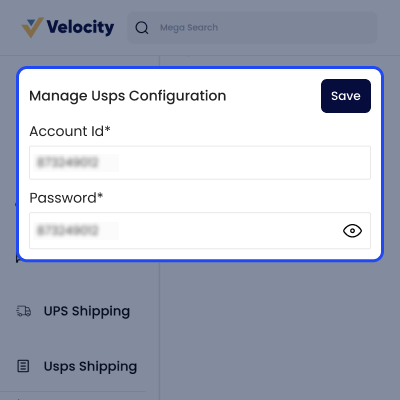
After the module has been activated by the admin from the admin panel, the seller also needs to configure the module from the vendor's profile.
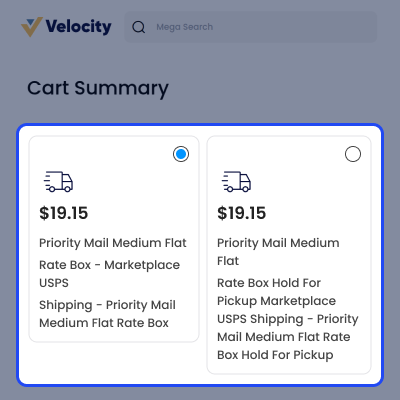
Once the USPS shipping method is enabled from the back-end, the buyer will have this shipping method on the checkout page and now the customers can select the USPS shipping method for the delivery of the package.
For any issue related to this module, please create a support ticket here at - https://webkul.uvdesk.com/en/customer/create-ticket/ or send an email to [email protected]
You may also check our quality Bagisto Extensions.
Detailed technical features and requirements to help you understand the module’s capabilities and ensure smooth integration with your system.
Detailed technical features and requirements to help you understand the module’s capabilities and ensure smooth integration with your system.
We’re partnered with top-tier, trusted providers!
Want to know more how exactly we are going to power up your eCommerce Website with Cloud to fasten up your store
* Server Configuration may vary as per application requirements.
Webkul\Shipping\Carriers\AbstractShipping, with no removed or renamed 2.4.10 APIs referenced.composer.json with the core marketplace convention by removing the extra.laravel auto discovery block and adding the package description and keywords.package.json because the package ships no frontend asset sources.webkul/bagisto:2.4.10 and the Marketplace clone reference to the dev/2.4.10.0 line.mp-usps-shipping:install to use a realpath resolved migration path with --realpath and display an onboarding banner after installation.seller_total and seller_total_invoiced.bagisto.shop.checkout.onepage.shipping_methods.before event and using the theme's Tailwind classes./seller/usps/manage-shipping with seller middleware and updated route names to seller.usps.index and seller.usps.store.usps to marketplace_acl so seller roles can control access to the USPS screen.marketplace_usps_shipping_credentials, with the admin service list used as a fallback.Error and Package error response formats and logging the details.TypeError exceptions to reach checkout by catching \Throwable and returning no rates while recording the reason.MarketplaceUsps::getServices() always returning an empty array by using the shared Config/services.php service list.Webkul\Shipping\Shipping and Webkul\Shipping\Carriers\AbstractShipping, allowing the carrier to extend Bagisto's core AbstractShipping directly.mp-usps-shipping:install to remove vendor:publish and make the configuration seeder idempotent.php artisan migrate command.


