Send Again
Close
Magento 2 AI Locale Translator extension helps store owners translate Magento content using advanced AI models. It localizes storefront and admin panel content without manual work.
The extension supports translation of products, categories, CMS pages, and product attributes. Admin can perform bulk translations using mass actions or CLI commands, ensuring consistent multilingual content across store views.
The extension integrates with multiple AI model types, including Pre-configured Models and LLM Providers. If you want to create AI-written content, you can try Magento 2 ChatGPT Extension.
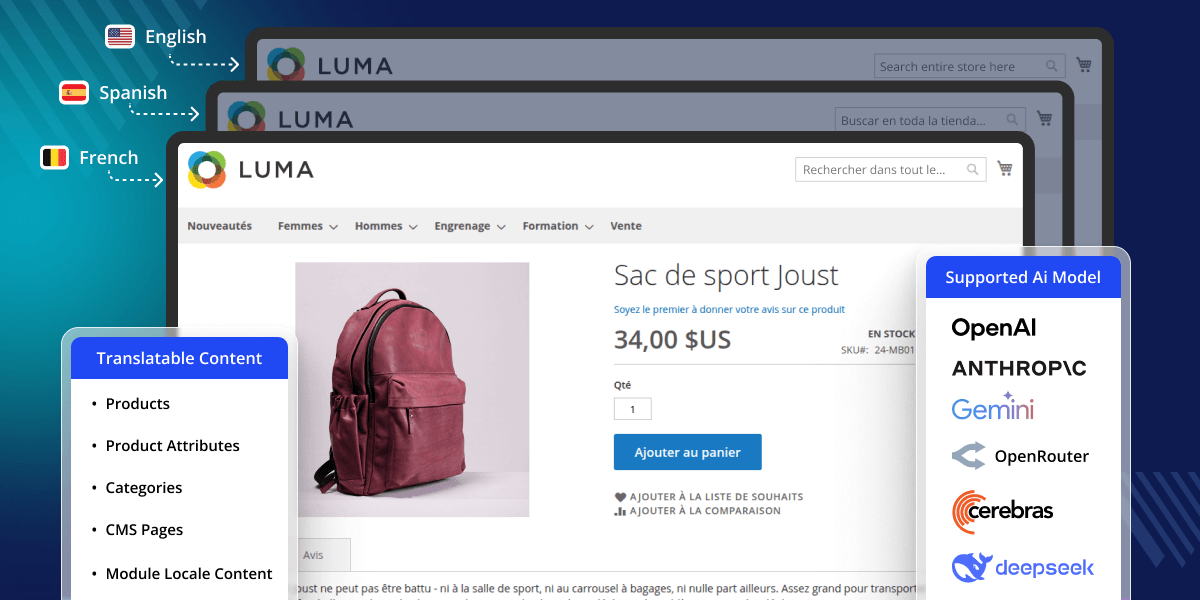
Uses AI to translate your store’s language files in no time.
Admins can track the translation progress in real time.
CSV files are translated and saved in real time.
Works for both your website’s front and backend panels.
Admins can see and manage all translations in one place.
Admins can easily enable or disable the extension from the backend.
Enables quick bulk translations using simple command-line commands.
Supports mass action translation for module locale content, products, categories, attributes, and CMS pages.
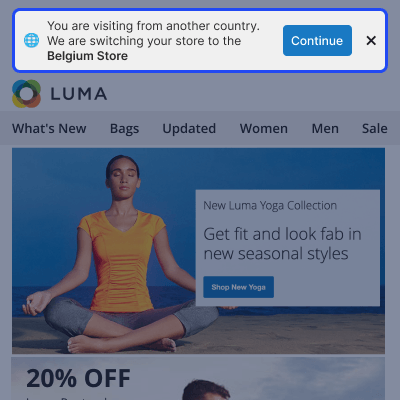
Detects visitor location and prompts a switch to the right regional store.
Instantly verify AI provider credentials with a single click before translating.
Magento 2 AI Locale Translator helps translate Magento language files, product content, and attribute labels using AI. It removes the need for manual translation and helps you build a multilingual store with less effort.
The extension processes CSV files and generates translations for module locales and store views. It also allows admins to translate product titles, descriptions, CMS pages, and product attributes, helping maintain consistent content across the store
Check out our Magento 2 WhatsApp AI Chatbot that integrates WhatsApp with your store.
After installing Magento 2 AI Locale Translator, the admin can configure the module.
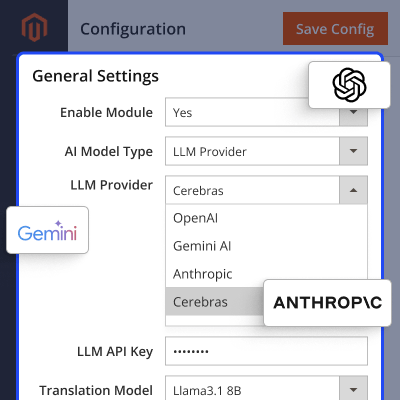
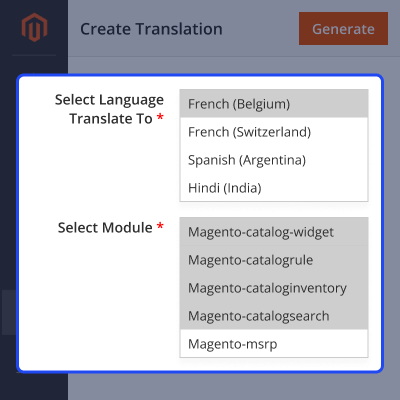
Once the module is active, the admin can generate AI-based translation files for selected modules and languages.
Check out our Magento 2 AI Image Search Extension to let users search for products using images.
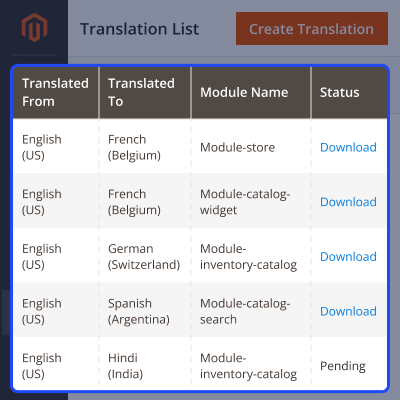
All generated translations are listed in one place for easy review and management.
Translate product content using AI for selected store views.
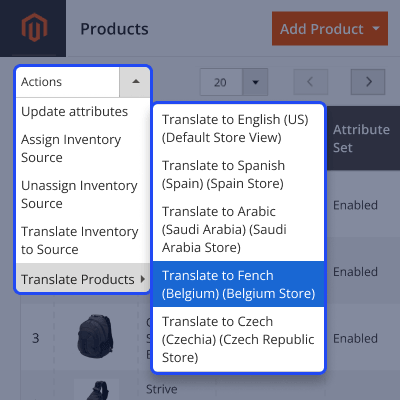
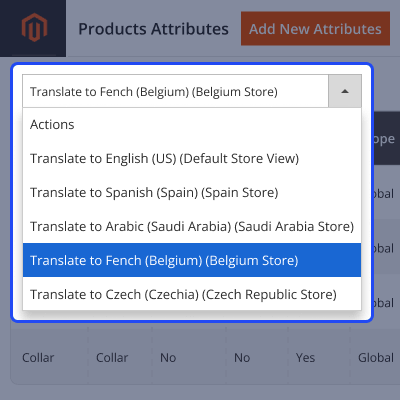
Translate product attribute labels using AI.
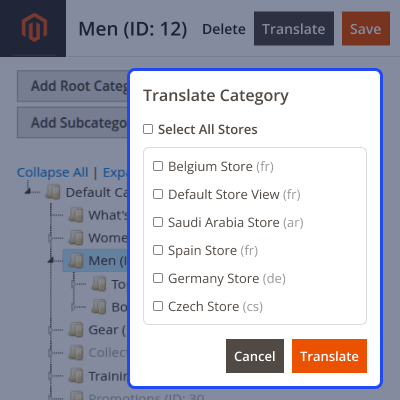
Translate category labels using AI.
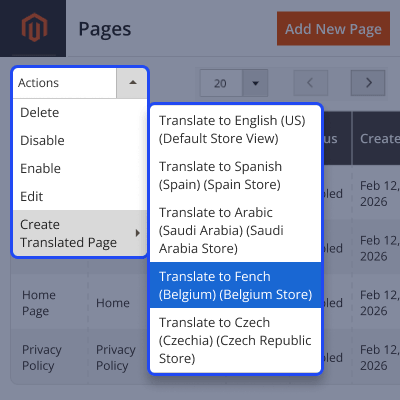
Translate CMS pages using AI.
Detects visitor location and offers a switch to the matching regional store view.
For any query or issue, please create a support ticket here http://webkul.uvdesk.com/.
You may also check our top-quality Magento 2 Extensions.
Detailed technical features and requirements to help you understand the module’s capabilities and ensure smooth integration with your system.
Detailed technical features and requirements to help you understand the module’s capabilities and ensure smooth integration with your system.
We’re partnered with top-tier, trusted providers!
Want to know more how exactly we are going to power up your eCommerce Website with Cloud to fasten up your store
* Server Configuration may vary as per application requirements.



