USD
  • EUR
  • INR
  • USD
Cart
Cart 0
  • You have no items in your shopping cart.
    Cart
    Cart 0
    • You have no items in your shopping cart.
    Hire a Developer
    ×
    Contact Us!
    Send Again
    Close
    Please Login to Write Your Review

    Odoo Mobile App (Wrapper)

    Odoo Mobile App (Wrapper) enables administrators to manage all Odoo operations directly from their mobile devices, seamlessly merging all data with the app.


    • Merge your Odoo data with the mobile app.

    • Full access to Odoo’s backend operations.

    • Fully functional view compatible with the app.

    • Easily download reports from the mobile app.

    • Select your database for easy integration.

    • Access every feature and functionality on the go.


    Note:- To access the app's trial version, please click on the link below.
    ODOO MOBILE APP (WRAPPER)


    Screenshots
    Odoo Mobile App (Wrapper) Odoo Mobile App (Wrapper) Odoo Mobile App (Wrapper) Odoo Mobile App (Wrapper) Odoo Mobile App (Wrapper) Odoo Mobile App (Wrapper) Odoo Mobile App (Wrapper)
    Show More Hide All
    $99.00

    * Required Fields

    Add To Cart
    $99.00
    Configure and Buy
    • Description
    • Reviews
    • FAQ
    • Customers ()
    • Specifications
    • Cloud Hosting
    • Changelog

    Manage your business with Odoo on the mobile app easily.!

    Odoo Mobile App (Wrapper) is a Flutter-based solution that integrates your Odoo into a mobile-friendly interface. It offers complete backend control, allowing users to manage all operations directly from their mobile devices.

    Users can choose their database upon login for seamless integration and data synchronization. The app can be personalized by removing default logos and watermarks and adding company branding for a professional touch.

    Users can access all backend features and functions on the mobile app, and manage operations from their mobile device. Additionally, it offers advanced logout functionality, allowing seamless access from both the app and the website for added security and convenience.

    Also, if you are looking for an app that is completely compatible with the default Odoo platform, then check out the Odoo Mobile App.

    Odoo Mobile App (Wrapper)

     Why do we need the Odoo Mobile App (Wrapper)?

    Odoo Mobile App (Wrapper) offers complete backend control, data synchronization, and customization support.

    Users can manage all operations directly from their mobile device, access all features and functions, and customize the app by removing default logos and watermarks.

    It also offers advanced logout functionality, allowing seamless access from both the app and the website.

     Highlighted Features of Odoo Mobile App (Wrapper)

     Complete Backend Control

    • Access all Odoo operations directly from your mobile device, allowing you to manage features and functionality.

     App Debranding

    • Customize your app by removing default logos and watermarks and adding your company branding.

     Data Synchronisation

    • The mobile app allows users to seamlessly integrate their Odoo data by selecting their database upon login.

     Advance Logout Functionality

    • Allows seamless logout from the app and can reset your password with the help of the forget password feature.

     Access Odoo On Mobile

    The system provides comprehensive backend control, enabling users to manage operations directly from their mobile devices, and allows seamless integration and data synchronization upon login.

    • Access all the backend features and functions on the app.
    • All the operations can be managed from the mobile device.
    • Choose the database upon login for effortless integration.
    • The database will be merged with the mobile app.
    • Easily download reports right from the mobile app.
    Access Odoo On Mobile

     Debranding of the App

    Admins can customize the Odoo Mobile App (Wrapper) by removing default logos and watermarks, adding company branding, and removing the "FREE" app ribbon for a clean interface.
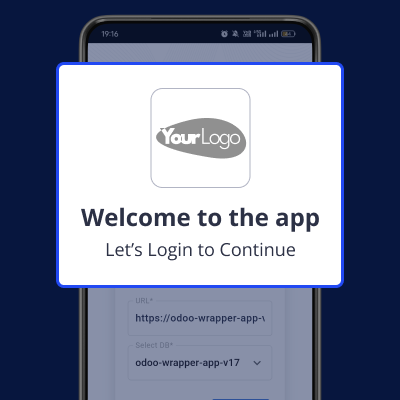
    • Personalize your app by removing default logos & watermarks.
    • Add your company branding for a professional touch.
    • You can remove the “FREE” ribbon from your app.
    • Customize the app to meet your business requirements.
    Debranding of the App

    Specifications

    Product Version1.0.0
    Released1 year ago
    Last UpdatedOctober 8, 2025 (5 months ago)
    Supported VersionsAndroid  6.0 and up  Odoo  15.x  16.x  17.x  18.x  19.x  iOS  12.0 or later  
    Write a review

     Frequently Asked Questions

     How does the Odoo Mobile App (Wrapper) connect my data?
    When you log in, you get to pick which data you want to use. This app puts it all together so you can use it on your phone without any trouble.
     
     Can I make this App look like my own app?
    Yup! You can make it yours by taking off the default logos and adding your own. That way, it looks professional and like it belongs to your company.
     
     Why is the Odoo Mobile App (Wrapper)'s logout feature important?
    It's important because when you log out, you're logged out everywhere. So, if you're logged in on your phone and computer, logging out on one log you out of both. That keeps your stuff safe.
     
     How does this App make things easier for users?
    This app lets you do everything from your phone. You don't need to go to your computer. Plus, it cleans up the screen by removing extra things, making it easier to use.
     
     What's good about this App for businesses?
    Businesses can do all their Odoo work on their phones, just like on a computer. They can change things, see reports, and make the app look like it's theirs with their own logos.

    Move to Cloud Today

    AWS Free tier hosting for one year by amazon web services, for more details please visit AWS Free Tier.

    GCP Free tier hosting for one year with 300 credit points by google cloud platform, for more details please visit GCP Free Tier.

    Azure free tier hosting for one year with 25+ always free services, for more details please visit Azure Free Tier.

    In our default configuration we will provide tremendous configuration for your eCommerce Website which is fast to load and response.

    Default Configuration Details of Server

    • 1 GB RAM
    • 1 Core Processor
    • 30 GB Hard Disk
    • DB with 1 GB RAM and 1 Core Processor

    * Server Configuration may vary as per application requirements.

    Want to know more how exactly we are going to power up your eCommerce Website with Cloud to fasten up your store. Please visit the Cloudkul Services.

    Get Started with Cloud
    Not Available


