Send Again
Close
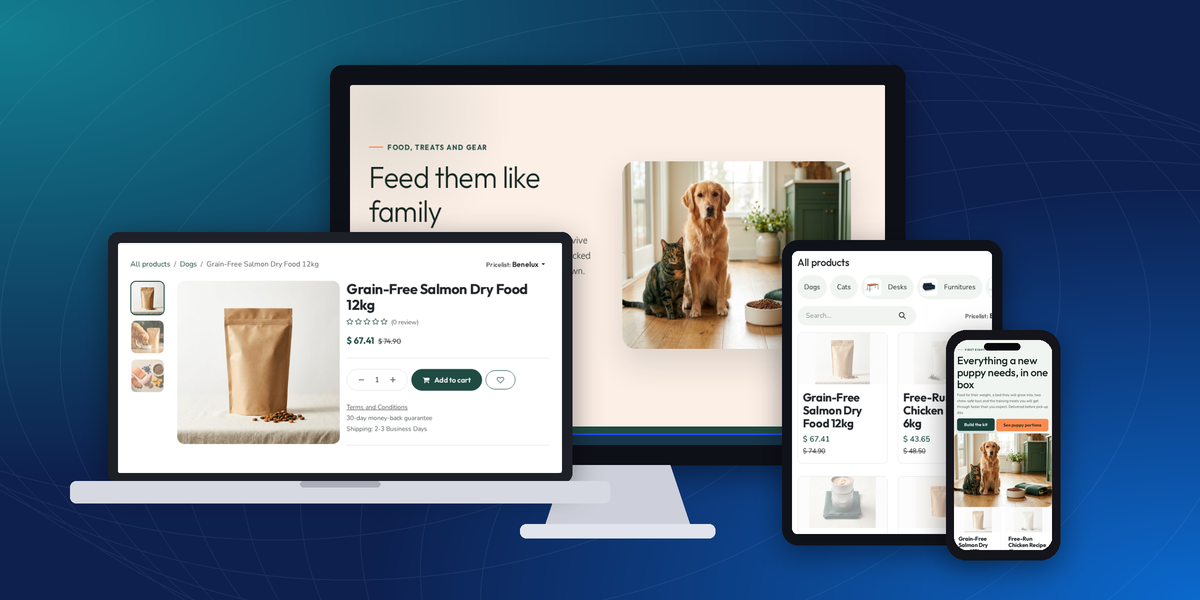
Odoo Petlivo | Pet store and Products Theme is an Odoo theme for pet food brands, pet shops, and pet supply retailers. It restyles the Odoo Website and Odoo eCommerce pages and adds blocks made for pet retail.
A visitor sets up a pet once, with a name, species, life stage, and weight. The header then shows quick links such as Food, Treats, and Toys, and sends the visitor to matching products in the shop.
Seven pages, a menu, and a Petlivo block group are installed in the Website Builder. Admins edit every block in place, so the pages stay under the store team's control.
Each block has its own options in the Website Builder, such as layout, picture position, and text reveal. Header, footer, and mega menu templates are chosen from the builder side panel.
Compatibility is Odoo Community and Enterprise, with the Website, eCommerce, and Wishlist apps installed. Outfit sets headings and Nunito Sans sets body text.
Additionally, pair the theme with Odoo Website Advanced Wishlist if shoppers need richer saved-item lists than the standard wishlist.
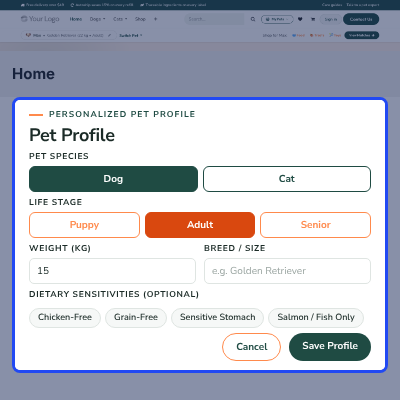
Visitors save a pet with species, life stage, weight, breed, and diet notes, then use Food, Treats, and Toys links in the header.
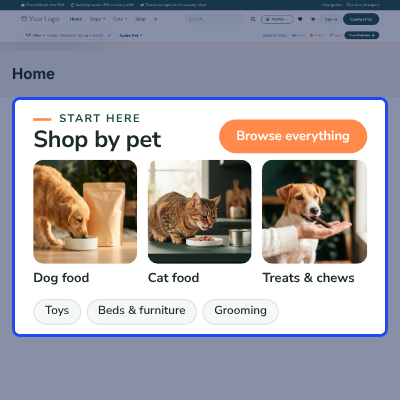
Photo tiles for dog food, cat food, treats, toys, beds, and grooming send shoppers straight to the matching product category.
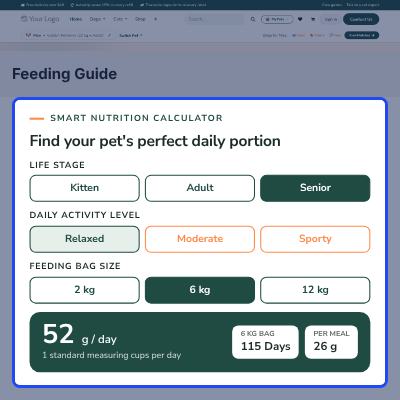
Shoppers enter weight, life stage, activity, and bag size to see daily grams, cups, grams per meal, and days a bag lasts.
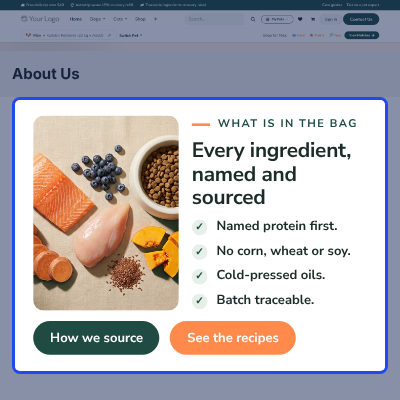
Show named proteins, cold-pressed oils, and batch tracing next to a product photo, with picture-first or copy-first layouts.
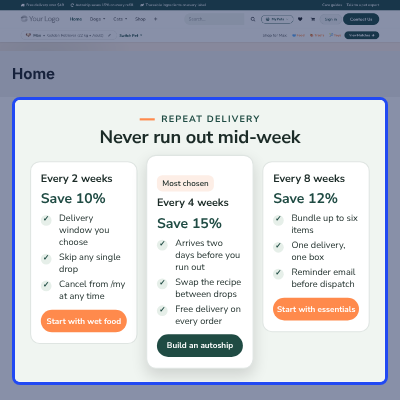
Present three repeat-delivery plans with savings, perks, and a highlighted middle plan that links into the shop.
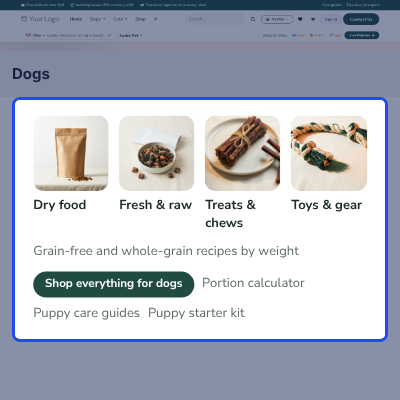
Pick Petlivo Dogs, Cats, Brands, Care, or Deals as a mega menu template from the Website Builder menu options.
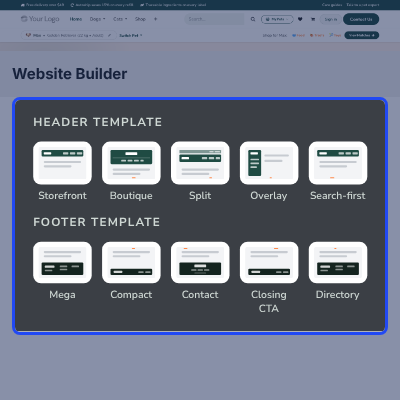
Choose from five headers and five footers in the builder, including an overlay header and a closing call-to-action footer.
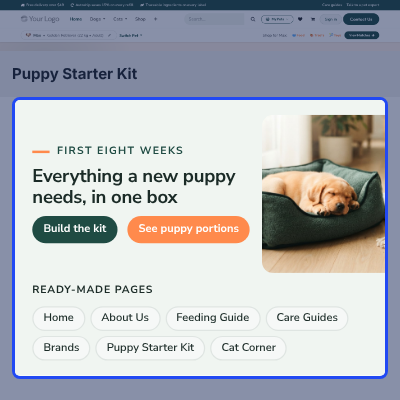
Home, About Us, Feeding Guide, Care Guides, Brands, Puppy Starter Kit, and Cat Corner pages are ready after activation.
Pet shoppers buy for one animal, and the right product depends on species, age, and weight. That makes them browse differently from other shoppers.
Stock Odoo Website themes are general purpose. They have no pet profile, no portion calculator, and no feeding table, so the store team builds those pages by hand.
Petlivo adds these as Website Builder blocks and styles the shop and product pages to match. Shoppers get pet-first navigation, and admins edit the pages in the same builder.
One practical detail: the calculator reads a calorie density of 3750 and a default bag size of 6 kg from the block itself. Admins can adjust both to fit their own food.
Also, if you want shoppers to compare food recipes side by side, you can check our module Odoo Website Product Compare.
A food brand sells bags online and uses the ingredient block and portion calculator to answer buyer questions on the page.
A local shop moves its range online and lets visitors browse by pet type with the Dogs mega menu and the Cats mega menu.
A retailer sends first-time owners to the Puppy Starter Kit page, then to the feeding guide for portion advice.
A marketer promotes the Cat Corner landing page with beds, enrichment toys, and indoor feeding advice.
A store explains refill savings with the autoship block and sends shoppers to the right food category.
A Pet Profile Bar sits under the header. It shows the active pet and turns that profile into shortcuts to the shop.
Visitors add or edit pets in a Pet Profile pop-up. Profiles stay in the visitor's browser, and a starter profile appears on the first visit.
Large photo tiles link to product categories, so shoppers pick an animal or product type in one click.
Six tiles show on the demo home page: Dog food, Cat food, Treats & chews, Toys, Beds & furniture, and Grooming.
Odoo Petlivo | Pet store and Products Theme adds five mega menu templates to the Website Builder. Admins attach one to any menu item.
Pair the Deals template with Odoo Website Coupons & Vouchers to promote discount codes. The demo menu uses the Dogs and Cats menus, then Feeding Guide, Care Guides, Brands, and About Us.
This block puts sourcing facts beside a product photo, so buyers read what goes into the bag before they open the product page. For deeper answers, add Odoo Website Product FAQ to each product.
A few inputs become a daily feeding amount, shown as the shopper types.
It also reads the active pet from the Pet Profile Bar, so a saved pet fills in the form for dogs or cats.
Three repeat-delivery plans sit in the Autoship block. A weight-based table in the Feeding Guide block gives shoppers a page to return to.
Autoship is a presentation block. Its buttons open matching shop searches such as wet food and dry food.
Odoo eCommerce shop and product pages get a new look. Products show in a three-column catalog grid with a category sidebar.
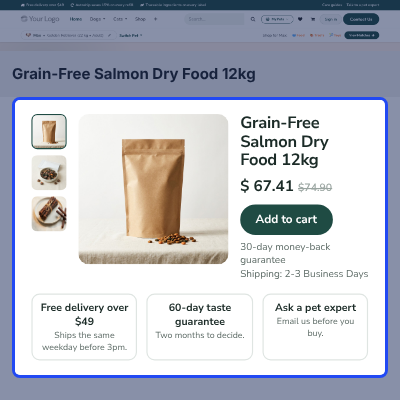
Product pages use a gallery with thumbnails on the left and a trust strip below. For beds and bowls, add Odoo Website Product Size Chart.
Petlivo templates join the header and footer options of the Website Builder. Admins pick one and see it at once. Brands with several shops can run each one through Odoo Multi Website.
Activation creates pages built from Petlivo blocks. Each page is ready to publish and open to edit.
Three landing blocks cover seasonal and category campaigns, and Odoo Website Product Collection can group the products behind them.
For any query or issue, please create a support ticket here CREATE A TICKET HERE
You may also check our other top-quality Odoo Apps
Detailed technical features and requirements to help you understand the module’s capabilities and ensure smooth integration with your system.
Detailed technical features and requirements to help you understand the module’s capabilities and ensure smooth integration with your system.
We’re partnered with top-tier, trusted providers!
Want to know more how exactly we are going to power up your eCommerce Website with Cloud to fasten up your store
* Server Configuration may vary as per application requirements.



