Send Again
Close
Shiprocket Shipping for WooCommerce seamlessly integrates Shiprocket’s logistics into WooCommerce stores, ensuring smooth order fulfillment. It offers multiple courier partners, providing flexible shipping choices. The listed courier partners update automatically based on the customer's address.
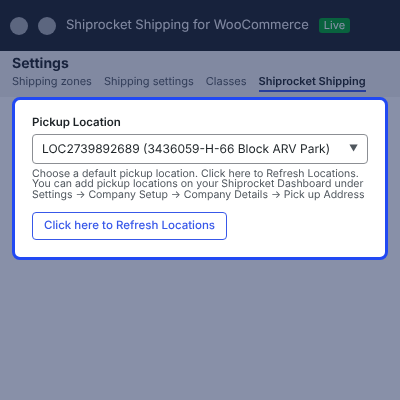
Admin can sync updated pickup locations from Shiprocket to WooCommerce in a single click and set a default pickup location for shipping charge calculations.
Real-time shipping rates are fetched and displayed at cart & checkout for users to make informed decisions. Shipping rates for different couriers are updated at checkout based on COD and non-COD payments.
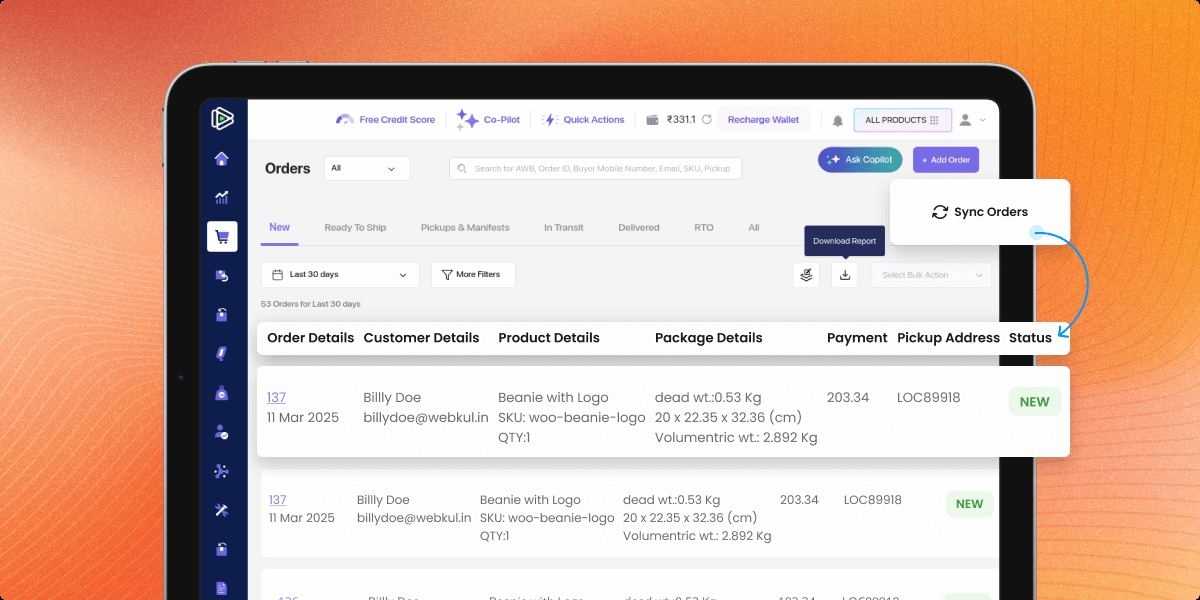
Customer orders on the WooCommerce store are automatically synced with the Shiprocket dashboard for shipping. AWB number is automatically generated when any order is placed on the WooCommerce store using Shiprocket.
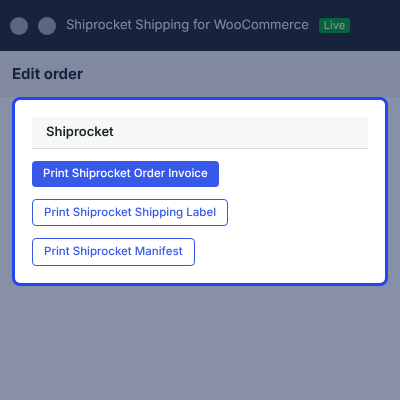
Admin can generate Shiprocket shipment labels from the WooCommerce order edit page using order actions. Also, he can print the Shiprocket shipment invoice. Both the admin and customers can view Shiprocket courier partner details in orders.
Also, if you want to set shipping prices for individual products and help admin to manage product-specific shipping charges from a single panel, then you can check WooCommerce Per Product Shipping Extension.
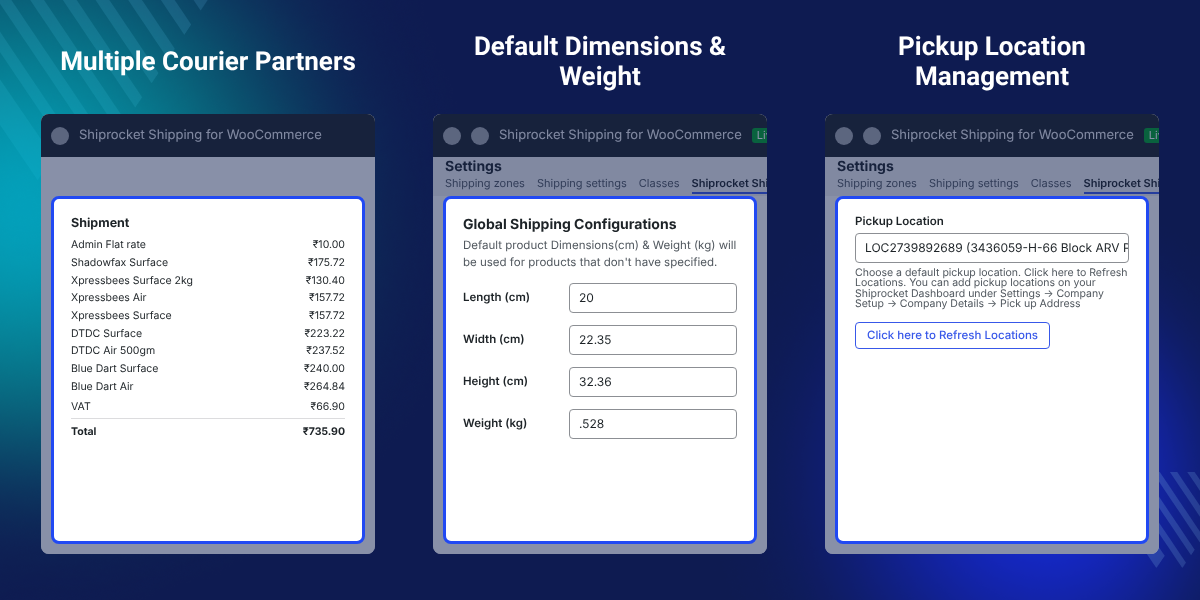
Seamlessly integrates Shiprocket’s logistics services into WooCommerce store for efficient shipping management.
Offers multiple courier partners to streamline order fulfillment and ensure timely delivery of customer orders.
Automatically updates courier partner options based on the customer's checkout address for accurate shipping choices.
Fetches and displays live shipping rates at cart & checkout, helping customers make informed shipping decisions.
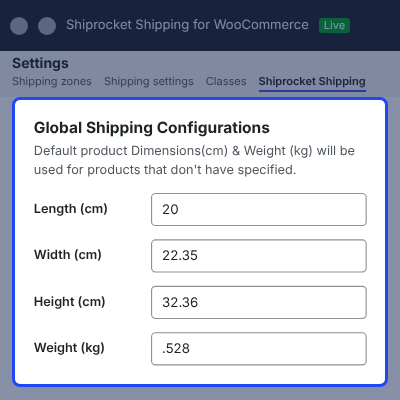
Admin can set global shipping configurations for product dimensions and weight if not specified individually.
Admin can quickly update Shiprocket pickup locations in WooCommerce and set a default pickup location for precise shipping charges.
WooCommerce store orders are automatically synchronized with the Shiprocket dashboard for shipping.
Both admin and customers can view courier partner details within orders for improved tracking.
AWB is auto-assigned for WooCommerce orders via Shiprocket, ensuring seamless order tracking and shipping.
Admin creates Shiprocket shipping labels directly from WooCommerce orders using order actions.
Shiprocket Shipping for WooCommerce simplifies logistics by integrating Shiprocket’s shipping services into WooCommerce stores. It offers multiple courier partners and dynamically updates options based on the customer’s checkout address for accurate delivery.
Real-time shipping rates at cart & checkout help customers make informed decisions, enhancing their shopping experience. Easily sync Shiprocket pickup locations to WooCommerce in one click and set a default pickup point for accurate shipping.
Streamlines shipping by automatically syncing WooCommerce orders with the Shiprocket dashboard. Auto-generates AWB for WooCommerce orders via Shiprocket.
Easily generate Shiprocket shipping labels and print shipment invoices directly from WooCommerce orders page. Both the admin and customers can track courier details within the orders placed.
Also, if you want to control shipping methods based on your cart conditions, you can check Shipping Restriction Plugin for WooCommerce. It helps you create flexible shipping rules with ease.
Ship daily WooCommerce orders with less manual work. Sync orders, generate AWBs, and create shipping labels from one workflow.
Handle more orders with ease. Automate shipping tasks to save time and reduce manual effort as your business grows.
Show live shipping rates and courier options at checkout. Help customers choose the best delivery service.
Ship milk and dairy products faster with automated shipping. Manage orders and courier services from one place.
Admin can connect Shiprocket’s logistics with WooCommerce store for efficient and hassle-free shipping management.
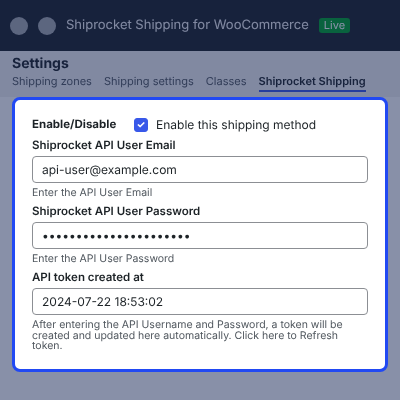
Automatically update courier partners based on the customer’s checkout address for accurate shipping options.
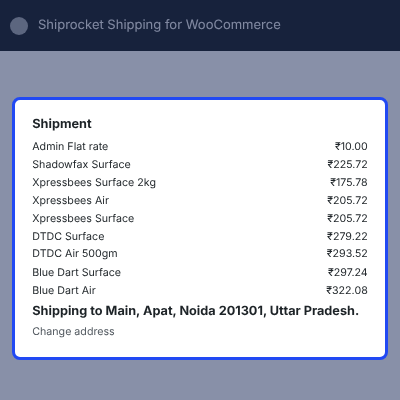
Fetch and display live shipping rates at cart & checkout for informed decision-making and better cost transparency.
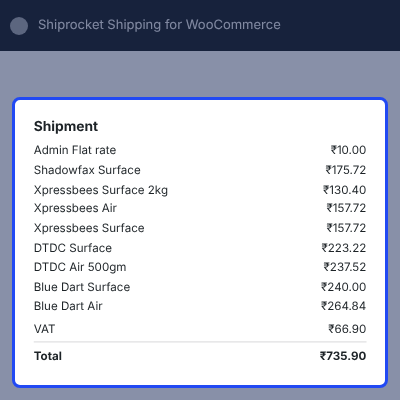
Admin can define global shipping configurations for streamlined logistics, ensuring accurate weight and dimension-based calculations.
Admin can instantly update Shiprocket pickup locations in WooCommerce and set a default location for accurate shipping charges.
WooCommerce orders automatically sync with the Shiprocket dashboard for easy and efficient shipping management.
AWB is automatically assigned to WooCommerce orders, ensuring smooth tracking and hassle-free shipping.
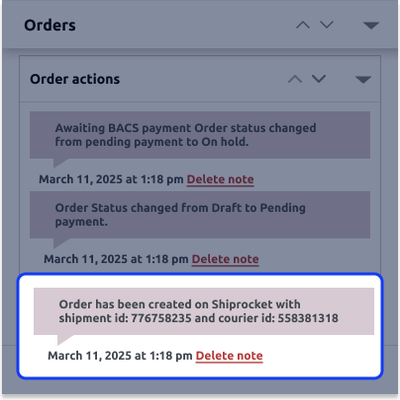
Admin can quickly generate Shiprocket shipping labels from WooCommerce orders using order actions.
For any query or issue, please create a support ticket here http://webkul.uvdesk.com/
You may also check our quality WooCommerce Plugins.
Detailed technical features and requirements to help you understand the module’s capabilities and ensure smooth integration with your system.
Detailed technical features and requirements to help you understand the module’s capabilities and ensure smooth integration with your system.
We’re partnered with top-tier, trusted providers!
Want to know more how exactly we are going to power up your eCommerce Website with Cloud to fasten up your store
* Server Configuration may vary as per application requirements.



