- Description
- Reviews
- FAQ
- Customers ()
- Specifications
- Cloud Hosting
- Changelog
Cloudinary Connector for UnoPim sends product images and files to Cloudinary. It saves server space and helps pages load faster with Cloudinary's global CDN. UnoPim Cloudinary Integration sends media to Cloudinary when you add, edit, or import products.
With UnoPim Media Management, your team keeps all product media in one place. You can find, update, and use files with less work. UnoPim Cloudinary Module works with simple and configurable products. It supports images, videos, files, many stores, and many languages.
UnoPim Cloud Media Storage moves media from your server to Cloudinary. This saves server space and helps your store load pages faster. Cloudinary Media Sync for UnoPim keeps media the same in both systems. It uploads new files, removes old files, runs sync jobs, and lets you start a manual sync.
You can also check our UnoPim BigCommerce Connector to connect UnoPim with your BigCommerce store.
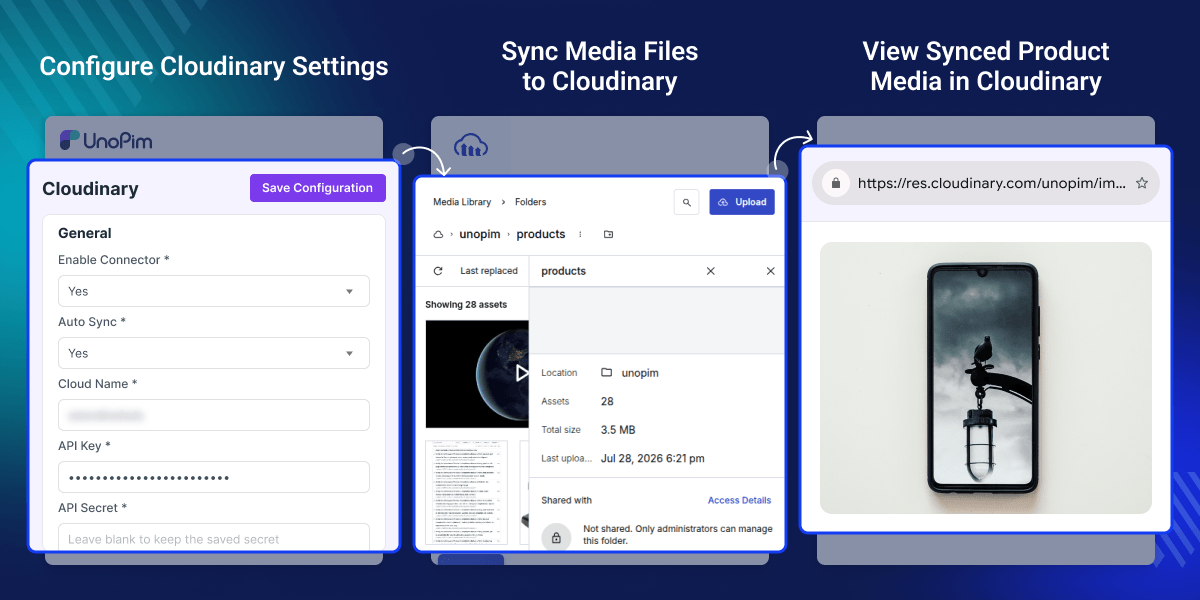
Highlighted Features of UnoPim Cloudinary Connector
Automatic Media Synchronization
This connector sends product images and files to Cloudinary when you add, edit, or import products. Your media stays up to date.
Cloud-Based Media Storage
Store product images and files in Cloudinary. This saves server space and keeps all media in one place.
Fast CDN Media Delivery
Cloudinary loads product images through its global CDN. This helps pages open faster on every device.
Support for Multiple Media Types
Upload product images, gallery images, videos, and files from UnoPim. Keep all product media in one place.
Smart Background Processing
This connector moves files in the background while you work. Your daily work does not stop.
Locale and Channel-Aware Media
This connector shows the right media for every store, language, and sales channel. Customers see the right files.
Disable Connector and Use Local Storage
Turn off the Cloudinary connector to keep and show product images and files from your local server again.
Pull Cloudinary Media Back to Local Storage Easily
Move product images and files from Cloudinary back to your local server to use local storage again.
Why Businesses Need Cloudinary Integration for UnoPim
As your product catalog grows, product media also grows. More images and files use more server space and slow backups. Local storage can become hard to manage. Teams often spend extra time uploading, replacing, and managing product media.
UnoPim Cloudinary Connector moves product images and files to Cloudinary automatically. It keeps media in sync and delivers files through Cloudinary's global CDN. This connector also removes unused media and uploads files in the background. This saves time and keeps product media organized.
With cloud media storage, businesses can manage large media libraries with less server load. It also helps pages load faster and reduces server maintenance.
You may also like our UnoPim CS-Cart Connector, which connects UnoPim with CS-Cart for two-way synchronization of product data.
Cloudinary Connector for UnoPim Use Cases
-
Manage Large Product Lists
Move product images and files to Cloudinary to save server space and keep all files easy to use.
-
Show Images Faster
Show product images with Cloudinary's CDN so pages load fast and people see images without waiting.
-
Make Product Import Easy
Move images and files during product import, so your team does not need to add each file by hand.
-
Keep All Files Together
Keep all product images and files in Cloudinary, so your team can find and use them from one place.
-
Show Right Images Everywhere
Show the right images for every store, language, and sales channel from one place.
-
Save Server Space
Move product images and files to Cloudinary to free server space as your product list grows.
Automatic Cloudinary Media Synchronization
UnoPim Cloudinary Connector sends product media to Cloudinary. It saves server space and loads images faster.
- Send images to Cloudinary automatically
- Sync files after product updates
- Import products with media files
- Run uploads in the background
- Skip files already in Cloudinary
- Remove old files automatically
- Start full sync any time
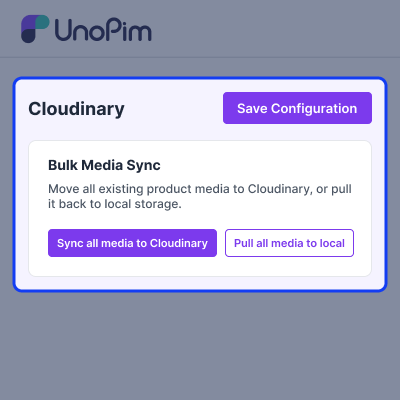
Cloud-Based Product Media Storage
Move product images and files to Cloudinary for safe storage, less server load, and faster media delivery everywhere.
- Store product media in Cloudinary safely
- Save local server storage space daily
- Keep product files safe online always
- Support images videos and document files
- Manage all product media centrally easily
- Scale media storage as catalogs grow
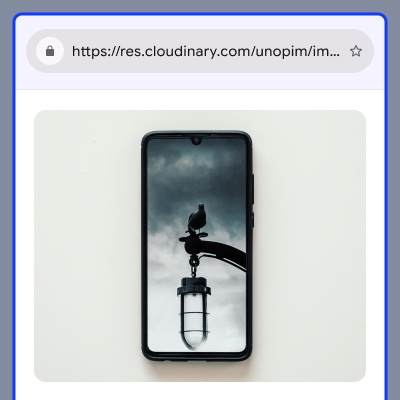
Fast Media Delivery with Cloudinary CDN
Show product images from Cloudinary's global CDN for fast page loading, quick access, and smooth shopping on every device.
- Show media through Cloudinary CDN
- Load product images much faster
- Replace local image links automatically
- Speed up every product page
- Keep media fast across stores
- Help shoppers view images quickly
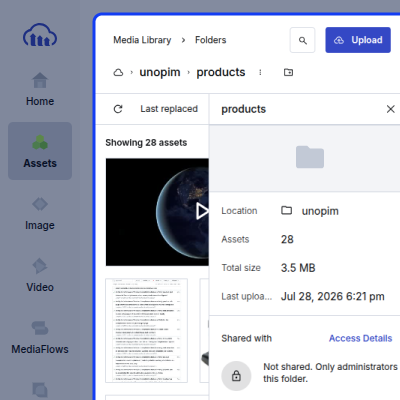
Smart Media Management for Product Catalogs
Keep product images and files in Cloudinary for easy access, fast updates, and simple media handling across every product.
- Keep images and files together
- Save Cloudinary links with products
- Keep original product data unchanged always
- Show synced files for products
- Find product media very easily
- Make media updates fast always
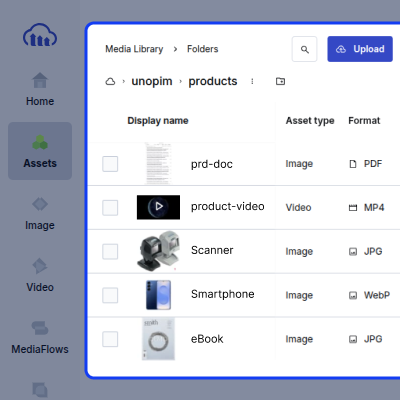
Multi-Channel and Localized Media Support
Show the right product images for every store, language, and sales channel with easy media sync across all products.
- Show correct images for each store
- Show correct images for languages
- Find product media by channel
- Maintain regional product images
- Sync media for every store
- Keep product images up to date
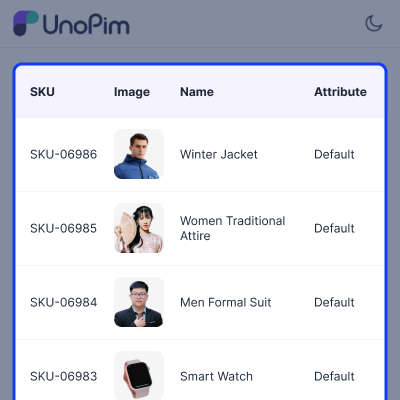
Secure Synchronization and Easy Administration
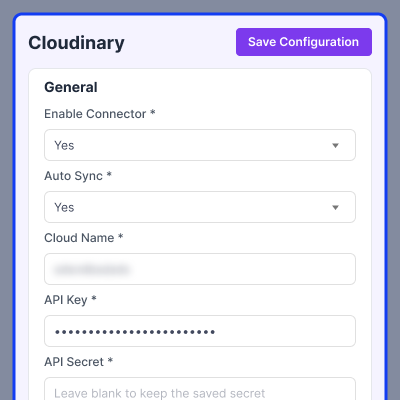
UnoPim Cloudinary Module gives easy setup, safe file uploads, quick connection checks, and simple media sync for every store.
- Set up Cloudinary in minutes
- Keep file uploads safe always
- Turn auto sync on easily
- Check Cloudinary connection quickly now
- See media sync job history
- Start media sync any time
Support
For any query or issue, please create a support ticket here http://webkul.uvdesk.com/. You may also check our all UnoPim Extensions.
Specifications
Frequently Asked Questions
Specification
Detailed technical features and requirements to help you understand the module’s capabilities and ensure smooth integration with your system.
Cloud Hosting
Detailed technical features and requirements to help you understand the module’s capabilities and ensure smooth integration with your system.
Move to Cloud Today
We’re partnered with top-tier, trusted providers!



Default Configuration Details of Server
RAM 1 Core
Processor 30 GB
Hard Disk
Database
Want to know more how exactly we are going to power up your eCommerce Website with Cloud to fasten up your store
* Server Configuration may vary as per application requirements.
Change Logs
- - Feature Add (+)
- - Feature remove (-)
- - Bug Fixed (!)
- - Modification (*)
- + Added compatibility with UnoPim 3.0.x.
- * Updated the Cloudinary connector to work with the latest UnoPim media field structure.
- * Improved Cloudinary media upload performance by introducing concurrent uploads using uploadMany and curl_multi.
- * Improved Cloudinary media download performance with concurrent downloadMany processing.
- * Updated the media pull process to use a two-pass parallel download flow instead of sequential downloads.
- * Improved the Cloudinary settings experience by saving configuration without requiring a full-page reload.
- Initial release of Cloudinary Connector for UnoPim.
- Compatible with UnoPim v2.1.6.
- Cloudinary configuration management with enable/disable toggle.
- Auto-sync feature for automatic media uploads.
- Cloudinary media service integration for product media handling.
- Direct upload of product images to Cloudinary CDN.
- Cloudinary URLs support for product listing, edit, import, and export operations.
- Database migrations for Cloudinary configuration storage.
- Added an option to disable the connector, allowing media to be served from local storage instead of Cloudinary.
- Added a Pull Media to Local feature to download Cloudinary-hosted media back to the local.
- Pest test suite for configuration, media service, and product sync functionality.
- Playwright E2E tests for browser-based testing.
- Laravel service provider for automatic package discovery.
