- Description
- Reviews
- FAQ
- Customers ()
- Specifications
- Cloud Hosting
- Changelog
UnoPim Custom XLSX Connector helps you import and export product data using Excel files with ease. It has a flexible column mapping system. This means you can match your data with any Excel file format.
It does not need a fixed template. You can use different Excel sheet designs without any trouble. This makes your work faster and simpler.
It connects all product information in one place. This includes product variants, categories, attributes, prices, and images. You can manage everything in one Excel file flow.
It also supports multiple languages and sales channels. You can use different currencies and local values for different regions. This helps build large product catalogs. It works well for large businesses that handle large volumes of product data in Excel.
Use the UnoPIM Dynamic Pricing Rule to manage pricing with ease. It helps set flexible prices and update them across your product catalog.
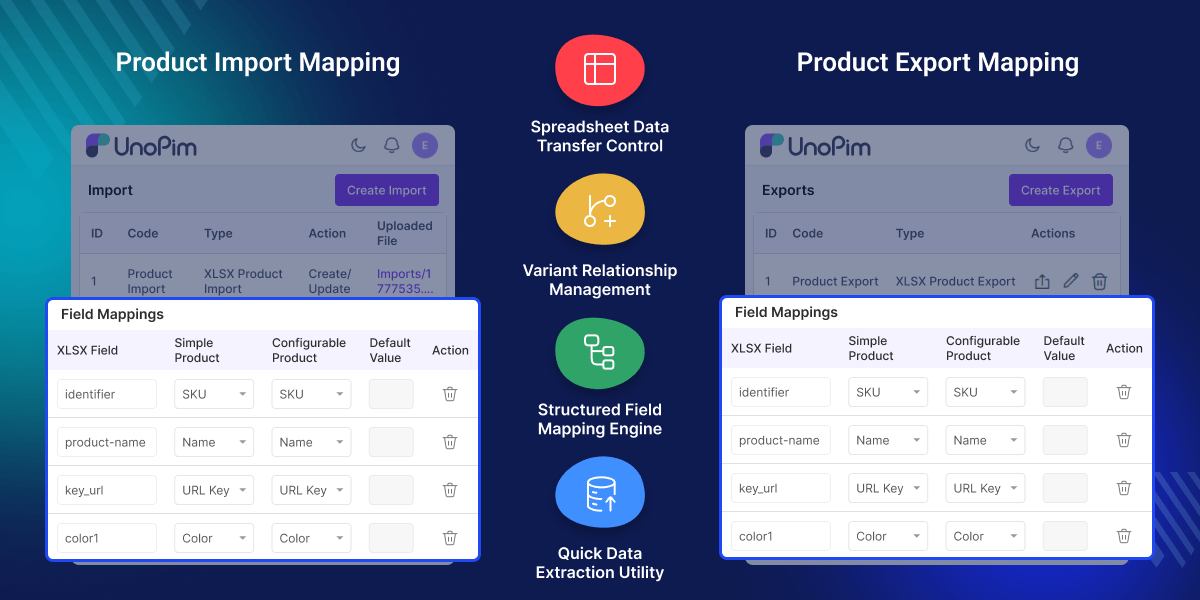
Highlighted Features of UnoPim XLSX Import Export Connector
Flexible Column Mapping Templates
Create your own Excel format. Match any column to UnoPim fields with ease.
Multi Entity Product Sync
Sync products, variants, categories, attributes, and families in one easy step.
Multi Currency Pricing Support
Add prices for different currencies. Each one has its own column for clear pricing.
Channel & Locale Data Handling
Manage many languages and sales channels in one Excel file. Keep all data in one place.
Media Import & Export Control
Import and export product images, files, and galleries. Use full files or only file paths.
Configurable Product Structure
Manage configurable products with ease. Supports main products, attributes, and linked variants.
Why do we need UnoPim Custom XLSX Connector?
UnoPIM Excel integration replaces fixed formats with flexible mapping that fits real business needs. This reduces manual work, errors, and slow product data updates.
Many teams also struggle with multi-language catalogs. Product variants and complex pricing are hard to manage in basic spreadsheets.
Get full control over Excel setup, mapping rules, and product links for smooth data migration. It fits your current workflow, so no changes are needed.
It improves product data accuracy and reduces manual effort in XLSX import export. Product data becomes easier to manage, even for large and growing catalogs.
It is built from real eCommerce PIM workflows. In these systems, easy and flexible data sharing is very important.
Improve product discovery with the UnoPIM AI Product Feed Connector for OpenAI Search. It uses AI tools to create product feeds and helps your products show better. It also makes catalog management simple.
Use Cases
-
Ecommerce Product Migration
Move large product catalogs from old systems into UnoPim. Use clean Excel templates for easy import.
-
Multi-Channel Catalog Management
Manage product data for many channels in one Excel file. Keep language and content structured and organized.
-
Marketplace Data Preparation
Create marketplace product feeds with Custom Mapping XLSX using flexible columns and mapping rules.
-
Bulk Product Updates via Excel
Update prices, attributes, and stock in bulk. No need to use admin panel.
XLSX Template Mapping
XLSX template mapping gives full control over how Excel columns connect to UnoPim data. It helps teams avoid fixed formats and match spreadsheets to their own workflow.
- Custom column names for all product fields
- Default values for empty cells in templates
- Separate separators for multi select attributes
- Custom labels for product and structure fields
- Reusable mapping templates for import and export
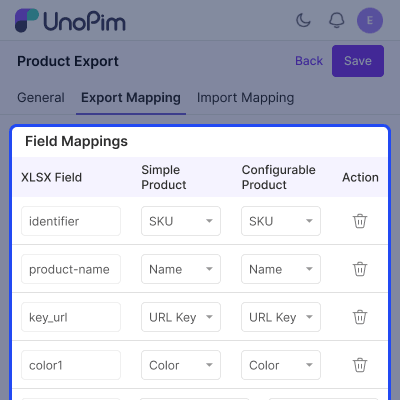
Media & Asset Handling
This feature controls how files, images, and galleries are imported and exported through Excel. It supports full file transfer or simple path based handling.
- Optional media packaging during export
- Image, file, and gallery support in Excel columns
- Path only mode for external storage systems
- Safe export without formula injection risk
- Clean handling of large media data
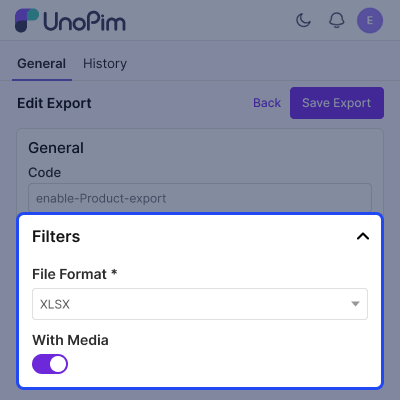
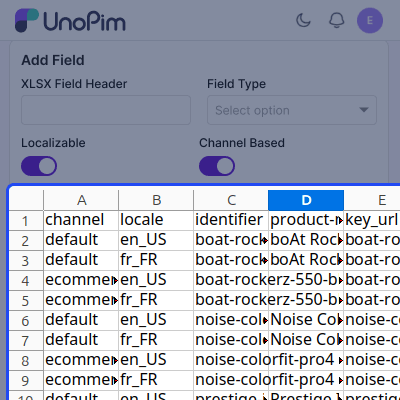
Localization & Channel Management
This helps manages multi language and multi channel product data in one Excel file. It ensures correct mapping and validation during import.
- Channel based attribute control
- Locale based product values per row
- Default fallback for missing data
- Validation against channel rules
- Single file for global catalogs
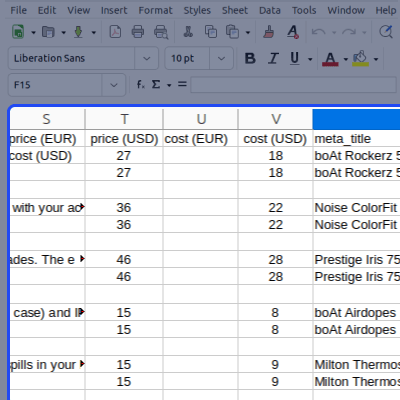
Pricing Management in Multiple Currencies
Pricing is handled across multiple currencies using Excel columns. It keeps structure simple and easy to manage.
- One column per currency (USD, EUR, etc.)
- Currency detection from headers
- Clean mapping back during import
- Supports multi market catalogs
- Easy global price updates
Category & Product Structure Control
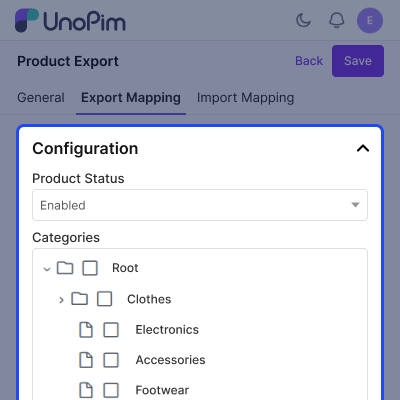
This feature manages categories and product structure inside Excel. It supports flexible and complex catalog setups.
- Multiple category codes in one column
- Configurable product type handling
- Parent child variant linking support
- Template based category filtering
- Safe validation for category mapping
Support
For any query or issue, please create a support ticket here http://webkul.uvdesk.com/. You may also check our all UnoPim Extensions.
Specifications
Frequently Asked Questions
Specification
Detailed technical features and requirements to help you understand the module’s capabilities and ensure smooth integration with your system.
Cloud Hosting
Detailed technical features and requirements to help you understand the module’s capabilities and ensure smooth integration with your system.
Move to Cloud Today
We’re partnered with top-tier, trusted providers!



Default Configuration Details of Server
RAM 1 Core
Processor 30 GB
Hard Disk
Database
Want to know more how exactly we are going to power up your eCommerce Website with Cloud to fasten up your store
* Server Configuration may vary as per application requirements.
Change Logs
- - Feature Add (+)
- - Feature remove (-)
- - Bug Fixed (!)
- - Modification (*)
- + Variant Structure mapping for configurable products in both import and export, so multi-level variant structures survive a round trip.
- + New "XLSX Variant Structure Field" and attribute scope (Localizable / Channel-Based) controls in the mapping template editor.
- + Row-click on the templates listing now opens the edit page, matching the product listing.
- * Compatibility: now requires UnoPim 3.0.0 (PHP ^8.4.1, Laravel ^13.0). Support for UnoPim 2.x / PHP 8.3 / Laravel 12 is dropped — use connector 1.2.x for UnoPim 2.1.x.
- * Template create/edit now uses UnoPim's core AJAX save flow (no page reload) with the unsaved-changes bar and a working Discard, matching the product edit page.
- * Creating a template opens its edit page via SPA navigation instead of a full page reload.
- * The connector menu icon now loads from a self-contained inline font, so it renders on every admin page regardless of the asset build.
- * Codebase modernized to Laravel 13 conventions (rector / pint / larastan clean).
- ! Export no longer fails on UnoPim 3.0 — the getFileName() override matches the new public visibility of AbstractExporter.
- ! Family value is now included in the custom XLSX export (previously missing).
- ! The XLSX template selection field now appears only for the "XLSX Products" export/import type, on both create and edit.
- ! Status and Localizable / Channel-Based toggles in the template editor respond correctly and mark the form as changed.
- ! Variant round-trip: same-file parents are resolved on import, the variant_group type is preserved (no longer collapsed to simple), and every tier's parent is written on export — so an export→import cycle rebuilds the full hierarchy.
- *Compatible with UnoPim 2.1.x.
- +The connector is now fully translated into all 33 supported languages (previously shown in English placeholders).
- +Installation no longer requires running npm run build — ready-to-use assets are bundled and published automatically during setup.
- !Fixed an error that broke php artisan optimize.
- !Multi-currency imports now save the correct amount for each currency.
- !Turning a template on or off is now a confirmed action, preventing accidental changes.
- + Compatibility bump — now supports UnoPim 2.0+, Laravel 12+, and PHP ^8.3.
- + Updated installation instructions to align with the latest UnoPim structure.
- + Service provider registration updated — now requires adding provider in bootstrap/providers.php (replacing legacy config/app.php method).
- + Module registration flow improved as per UnoPim 2.x conventions.
- - Minor stability improvements for rule execution and module bootstrapping.
- + Initial setup and feature implementation for UnoPim XLSX Connector.
- + Custom Mapping Templates: Create and manage templates to map UnoPim product attributes to specific XLSX/XLS column headers.
- + Comprehensive Attribute Mapping: Support for all major attribute types (text, select, multiselect, boolean, number, date, etc.).
- + Advanced Data Handling: Ability to map categories, families, family variants, and parent-child relationships.
- + Queue-Based Processing: Large dataset handling leverages UnoPim's background job queue.
- + Import/Export Functionality: Core logic for importing and exporting product data in XLSX/XLS format.
