- Description
- Reviews
- FAQ
- Customers ()
- Specifications
- Cloud Hosting
- Changelog
UnoPim ERPNext Connector connects UnoPim with ERPNext and keeps product data updated on both systems. It imports and exports products, categories, attributes, brands, and images through sync jobs.
ERPNext Connector for UnoPim removes the need to enter the same product data twice. It moves information between UnoPim and ERPNext. This saves time and keeps product records the same on both platforms.
You can connect many ERPNext or Frappe sites from one UnoPim store. Built-in API testing checks your credentials before you create a connection. This makes setup quick and easy.
You can map attributes, brands, custom fields, and media fields between both systems. This helps send data to the correct fields during every import and export.
Each import and export runs as a separate job. You can see the progress, status, and logs at any time. You can also check which records were created, updated, or skipped.
This connector supports repeated data sync without creating duplicate records. It uses existing mappings to update data faster and keeps product information clean and correct.
It is a good choice for manufacturers, wholesalers, distributors, and retailers. They can manage product data in UnoPim and use ERPNext for daily business work.
UnoPim ERPNext Integration automates product data transfer between UnoPim and ERPNext. It reduces manual work, improves data accuracy, and keeps product information ready to use.
You can also check our UnoPim BigCommerce Connector to connect UnoPim with your BigCommerce store.
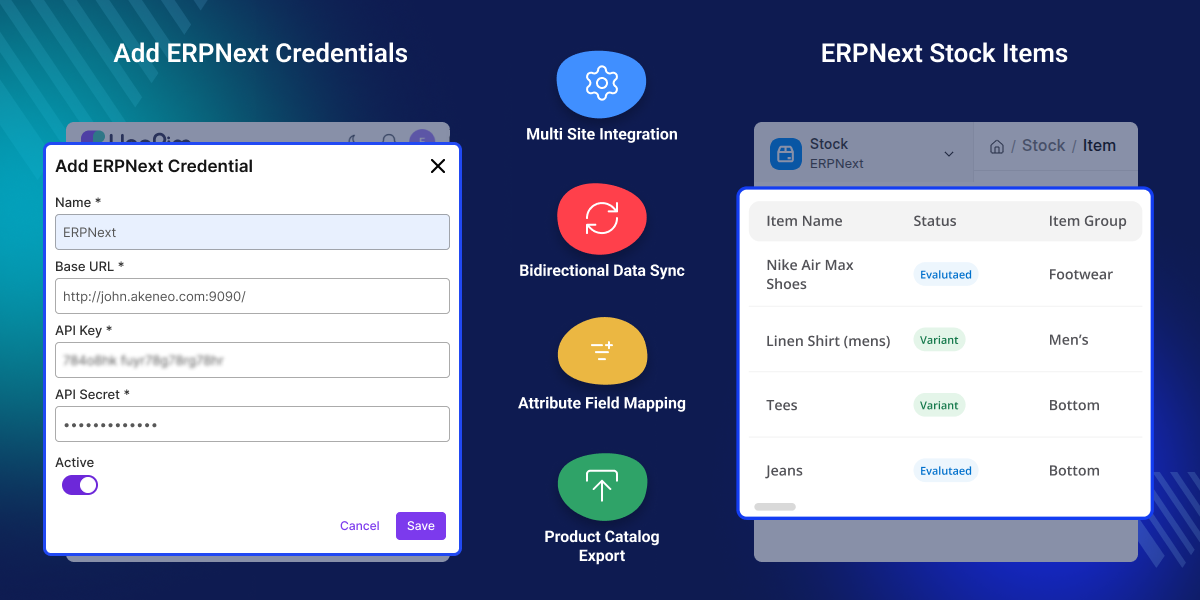
Highlighted Features of UnoPim ERPNext Connector
Multiple ERPNext Site Management
Connect multiple ERPNext or Frappe sites and switch between connections whenever needed.
Flexible Attribute Mapping
Map UnoPim attributes with ERPNext fields and assign fixed values during export.
Custom Field Sync
Synchronize custom fields and automatically create missing ERPNext fields.
Brand and Category Sync
Keep brands and categories synchronized while avoiding duplicate records.
Product Image Mapping
Transfer product images by mapping UnoPim media fields with ERPNext.
Import and Export Job Tracking
Track synchronization progress with logs and created, updated, or skipped records.
Two-Way Product Sync
Import and export products between UnoPim and ERPNext while keeping both systems updated.
Faster Product Data Management
Reduce manual updates and maintain consistent product information across both systems.
Why Do You Need UnoPim ERPNext Connector?
Many businesses manage product data in both UnoPim and ERPNext. Updating products, categories, brands, and attributes manually in both systems takes time and often leads to errors.
UnoPim ERPNext Connector automates product synchronization between both platforms. It supports products, categories, attributes, brands, images, custom fields, and media mapping while providing tracked synchronization jobs with detailed logs.
This helps businesses reduce manual work, improve data accuracy, avoid duplicate records, and keep product information consistent across UnoPim and ERPNext.
You may also like our UnoPim CS-Cart Connector, which connects UnoPim with CS-Cart for two-way synchronization of product data.
Use Cases
Synchronize Product Catalogs
Keep products updated between UnoPim and ERPNext without duplicate manual work.
Manage Large Product Catalogs
Synchronize thousands of products, categories, and attributes automatically.
Maintain Consistent Brand Data
Keep brand information synchronized across UnoPim and ERPNext.
Transfer Product Images
Move product images together with product information during synchronization.
Connect Multiple ERPNext Sites
Manage several ERPNext or Frappe installations from a single UnoPim platform.
Synchronize Custom Product Fields
Map custom attributes to ERPNext fields and keep business-specific data synchronized.
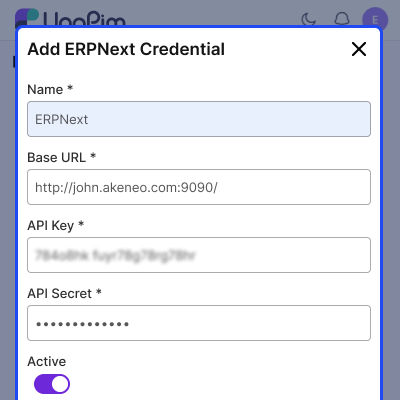
Manage Multiple ERPNext Connections
Connect multiple ERPNext or Frappe sites from one UnoPim installation. Switch between saved connections whenever needed without changing your product management workflow.
- Add multiple ERPNext site connections.
- Test the API connection before saving.
- Switch between saved ERPNext accounts.
- Manage all connections from one dashboard.
- Support ERPNext and Frappe sites.
- Save connection details for future sync jobs.
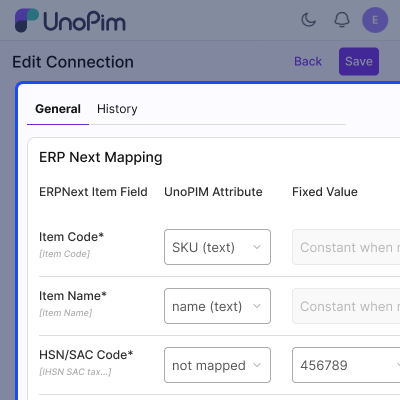
Attribute and Custom Field Mapping
Match UnoPim attributes with ERPNext item fields and custom fields. This ensures product information is transferred to the correct fields during every import and export.
- Map UnoPim attributes to ERPNext fields.
- Create ERPNext custom fields automatically.
- Add fixed values for export fields.
- Support standard and custom attributes.
- Reduce manual field mapping.
- Keep product data organized.
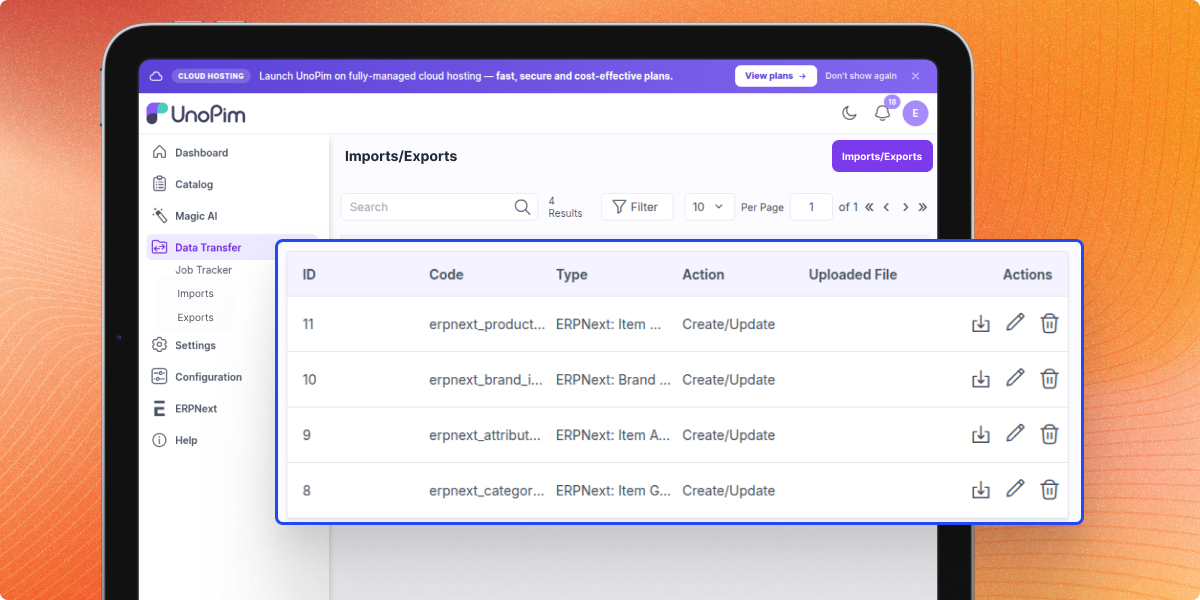
Import and Export Product Data
Move products, categories, attributes, brands, and images between UnoPim and ERPNext through tracked synchronization jobs. Every job displays its progress and completion status.
- Export products from UnoPim to ERPNext.
- Import ERPNext products into UnoPim.
- Sync categories and attributes.
- Transfer brand data between both systems.
- Sync mapped product images.
- Process data through tracked sync jobs.
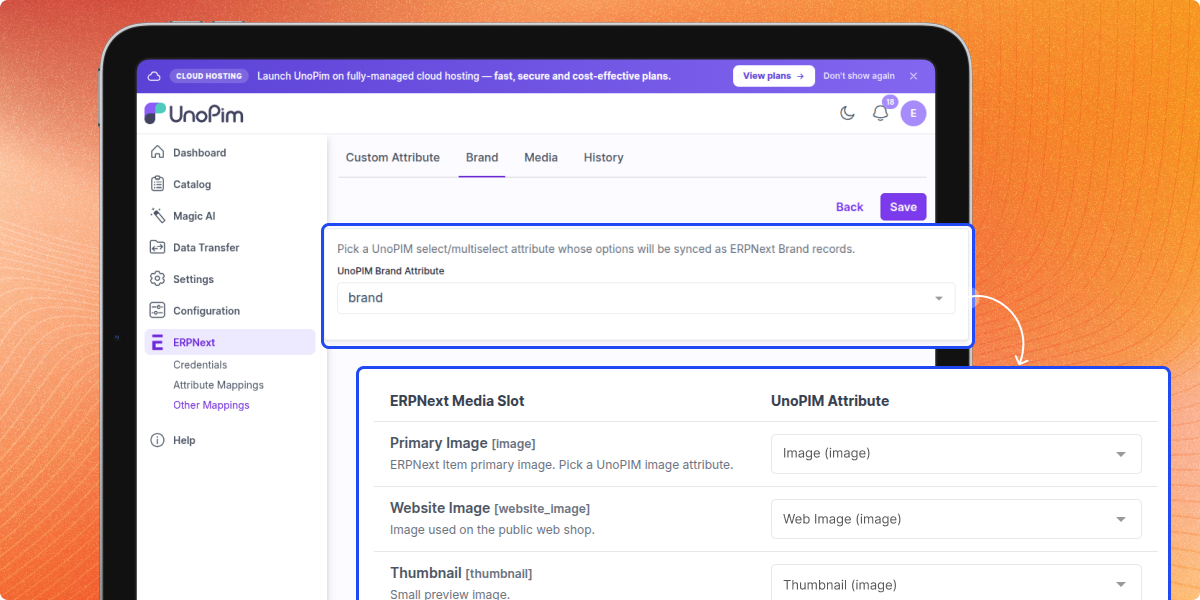
Brand and Media Synchronization
Synchronize brand information and product images using mapped fields. This keeps product records complete and reduces manual updates across both systems.
- Map UnoPim brand attributes.
- Sync ERPNext brand records.
- Map media fields for image transfer.
- Sync product images automatically.
- Keep brand data the same across systems.
- Reduce manual image updates.
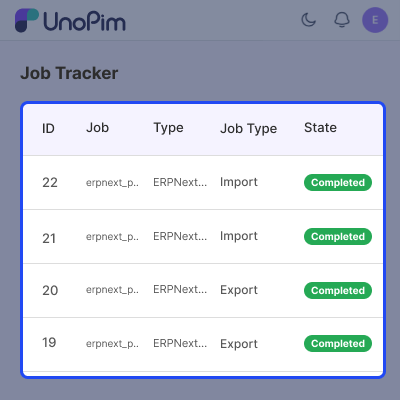
Job Tracking and Sync Monitoring
Every import and export runs as a tracked job with detailed progress information. View logs, monitor synchronization, and review created, updated, or skipped records from one place.
- View import and export progress.
- Check created and updated records.
- See skipped record counts.
- Access synchronization job logs.
- Monitor background sync jobs.
- Confirm completed data transfers.
Support
For any query or issue, please create a support ticket here http://webkul.uvdesk.com/. You may also check our all UnoPim Extensions.
Specifications
Frequently Asked Questions
Specification
Detailed technical features and requirements to help you understand the module’s capabilities and ensure smooth integration with your system.
Cloud Hosting
Detailed technical features and requirements to help you understand the module’s capabilities and ensure smooth integration with your system.
Move to Cloud Today
We’re partnered with top-tier, trusted providers!



Default Configuration Details of Server
RAM 1 Core
Processor 30 GB
Hard Disk
Database
Want to know more how exactly we are going to power up your eCommerce Website with Cloud to fasten up your store
* Server Configuration may vary as per application requirements.
Change Logs
- - Feature Add (+)
- - Feature remove (-)
- - Bug Fixed (!)
- - Modification (*)
- Added compatibility with UnoPim v3.0.
- Fixed configurable product import and export.
- Fixed brand import and export with products.
- Fixed compatibility with DAM.
- Fixed API Secret exposure in browser Developer Tools after saving credentials.
- Fixed duplicate credential creation with the same Base URL, API Key, and API Secret.
- Fixed category assignment during product import.
- + Initial Release
- + Added ERPNext connection support for configuring and managing multiple ERPNext site credentials.
- + Added connection management for individual ERPNext instances.
- + Added attribute mapping support.
- + Added custom attribute mapping support.
- + Added brand mapping support.
- + Added media mapping support.
- + Added product export from UnoPim to ERPNext.
- + Added product media export from UnoPim to ERPNext.
- + Added category export from UnoPim to ERPNext.
- + Added attribute export from UnoPim to ERPNext.
- + Added brand export from UnoPim to ERPNext.
- + Added product import from ERPNext to UnoPim.
- + Added category import from ERPNext to UnoPim.
- + Added attribute import from ERPNext to UnoPim.
- + Added brand import from ERPNext to UnoPim.
