Send Again
Close
WooCommerce AI Image & Semantic Search plugin provides the feature of searching for products through images and phrases to the customers. They can upload images of the product and the matching or relevant product results will be displayed.
Customers can also input Words and phrases to search for the products. Semantic search is used for the same. Natural Language Processing(NLP) and Vector Databases have been employed in this plugin. Thus, AI product search using images and text provides more accurate results.
If you also want to incorporate a chatbot to your WooCommerce store to answer product queries in real time then you can check the WooCommerce Chatbot using OpenAI.
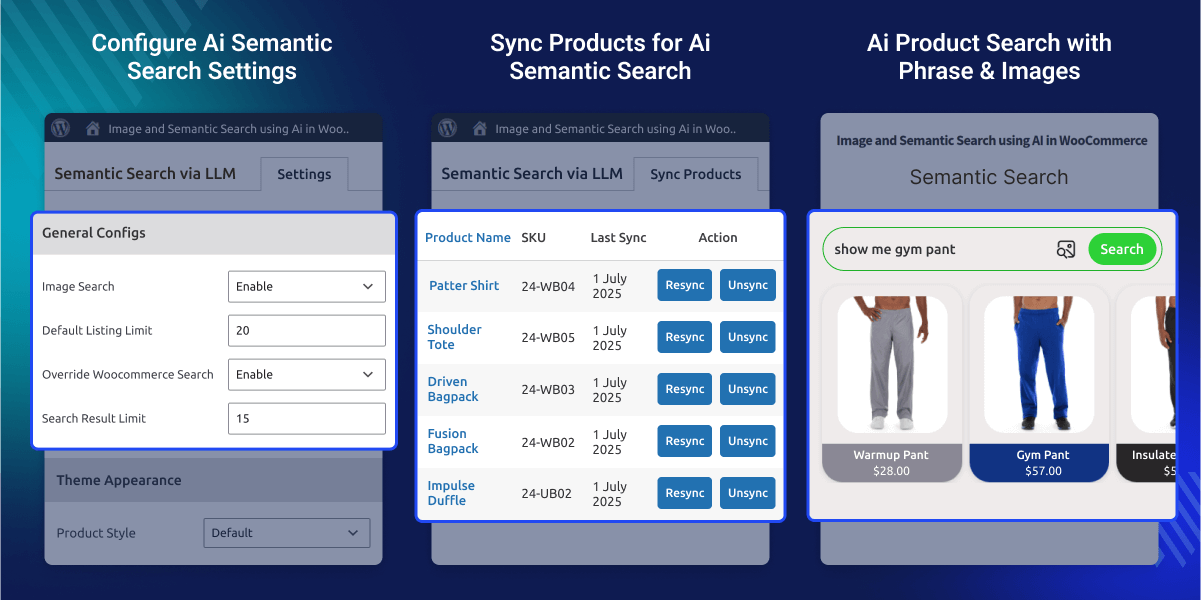
Ability to search products by uploading images.
Can search for products using text such as words and phrases.
The admin can customize the theme of the semantic search page.
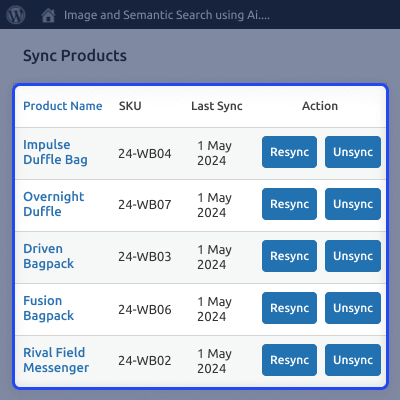
Products that need to be displayed through the semantic and image search can be synced and unsynced by the admin.
Admin gets the option to override the default search bar of the WooCommerce store to enable semantic search in it.
The admin backend configuration provides a bulk action button to sync and desync products.
WooCommerce AI Image & Semantic Search plugin is useful for store owners to incorporate as it uses the latest artificial intelligence technology. Implementing a product search feature that integrates images and phrases for relevant results will attract more customer attention.
The image and semantic search in this plugin utilizes Artificial Intelligence to display the search results. As customers are shifting towards using Artificial Intelligence more, integrating this plugin will increase store traffic and revenue.
Want to provide keyword suggestions as well to your customers based on the uploaded image? Then do check the WooCommerce Product Search Via Image.
After the successful installation of the plugin, the admin has to configure the plugin, in it they can set the following-
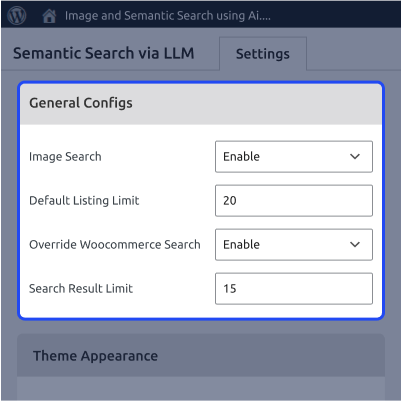
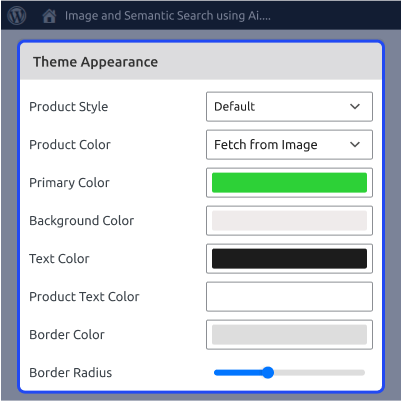
Admin can change the appearance of the theme as per their preference, they have various options available-
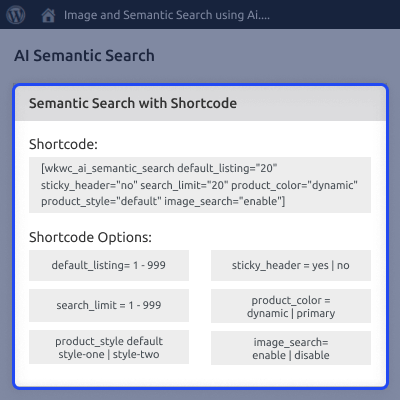
Necessary shortcode information is provided in the backend for the admin to properly setup the semantic search in their store-
A Sync products section is given where synced and unsynced products are displayed.
For any query or issue, please create a support ticket here http://webkul.uvdesk.com/
You may also check our quality WooCommerce Plugins.
Detailed technical features and requirements to help you understand the module’s capabilities and ensure smooth integration with your system.
Detailed technical features and requirements to help you understand the module’s capabilities and ensure smooth integration with your system.
We’re partnered with top-tier, trusted providers!
Want to know more how exactly we are going to power up your eCommerce Website with Cloud to fasten up your store
* Server Configuration may vary as per application requirements.



