USD
  • EUR
  • INR
  • USD
Cart
Cart 0
  • You have no items in your shopping cart.
    Cart
    Cart 0
    • You have no items in your shopping cart.
    Hire a Developer
    ×
    Contact Us!
    Send Again
    Close
    Please Login to Write Your Review

    WooCommerce POS Square Reader SDK Mobile

    WooCommerce POS Square Reader Integration enables in person payments using Square Readers directly in WooCommerce POS for fast, secure checkout.


    • Accept tap and chip payments via Square contactless reader.

    • Support swipe payments using Square magstripe reader.

    • Connect WooCommerce POS with Square payment flow.

    • Process in person payments directly within POS screen.

    • Real time payment sync with WooCommerce orders.

    • Secure transactions using official Square SDK.

    • Use mobile app to connect reader with POS system.

    • Set Square as default payment method for checkout.

    • Sandbox mode available for safe testing.

    • Reduce checkout time with faster payment flow.

    Screenshots
    WooCommerce POS Square Reader SDK Mobile WooCommerce POS Square Reader SDK Mobile WooCommerce POS Square Reader SDK Mobile WooCommerce POS Square Reader SDK Mobile WooCommerce POS Square Reader SDK Mobile WooCommerce POS Square Reader SDK Mobile WooCommerce POS Square Reader SDK Mobile
    Show More Hide All
    $199.00

    * Required Fields

    Add To Cart
    30 Days Refund*
    Lifetime Free Upgrade
    Only One Time Payment
    $199.00
    Configure and Buy
    • Description
    • Reviews
    • FAQ
    • Customers ()
    • Specifications
    • Cloud Hosting
    • Changelog

    WooCommerce POS Square Reader Integration lets businesses accept in person payments using Square devices within the Point of Sale for WooCommerce. It simplifies checkout by removing the need to switch between applications.

    The plugin supports Square Reader for contactless and chip (2nd generation) for tap and chip payments, along with magstripe for swipe transactions. POS payment SDK integration ensures secure and smooth processing.

    During checkout, staff select products and choose Square as the payment method. The request is sent to the Square Reader, where the customer completes the transaction.

    Payments are processed through Square’s official SDK, so sensitive card data is handled securely by Square and not stored in your WooCommerce POS system. After payment, the order updates automatically in WooCommerce.

    This integration is suitable for businesses using WooCommerce POS for fast, secure, and reliable in store or offline sales.

    You can also explore WooCommerce POS – Point of Sale Plugin for WooCommerce Store to create a complete in store checkout setup.
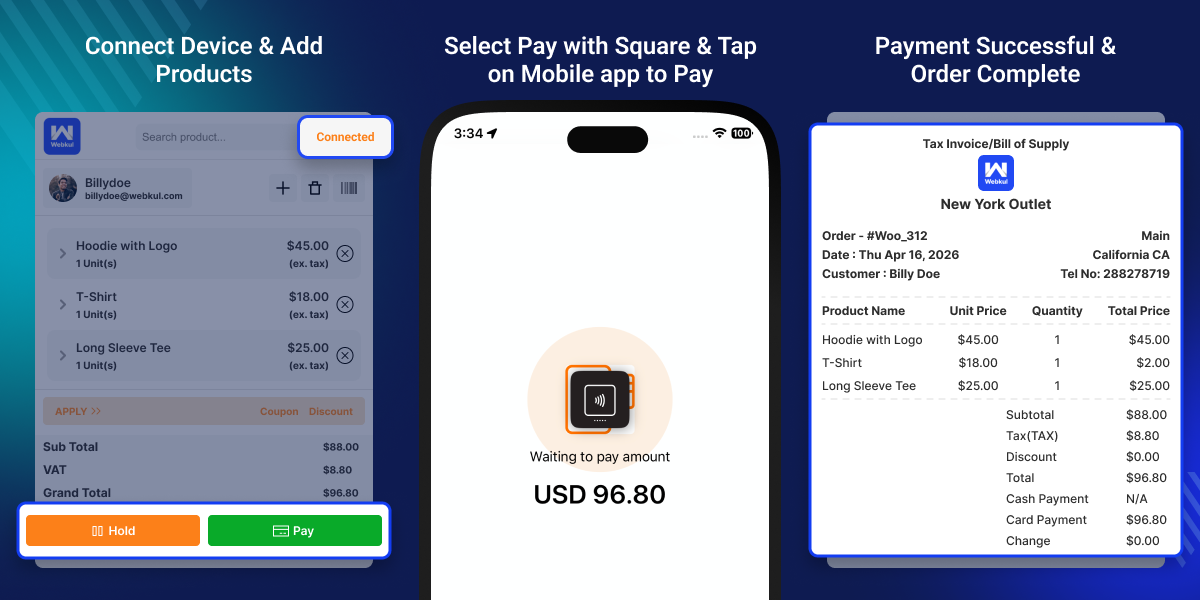
    WooCommerce POS Square Reader Integration

    Highlighted Features

     Accept Tap & Chip Payments

    Use Square Reader for contactless and chip payments within WooCommerce POS.

     Swipe Payments Support

    Accept swipe transactions using Square magstripe reader.

     Real Time Order Sync

    Automatically update WooCommerce orders after successful payment.

     Secure Payment Processing

    Process transactions safely using Square’s official SDK.

    Why Do We Need WooCommerce POS Square Reader Integration?

    WooCommerce POS does not include built in support for Square card readers. Businesses often rely on separate systems for in person payments.

    Switching between devices slows down checkout and can lead to errors. An integrated payment solution helps complete transactions within the same POS system.

    This plugin connects Square Readers directly with WooCommerce POS. It allows faster payments while keeping orders and transactions in sync. Payments are handled through Square, which reduces risks related to handling card data manually and improves transaction security.

    You can also use POS Barcode Inventory Management for WooCommerce to manage stock and speed up checkout.

    Use Cases

    This integration is useful for businesses that need fast and secure in store payment handling.

    •  Retail Stores

      Accept in person payments quickly using WooCommerce POS.

    •  Restaurants & Cafes

      Handle fast payments during busy hours with minimal delay.

    •  Pop Up Stores & Events

      Manage offline sales and mobile POS payments using Square Reader.

    •  Small Businesses

      Manage payments and orders together without manual syncing.

    Square Mobile SDK Configuration

    Used for setup and onboarding. It shows how the admin connects Square to woo.
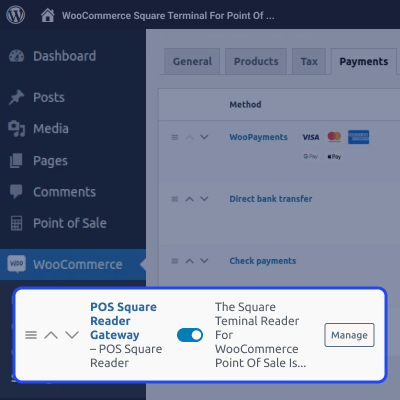
    • Connect Square account with woo store.
    • Setup using Square Reader SDK credentials from admin panel.
    • Configure mobile POS payment settings easily.
    • Quick onboarding for secure in-person mobile payments
    Payment Processing

    Square Dashboard & Order Sync

    Square dashboard helps track payments and keep order data synced between the Square mobile SDK and WooCommerce. It ensures accurate reporting and real-time visibility of transactions.
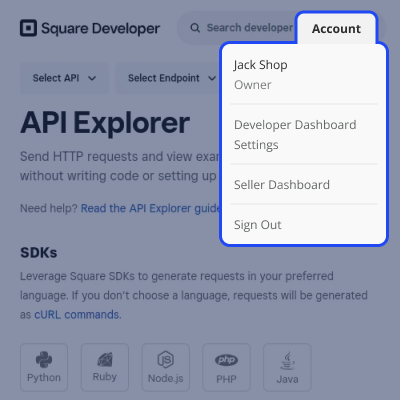
    • View Square payments in WooCommerce order history
    • Sync transactions between Square mobile SDK and store
    • Track payment status in real time
    • Maintain accurate and consistent order records
    Square Dashboard & Order Sync

    Mobile Card Payment Processing

    Process in-person payments using the Square mobile reader directly within WooCommerce POS. It supports multiple payment methods and keeps the checkout flow simple and secure.
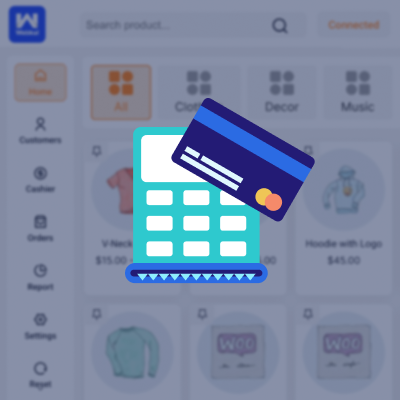
    • Accept payments using Square mobile reader
    • Supports tap, swipe, and chip payment methods
    • Secure in-person transaction handling via mobile POS
    • Works smoothly within WooCommerce Point of Sale flow
    Mobile Card Payment Processing

    Successful Payment Confirmation

    After a successful transaction, the system updates the order status and shows confirmation on the reader. This helps staff and customers complete the process with clarity.
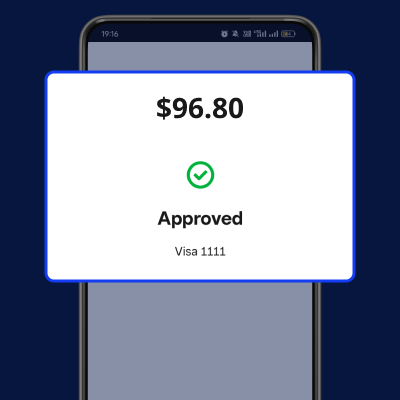
    • Displays successful payment confirmation on mobile reader
    • Order is completed instantly after transaction
    • Updates payment status automatically in WooCommerce
    • Provides clear confirmation for staff and customers
    Successful Payment Confirmation

    Support

    For any query or issue, please create a support ticket here http://webkul.uvdesk.com/

    You may also check our quality WooCommerce Plugins.

    Specifications

    Product Version1.0.0
    Released5 days ago
    Last UpdatedApril 28, 2026 (5 days ago)
    Supported VersionsWordPress  6.x.x  WooCommerce  10.x.x  
    Write a review

    Frequently Asked Questions

      Which Square devices are supported?
    It supports Square Reader for contactless and chip (2nd generation) and Square Reader for magstripe.
     
      Does the contactless reader support swipe payments?
    No, it supports only tap (NFC) and chip payments. Swipe transactions are supported separately through the Square magstripe reader.
     
      How does the payment flow work in POS?
    The POS sends a payment request to the reader, where the customer completes the transaction directly on the connected device.
     
      Is mobile app required for this plugin?
    Yes, the POS Square Reader SDK Mobile plugin for WooCommerce uses a mobile app to connect the Square SDK with WooCommerce POS seamlessly.
     
      Are payments synced with WooCommerce orders?
    Yes, all transactions are automatically updated in real time within WooCommerce, ensuring accurate order and payment synchronization.
     
      What happens if payment fails?
    The order stays open, allowing staff to retry the payment or choose an alternative payment method without losing the transaction details.
     
      Can I test the integration before using it live?
    Yes, sandbox mode is available to test payment flows, allowing you to simulate transactions safely before going live.
     
      Is WooCommerce POS required?
    Yes, this plugin works as an add-on and requires WooCommerce POS to function, enabling seamless integration with your existing point of sale setup.
     
      Is card data stored in WooCommerce?
    No, all sensitive payment data is processed by Square through its secure SDK. WooCommerce only stores the transaction result.
     
      Can it be used for mobile POS setups?
    Yes, it is designed for mobile POS setups, allowing payments on supported devices for flexible and efficient in store operations.

    Move to Cloud Today

    AWS Free tier hosting for one year by amazon web services, for more details please visit AWS Free Tier.

    GCP Free tier hosting for one year with 300 credit points by google cloud platform, for more details please visit GCP Free Tier.

    Azure free tier hosting for one year with 25+ always free services, for more details please visit Azure Free Tier.

    In our default configuration we will provide tremendous configuration for your eCommerce Website which is fast to load and response.

    Default Configuration Details of Server

    • 1 GB RAM
    • 1 Core Processor
    • 30 GB Hard Disk
    • DB with 1 GB RAM and 1 Core Processor

    * Server Configuration may vary as per application requirements.

    Want to know more how exactly we are going to power up your eCommerce Website with Cloud to fasten up your store. Please visit the Cloudkul Services.

    Get Started with Cloud
    • + Features
    • - Bugs
    Version 1.0.0
    • Initial Release


