Send Again
Close
Odoo Birthday Reminder (Employees) is an Odoo app that emails a birthday greeting to users and employees. It helps a company show staff that it cares about them beyond sales targets.
Admins create an event reminder in Odoo. They give it a name, pick who gets the wish, choose an email template, and set how many days early the greeting should go out.
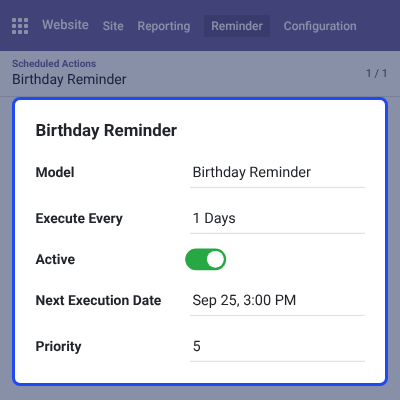
After that, no daily work is needed. The Birthday Reminder cron runs once every day and emails the greeting to each person whose birthday matches the reminder.
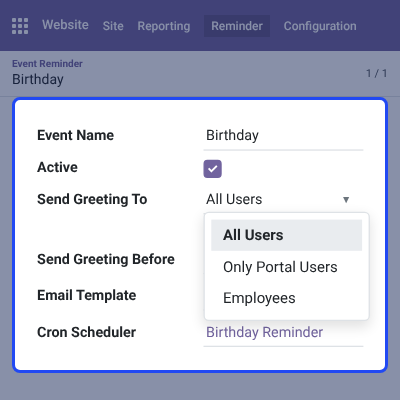
Recipients can be All Users, Only Portal Users, or Employees. Each reminder can be switched on or off, and it links to the email template and the cron it uses.
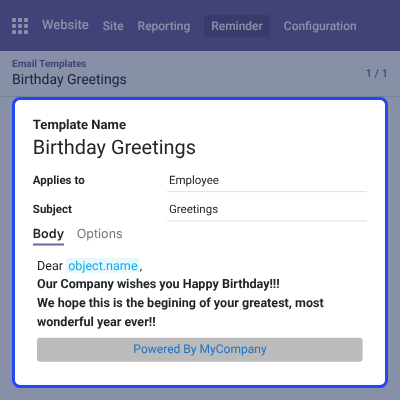
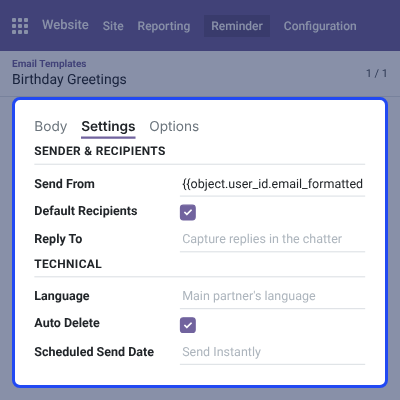
Admins can edit the greeting text, subject, sender, and options in the email template. They can also change the cron scheduler to suit the company routine.
This app depends on another module, so to use it you also need Odoo Website Birthday Reminder.
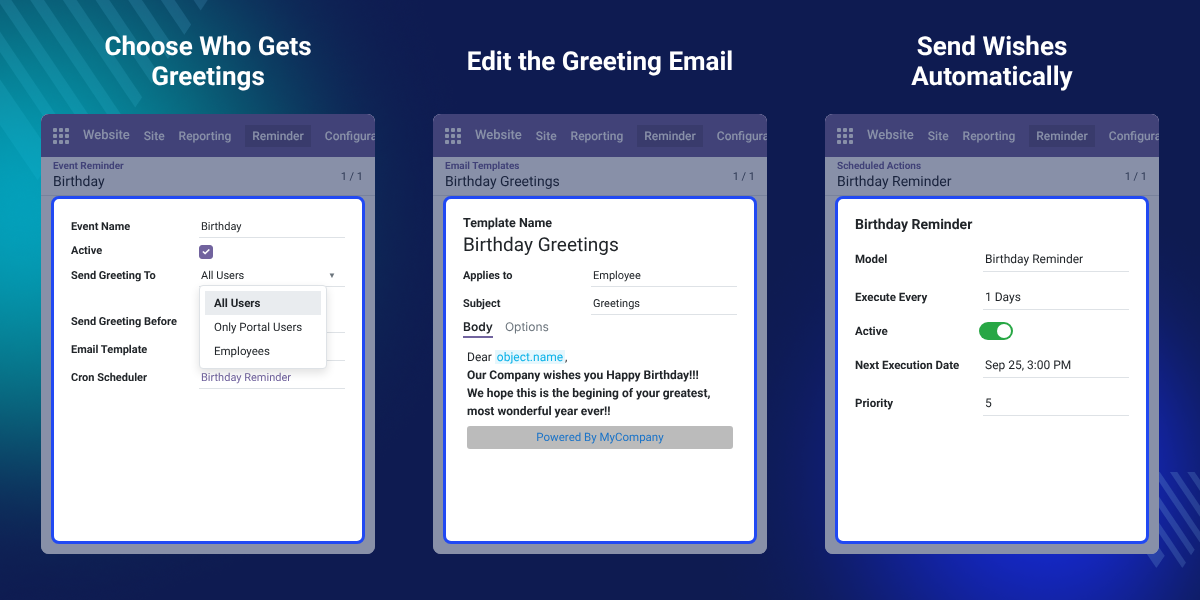
A cron scheduler runs every day and emails the birthday wish without any manual step.
Send wishes to All Users, Only Portal Users, or Employees from one dropdown field.
Set the Send Greeting Before value in days to email the wish before the actual date.
Change the Birthday Greetings template body, subject, sender, and options in Odoo.
Remembering a birthday is a simple way to show staff that they matter. Good workplace ties build trust, reduce conflict, and help people feel they belong.
Odoo does not send birthday wishes by default. Someone has to track dates, write each email, and remember to send it on the right day. Dates get missed as the team grows.
This app moves that work to Odoo. Admins set up an event reminder once, and the daily cron sends the birthday greeting email to the chosen group.
A small detail matters here: Send Greeting Before takes a number of days. The demo Birthday reminder uses 5, so its greeting goes out five days before the actual date.
Also, if you want to recognize staff for their work, you can check our extension Odoo Employee Reward System.
HR teams set Send Greeting To as Employees so every staff member gets a birthday email.
Companies pick Only Portal Users to send wishes to the people who use the Odoo portal.
Admins choose All Users when every Odoo user account should receive the birthday greeting.
Teams set a few days in Send Greeting Before so the wish arrives before the birthday.
An event reminder holds the rules for one greeting. Admins open it from Website > Reminder > Birthday Reminder and click New to add one.
The Event Reminder list shows each reminder with its Event Name and Send Greeting To value.
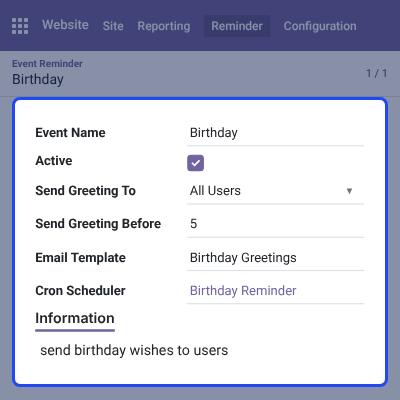
The Send Greeting To field decides which people get the birthday email. Admins pick one option per event reminder.
Also, if you want each employee to have a profile page on your website, you can check our extension Odoo Employee Profile Page.
The Birthday Greetings template holds the email each person receives. Clicking the Email Template field opens the template page, where admins can edit it.
Additionally, if you want managers to review staff performance in Odoo, then check Odoo Employee Evaluation Management.
The template also carries the email configuration and advanced settings. Admins can change who the greeting comes from and how Odoo handles it.
The Birthday Reminder cron sends the greetings on its own. Clicking the Cron Scheduler field on a reminder opens its details page.
The cron runs every day, so no birthday is skipped. Admins can modify it when needed.
For any query or issue please create a support ticket here http://webkul.uvdesk.com
You may also check our other top-quality Odoo Extensions.
Detailed technical features and requirements to help you understand the module’s capabilities and ensure smooth integration with your system.
Detailed technical features and requirements to help you understand the module’s capabilities and ensure smooth integration with your system.
We’re partnered with top-tier, trusted providers!
Want to know more how exactly we are going to power up your eCommerce Website with Cloud to fasten up your store
* Server Configuration may vary as per application requirements.



