USD
  • EUR
  • INR
  • USD
Cart
Cart 0
  • You have no items in your shopping cart.
    Cart
    Cart 0
    • You have no items in your shopping cart.
    Hire a Developer
    ×
    Contact Us!
    Send Again
    Close
    Please Login to Write Your Review

    Digipin for WooCommerce

    Digipin for WooCommerce lets store owners link Digipin to the checkout for accurate location tagging. Customers can add billing or current addresses, and view the Digipin code in order details for easy tracking.


    • Admin can enable or disable Digipin features from the backend.

    • Customers can select a preferred location during checkout.

    • Customers can add a location based on billing address or current location at the checkout page.

    • Digipin code is displayed in the order confirmation, order summary, and order details sections.


    Screenshots
    Digipin for WooCommerce Digipin for WooCommerce Digipin for WooCommerce Digipin for WooCommerce Digipin for WooCommerce Digipin for WooCommerce
    Show More Hide All
    $99.00

    * Required Fields

    Add To Cart
    30 Days Refund*
    Lifetime Free Upgrade
    Only One Time Payment
    $99.00
    Configure and Buy
    • Description
    • Reviews
    • FAQ
    • Customers ()
    • Specifications
    • Cloud Hosting
    • Changelog

    Digipin for WooCommerce helps store owners improve their checkout process. It adds a smart way to collect accurate location details from customers. With better location tagging, businesses can process orders more efficiently.

    The plugin allows customers to add a location using their billing address or current location. They can do this directly on the checkout page. It also gives customers the option to manually set a preferred location.

    Store admin has full control over the plugin settings. They can enable or disable Digipin feature from the backend at any time. This gives flexibility to manage how the location tagging is used.

    Once a customer places an order, the Digipin code is shown in the order summary and details section. This makes it easy to track and verify the order’s destination. It adds transparency to the checkout experience for both store owners and customers.

    Apart from this, you can also check the Store Pickup Locator for WooCommerce which allows admin to create and allocate products to different physical stores.
    Digipin for WooCommerce

    Highlighted Features of Digipin for WooCommerce

     Smart Location Tagging

    Get exact customer locations at checkout for smoother deliveries.

     Easy Admin Settings

    Control Digipin features with a simple backend option.

     Manual Location Choice

    Buyers can set their location on the checkout page.

     Billing or Current Location

    Use billing address or live location to create Digipin.

     Order Tracking Info

    Digipin code shows up in order summary and details.

     Fits with WooCommerce Checkout

    Works smoothly with the default WooCommerce flow.

    Why Do We Need Digipin for WooCommerce?

    Digipin for WooCommerce helps improve delivery by collecting correct location data during checkout. It lowers the risk of wrong addresses and missed deliveries.

    Many stores face issues due to bad location details. This plugin lets buyers use their current or billing address easily. It gives store owners more control over tracking and delivery. Customers enjoy a clear and reliable shopping experience.

    Additionally, if you require a shipping method for your store, then you can check Shiprocket Shipping for WooCommerce.

    Digipin Setup Settings

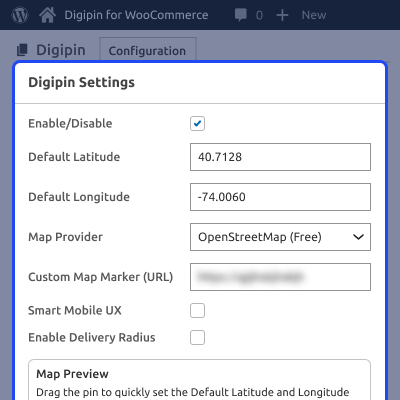
    After installing the plugin, the admin must configure it. Here's what they can do:

    • Use a checkbox to turn the Digipin feature on or off.
    • Click the “Save Changes” button to apply the settings.
    • Quickly control if the feature is active or not.
    Digipin Setup Settings

    Location at Checkout

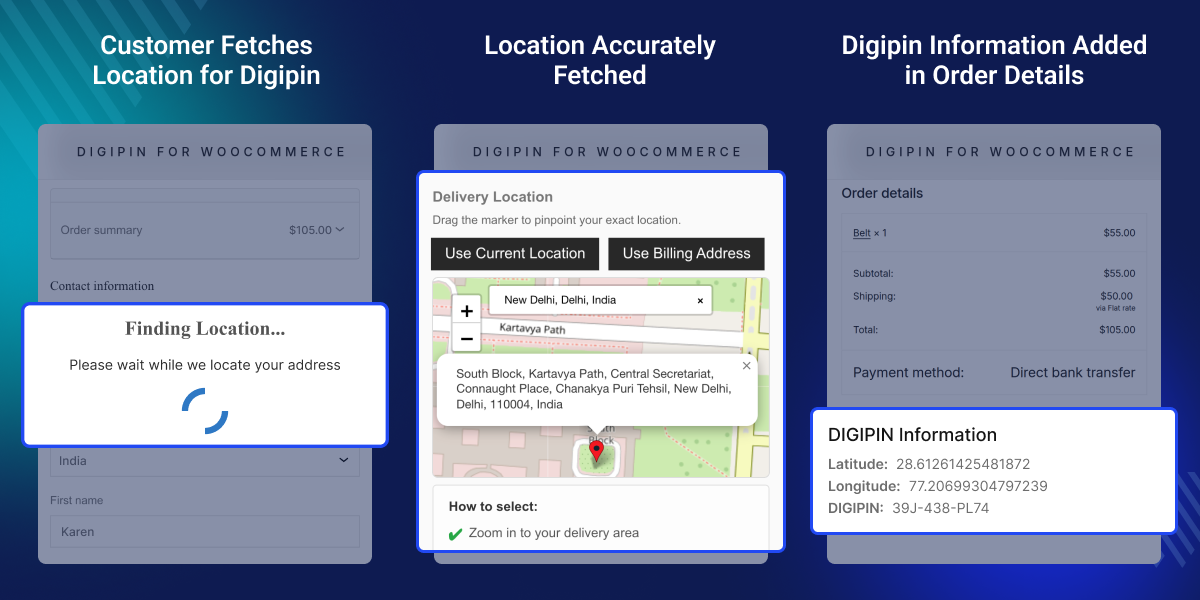
    After adding a product and going to checkout, customers can use Digipin to set their location:
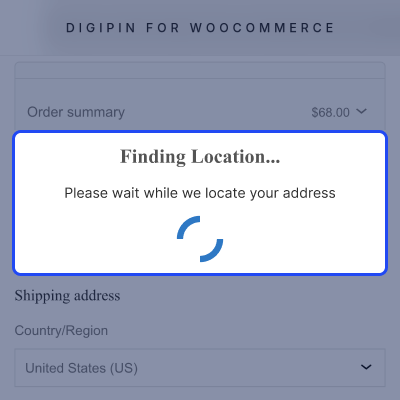
    • Use live location to get Latitude, Longitude, and Digipin.
    • Or use the billing address to create a Digipin automatically.
    • A warning will appear if the address is not filled in properly.
    • A "Place Order" button is available once the location is set.
    Location at Checkout

    Digipin in Order Details

    After the order is placed, both admin and customer can see the location info:
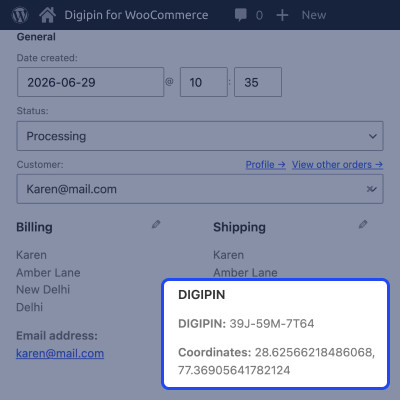
    • Admin can view the Digipin, Latitude, and Longitude.
    • Customers can also see this in their order section.
    • This makes it easy to track the delivery.
    Digipin in Order Details

    Support

    For any query or issue, please create a support ticket here http://webkul.uvdesk.com/

    You may also check our quality WooCommerce Plugins.

    Specifications

    Product Version1.0.1
    Released7 months ago
    Last UpdatedMarch 13, 2026 (11 days ago)
    Supported VersionsWordPress  6.x.x  WooCommerce  10.x.x  
    Write a review
     What is Digipin for WooCommerce?
    It's a plugin that helps collect the customer's exact location during checkout using Digipin.
     
     Can customers pick their location during checkout?
    Yes, they can use either their billing address or current location.
     
     Where is the Digipin code shown after an order?
    It’s shown in the order summary and details, for both admin and customer.
     
     Can admin control the Digipin feature?
    Yes, admin can turn it on or off using a checkbox in the backend.
     
     What happens if the customer skips the address?
    A warning popup shows up to help fix the address before placing the order.

    Move to Cloud Today

    AWS Free tier hosting for one year by amazon web services, for more details please visit AWS Free Tier.

    GCP Free tier hosting for one year with 300 credit points by google cloud platform, for more details please visit GCP Free Tier.

    Azure free tier hosting for one year with 25+ always free services, for more details please visit Azure Free Tier.

    In our default configuration we will provide tremendous configuration for your eCommerce Website which is fast to load and response.

    Default Configuration Details of Server

    • 1 GB RAM
    • 1 Core Processor
    • 30 GB Hard Disk
    • DB with 1 GB RAM and 1 Core Processor

    * Server Configuration may vary as per application requirements.

    Want to know more how exactly we are going to power up your eCommerce Website with Cloud to fasten up your store. Please visit the Cloudkul Services.

    Get Started with Cloud
    • + Features
    • - Bugs
    Version 1.0.1
    • Fixed: Minor issues.
    Version 1.0.0
    • Initial Release