Send Again
Close
Odoo Medivora is an Odoo website theme that turns the Website and eCommerce apps into a multi-specialty clinic or day-hospital site. It centres the site on booking an appointment.
As an Odoo medical theme, it ships content as well as styling. After activation, the Home page opens with an appointment hero, an emergency strip, a departments matrix, a consultant roster, health packages, and a pharmacy block already in place.
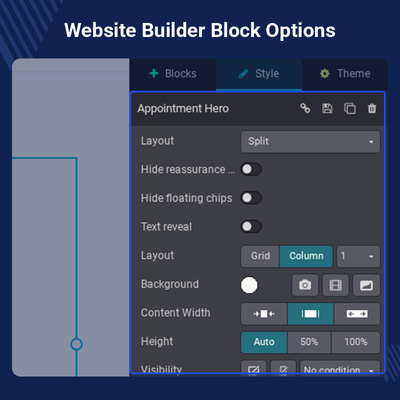
Site owners edit everything from the Website Builder. A Medivora group in the block list holds 16 blocks, and each one has its own options panel for layout, spacing, and visibility.
Medivora uses the standard Odoo website form block as its appointment form. Fields, recipient email, and thank-you page are changed from the usual Form panel, so the theme adds no extra models or controllers.
Medivora depends on Website Sale, Website Sale Wishlist, Website Sale Comparison, Website Sale Stock, and Auth Signup. It is activated from the website theme selector, like any other Odoo theme.
Additionally, if you want patients to book timed slots with a calendar, you can pair it with Odoo Website Appointment Management System.
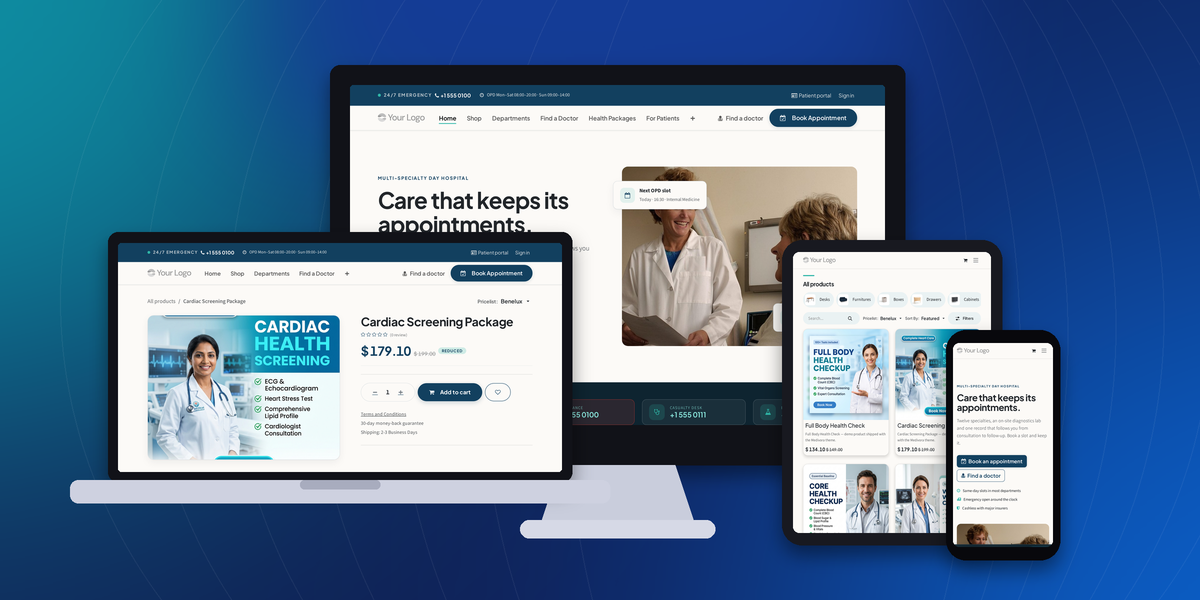
Open the Home page with a booking-first hero. Choose Split, Centered, Full width, or Compact band from the block options.
Present twelve specialties in rows with what each treats, consulting days, and where to find it. Cards and Compact rows are also available.
Show each doctor with a portrait, qualifications, languages, years in practice, and the next free slot.
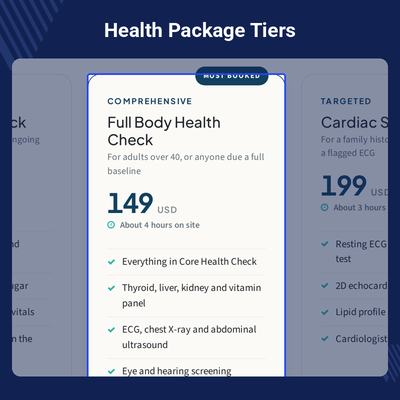
Display check-up tiers with price, duration, and included tests. Switch the layout to Three tiers, Comparison rows, or Flat columns.
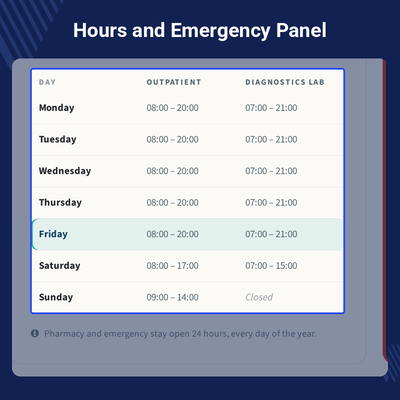
Publish outpatient and diagnostics hours in a table next to an emergency panel with the hotline number.
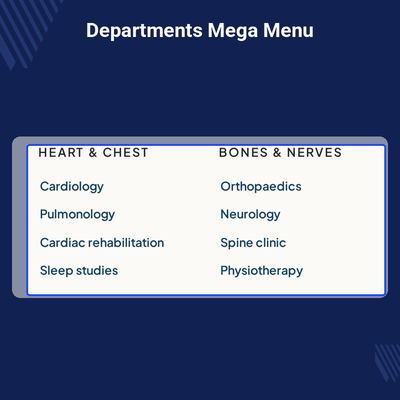
Use the Departments, Patient Care, or Centres mega menu. The Departments menu item ships already set up.
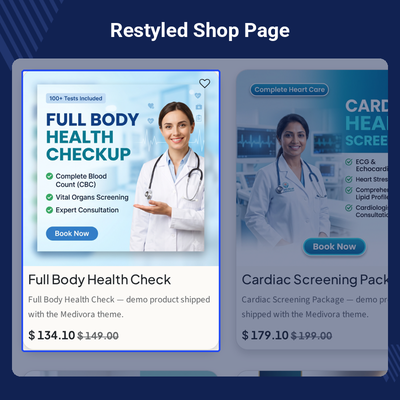
Restyle the shop, product page, customer account, and contact page, each with a Soft, Outline, or Bold Theme style.
Show hospital pharmacy items with the Liquid Glass Medicines display template for the Products block.
Patients visit a hospital website to learn which department, which doctor, what hours, and how to book. A general-purpose theme leaves a clinic to build those pages from generic blocks.
The standard Odoo Website app gives you pages and blocks. It has none made for departments, rosters, opening hours, or check-up tiers. Each one must be designed and styled by hand.
Medivora supplies those blocks, placed on eight pages and styled in one palette. Staff replace the sample names, hours, and prices instead of designing layouts.
Patients get a calm site with the Book Appointment button always in the header. The clinic gets one form that sends requests to the usual website form recipient.
Odoo adds the Department, Preferred date, Preferred time, and Existing patient answers to the form message. The front desk sees them without a custom model.
Also, to let visitors save medicines and packages for later, you can check our module Odoo Website Advanced Wishlist.
List twelve departments and their consultants so patients find the right doctor before they call.
Take appointment requests online and show hours and emergency numbers on every visit.
Sell fixed-price screening packages as Odoo products, with tiers shown on the Health Packages page.
Show pharmacy items in a dedicated block and let patients order them through the shop.
Use the For Patients page, patient pathway, and FAQ blocks to explain visits, billing, and reports.
An Appointment Hero opens the Home page with a headline, two buttons, and three assurance lines. The Appointment Request block carries the booking form on the Book Appointment page.
Both are edited from the Website Builder, so the clinic changes the wording, buttons, and form fields without touching any code.
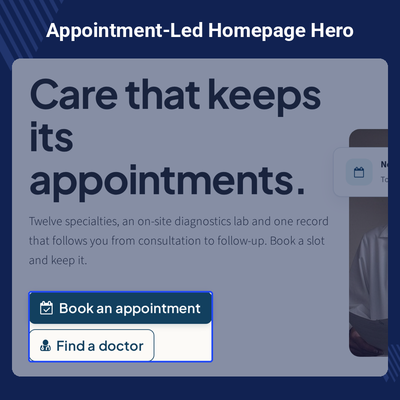
Twelve specialties sit in one Departments Matrix table. Patients see what each department treats before they book.
Clinics keep the layout that suits their size and edit every row in place. To run several clinic sites from one database, see Odoo Multi Website.
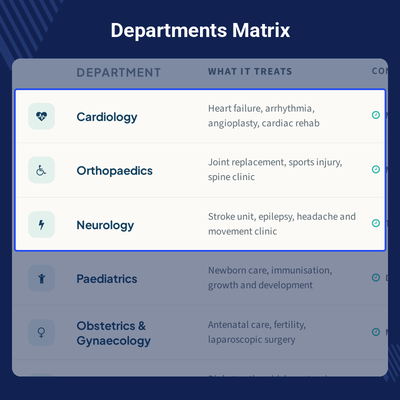
Each consultant appears as a card in the Doctor Roster. Patients book with a named doctor, not just a department.
It also works as a directory with larger portraits. For timed slots with each doctor, check Odoo Booking & Reservation Management.
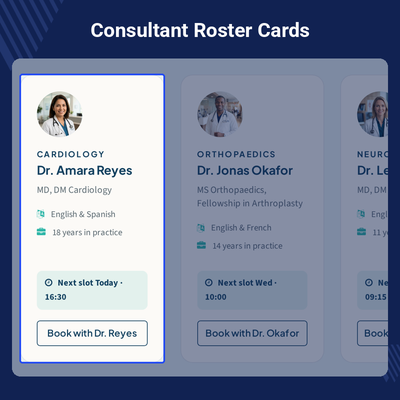
Screening tiers sit side by side in the Health Packages block. Each tier names its price, duration, and tests, with a flag for the most booked package.
The Featured Health Packages display template also fills the core Products block from your product catalog. Patients who want to weigh two packages can use Odoo Website Product Compare.
Hours and Emergency puts the weekly timetable next to a dark emergency panel with the hotline. Patients see when the outpatient desk and the lab are open.
It can also be used as a slim strip when the page needs less height.
Medivora ships two headers, two footers, and three mega menu templates. The Care Bar header adds an emergency utility band above the main menu.
Site owners switch between versions in the Website Builder, with no change to the pages.
Medivora restyles the Odoo eCommerce pages so health packages and pharmacy items match the rest of the site. Prices, variants, and checkout still come from Odoo.
Medivora changes appearance only, so the standard product options still work. Pharmacy items can also carry questions and answers with Odoo Product FAQ.
Every Medivora block sits in its own Medivora group in the Website Builder. Each has an options panel, so staff change layouts without code.
The palette and fonts are set in the Theme tab, so one change updates the whole site.
For any query or issue, please create a support ticket here CREATE A TICKET HERE
You may also check our other top-quality Odoo Apps
Detailed technical features and requirements to help you understand the module’s capabilities and ensure smooth integration with your system.
Detailed technical features and requirements to help you understand the module’s capabilities and ensure smooth integration with your system.
We’re partnered with top-tier, trusted providers!
Want to know more how exactly we are going to power up your eCommerce Website with Cloud to fasten up your store
* Server Configuration may vary as per application requirements.



