Send Again
Close
Odoo Zoho Inventory Connector connects Odoo ERP with Zoho Inventory. This automates the import and export of products, orders, customers, and stock between both platforms. On the import side, you stay in control of what comes into Odoo.
Pull all records at once, choose specific IDs, or import only orders placed after a set date. Every order that comes in is linked to the right customer, with full order details, including taxes, shipping, and payment. However, product and category updates also flow from Odoo to Zoho.
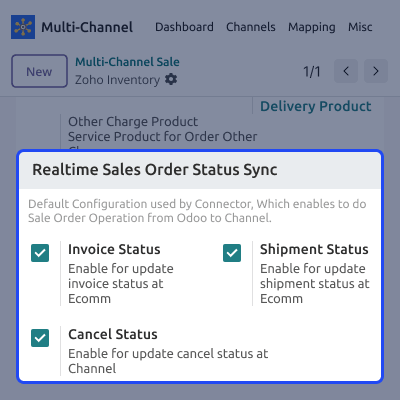
This enables users to export and update product and category data, keeping both platforms in sync. Order statuses can also be mapped between the two systems. So a status change in Zoho is correctly reflected across your Odoo sales order stages every time. Cron jobs take care of the repetitive tasks. It enables users to schedule recurring imports and exports in auto mode without daily manual intervention.
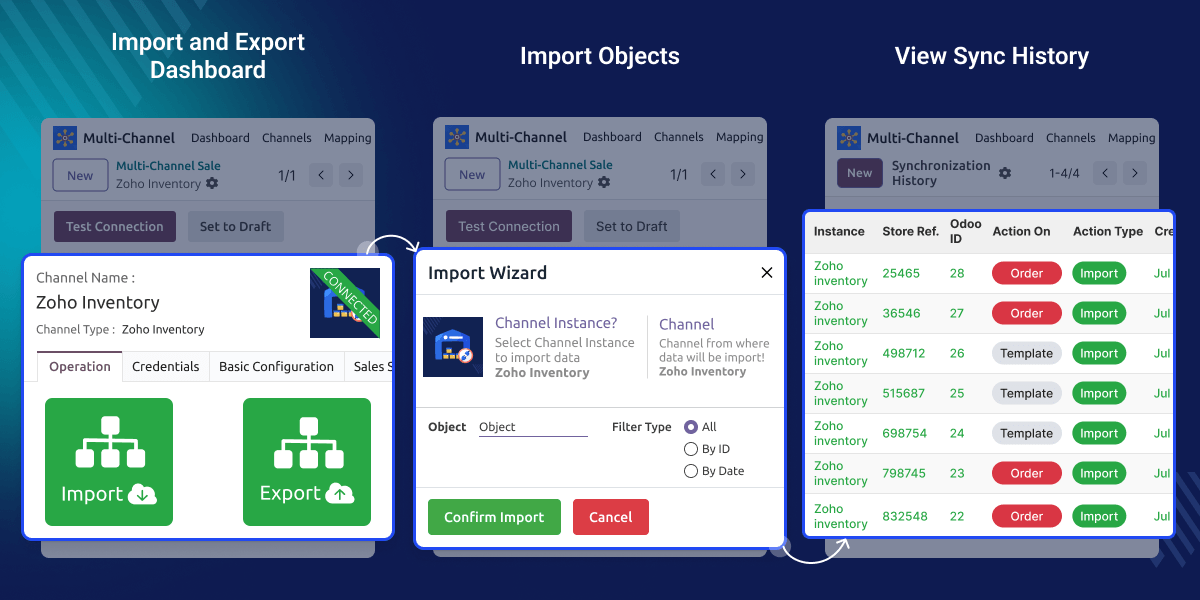
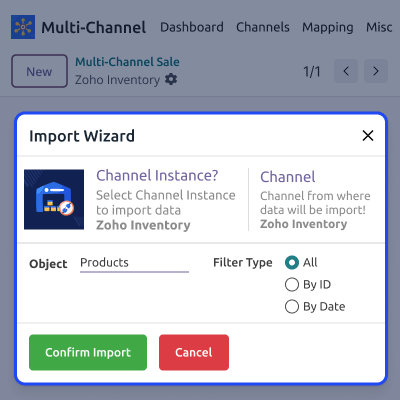
Bring in Products, Categories, Customers, and Orders using All, By IDs, or By Date filters.
Export and update Products and Categories from Odoo back to Zoho without duplicate entries.
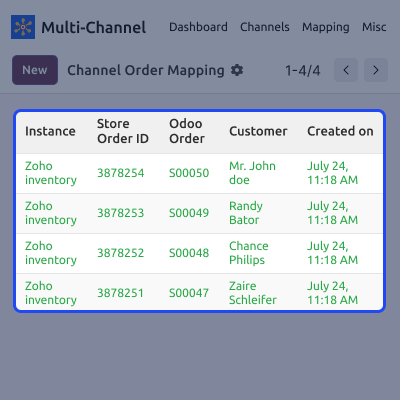
Every imported order is automatically matched and linked to its correct Odoo customer record.
Pull products, taxes, shipping, payment details, and status together in a single order import.
View import and export data sync history and track whether the data is synced successfully or showing any error.
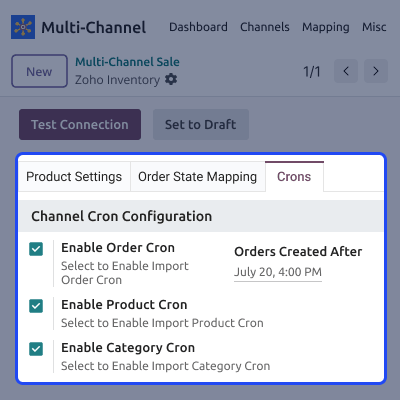
Set cron jobs to keep products, categories, customers, and orders synced at a set date and time.
Most default ERP and inventory setups were never designed to communicate with each other. This leads teams to update stock counts twice and copy orders by hand. The manual work slows order processing and leaves room for costly mistakes, such as selling stock that is already gone in one of the two systems. Odoo Zoho Inventory Connector closes that gap with an automated, scheduled sync between the two platforms.
This helps provide your team with one accurate picture of the stock. With this module in practice, the teams report fewer stockouts and far less time spent on maintaining data accuracy. Additionally, to connect Zoho CRM with Odoo, you can use Odoo Zoho CRM connector.
This module works in dependent on Odoo Multichannel Sale. You need to install Odoo Multichannel sale for Odoo Zoho Inventory Connector.
If you use Odoo Online (SaaS), you need Odoo.sh tool because Odoo Online (SAAS) does not allow third party software to be installed on its platform
A retailer selling through Zoho and an Odoo-run multi-website keeps stock counts identical everywhere, avoiding overselling during peak traffic.
A distributor managing bulk orders in Zoho gets every order, customer, and shipping detail automatically mirrored in Odoo for fulfillment.
A business running several warehouses syncs stock across locations, so each channel always reflects the correct available quantity.
Keep your product catalog aligned across Odoo and Zoho without any manual effort to update data across the platforms.
Every order that arrives from Zoho gets processed with the right customer, with full details attached in Odoo.
Get connected in minutes and let scheduled jobs handle the recurring work afterward. Saving time and reducing the team's dependency.
Choose exactly how stock numbers move from Odoo to Zoho, down to the warehouse level.
For any query or issue, please create a support ticket here CREATE A TICKET HERE
You may also check our other top-quality Odoo Modules.
Detailed technical features and requirements to help you understand the module’s capabilities and ensure smooth integration with your system.
Detailed technical features and requirements to help you understand the module’s capabilities and ensure smooth integration with your system.
We’re partnered with top-tier, trusted providers!
Want to know more how exactly we are going to power up your eCommerce Website with Cloud to fasten up your store
* Server Configuration may vary as per application requirements.



