Send Again
Close
Managing WooCommerce data manually takes time and effort. WooCommerce Advanced Import Export helps you handle products, orders, and customers in bulk using simple files or automated data sources.
You can import products from CSV, Excel, or APIs and export WooCommerce data anytime. It supports all major data formats and works well even with large files and thousands of records.
The plugin is useful for store owners who update inventory, prices, or product details regularly. Instead of editing each product, you can perform a WooCommerce bulk product update in one go.
It also helps when moving data from other platforms like Shopify or Magento. With ready formats and mapping options, migration becomes simple and structured.
Automation features allow you to schedule imports and exports. This helps keep your store synced with suppliers, Google Sheets, or external systems without manual work.
With built-in preview and rollback, you stay in control. You can check changes before applying them and undo anytime if needed, making bulk operations safe and reliable.
Additionally, if you want to simplify bulk purchasing and enable fast order placement using SKUs or product lists, you can also check the Quick Order Plugin for WooCommerce.
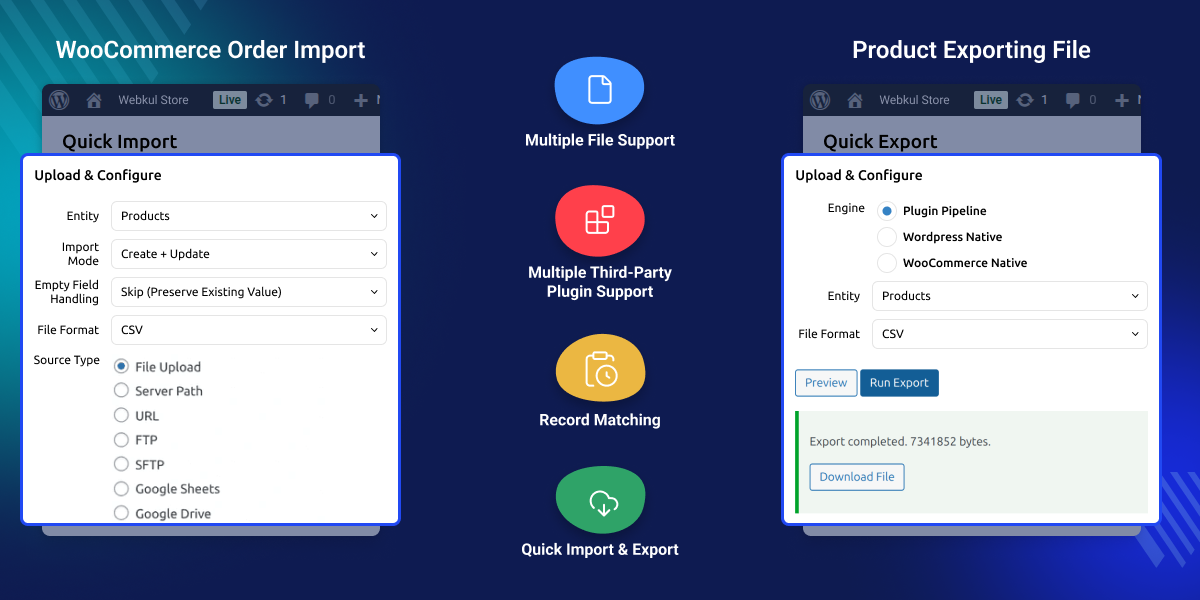
Import and export products, orders, customers, coupons, and more in bulk with ease.
Work with CSV, Excel, XML, JSON, and Google Sheets without format limitations.
Map any file column to WooCommerce fields with a simple drag-and-drop interface.
Set up cron-based jobs to run imports and exports automatically at set intervals.
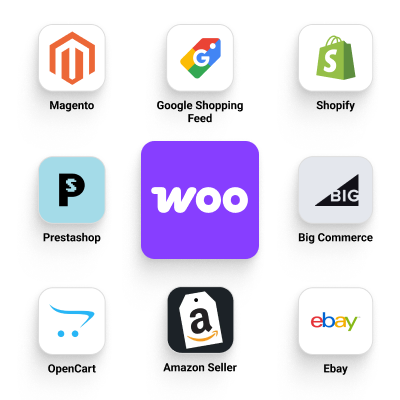
Import data from Shopify, Magento, eBay, and more using pre-built formats.
Handle thousands of products quickly without slowing down your store performance.
Update only changed records to save time during repeated imports.
Check what will be created, updated, or skipped before applying changes.
Undo any import instantly and restore your previous data safely.
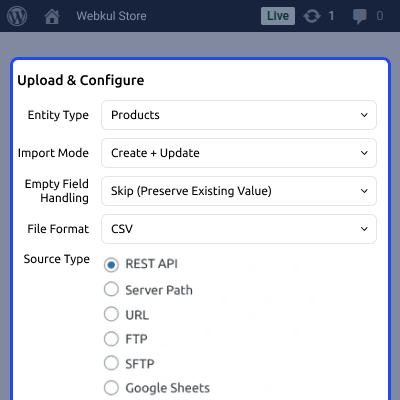
Fetch data from FTP, APIs, cloud storage, or direct file uploads.
Works with subscriptions, bookings, SEO plugins, and custom fields seamlessly.
Managing a growing WooCommerce store becomes difficult when data increases. Adding or updating products, orders, or customers manually is slow and not practical for large catalogs.
The default WooCommerce import export options are limited. They work for basic tasks but do not support automation, complex data handling, or integration with external sources.
Store owners often need to update prices, sync supplier data, or migrate from platforms like Shopify or Magento. Doing this manually leads to delays and increases the risk of errors.
A bulk import export plugin helps handle all these tasks in one place. You can update large datasets, automate workflows, and keep your store data consistent without repetitive effort.
Designed for real business use, it gives you control with features like validation, preview, and rollback. This ensures your data operations are accurate, safe, and reliable.
You can streamline supplier purchases and automate your procurement workflow using the Purchase Order for WooCommerce, making inventory replenishment and order management more efficient.
These use cases show how WooCommerce import export helps manage store data efficiently and reduces manual effort.
Import hundreds or thousands of products at once when setting up a new WooCommerce store.
Update stock and pricing in bulk using supplier files or internal spreadsheets.
Move products, customers, and orders from Shopify, Magento, or other platforms easily.
Download product, order, or customer data for accounting, reporting, or audits.
Keep your store data updated by connecting with Google Sheets, APIs, or cloud sources.
Handle stores with thousands of products without manual editing or performance issues.
Importing and exporting products in bulk helps you manage large catalogs without manual effort. You can add, update, or download thousands of products in a single process. This is useful for store setup, catalog updates, or sharing product data with suppliers and partners. It reduces time spent on repetitive tasks and improves data accuracy.
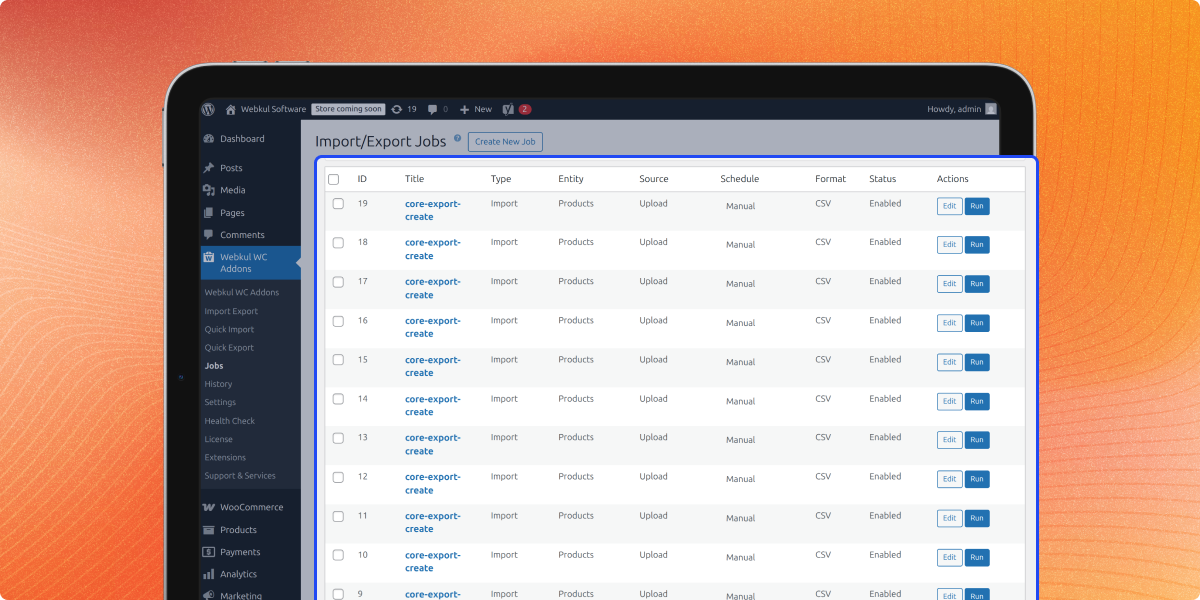
Manually running imports and exports regularly can be time-consuming. With scheduling, you can automate these tasks and keep your store data updated without constant effort.
This is useful for stores that rely on supplier feeds, daily price updates, or regular data syncing with external systems like Google Sheets or APIs.
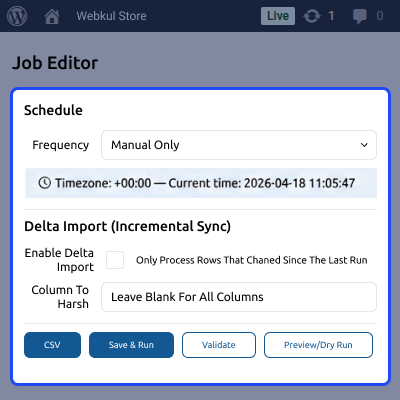
Moving your store from another platform to WooCommerce can be complex. This feature helps you import products, customers, and orders in a structured way without losing important data.
It is useful when switching from platforms like Shopify, Magento, or others. You can transfer large datasets quickly while keeping product details, categories, and relationships intact.
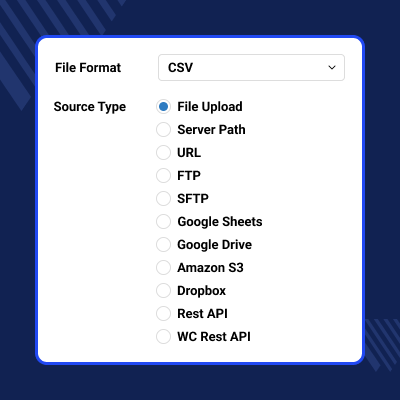
Import files often come in different formats and structures. This feature lets you map any column from your file to the correct WooCommerce field without changing the source file.
It is useful when working with supplier feeds, custom CSV files, or data from other systems. You can clean, format, and adjust data during import to match your store requirements.
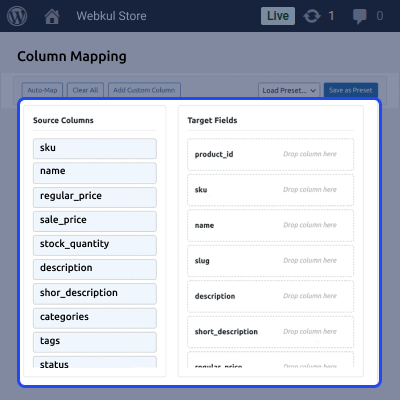
Managing orders and customer data in bulk helps streamline operations and reporting. You can import past records or export data for analysis, accounting, or system integration.
This is useful for migrating order history, updating customer details, or sharing data with CRM and accounting tools without manual effort.
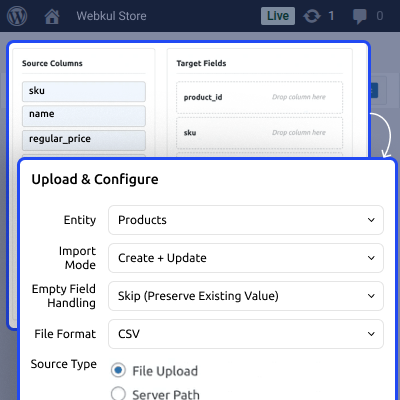
Managing data from different sources becomes easier when you can connect directly to cloud platforms. This feature allows you to import and export data without downloading or uploading files manually.
It is useful for teams working with Google Sheets, shared drives, or cloud storage. You can keep your store data updated from anywhere and collaborate more efficiently.
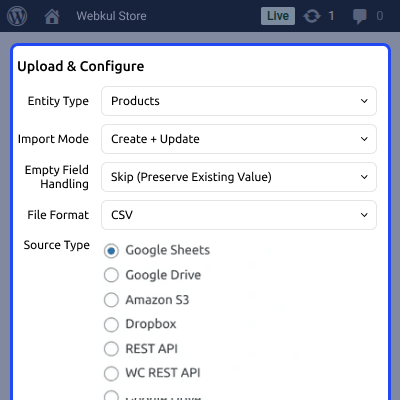
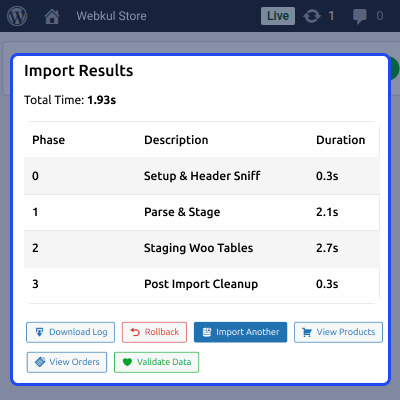
Handling large product catalogs or frequent updates requires a fast and stable system. This feature is built to process large datasets quickly without slowing down your store.
The plugin is built for performance and handles large datasets efficiently. For example, it can import around 10,000 products in 5–7 seconds and up to 1 million products in 4–5 minutes, depending on server setup.
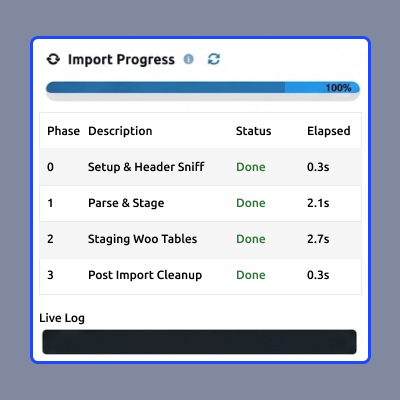
Making bulk changes can be risky if done without checks. This feature lets you review changes before applying them and undo them anytime if needed.
It is useful when updating large datasets where accuracy matters. You can avoid mistakes, verify data, and maintain full control over your store updates.
Connecting your store with external systems becomes easier with API support. This feature allows you to import and export data directly using APIs without relying only on files.
It is useful for businesses that need real-time data exchange with ERP, CRM, or custom applications. You can automate workflows and keep systems in sync without manual steps.
WooCommerce stores often use multiple plugins for SEO, subscriptions, bookings, and custom fields. This feature ensures your data import and export works smoothly with these extensions.
It is useful when your store has complex setups with additional product data or third-party integrations. You can manage all related data without breaking compatibility.
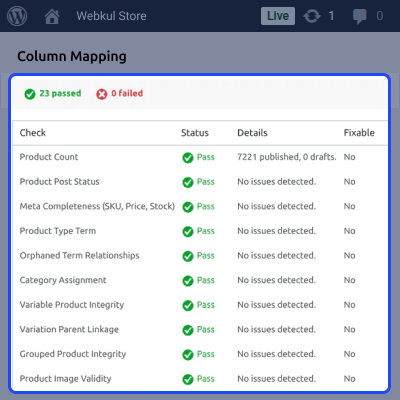
Incorrect data can disrupt your store and create inconsistencies. This health check reviews your import data before and during the process to catch errors and maintain accuracy.
It is useful when handling large or external datasets where mistakes are more likely. You get clear insights and can fix issues before they impact your store.
Managing multiple WooCommerce stores can be difficult when data needs to stay consistent. This feature helps you sync products, prices, and other data between stores automatically.
It is useful for businesses running multiple stores, regional sites, or separate inventories. You can keep everything aligned without repeating the same updates manually.
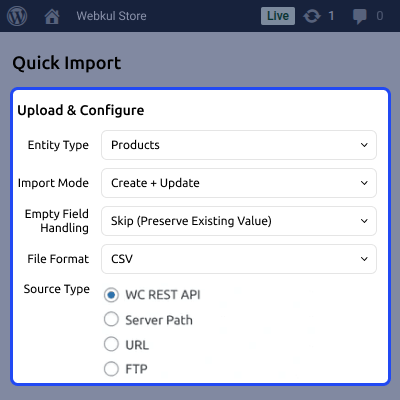
WooCommerce provides basic import and export features, but they are limited for real business use. The table below shows how the default system compares with WooCommerce Advanced Import Export.
| Feature | WooCommerce Default | Advanced Import Export Plugin |
|---|---|---|
| Bulk Product Import | Basic CSV import only | Supports CSV, XML, JSON, Excel, Google Sheets |
| Data Types Supported | Products only (limited) | Products, orders, customers, coupons, more |
| Automation & Scheduling | Not available | Cron-based automated import and export |
| External Data Sources | Not supported | FTP, SFTP, APIs, Google Sheets, S3, Dropbox |
| Column Mapping | Limited mapping | Advanced drag-and-drop mapping with rules |
| Data Transformation | Not available | Supports rules, formatting, and calculations |
| Preview Before Import | Not available | Preview with detailed validation and results |
| Rollback / Undo | Not available | One-click rollback for safe data recovery |
| Performance | Slow for large data | High-speed processing for large datasets |
| Migration Support | Manual effort required | Ready presets for Shopify, Magento, eBay |
| API Integration | Limited | Full API-based import and export support |
This plugin includes a wide range of features designed to handle WooCommerce data import, export, automation, and synchronization efficiently.
For any query or issue, please create a support ticket here http://webkul.uvdesk.com/
You may also check our quality WooCommerce Plugins.
Detailed technical features and requirements to help you understand the module’s capabilities and ensure smooth integration with your system.
Detailed technical features and requirements to help you understand the module’s capabilities and ensure smooth integration with your system.
We’re partnered with top-tier, trusted providers!
Want to know more how exactly we are going to power up your eCommerce Website with Cloud to fasten up your store
* Server Configuration may vary as per application requirements.



