Send Again
Close
WooCommerce Power BI Integration connects your store with Power BI to deliver clear and actionable business insights. It helps you move beyond basic reports and understand your store data better.
Default WooCommerce reports are limited and not flexible enough for deeper analysis. This makes it difficult to track trends, compare performance, or make confident decisions.
With this plugin, your store data is synced automatically. You can build real-time WooCommerce analytics dashboards for sales, customers, and products without manual exports.
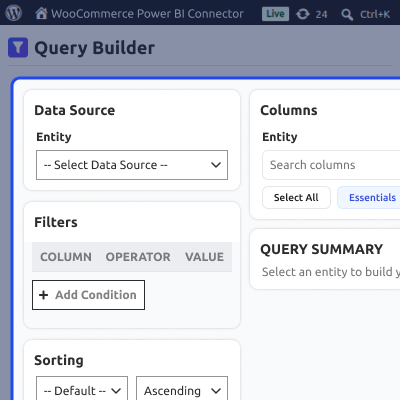
You can also create custom reports using a visual query builder. Select data, apply filters, and preview results without writing any code.
It also supports multi-store analytics, role-based access, and smart alerts. Teams can track performance easily and respond faster. A guided setup process helps you get started quickly without complex configuration.
Additionally, you can also check our WooCommerce Subscription Delivery that allows calendar-based scheduling of subscription deliveries for customers.
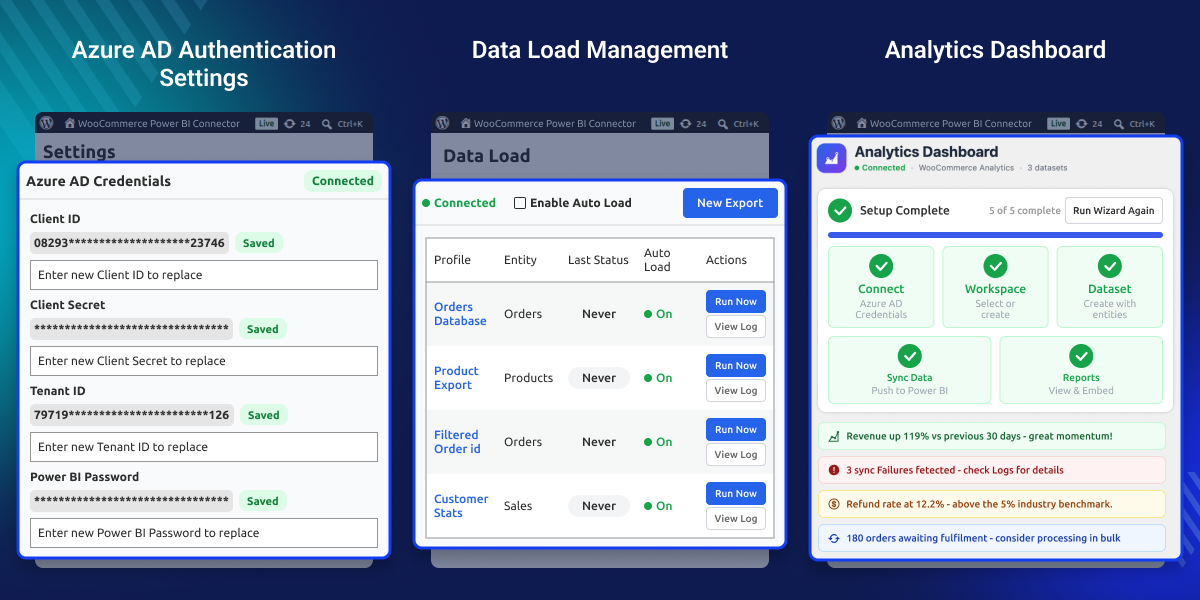
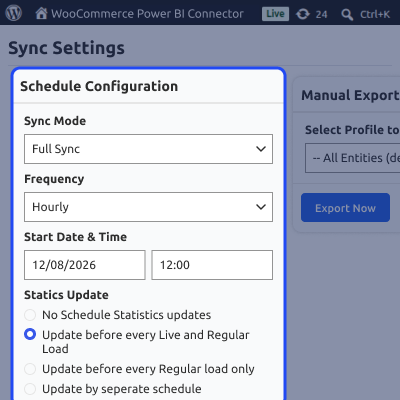
Automatically sync your store data to Power BI using scheduled or real-time updates.
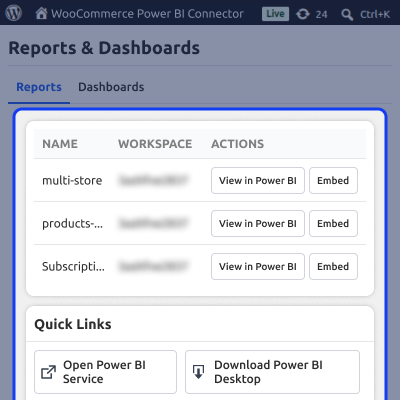
Track sales, revenue, customers, and performance using interactive WooCommerce analytics dashboards.
Create custom WooCommerce reports with a simple drag-and-drop query builder.
Combine data from multiple WooCommerce stores into a single Power BI workspace.
View and interact with Power BI dashboards directly inside your WordPress admin.
Get alerts for sales drops, high refunds, or unusual activity so you can act quickly.
Sync only updated data to improve speed and reduce server load.
Control who can access reports, settings, and analytics features.
Automate workflows and extend functionality using API.
Keep your data secure with encryption, OAuth, and reliable data handling practices.
WooCommerce gives you data, but its default reports are limited. They don’t provide the level of detail needed for growing stores. As your business grows, tracking performance across products, customers, and time becomes harder. Manual reports and exports slow things down.
Power BI integration solves this by connecting your WooCommerce data to a powerful analytics platform. You get better visibility, clearer trends, and faster decision-making. Built for real WooCommerce use cases, this solution supports scalable eCommerce reporting and day-to-day business decisions.
Apart from this, if you need to run flash sales with WooCommerce Happy Hours, Power BI takes the guesswork out of your campaigns by tracking sales spikes, discount usage, and your overall ROI.
This integration supports different business needs by turning WooCommerce data into actionable insights.
If you operate physical retail stores using WooCommerce POS Plugin, Power BI also pulls them in to give you a complete picture of your total revenue.
Understand buying patterns, repeat customers, and lifetime value to improve retention.
Identify top-selling and low-performing products to optimize your catalog.
View data from multiple WooCommerce stores in one place and compare performance easily.
Measure the impact of discounts and campaigns to improve ROI.
Monitor refunds and cancellations to reduce losses and identify issues early.
Give teams or clients access to clear dashboards for better collaboration.
Replace manual reports with dashboards that update automatically using WooCommerce data sync.
Keep your analytics up to date by syncing WooCommerce data with Power BI automatically. No need for manual exports or repeated work. You can schedule syncs or run them manually anytime to keep reports aligned with the latest store activity.
Create dashboards in Power BI to track key business metrics in one place. This helps you understand performance without going through raw data and spot trends quickly.
Build reports that match your business needs without writing code. The visual query builder allows filtering, sorting, and previewing data easily.
Combine data from multiple WooCommerce stores into one Power BI workspace. This keeps reporting organized and allows easy comparison across stores.
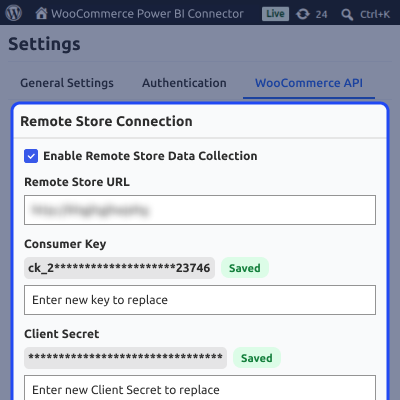
Access your Power BI dashboards directly from the WordPress admin without switching tools. This helps teams work within a familiar interface.
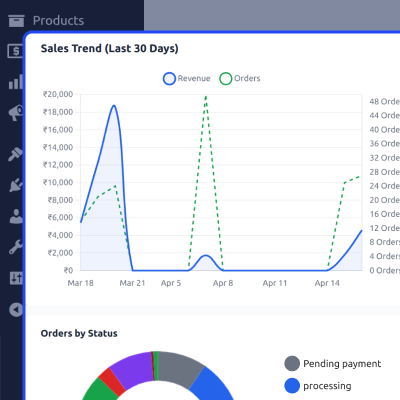
Stay updated with alerts when key metrics change so you can react quickly to important events.
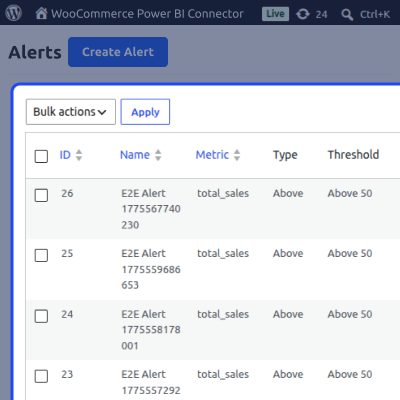
Manage access to analytics features and reports to keep your data secure and organized.
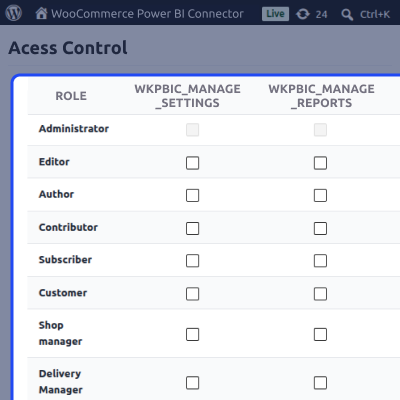
Use developer tools to automate tasks and extend functionality for advanced workflows and integrations.
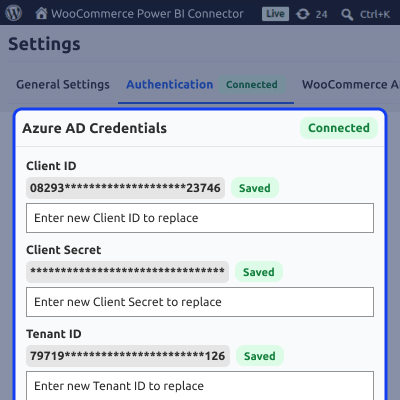
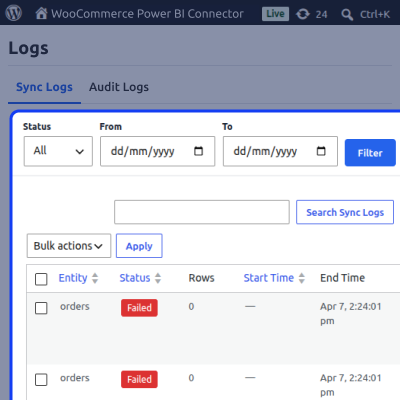
Your data stays secure while handling large volumes efficiently. The system is built for reliable and scalable performance with monitoring and logging.
For any query or issue, please create a support ticket here http://webkul.uvdesk.com/
You may also check our quality WooCommerce Plugins.
Detailed technical features and requirements to help you understand the module’s capabilities and ensure smooth integration with your system.
Detailed technical features and requirements to help you understand the module’s capabilities and ensure smooth integration with your system.
We’re partnered with top-tier, trusted providers!
Want to know more how exactly we are going to power up your eCommerce Website with Cloud to fasten up your store
* Server Configuration may vary as per application requirements.



